
This page is not an official page of the app or its developer, but an independent editorial publication created for informational and commentary purposes. Unless expressly stated otherwise, neither the app nor its developer is affiliated with, endorsed by, sponsored by, authorized by, or otherwise officially connected with MWM, Apple, Google Play, the app publisher, or the app's developer, and nothing on this page implies that the app was developed using MWM's services. Any trademarks, logos, screenshots, and other content remain the property of their respective owners.


SAB iCorp
The secure, all-in-one mobile solution for global executives managing Saudi business operations. Authorize payroll, generate OTPs, and access real-time financial insights with biometric precision.
Downloads
58K+User Rating
Total Ratings
500Publisher
Category
FinanceLocales
1Latest Version
6.0.64Size
65.9 MBFirst Released
May 12, 2020Empower Your Global Business Operations
Streamline your international financial management with a secure, real-time platform designed for executives and business owners on the move.
Frictionless Security
Use Biometric login and an integrated OTP generator to access your global accounts securely without the need for physical hardware.
Instant Cross-Border Control
Monitor accounts and authorize priority transfers across time zones to maintain operational momentum from anywhere in the world.
Frequently Asked Questions
Everything you need to know about SAB iCorp
What is the primary function of the SAB iCorp mobile app?
The SAB iCorp mobile app centralizes business banking, allowing users to manage finances from anywhere, anytime. It also generates One Time Passcodes (OTP) for secure web portal login and transaction authorization.
How does the SAB iCorp app enhance security for business banking?
SAB iCorp enhances security by generating One Time Passcodes (OTP) for web portal login and transaction authorization. It also supports secure login using biometric standards like fingerprint or face ID.
Can users view all their business accounts in one place with SAB iCorp?
Yes, SAB iCorp enables users to manage all their business accounts in a single, consolidated view. The Corporate Summary screen provides an overview of account balances and details.
What types of transfers can be facilitated using the SAB iCorp app?
The SAB iCorp app facilitates various priority transfers, including overseas transfers, with ease. Users select the transfer type and provide necessary transaction details within the app.
Can I get my account statements through the SAB iCorp mobile app?
Yes, SAB iCorp provides real-time access to account statements. Users can avail their statements directly through the app for a period of up to one year.
Does SAB iCorp allow for auditing and authorization of payments?
Yes, SAB iCorp allows users to audit and authorize all payments, including payroll, remotely. The app provides functionality to review and approve transactions from anywhere, anytime.
Can I pay bills and Government dues using the SAB iCorp app?
Yes, the SAB iCorp app allows users to conveniently pay various types of bills and Government dues. This feature is accessible from home or while on the go.
How does SAB iCorp handle secure login?
SAB iCorp uses biometric standards like fingerprint or face ID for seamless and secure login. It also utilizes One Time Passcodes (OTP) generated within the app for secure access and transaction authorization.
What types of reports can SAB iCorp generate?
SAB iCorp generates businesslike reports by monitoring instructions and transactions. These reports assist in methodical financial management and can be exported via email or Excel.
Are the services offered on the SAB iCorp app the same as the web portal?
The services offered on the SAB iCorp app are consistent with those on the Web portal. Access to different services depends on the user's entitlements, which are common across both platforms.
The following screenshots and description are sourced directly from the app's official store listing and are the property of the app developer.
App Store
Screenshots
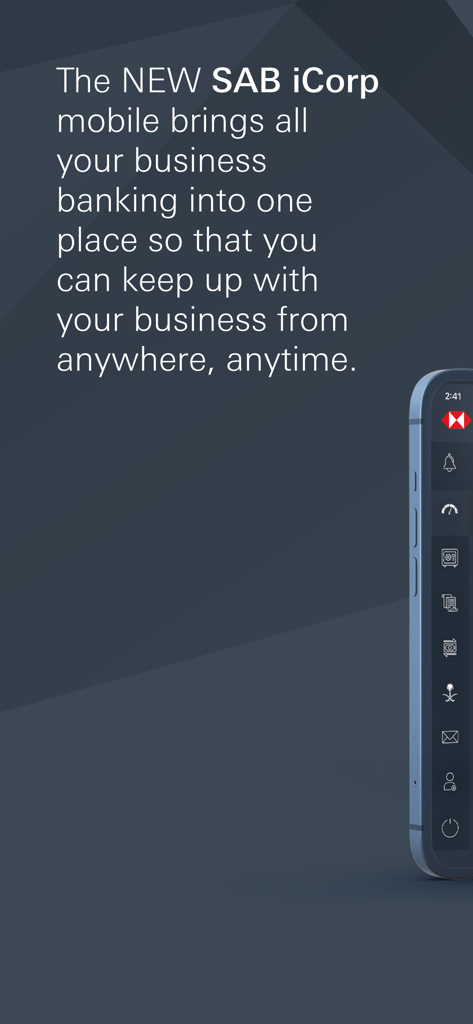
SAB iCorp mobile app introductory screen featuring the business banking tagline
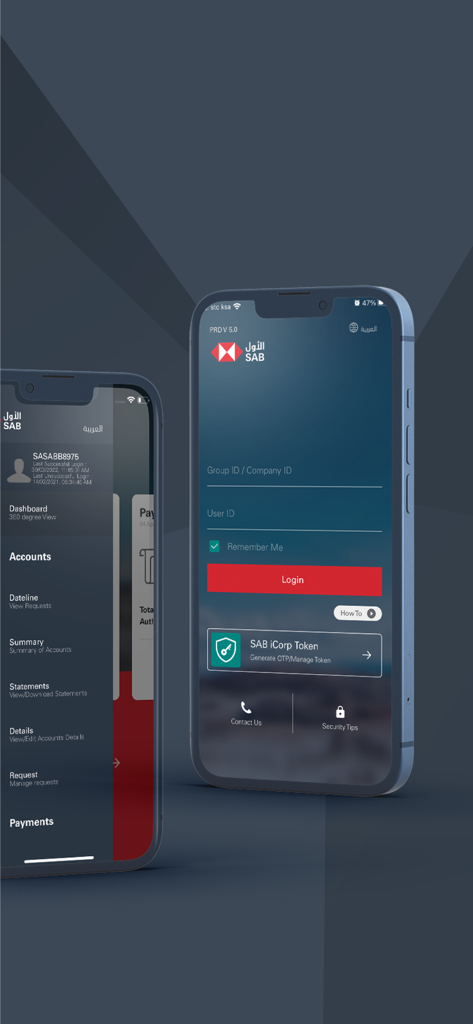
Login screen and main navigation menu of the SAB iCorp business banking mobile app.
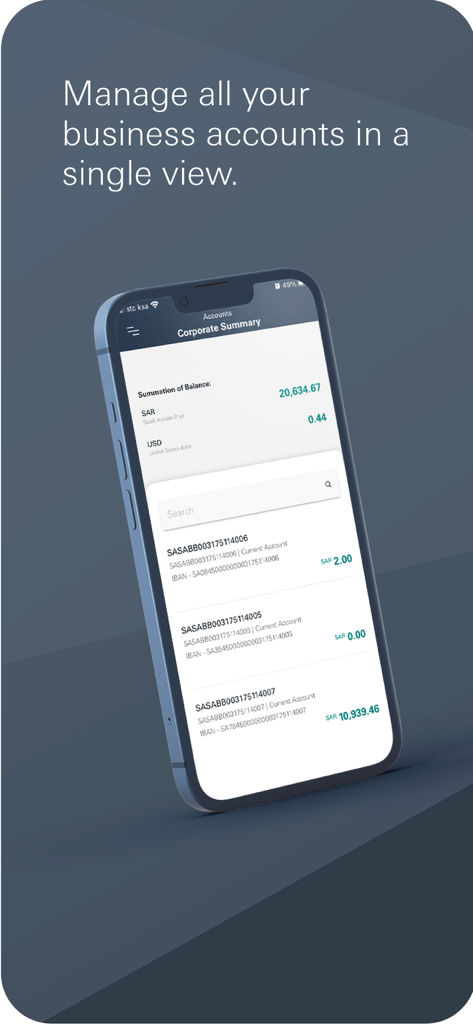
SAB iCorp app displaying corporate account summary and business balances on a smartphone
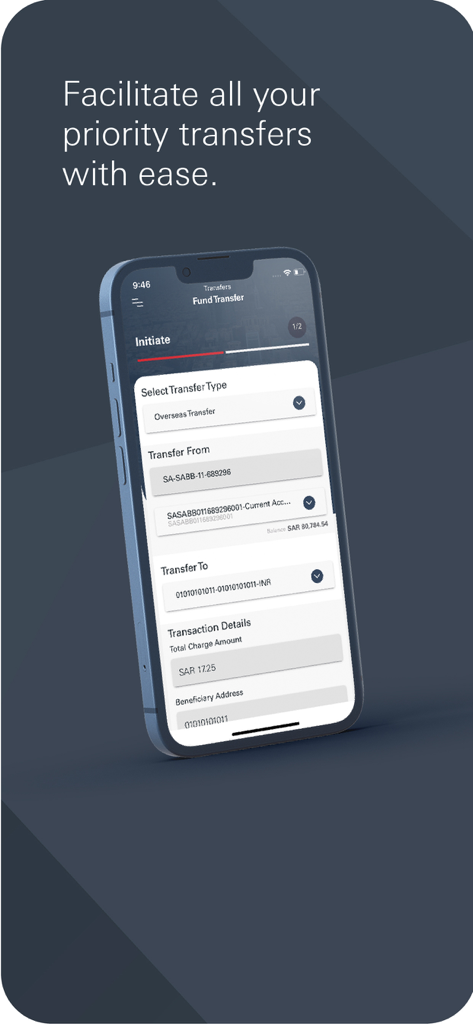
SAB iCorp mobile app screen showing the initiation of an overseas fund transfer for business banking.
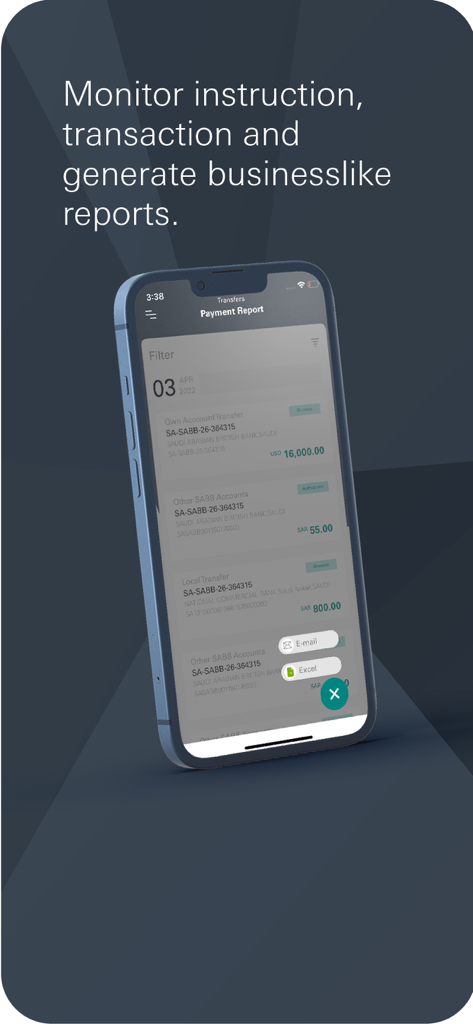
SAB iCorp app interface for monitoring transactions and generating business reports
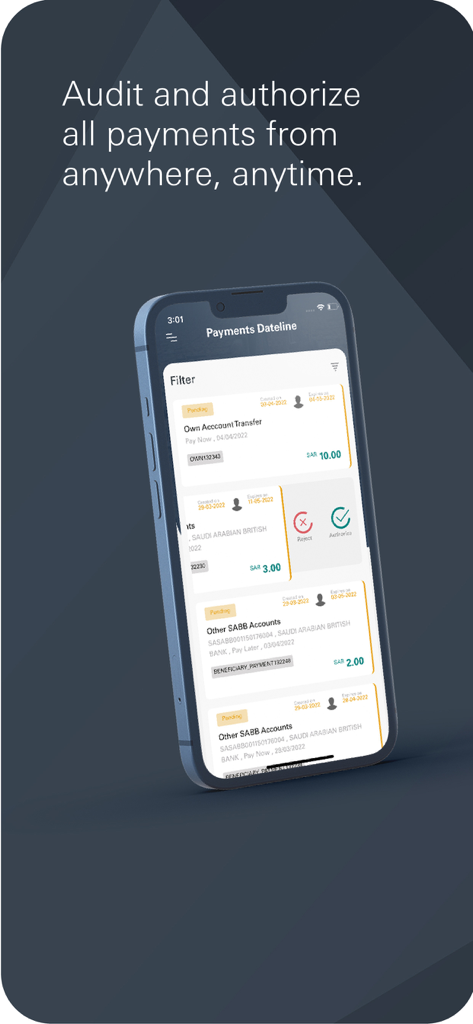
SAB iCorp mobile app screen displaying a list of pending business payments for audit and authorization
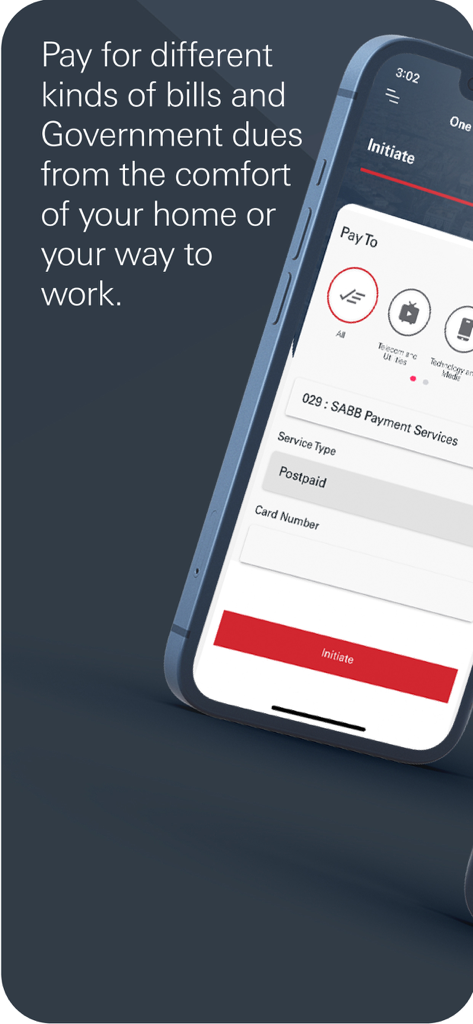
SAB iCorp mobile app screen showing options for paying bills and government dues with a form for postpaid service type and card number.
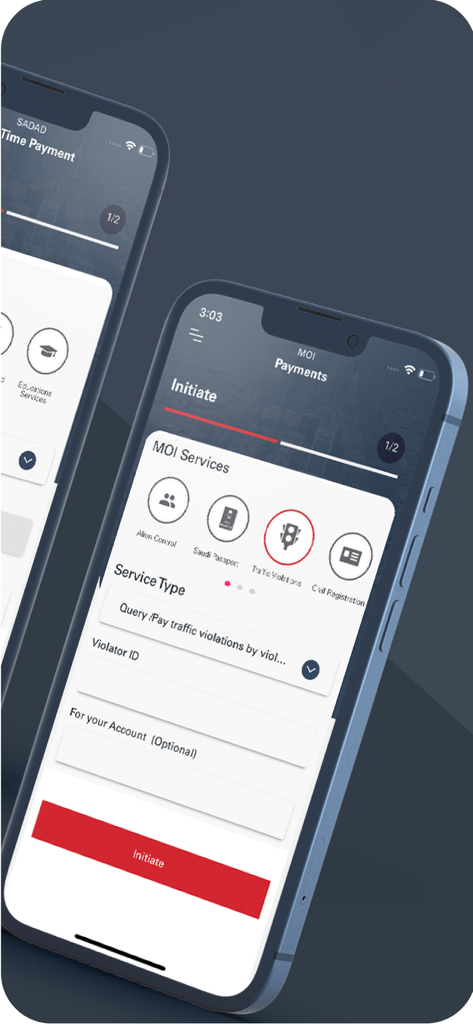
SAB iCorp app interface for initiating Ministry of Interior government payments like traffic violations
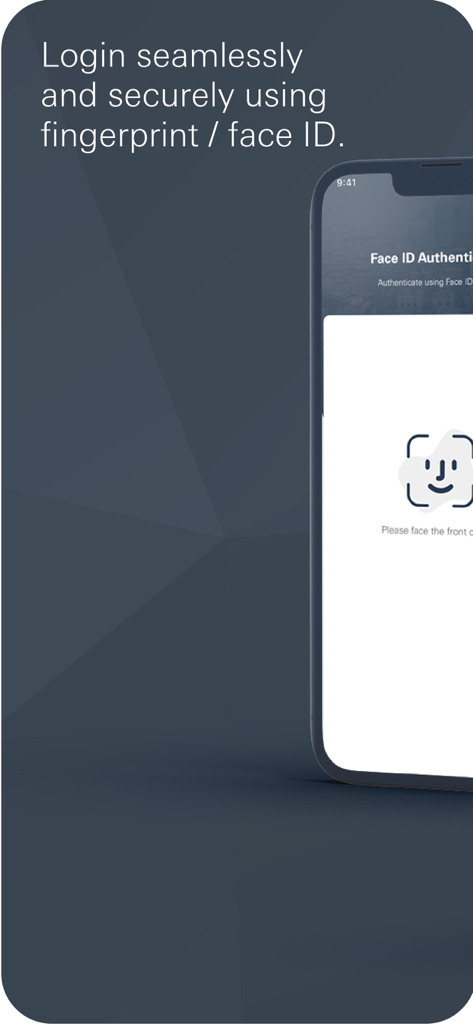
SAB iCorp mobile app screen displaying Face ID authentication for secure biometric login
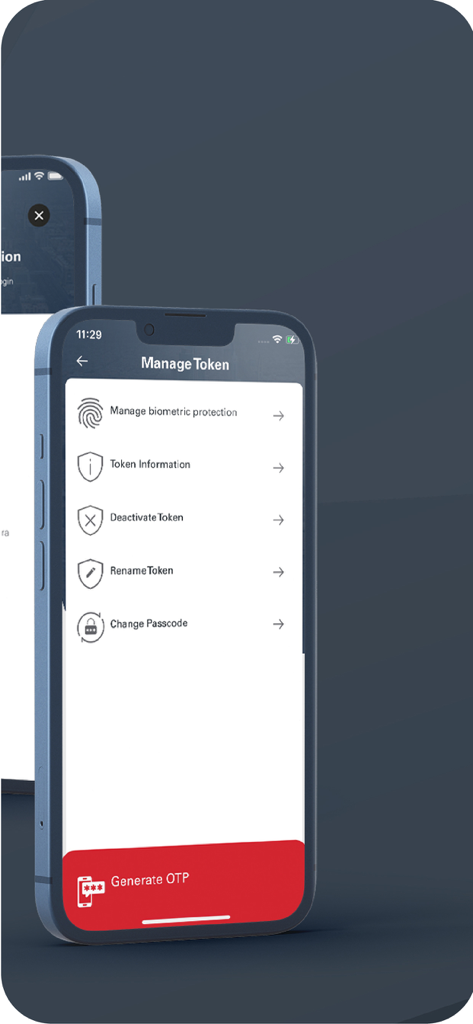
SAB iCorp mobile app interface showing options for security token management biometric protection and OTP generation
Description
Download
More Like This
Top-ranked apps in the same category

电子税务局
State Administration of Taxation

UnionPay APP
China Unionpay Co.,Ltd.

养基宝 - 年轻人的养基神器
Shenzhen Xiaoduotou Information Technology Co.,Ltd.

PayPal - Pay, Send, Save
PayPal, Inc.

中国农业银行
AGRICULTURAL BANK OF CHINA LIMITED

Mercado Pago: cuenta digital
MercadoLibre S.A.

Kalshi: Trade on the Big Game
KALSHI INC.

中国工商银行
Industrial and Commercial Bank of China

个人所得税
State Administration of Taxation
This page is not an official page of the app or its developer, but an independent editorial publication created for informational and commentary purposes. Unless expressly stated otherwise, neither the app nor its developer is affiliated with, endorsed by, sponsored by, authorized by, or otherwise officially connected with MWM, Apple, Google Play, the app publisher, or the app's developer, and nothing on this page implies that the app was developed using MWM's services. Any trademarks, logos, screenshots, and other content remain the property of their respective owners.