
This page is not an official page of the app or its developer, but an independent editorial publication created for informational and commentary purposes. Unless expressly stated otherwise, neither the app nor its developer is affiliated with, endorsed by, sponsored by, authorized by, or otherwise officially connected with MWM, Apple, Google Play, the app publisher, or the app's developer, and nothing on this page implies that the app was developed using MWM's services. Any trademarks, logos, screenshots, and other content remain the property of their respective owners.


Saturn Calendar
Stop wrestling with schedules; this app delivers control over chaos.
Downloads
5M+User Rating
Total Ratings
67.6KPublisher
Category
ProductivityLocales
1Latest Version
10.13.0Size
198.9 MBFirst Released
Mar 2, 2019An Analytical Overview for Student Time Management
Key Features of Saturn Calendar
Intelligent School Schedule Adaptation
The app provides specialized support for diverse school scheduling formats, including rotating periods, block schedules, and custom formats like lunch waves, ensuring students always know their next class or activity.
Effortless Social Planning
It allows users to share their schedules with friends, enabling easy identification of free times for social planning, study sessions, or spontaneous meetups without constant back-and-forth communication.
Integrated Group Planning
This tool features shared calendars for clubs, sports teams, and group projects, simplifying the coordination of events, updates, and communication among members.
Holistic Time & Stress Management
It helps students manage their time effectively, reducing the stress associated with complex academic and social demands by centralizing schedules and reminders.
Frequently Asked Questions
Everything you need to know about Saturn Calendar
What is the Saturn Calendar app?
Saturn Calendar is a mobile application designed for high school and college students to manage complex academic schedules and coordinate social plans with friends.
Does Saturn Calendar support complex school schedules?
Yes, Saturn Calendar supports various academic formats, including rotation calendars, block schedules, modified classes, lunch waves, and advisory periods, to fit diverse school structures.
Can I share my schedule with friends on Saturn Calendar?
Yes, Saturn Calendar allows users to share their schedules with friends to easily see their availability, upcoming events, and find optimal times to make plans.
How does Saturn Calendar facilitate group activities?
Saturn Calendar helps with group planning by allowing users to organize shared calendars for clubs, sports teams, and projects, adding events and sending updates.
Is Saturn Calendar suitable for college students?
Yes, Saturn Calendar is designed to support students transitioning to college, helping them manage their college schedules and stay updated on campus activities.
Does Saturn Calendar integrate with Snapchat?
Yes, Saturn Calendar integrates with Snapchat, enabling users to link accounts, share schedules directly, and chat with their Snapchat friends within the app.
Can I add events using voice commands in Saturn Calendar?
Yes, Saturn Calendar includes an AI assistant named Ringo, which allows users to add events and to-do items efficiently using natural language prompts.
Does Saturn Calendar show upcoming classes on the lock screen?
Yes, Saturn Calendar offers lock screen widgets that display upcoming classes and events, helping students to monitor their schedule throughout the day.
How many high schools use Saturn Calendar?
Saturn Calendar is currently utilized by students in over 17,000 high schools across the United States for managing their time and schedules.
The following screenshots and description are sourced directly from the app's official store listing and are the property of the app developer.
App Store
Screenshots
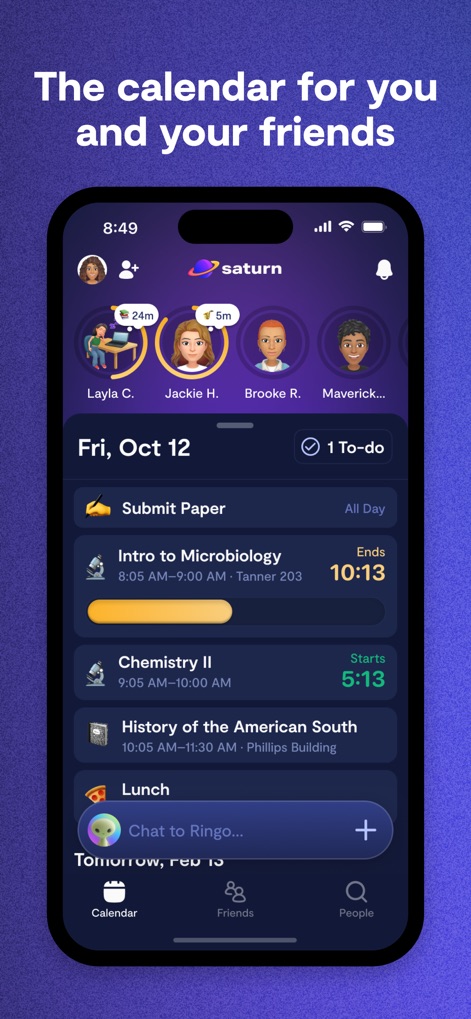
Users can effortlessly view their daily schedule with detailed class timings and see friends' availability at the top for easy planning.
Social Schedule Sync
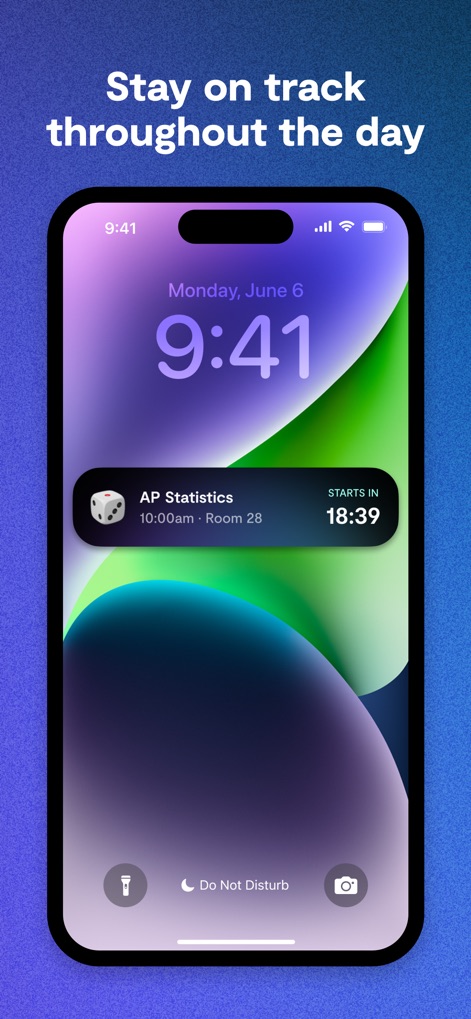
The app offers a convenient lock screen widget displaying the current time prominently and an upcoming class with a real-time countdown.
At-a-Glance Timetable

This tool integrates with social platforms, allowing users to view a friend's profile with their personalized Bitmoji and shared class details like 'Biology 101' and time left.
Seamless Social Connect
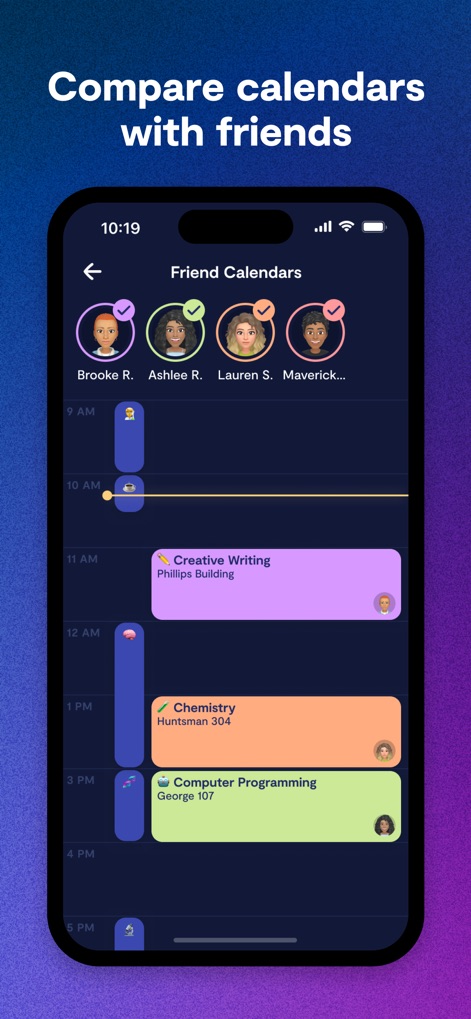
Users can easily compare schedules with multiple friends represented by their avatars at the top and see their combined availability through color-coded timelines.
Collaborative Planning
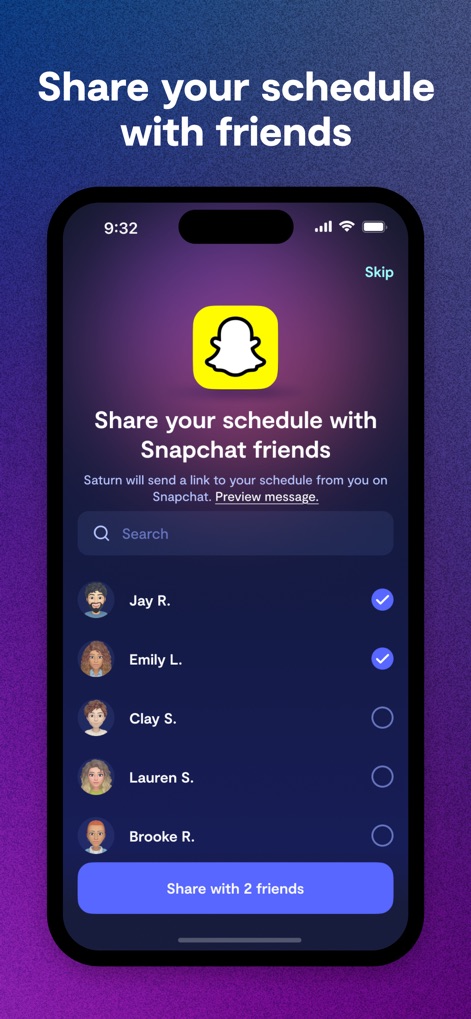
The app provides a direct sharing interface with the Snapchat logo to send schedules, and a list of friends with selectable checkboxes for quick sharing.
Instant Schedule Sharing
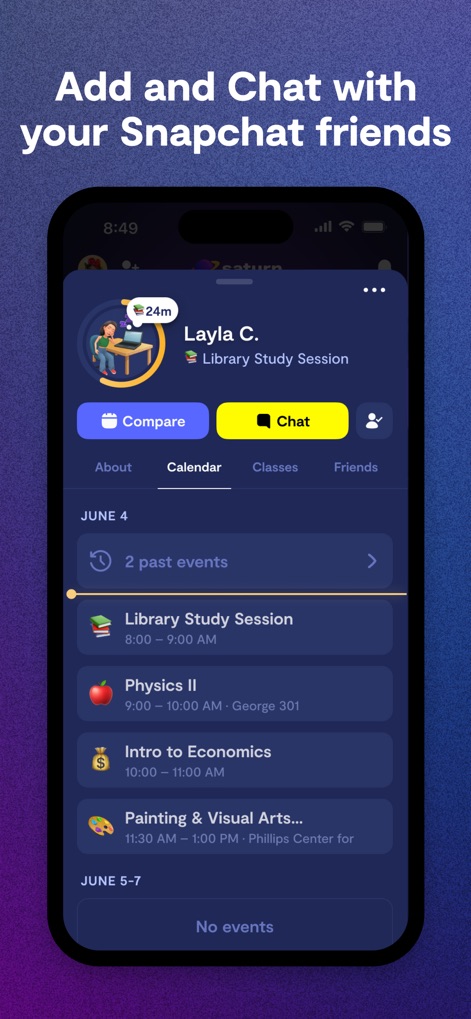
Users can explore a friend's full calendar by navigating through past and upcoming events, with prominent 'Compare' and 'Chat' buttons for immediate interaction.
Friend's Schedule Deep Dive
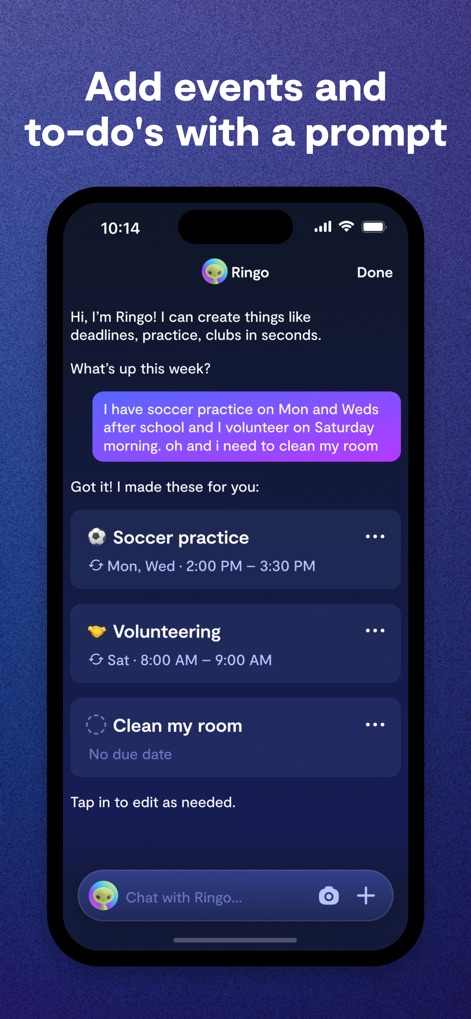
This tool features an AI assistant named 'Ringo' that interprets natural language input to automatically create events like 'Soccer practice' and 'Volunteering'.
Smart Event Creation
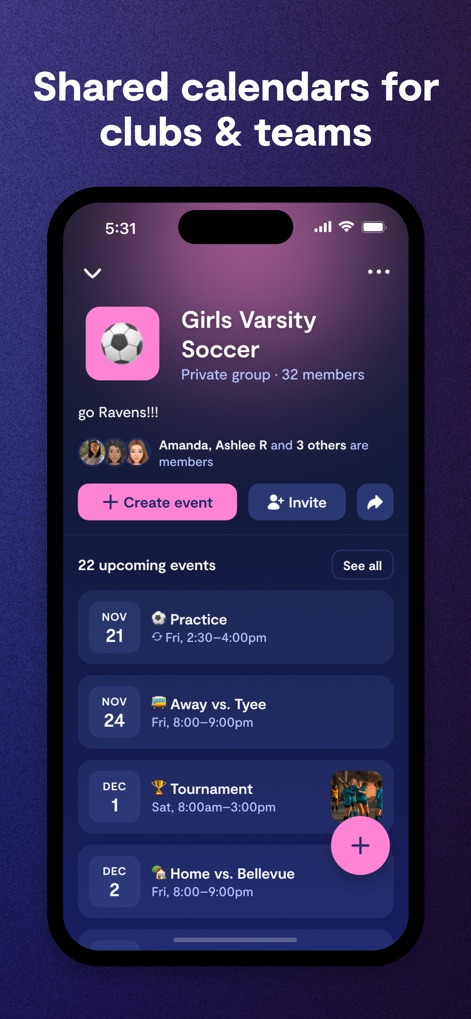
The app facilitates group organization by showing a clear group name like 'Girls Varsity Soccer' and a comprehensive list of upcoming events with specific dates.
Team & Club Hub
Description
Download
More Like This
Apps with similar features and user experience

Cheers App
VG ENTRETENIMENTO LTDA
פז"מ
PAZAM MARKETING AND ADVERTISING LTD

Haven - Video Call & Social
P-ONE VIET NAM COMPANY LIMITED

ZeeMee: Meet College Friends
ZeeMee, Inc.

校遇-附近高颜值大学生聊天交友约会社区
Beijing Boya Xinghuan Information Technology Co.,Ltd
노크 - 내가 찾던 대학생활
Solidarite Inc.

Umatch: Match, Chat & Meet
Umatch Ltda

CircleIn- Circle in Daily
CircleIn, Inc.

Ulife
GAEC Educacao S/A
This page is not an official page of the app or its developer, but an independent editorial publication created for informational and commentary purposes. Unless expressly stated otherwise, neither the app nor its developer is affiliated with, endorsed by, sponsored by, authorized by, or otherwise officially connected with MWM, Apple, Google Play, the app publisher, or the app's developer, and nothing on this page implies that the app was developed using MWM's services. Any trademarks, logos, screenshots, and other content remain the property of their respective owners.