Scan Me - Product WebLink QR
Download on App Store

This page is not an official page of the app or its developer, but an independent editorial publication created for informational and commentary purposes. Unless expressly stated otherwise, neither the app nor its developer is affiliated with, endorsed by, sponsored by, authorized by, or otherwise officially connected with MWM, Apple, Google Play, the app publisher, or the app's developer, and nothing on this page implies that the app was developed using MWM's services. Any trademarks, logos, screenshots, and other content remain the property of their respective owners.


Logo of Scan Me - Product WebLink QR
Download on App Store

Scan Me - Product WebLink QR

The all-in-one mobile solution for agile businesses to track stock, manage team roles, and engage customers with interactive QR codes—no hosting or web development required.

Key Figures

Downloads

1K+

User Rating

1.0/5

Total Ratings

0

Publisher

Starkode Limited Company

Category

Business

Locales

34

Latest Version

26.20

Size

66.6 MB

First Released

Nov 12, 2023
Features

Streamline Your Operations with Professional Precision

From custom QR labels to enterprise-level inventory tracking, get the tools you need to scale your business without the complexity of traditional software.

Interactive QR Product Links

Bridge the gap between physical products and digital content. Let customers scan and interact with your brand instantly, no hosting required.

Pro-Grade Inventory Control

Manage serialized and lot-controlled stock effortlessly. Use your phone or external Bluetooth scanners to stay organized on the fly.

The following screenshots and description are sourced directly from the app's official store listing and are the property of the app developer.

App Store

Screenshots
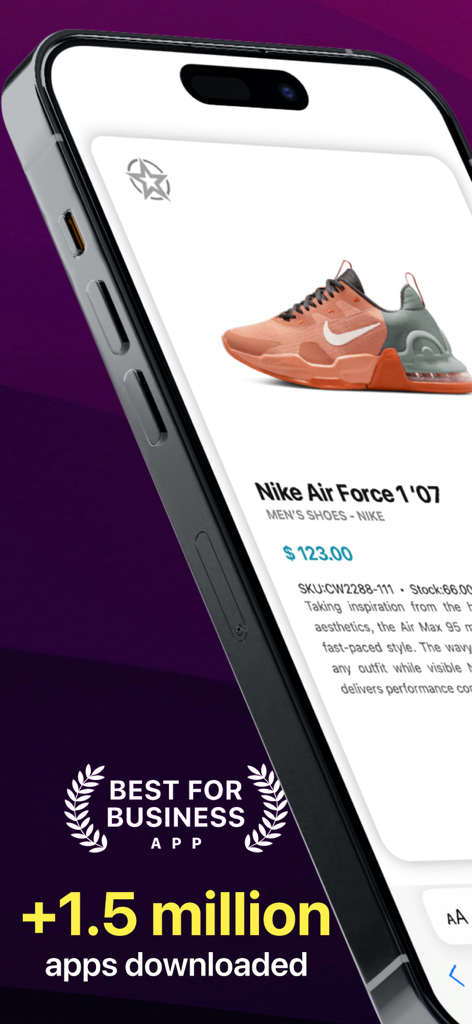
Scan Me - Product WebLink QR - A smartphone screen showing a sneaker product page with price and stock info.
A smartphone screen showing a sneaker product page with price and stock info.

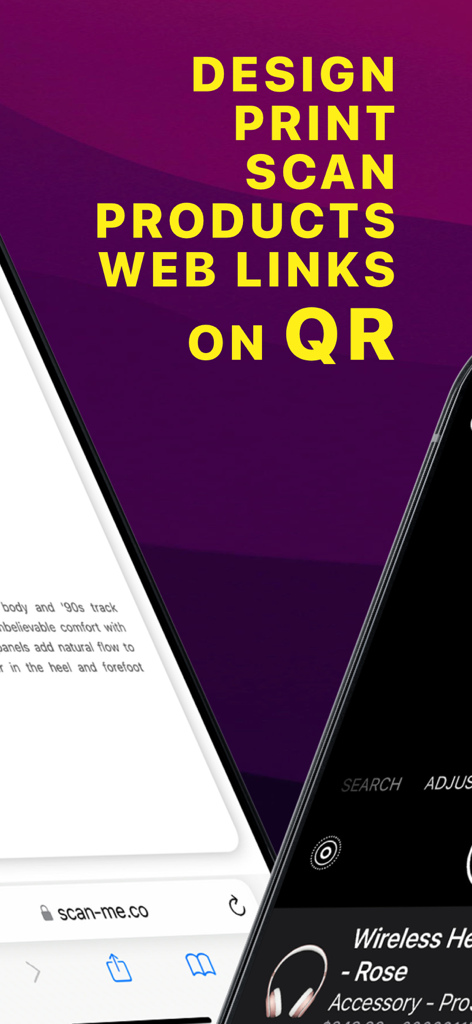
Scan Me - Product WebLink QR - Screenshot of Scan Me app displaying features for designing and printing QR codes for product web links
Screenshot of Scan Me app displaying features for designing and printing QR codes for product web links

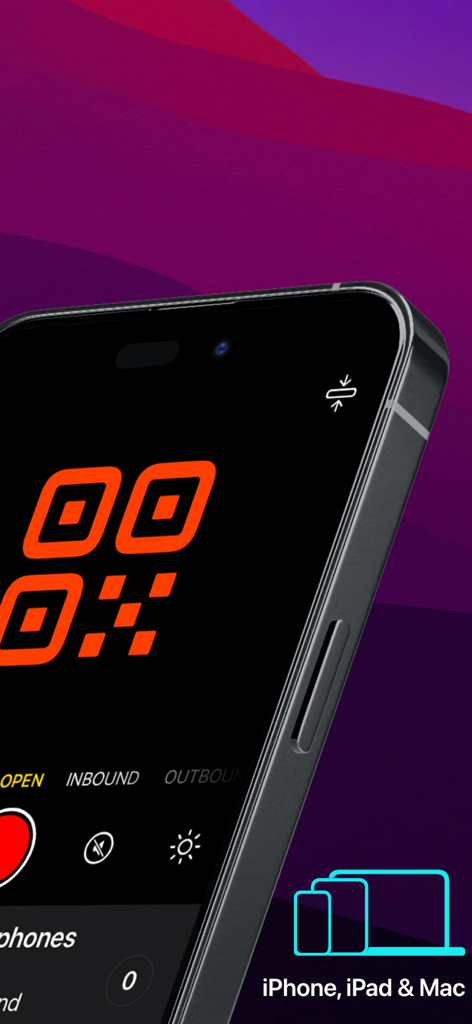
Scan Me - Product WebLink QR - Scan Me app scanning interface on iPhone with device compatibility icons
Scan Me app scanning interface on iPhone with device compatibility icons

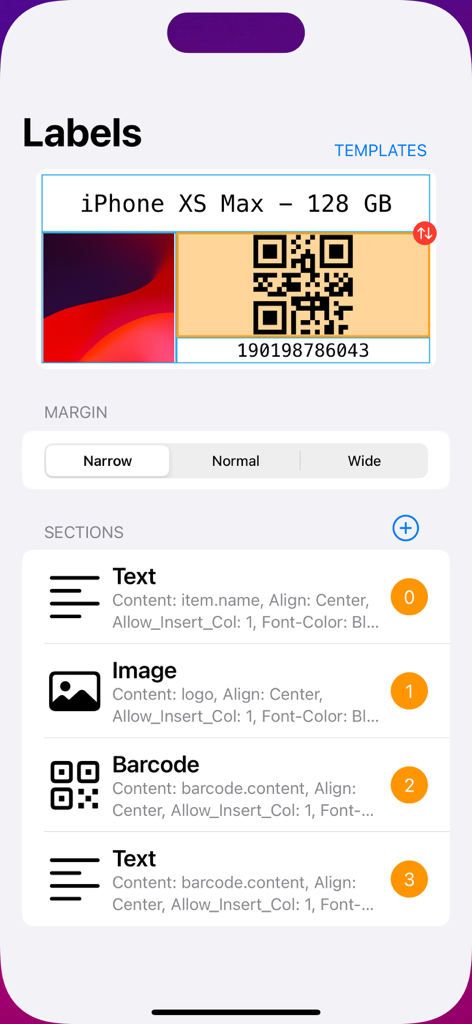
Scan Me - Product WebLink QR - A screen showing the label designer interface for creating product labels with QR codes.
A screen showing the label designer interface for creating product labels with QR codes.

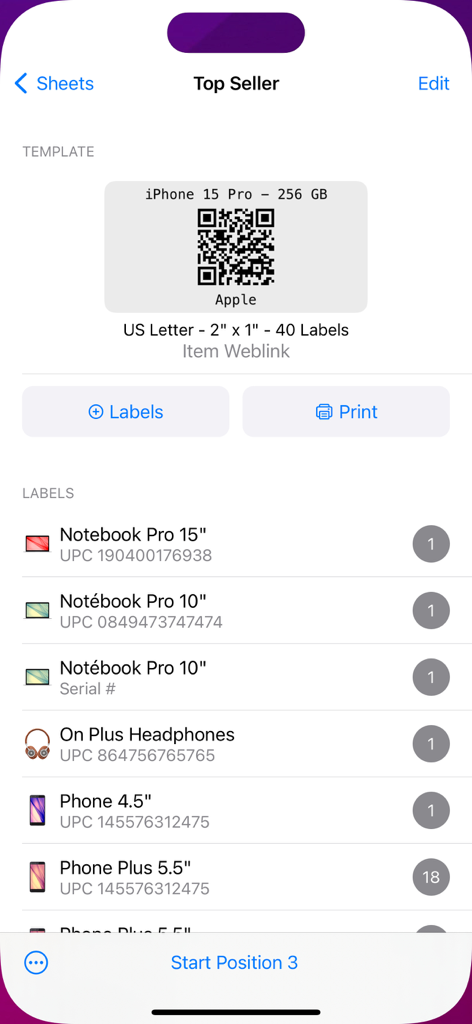
Scan Me - Product WebLink QR - Interface showing a QR code label template for an iPhone 15 Pro and a list of product labels with UPC codes ready for printing.
Interface showing a QR code label template for an iPhone 15 Pro and a list of product labels with UPC codes ready for printing.

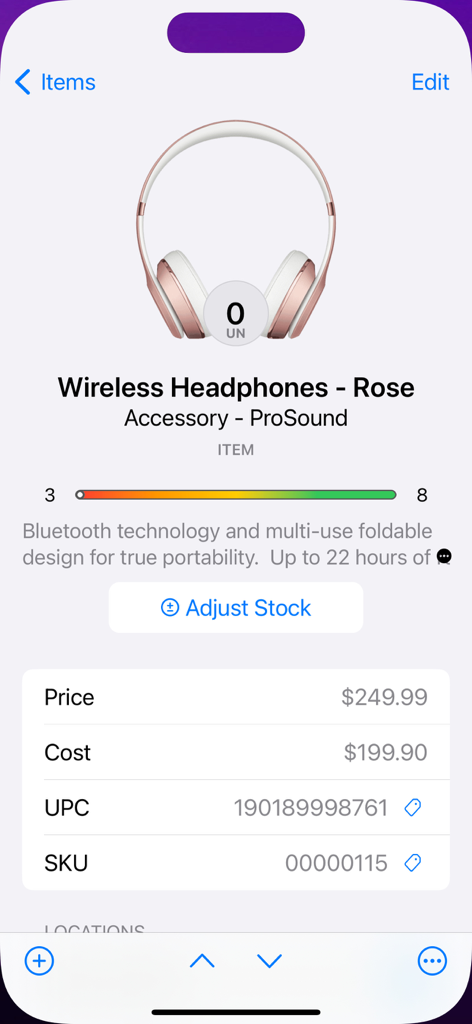
Scan Me - Product WebLink QR - A mobile app interface displaying product inventory details for rose wireless headphones including price, cost, UPC, and SKU
A mobile app interface displaying product inventory details for rose wireless headphones including price, cost, UPC, and SKU

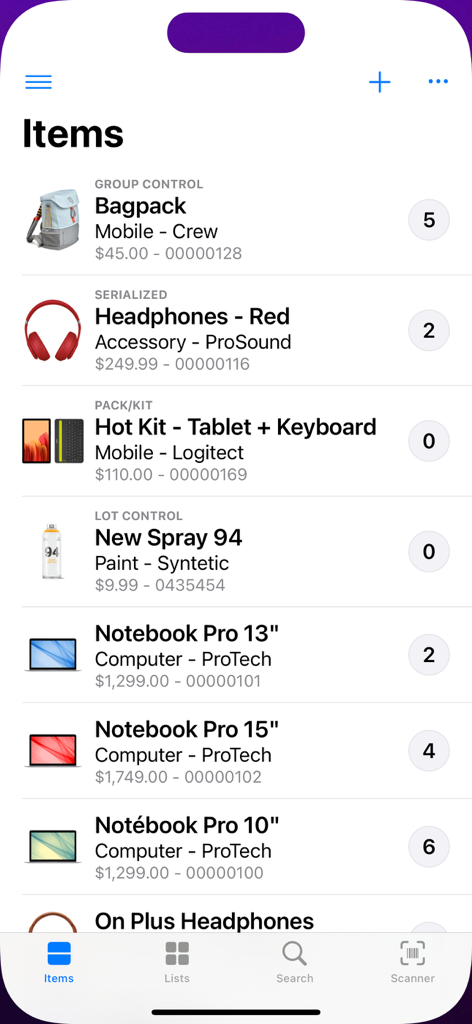
Scan Me - Product WebLink QR - Inventory product list showing item names stock quantities and prices
Inventory product list showing item names stock quantities and prices

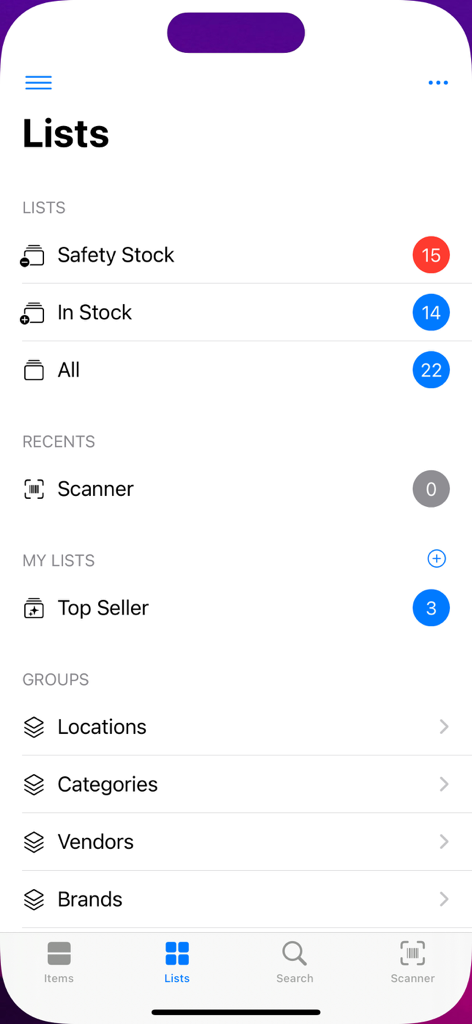
Scan Me - Product WebLink QR - Mobile app interface showing organized inventory lists including safety stock in stock and product categories
Mobile app interface showing organized inventory lists including safety stock in stock and product categories

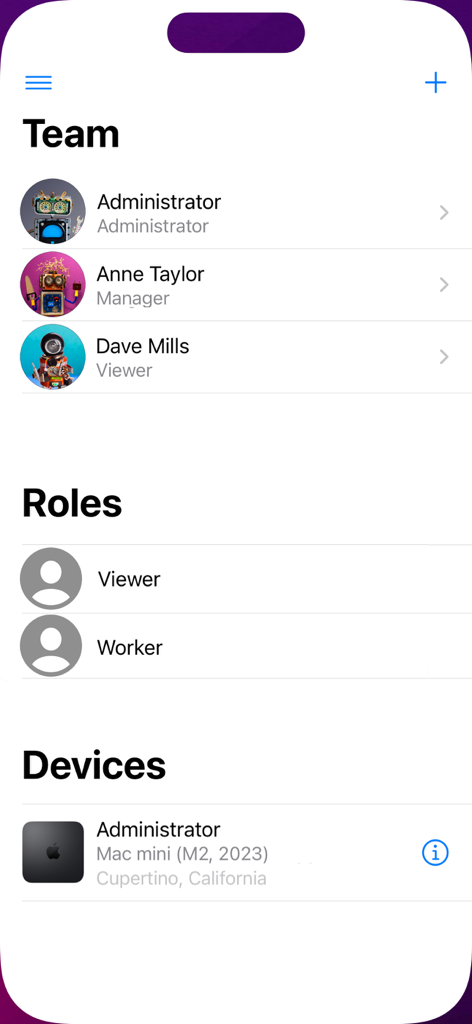
Scan Me - Product WebLink QR - User management interface showing team members roles and connected devices in the Scan Me app
User management interface showing team members roles and connected devices in the Scan Me app

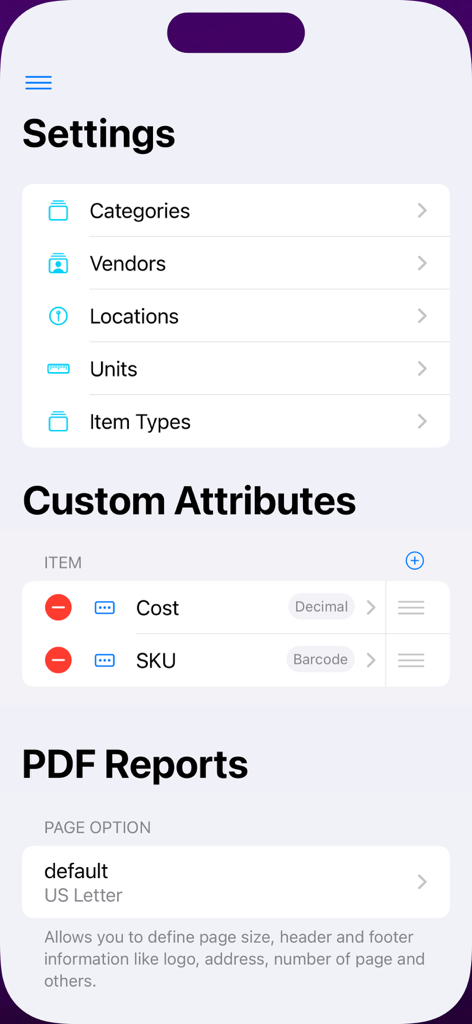
Scan Me - Product WebLink QR - The settings screen of the Scan Me app displaying inventory categories custom attributes for items and PDF report configuration options

The settings screen of the Scan Me app displaying inventory categories custom attributes for items and PDF report configuration options

Description

Design and print outstanding QR code labels for products. Let your customers, employees, or anyone with a smartphone scan QR codes and let them interact with your content without the need for hosting or installing an app. This amazing app also includes a powerful inventory control with a built in barcode scanner. A simple and intuitive user interface makes it easier for your partners, employees, or team members to start managing your inventory seamlessly. An extraordinary tailored feature that allows you to organize items of any type, such as serialized, lot controlled, group controlled, pack/kit, non-inventoriable, services, and bulk. Specially designed for small businesses and organizations of any kind, it is highly customizable and easy to use. BARCODE SCANNER • Powerful scanning tool that allows you to quick list, open, add or adjust stock items on the fly. • Now you can use external Bluetooth barcode devices without hassle. BARCODE GENERATION • Create and print barcode images within the app instantly. • Design and print barcode labels using most standard shaped adhesive sheets (A4, US Letter and Rolls). • Supports EAN 8, EAN 13, UPC and Code 39/93/128/QR/QR mini for custom SKU codes. LISTS • Smart lists (favorites, flagged, expired/expiring and others) allows you to organize items more efficiently. • Create and share custom item lists among members of your team. CUSTOMIZABLE • Create your own set of custom attributes for views and reports. • Customize reports for your brand needs (fonts, header, footer, colors and logo). • Show user photo or company logo on sign in. • Theme color. REPORTS • Print, email and share sleek PDF files. • Import and export CSV files. SECURITY • Manage users, assign roles and monitor access. • Authorize each device before use. ROLES, ACCESS LISTS and BRANCHES • Predefined roles are the easiest way to limit users to performing a specific task, such as viewing, adding, or updating data. • Access lists allow you to group users, roles, and branches to grant security efficiently. • Branches allow mid-size businesses to separate operations by store, location, or department. BEST CHOICE This app belongs to the business series of ©Starkode apps, which are the best choice of apps at work. SUPPORT We are here to help your business make its work easy and effortless. If you have any questions or suggestions related to our apps, then contact us at support@starkode.com. Starkode membership is a month-to-month subscription that begins at sign up. You can easily cancel anytime, within your device, 24 hours a day. There are no long-term contracts or cancellation fees. We just want you to love what you do with our apps. Privacy Policy: https://scan-me.app/privacy/ Terms of Use : https://scan-me.app/terms/

Download

Download on App Store

This page is not an official page of the app or its developer, but an independent editorial publication created for informational and commentary purposes. Unless expressly stated otherwise, neither the app nor its developer is affiliated with, endorsed by, sponsored by, authorized by, or otherwise officially connected with MWM, Apple, Google Play, the app publisher, or the app's developer, and nothing on this page implies that the app was developed using MWM's services. Any trademarks, logos, screenshots, and other content remain the property of their respective owners.








