Scannerkit: PDF & Scanner App
Download on App Store

This page is not an official page of the app or its developer, but an independent editorial publication created for informational and commentary purposes. Unless expressly stated otherwise, neither the app nor its developer is affiliated with, endorsed by, sponsored by, authorized by, or otherwise officially connected with MWM, Apple, Google Play, the app publisher, or the app's developer, and nothing on this page implies that the app was developed using MWM's services. Any trademarks, logos, screenshots, and other content remain the property of their respective owners.


Logo of Scannerkit: PDF & Scanner App
Download on App Store

Scannerkit: PDF & Scanner App

Transform your iPhone into a high-performance mobile office. Automatically capture, enhance, and sign documents with AI-driven precision for a perfect, paperless workflow.

Key Figures

Downloads

0

User Rating

4.6/5

Total Ratings

0

Publisher

SMARTERAPPS.COM INC

Category

Business

Locales

1

Latest Version

1.3.1

Size

253.2 MB

First Released

Dec 15, 2024
Features

Master Your Workflow with AI Scanning

ScannerKit eliminates administrative friction by transforming your iPhone into a high-performance document hub. From auto-detection to instant signatures, we handle the details so you can focus on the work.

Zero-Effort Auto-Capture

Stop wrestling with manual crops. Our AI detects document edges and snaps the perfect shot automatically, ensuring every scan is perfectly aligned from the start.

Scan-hance™ Technology

Impress clients with professional-grade clarity. One tap enhances text and removes shadows, delivering crisp results that look better than the original physical document.

The following screenshots and description are sourced directly from the app's official store listing and are the property of the app developer.

App Store

Screenshots
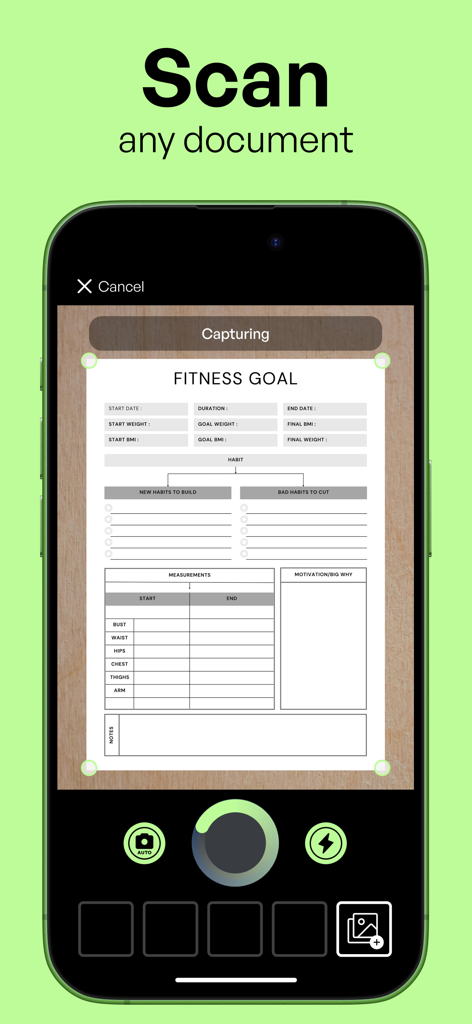
Scannerkit: PDF & Scanner App - ScannerKit mobile app interface capturing a document with automatic edge detection.
ScannerKit mobile app interface capturing a document with automatic edge detection.

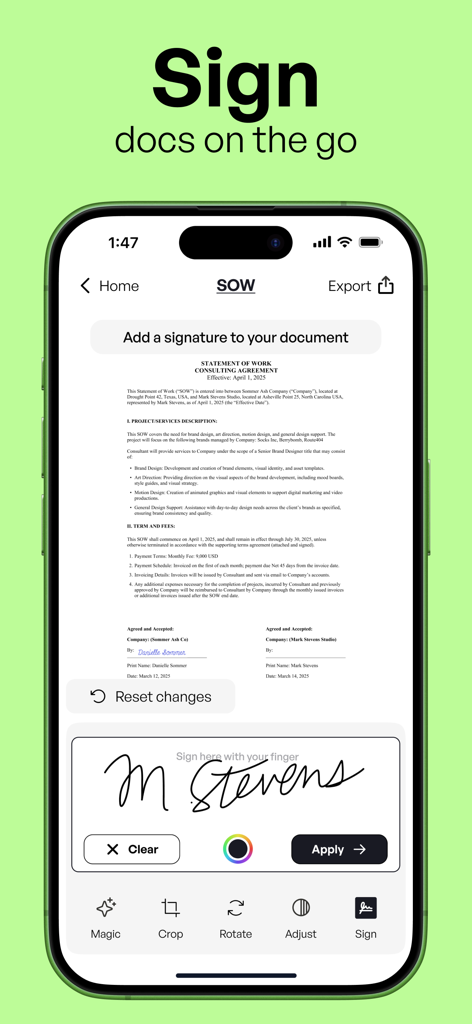
Scannerkit: PDF & Scanner App - An iPhone screen displaying the ScannerKit app being used to add a digital signature to a professional document.
An iPhone screen displaying the ScannerKit app being used to add a digital signature to a professional document.

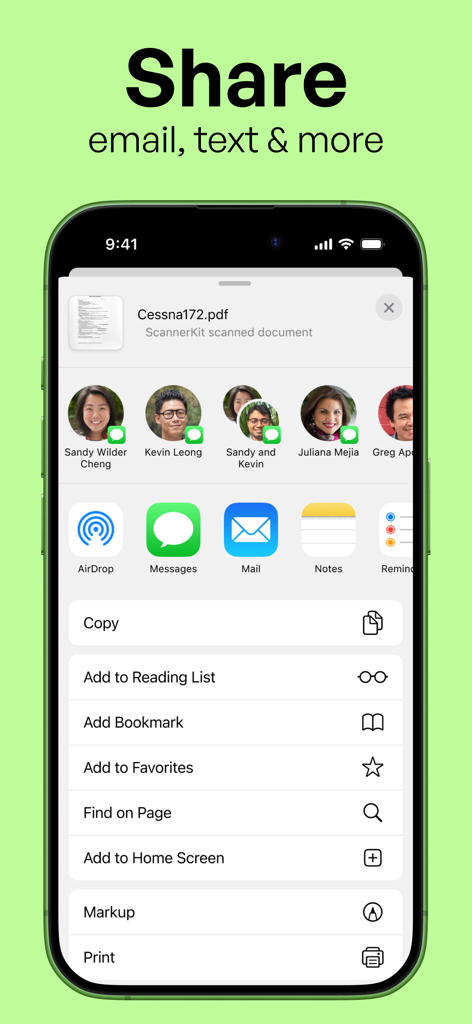
Scannerkit: PDF & Scanner App - Smartphone screen displaying options to share a scanned PDF via email and text
Smartphone screen displaying options to share a scanned PDF via email and text

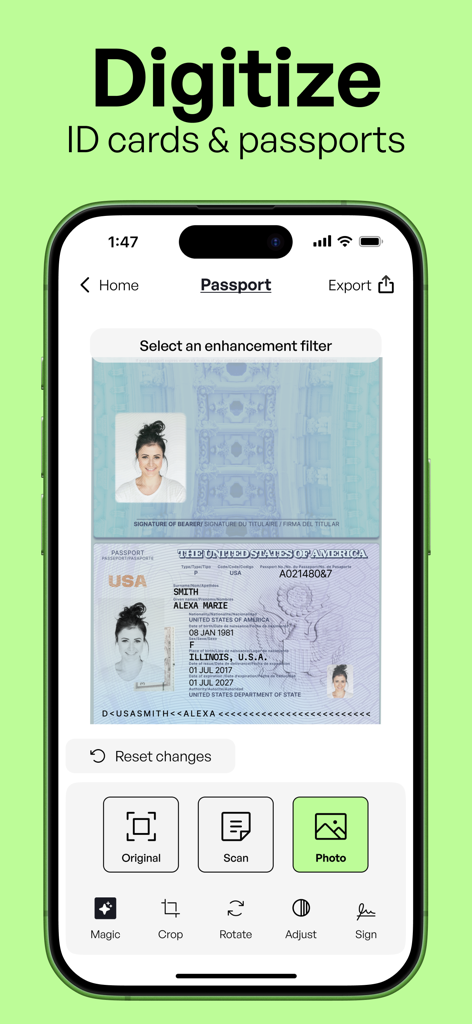
Scannerkit: PDF & Scanner App - ScannerKit app screen demonstrating how to digitize and enhance a passport or ID card
ScannerKit app screen demonstrating how to digitize and enhance a passport or ID card

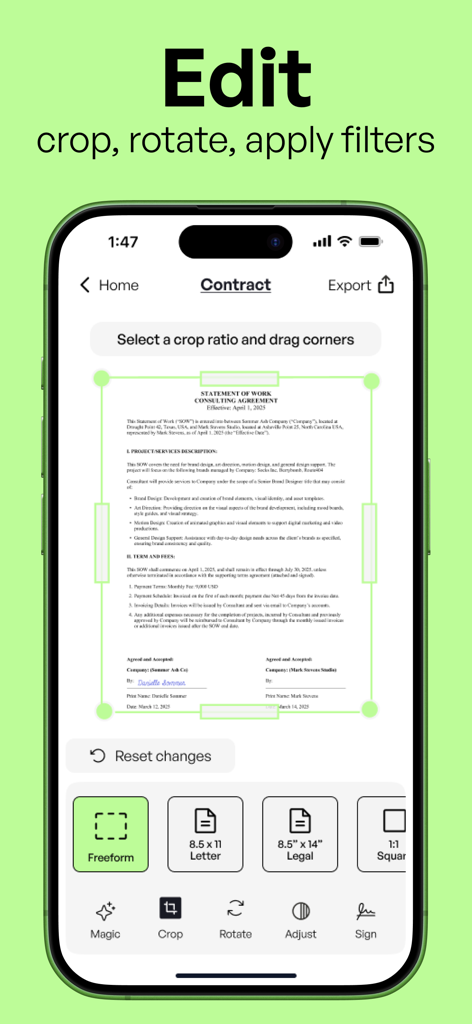
Scannerkit: PDF & Scanner App - ScannerKit app interface for cropping and editing a scanned business document on iPhone.
ScannerKit app interface for cropping and editing a scanned business document on iPhone.

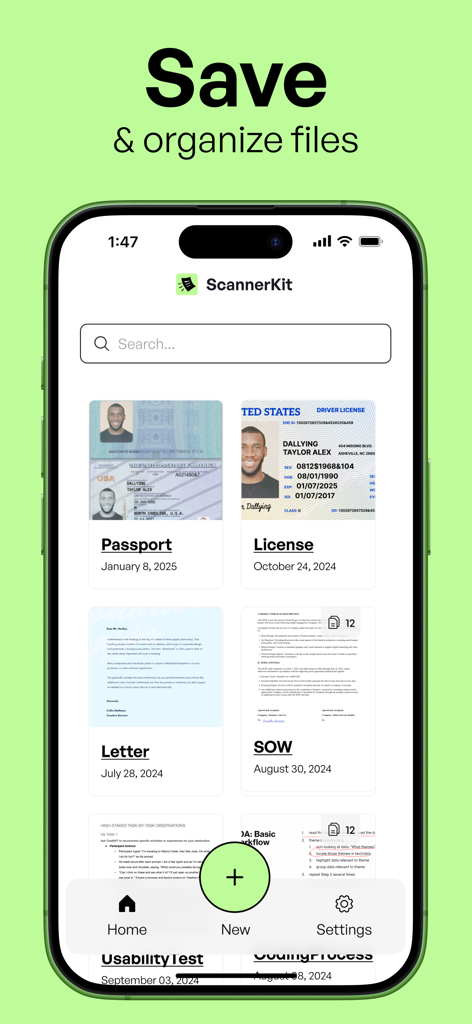
Scannerkit: PDF & Scanner App - ScannerKit app interface showing a gallery of organized digital documents including ID cards and letters
ScannerKit app interface showing a gallery of organized digital documents including ID cards and letters

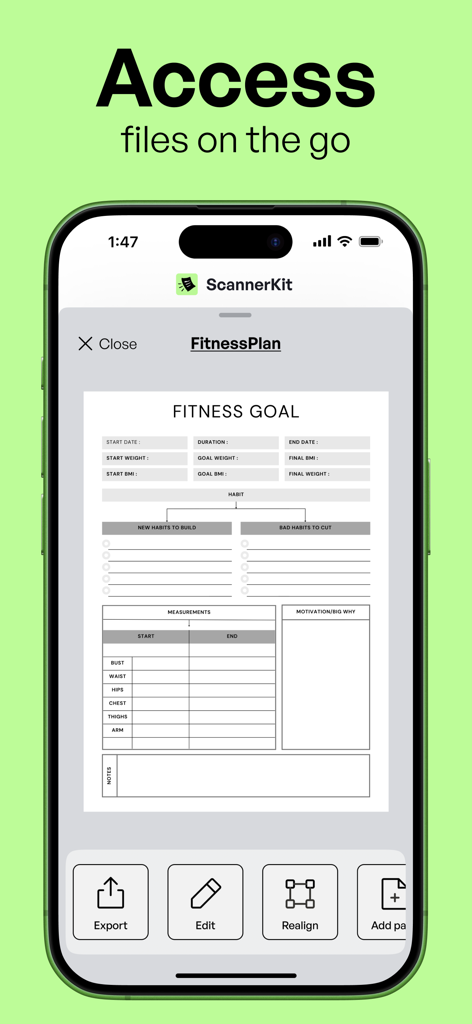
Scannerkit: PDF & Scanner App - ScannerKit app showing a scanned fitness plan document on an iPhone screen

ScannerKit app showing a scanned fitness plan document on an iPhone screen

Description

Introducing the smartest, most effortless way to scan and digitize documents on iPhone. ScannerKit is the document and PDF scanner that transforms physical papers into perfectly organized digital files - so you can focus on your work while our AI handles the perfect capture, enhancement, and organization of every document. Whether you're capturing multi-page contracts or quickly digitizing receipts, ScannerKit's intelligent scanning technology handles the hard work. Just point your camera and watch as it automatically detects edges, corrects perspective, and enhances readability. Every scan becomes a crisp, professional PDF ready to store, sign, or share. SCANNERKIT'S DOCUMENT & PDF SCANNER FEATURES INTELLIGENT AUTO-CAPTURE Point and scan. Our AI detects document edges and captures the perfect shot automatically - no tapping or adjusting needed. MAGICALLY SCAN-HANCE™ EVERY DOCUMENT One tap transforms your scans with advanced enhancement filters, perfecting brightness, contrast, and text clarity instantly. UNLIMITED MULTI-PAGE SCANNING Capture documents of any length. Combine pages, reorder them, and create organized PDF files with perfect consistency. SIGN AND SHARE INSTANTLY Add signatures to any document right on your phone. Share professional PDFs without ever needing a printer. ADD ANYTHING FROM YOUR CAMERA ROLL Turn photos into high-quality scans by importing directly from your camera roll. Whether it’s a receipt or whiteboard, enhance, edit, and share with precision—keeping your content organized in one place. NO CROPPING NECESSARY Easily frame your scans with preset crop options. Perfectly align anything–forms, notes, business cards, and images–in seconds for a professional finish every time. Every feature in ScannerKit is designed to save you time and deliver perfect results. Stop dealing with poor quality scans, complicated apps, and disorganized files. Join the professionals who trust ScannerKit to handle their document scanning needs with unmatched speed and precision. SCAN SMARTER, NOT HARDER  • Scan anything, anywhere. From receipts to contracts, whiteboards to books—capture it all in perfect clarity. • Professional-quality results. Every scan is automatically enhanced for crisp, clear, ready-to-use documents. • Smart organization. Intelligent filing and auto-detection make your scans instantly useful. • Seamless integration. Share your scans directly with Google Drive, Dropbox, and other platforms you use daily. • Multi-page mastery. Handle multi-page documents with ease—perfect for contracts, reports, and lengthy paperwork. • Import existing photos. Transform any photo from your camera roll into a high-quality scan with powerful enhancement tools. ScannerKit is free to download. A subscription is required to use the service, but you can try it out completely free. Once the trial ends, your subscription will automatically renew and you'll be billed. You can cancel your subscription at any time by contacting Apple Support. Terms of Service: https://scannerkit.com/terms Privacy Policy:    https://scannerkit.com/privacy

Download

Download on App Store

This page is not an official page of the app or its developer, but an independent editorial publication created for informational and commentary purposes. Unless expressly stated otherwise, neither the app nor its developer is affiliated with, endorsed by, sponsored by, authorized by, or otherwise officially connected with MWM, Apple, Google Play, the app publisher, or the app's developer, and nothing on this page implies that the app was developed using MWM's services. Any trademarks, logos, screenshots, and other content remain the property of their respective owners.