School Planner & Timetable
Download on App Store

This page is not an official page of the app or its developer, but an independent editorial publication created for informational and commentary purposes. Unless expressly stated otherwise, neither the app nor its developer is affiliated with, endorsed by, sponsored by, authorized by, or otherwise officially connected with MWM, Apple, Google Play, the app publisher, or the app's developer, and nothing on this page implies that the app was developed using MWM's services. Any trademarks, logos, screenshots, and other content remain the property of their respective owners.


Logo of School Planner & Timetable
Download on App Store

School Planner & Timetable

The all-in-one workspace for ambitious students. Sync your schedule, track your GPA, and record lectures across your iPhone, iPad, and Mac with a beautiful design that helps you stay ahead of every deadline.

Key Figures

Downloads

64K+

User Rating

3.4/5

Total Ratings

100

Publisher

Andrea Porfiri Dal Cin

Category

Education

Locales

31

Latest Version

4.1.2

Size

71.5 MB

First Released

Dec 30, 2023
Features

Master Your Academic Journey

The ultimate digital companion for high-achieving students who value organization, aesthetics, and peak productivity.

Visual Academic Control

Color-code your classes and visualize your week in a stunning, Apple-inspired interface designed for maximum clarity.

Real-Time GPA Insights

Eliminate grade anxiety with an automatic calculator that tracks your performance across every subject and semester.

The following screenshots and description are sourced directly from the app's official store listing and are the property of the app developer.

App Store

Screenshots
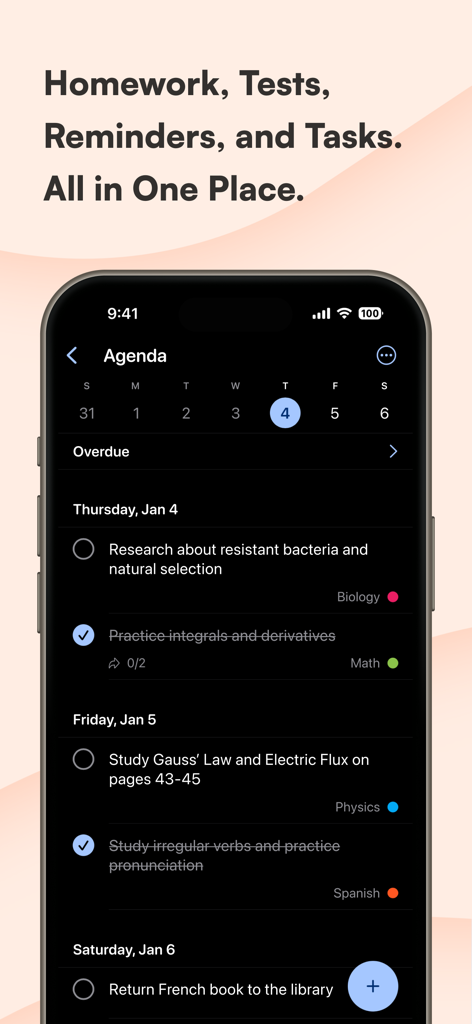
School Planner & Timetable - iPhone screen showing an agenda with homework and study tasks organized by date and color coded by subject
iPhone screen showing an agenda with homework and study tasks organized by date and color coded by subject

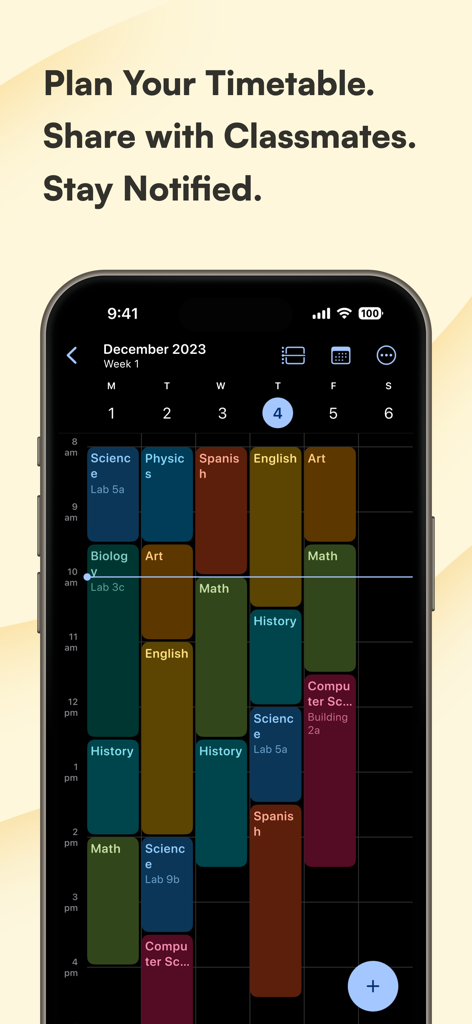
School Planner & Timetable - A color coded school timetable showing a weekly schedule on a smartphone
A color coded school timetable showing a weekly schedule on a smartphone

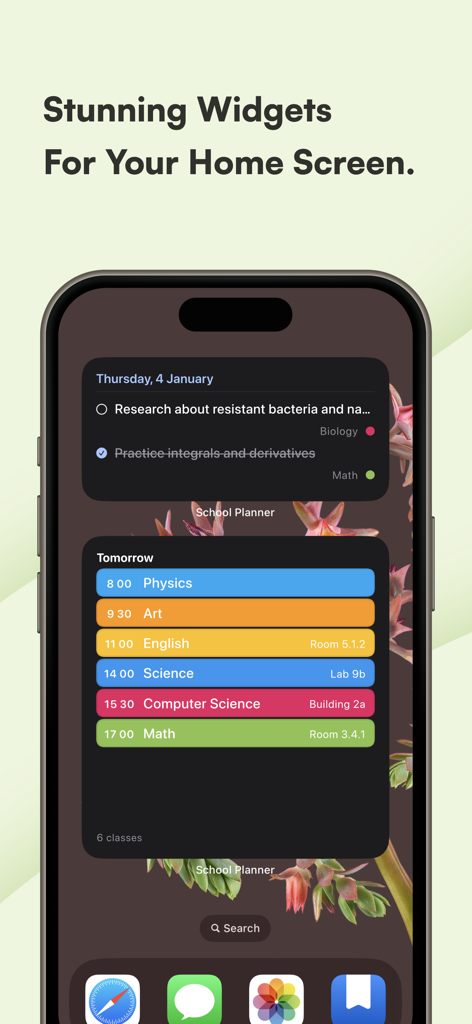
School Planner & Timetable - A smartphone screen displaying aesthetic and color-coded school planner widgets for tasks and class timetables.
A smartphone screen displaying aesthetic and color-coded school planner widgets for tasks and class timetables.

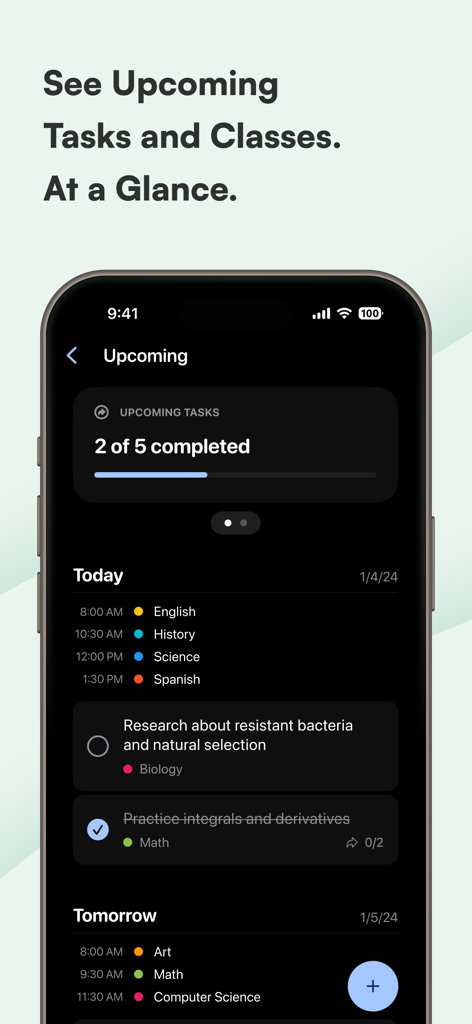
School Planner & Timetable - School Planner app interface showing upcoming tasks and daily class schedule.
School Planner app interface showing upcoming tasks and daily class schedule.

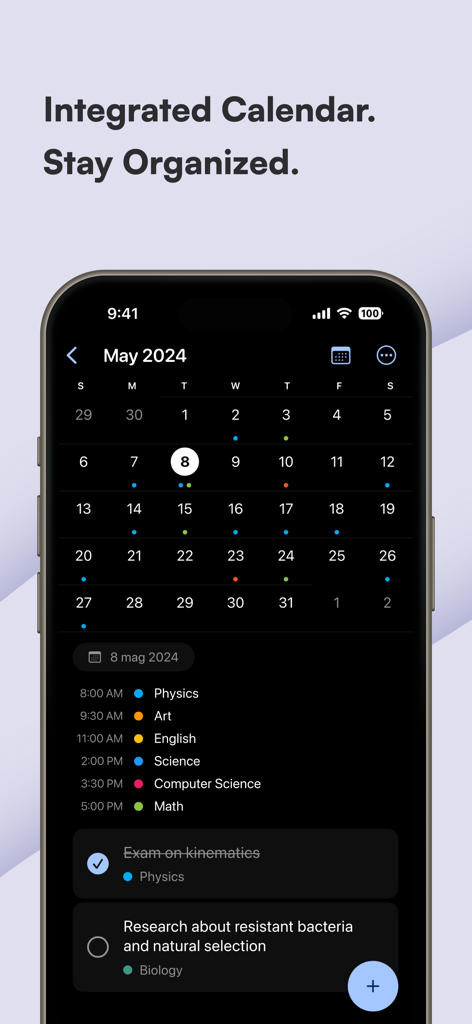
School Planner & Timetable - Integrated calendar view in the School Planner app showing a monthly schedule and daily classes

Integrated calendar view in the School Planner app showing a monthly schedule and daily classes

Description

Are you a student seeking an effective way to manage your academic life? School Planner is your comprehensive solution, designed for students of all ages and educational levels. Whether you're navigating elementary school, high school, or college, School Planner is tailored to meet your needs, offering a seamless blend of functionality and user-friendly design. With School Planner, you can effortlessly jot down homework, assignments, and exam dates. Its intuitive interface makes entering and tracking your academic tasks a breeze. Stay on top of your studies with daily notifications, ensuring you never miss a deadline. Key Features: CUSTOMIZABLE TIMETABLE Visualize your weekly class schedule with a fully customizable timetable. Assign unique colors to different subjects for easy recognition. Planning your day, week, or semester has never been more straightforward. INTEGRATED CALENDAR The built-in calendar is specifically optimized for student life, allowing you to manage your academic and extracurricular activities with ease. View all your events and deadlines in one place, synced across your devices. HOMEWORK AND EXAM TRACKER Input and track your homework and upcoming exams. Set reminders and notifications to keep you informed and prepared. GRADE AND PROGRESS TRACKING Monitor your academic progress with an automatic grade calculator. Keep track of your subjects and grades, and gain insights into your overall performance. LECTURE RECORDING Record your lectures and organize them for easy access. Review your lectures anytime, enhancing your study and revision sessions. TEACHER CONTACT MANAGEMENT Store and organize your teachers' contact information, including phone numbers, office hours, and email addresses. Keep all essential contacts at your fingertips. MODERN AND INTUITIVE DESIGN Enjoy a beautiful, modern interface inspired by Apple’s Design language. The app's design is not only aesthetically pleasing but also ensures an intuitive and rewarding user experience. MULTI-DEVICE SYNCHRONIZATION Sync your School Planner across multiple devices, ensuring you have access to your timetable, homework, and notes, whether you're on your phone, tablet, or laptop. Subscription and Terms of Use: Subscription and Terms of Use: School Planner offers various subscription options to cater to your needs. These subscriptions are auto-renewing, providing uninterrupted access to our premium features. In compliance with the App Store’s requirements, we adhere to the standard Apple Terms of Use (EULA). By downloading and using School Planner, you agree to be bound by these terms. You can review the standard Apple EULA by visiting the following link: https://www.apple.com/legal/internet-services/itunes/dev/stdeula/. This link leads you to the comprehensive legal terms that govern your use of our app, in accordance with Apple's policies.

Download

Download on App Store

This page is not an official page of the app or its developer, but an independent editorial publication created for informational and commentary purposes. Unless expressly stated otherwise, neither the app nor its developer is affiliated with, endorsed by, sponsored by, authorized by, or otherwise officially connected with MWM, Apple, Google Play, the app publisher, or the app's developer, and nothing on this page implies that the app was developed using MWM's services. Any trademarks, logos, screenshots, and other content remain the property of their respective owners.








