
This page is not an official page of the app or its developer, but an independent editorial publication created for informational and commentary purposes. Unless expressly stated otherwise, neither the app nor its developer is affiliated with, endorsed by, sponsored by, authorized by, or otherwise officially connected with MWM, Apple, Google Play, the app publisher, or the app's developer, and nothing on this page implies that the app was developed using MWM's services. Any trademarks, logos, screenshots, and other content remain the property of their respective owners.


SchoolBridge
Empower parents, students, and staff with seamless communication, instant absence reporting, and digital tools designed to simplify every school day.
Downloads
120K+User Rating
Total Ratings
5K+Publisher
Category
EducationLocales
1Latest Version
1.16.2Size
74.2 MBFirst Released
Oct 2, 2021Everything Your School Community Needs
SchoolBridge consolidates essential tools for parents, students, and staff into one seamless mobile experience, eliminating administrative friction and keeping everyone connected.
Paperless Parent Portal
Sign permission slips, report absences, and complete forms in seconds without digging through a backpack.
Instant Digital ID
Secure mobile ID cards for students and staff, reducing physical loss and streamlining campus security checks.
Frequently Asked Questions
Everything you need to know about SchoolBridge
What is SchoolBridge?
SchoolBridge is a suite of tools designed to help New Zealand school communities share information and complete tasks with greater efficiency and reduced effort.
What features does SchoolBridge offer for parents?
Parents can use SchoolBridge for easy sign-in, fast absence reporting, school notices, alerts, online permission slips, forms, documents, newsletters, and a QR scanner.
Can students view their timetable with SchoolBridge?
Yes, students can view their timetable using the SchoolBridge app. It also provides access to their student ID card, notices, news, and school links.
What features are available for school staff in SchoolBridge?
School staff features include a Staff ID Card, Staff Alerts, Staff Planner, Leave Requests, Reimbursement Claims, Student Search, and EOTC Management.
How do schools enable SchoolBridge for their community?
Schools can enable SchoolBridge by contacting Inbox Design directly. They can call 07 281 1600 or email support@inboxdesign.co.nz for setup and support.
Does SchoolBridge provide student ID cards?
Yes, SchoolBridge provides a digital Student ID Card feature for students. This allows for quick access to their identification within the app interface.
The following screenshots and description are sourced directly from the app's official store listing and are the property of the app developer.
App Store
Screenshots

SchoolBridge app intro screen featuring people and a kiwi bird representing the school community in New Zealand
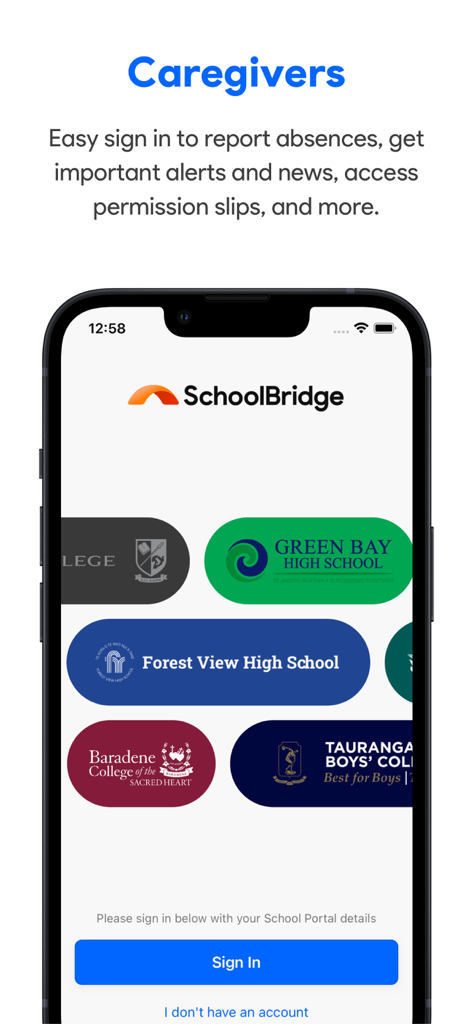
SchoolBridge app sign-in screen for caregivers featuring various school portal selections
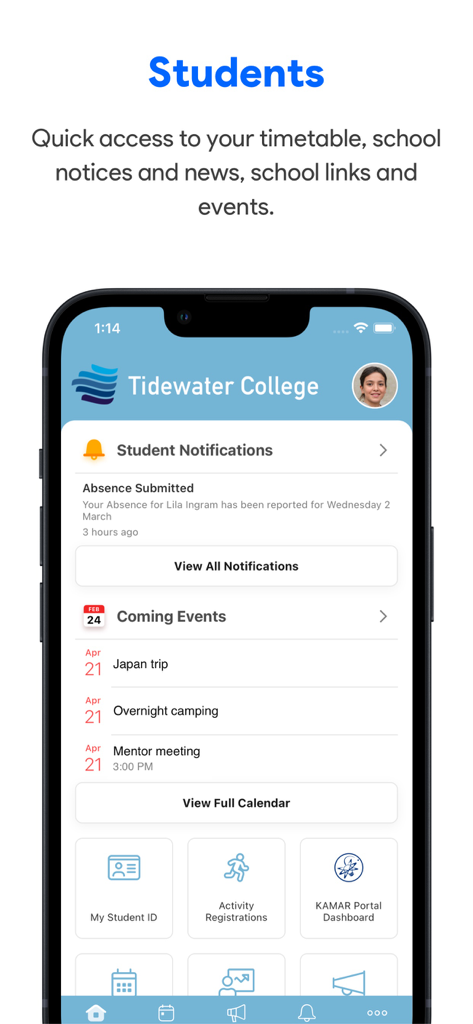
Student dashboard on SchoolBridge app displaying notifications and school events
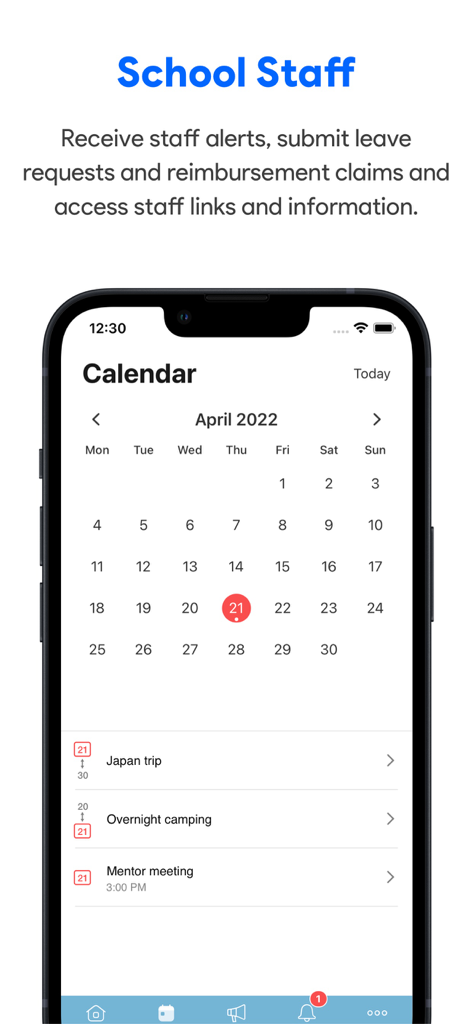
SchoolBridge mobile app interface showing the school staff calendar with scheduled events like a Japan trip and mentor meeting.
Description
Download
More Like This
Apps with similar features and user experience



This page is not an official page of the app or its developer, but an independent editorial publication created for informational and commentary purposes. Unless expressly stated otherwise, neither the app nor its developer is affiliated with, endorsed by, sponsored by, authorized by, or otherwise officially connected with MWM, Apple, Google Play, the app publisher, or the app's developer, and nothing on this page implies that the app was developed using MWM's services. Any trademarks, logos, screenshots, and other content remain the property of their respective owners.