Scotia iTRADE mobile
Download on App Store

This page is not an official page of the app or its developer, but an independent editorial publication created for informational and commentary purposes. Unless expressly stated otherwise, neither the app nor its developer is affiliated with, endorsed by, sponsored by, authorized by, or otherwise officially connected with MWM, Apple, Google Play, the app publisher, or the app's developer, and nothing on this page implies that the app was developed using MWM's services. Any trademarks, logos, screenshots, and other content remain the property of their respective owners.


Logo of Scotia iTRADE mobile
Download on App Store

Scotia iTRADE mobile

Take command of your financial future with powerful trading tools, real-time market data, and seamless integration with your Scotiabank accounts—all protected by bank-grade security.

Key Figures

Downloads

258K+

User Rating

4.2/5

Total Ratings

13K+

Publisher

The Bank of Nova Scotia

Category

Finance

Locales

2

Latest Version

2601.0.0

Size

58.1 MB

First Released

Jun 1, 2022
Features

Take Full Command of Your Financial Future

Professional-grade trading tools and real-time market insights, seamlessly integrated with the security of a global financial institution.

Unified Financial Ecosystem

Move funds instantly between your Scotiabank and iTRADE accounts with secure, single sign-on access designed for efficiency.

Data-Driven Performance

Visualize your portfolio's growth with interactive asset-mix charts and real-time quotes to make validated, data-backed decisions.

The following screenshots and description are sourced directly from the app's official store listing and are the property of the app developer.

App Store

Screenshots
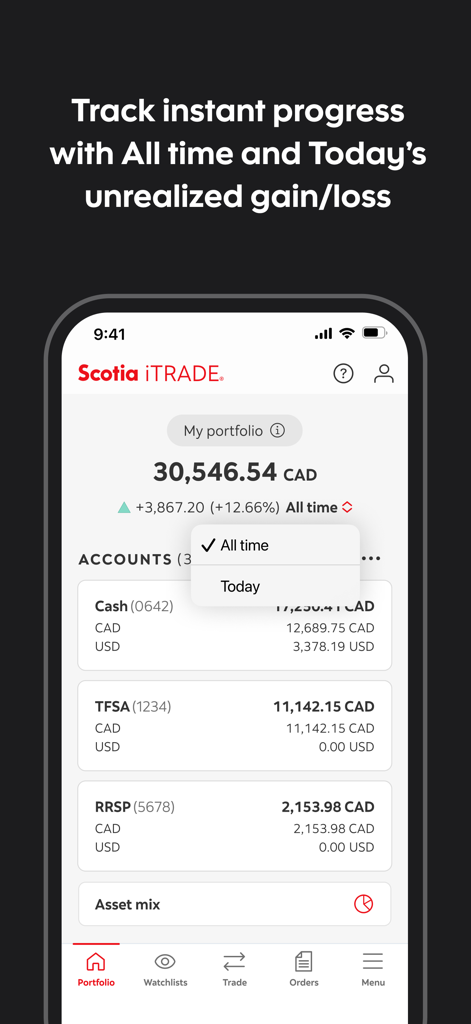
Scotia iTRADE mobile - Scotia iTRADE mobile app portfolio screen displaying total balance and unrealized gain or loss for various investment accounts
Scotia iTRADE mobile app portfolio screen displaying total balance and unrealized gain or loss for various investment accounts

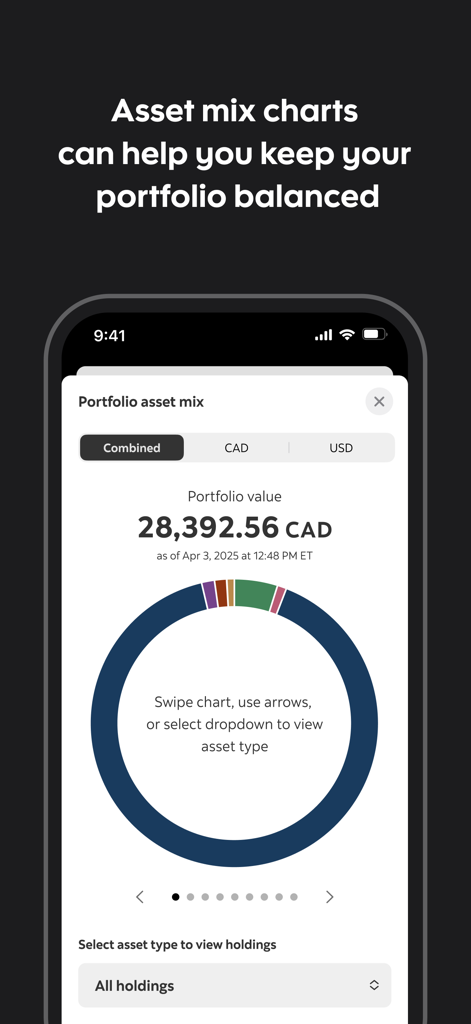
Scotia iTRADE mobile - Scotia iTRADE mobile app showing a portfolio asset mix donut chart with balance information.
Scotia iTRADE mobile app showing a portfolio asset mix donut chart with balance information.

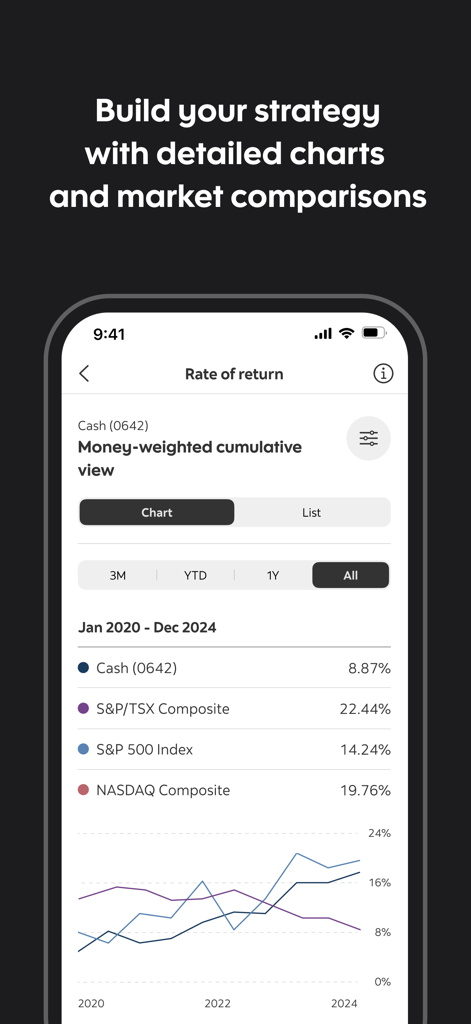
Scotia iTRADE mobile - Scotia iTRADE performance graph comparing returns to market indices
Scotia iTRADE performance graph comparing returns to market indices

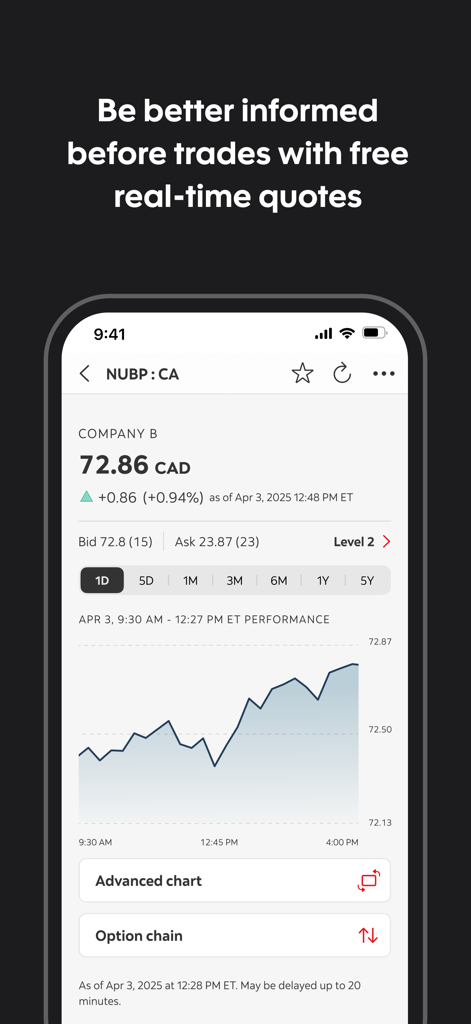
Scotia iTRADE mobile - Scotia iTRADE mobile app screen showing real-time stock quotes and a performance chart for a company.
Scotia iTRADE mobile app screen showing real-time stock quotes and a performance chart for a company.

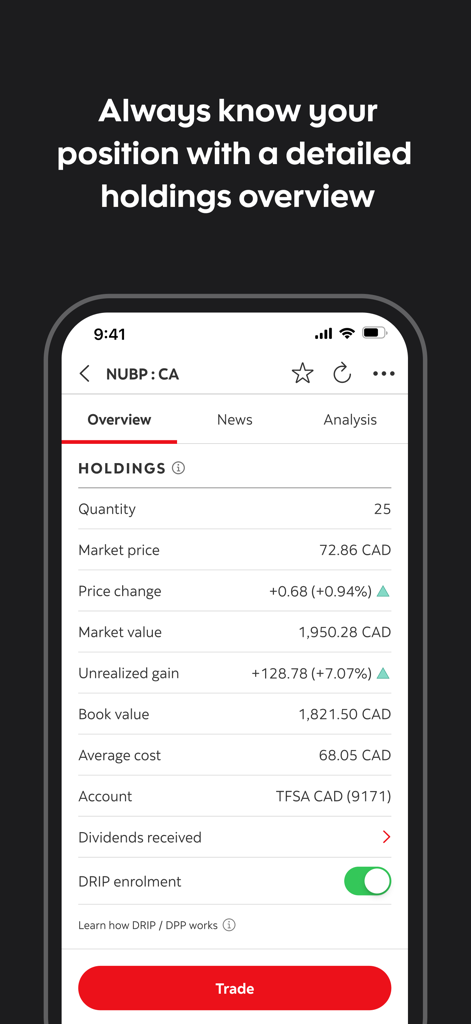
Scotia iTRADE mobile - Interface of the Scotia iTRADE app displaying detailed stock holdings and investment performance.

Interface of the Scotia iTRADE app displaying detailed stock holdings and investment performance.

Description

Scotia iTRADE mobile® Whether you’re an experienced investor or new to the markets, we’ve designed this intuitive app with you in mind. New, quick-access buttons and a fully searchable help section have the answers you need — and the shortcuts to get you there fast. Scotia iTRADE mobile is a powerful tool for trading, managing your investments, tracking your progress, and staying informed on what’s happening in the markets. Here are just some of the features that make the app so powerful: • Access real-time account information and view portfolio holdings for your Scotia iTRADE accounts • Use single sign on so you can sign in once and navigate easily between Scotia iTRADE and your Scotia mobile banking app • Quickly visualize your portfolio asset mix and account asset mixes with interactive charts and display features • View and evaluate the performance of your accounts over time with new performance graphs • You can now manage your DRIP/DPP enrolment in the app. Enrol and unenrol from your Holdings screen or Settings • Trade equities, ETFs, options, index options, and view option chains • Manage your open orders • Access real-time quotes and monitor the market • Transfer funds between your Scotia iTRADE and Scotiabank® accounts in real-time, and transfer between Scotia iTRADE and third-party bank accounts • Keep on top of transactions with push notifications • Protect your account and personal information with 2-step verification (2SV) We’ll be adding new features regularly. You can also use Scotia iTRADE online through your device’s web browser for features not currently available in the mobile app. IMPORTANT DISCLOSURES: By pressing the button above and installing the Scotia iTRADE app published by Scotia iTRADE, you consent to the installation of this app and future updates and upgrades (which may be automatically installed, depending on your device settings). We may use and disclose the information that you provide to us in accordance with your account agreement(s) and the Scotiabank Privacy Agreement (scotiabank.com/ca/en/about/contact-us/privacy/privacy-agreement.html). You can withdraw your consent to these features and future updates at any time by deleting this app or get instructions on how to remove or disable the Scotia iTRADE app by contacting us at the address below. After you delete the app, you will no longer be able to use it unless you reinstall it and provide your consent again. Scotia iTRADE PO Box 4002 Station A Toronto, ON M5W 0G4 service@scotiaitrade.com Scotia iTRADE® (Order-Execution Only) is a division of Scotia Capital Inc. (“SCI”). SCI is regulated by the Investment Industry Regulatory Organization of Canada and is a member of the Canadian Investor Protection Fund. Scotia iTRADE does not provide investment advice or recommendations and investors are responsible for their own investment decisions. ®Registered trademark of The Bank of Nova Scotia, used under license.

Download

Download on App Store

This page is not an official page of the app or its developer, but an independent editorial publication created for informational and commentary purposes. Unless expressly stated otherwise, neither the app nor its developer is affiliated with, endorsed by, sponsored by, authorized by, or otherwise officially connected with MWM, Apple, Google Play, the app publisher, or the app's developer, and nothing on this page implies that the app was developed using MWM's services. Any trademarks, logos, screenshots, and other content remain the property of their respective owners.








