
This page is not an official page of the app or its developer, but an independent editorial publication created for informational and commentary purposes. Unless expressly stated otherwise, neither the app nor its developer is affiliated with, endorsed by, sponsored by, authorized by, or otherwise officially connected with MWM, Apple, Google Play, the app publisher, or the app's developer, and nothing on this page implies that the app was developed using MWM's services. Any trademarks, logos, screenshots, and other content remain the property of their respective owners.


Secret Safe Lock Vault Manager
Security is no longer a suggestion. The app grants users impenetrable control over their most private digital lives.
Downloads
750k+User Rating
Total Ratings
23.6KPublisher
Category
BusinessLocales
2Latest Version
2.9.2Size
46.6 MBFirst Released
Nov 25, 2014An Analytical Overview of 'Secret Safe Lock Vault Manager' Core Features
Key Security and Privacy Enhancements
Intruder Detection & Reports
It includes a security feature that generates reports on illegal access attempts, enhancing user awareness of potential breaches.
Encrypted Private Cloud Backup
The app provides a private cloud service with encrypted backup for up to 5000 photos and videos, enabling quick upload and download across devices.
Decoy Vault with Decoy Password
The app offers a decoy password option, allowing users to create a separate vault to show if coerced, providing plausible deniability.
Multi-layered App Entry Security
This tool features robust app entry protection, offering PIN lock, fingerprint identification, and dot lock patterns to prevent unauthorized access.
Granular Media & Account Security
This application enables users to password-protect individual photo albums and accounts, further securing specific sensitive content with fingerprint identification.
Integrated Password Manager
It features an integrated password manager, allowing users to securely create and store account credentials directly within the app.
Secure Media Sharing Controls
The app provides controls to set effective sharing times and manage who can view secret posts, ensuring private content is shared selectively.
Intuitive Media Organization & Viewing
It facilitates easy photo management with album creation, an image gallery, slideshows, and an intuitive interface similar to standard photo applications.
Frequently Asked Questions
Everything you need to know about Secret Safe Lock Vault Manager
How does Secret Safe Lock Vault Manager protect my photos and videos?
Secret Safe Lock Vault Manager protects photos and videos using Pin Lock, Fingerprint Identification, Dot Lock Pattern, and password-protected albums. It also provides a Decoy Password and illegal person break-in reports.
Can I share private content with friends using Secret Safe Lock Vault Manager?
Yes, Secret Safe Lock Vault Manager enables safe sharing of private content with close friends. Users can set an effective time for sharing and control access to their secret posts.
Does Secret Safe Lock Vault Manager offer cloud storage?
Yes, Secret Safe Lock Vault Manager offers a Private Cloud Service. Users can register an account, upload and download media across devices, and backup up to 5000 encrypted photos and videos.
What types of app entry locks does Secret Safe Lock Vault Manager support?
Secret Safe Lock Vault Manager supports multiple app entry locks including Pin Lock, Fingerprint Identification, and Dot Lock Pattern. The app also supports Face ID for enhanced security.
What are the subscription options for Secret Safe Lock Vault Manager's CloudStorage Plus?
CloudStorage Plus subscriptions for Secret Safe Lock Vault Manager are available weekly for $1.99 USD, monthly for $5.99 USD, and annually for $19.99 USD. These subscriptions provide additional cloud storage space and features.
How can I manage my CloudStorage Plus subscription for Secret Safe Lock Vault Manager?
You can manage your Secret Safe Lock Vault Manager CloudStorage Plus subscription and turn off auto-renewal by accessing your iTunes Account Settings after the purchase.
Can I cancel my Secret Safe Lock Vault Manager subscription during the active period?
No, cancellation of the current Secret Safe Lock Vault Manager subscription is not permitted during its active period. However, you can turn off auto-renewal through your iTunes Account Settings.
Does Secret Safe Lock Vault Manager provide backup and recovery features?
Yes, Secret Safe Lock Vault Manager offers backup and recovery features. Users can initiate a backup and restore cloud-saved content directly within the app's Cloud Setting.
How can I import photos and videos into Secret Safe Lock Vault Manager?
Secret Safe Lock Vault Manager allows easy and fast importation of photos and videos from your device's Photo&Video App or Camera Roll directly into the app.
What is the 'Decoy Password' feature in Secret Safe Lock Vault Manager?
Secret Safe Lock Vault Manager includes a "Decoy Password" feature. This security mechanism provides an additional layer of protection for private content within the application.
The following screenshots and description are sourced directly from the app's official store listing and are the property of the app developer.
App Store
Screenshots
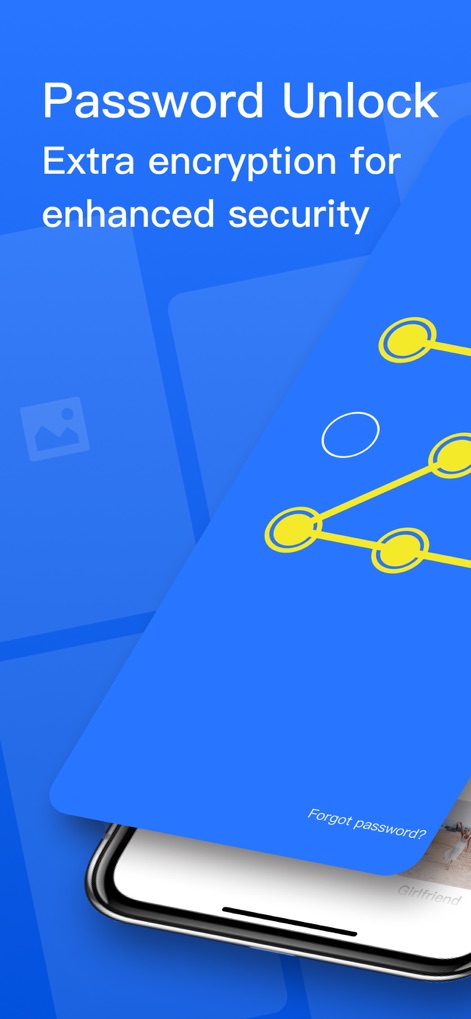
Discover how the app employs a secure dot lock pattern for entry, offering extra encryption for enhanced security.
Robust Entry Security
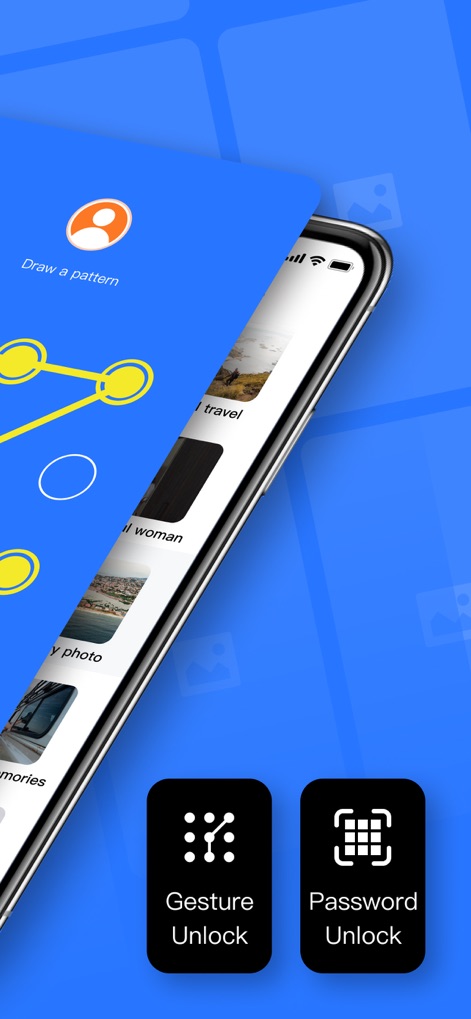
Observe the seamless integration of Gesture Unlock and traditional Password Unlock methods for personalized access control.
Flexible Access Options
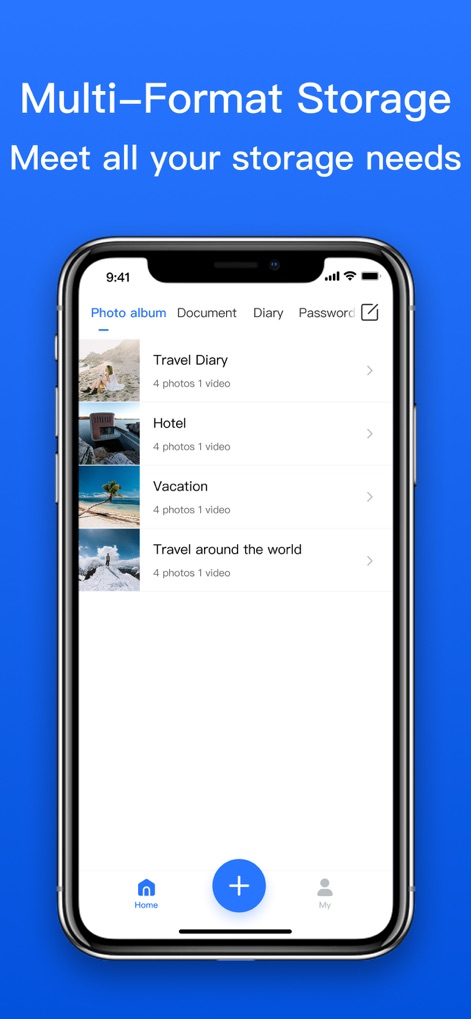
Explore the multi-format storage capabilities, showcasing dedicated tabs for photo albums, documents, diaries, and passwords.
Versatile Content Organization
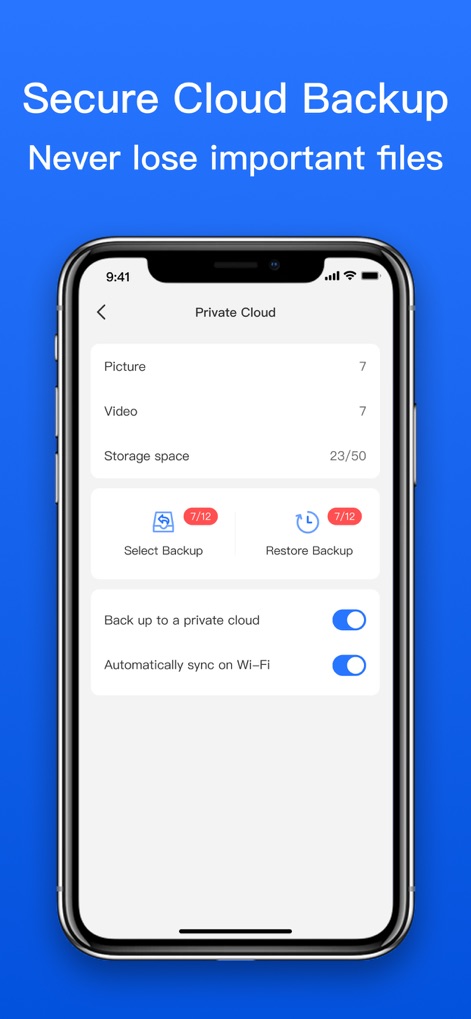
Examine the dedicated Private Cloud interface, featuring clear backup options and automated Wi-Fi syncing for data integrity.
Reliable Cloud Safeguarding
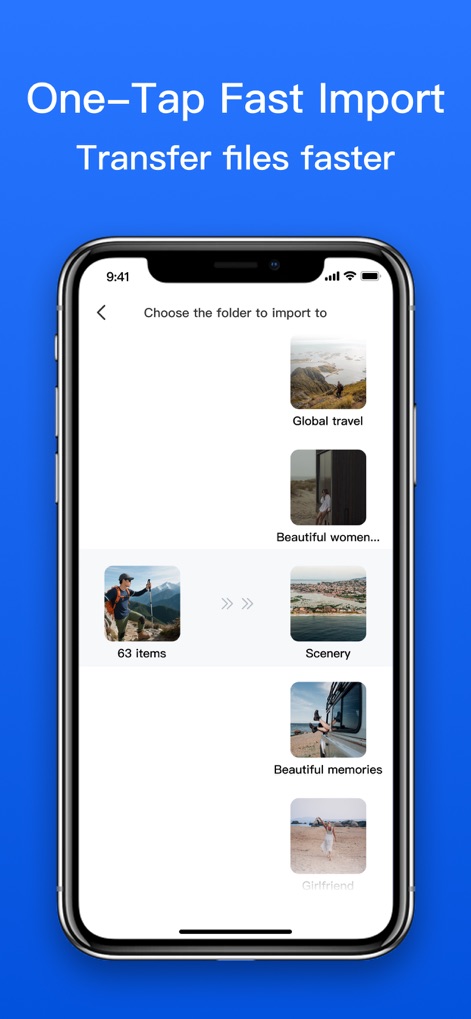
Witness the efficiency of the one-tap fast import feature, enabling quick selection and organization into custom folders.
Streamlined Import Process
Description
Download
More Like This
Top-ranked apps in the same category

Microsoft Teams
Microsoft Corporation

Zoom Workplace
Zoom Communications, Inc.

WhatsApp Business
WhatsApp Inc.

Indeed Job Search
Indeed Inc.

LinkedIn: Network & Job Finder
LinkedIn Corporation

Adobe Acrobat Reader: Sign PDF
Adobe Inc.

WeCom-Work Communication&Tools
Tencent Technology (Shenzhen) Company Limited

BOSS直聘-招聘求职找工作神器
Beijing China Product Bo Farce Network Technology Co., Ltd.

DingDing - Redefine Work in AI
DingTalk Technology Co., Ltd.
This page is not an official page of the app or its developer, but an independent editorial publication created for informational and commentary purposes. Unless expressly stated otherwise, neither the app nor its developer is affiliated with, endorsed by, sponsored by, authorized by, or otherwise officially connected with MWM, Apple, Google Play, the app publisher, or the app's developer, and nothing on this page implies that the app was developed using MWM's services. Any trademarks, logos, screenshots, and other content remain the property of their respective owners.