
This page is not an official page of the app or its developer, but an independent editorial publication created for informational and commentary purposes. Unless expressly stated otherwise, neither the app nor its developer is affiliated with, endorsed by, sponsored by, authorized by, or otherwise officially connected with MWM, Apple, Google Play, the app publisher, or the app's developer, and nothing on this page implies that the app was developed using MWM's services. Any trademarks, logos, screenshots, and other content remain the property of their respective owners.


Sell books with World of Books
Decluttering your shelves just got a payout. The app offers a direct path from old books to new money.
Downloads
250k+User Rating
Total Ratings
3.8KPublisher
Category
LifestyleLocales
1Latest Version
6.2.0Size
78.6 MBFirst Released
Jun 14, 2019An evaluation of core functionalities designed for efficient book resale and decluttering.
Key Features Analysis: Sell Books with World of Books
Quick & Flexible Payments
The app ensures users receive swift payments directly into their bank or PayPal accounts, catering to their desire for quick income.
Free & Convenient Shipping
This tool features complimentary shipping options via FedEx or USPS, removing an extra cost and simplifying the selling process.
Instant Valuation Quotes
It allows users to instantly receive a quote for their books, providing immediate insight into potential earnings and aiding decluttering decisions.
Effortless Barcode Scanning
The app provides an intuitive barcode scanning function, significantly simplifying the process of adding books for sale.
Completely Free Service
This tool is entirely free to use, ensuring users incur no hidden costs throughout the selling process, aligning with their preference for free services.
Instant Sales Process
It allows users to complete sales instantly, streamlining the process of turning used books into cash and decluttering their homes efficiently.
Frequently Asked Questions
Everything you need to know about Sell books with World of Books
What is the Sell books with World of Books app?
The Sell books with World of Books app allows users to easily sell used books and textbooks for cash. It helps users declutter their homes and earn money by providing instant quotes and quick payments.
How does the Sell books with World of Books app work?
Users scan book barcodes with the app to get an instant quote. After accepting the trade, they ship books for free using FedEx or USPS and receive quick payments to their bank or PayPal account.
Is the Sell books with World of Books app free to use?
Yes, the Sell books with World of Books app is completely free. There are no costs at any stage for users, including covered shipping.
Does the Sell books with World of Books app offer free shipping?
Yes, the Sell books with World of Books app offers free shipping for your items. Users can ship their books for free using FedEx or USPS, with shipping costs covered.
What payment methods does the Sell books with World of Books app support?
The Sell books with World of Books app supports quick payments directly to your bank account or PayPal account. Payments are completed within days.
What items can I sell with the World of Books app?
You can sell used books and textbooks through the Sell books with World of Books app. Screenshot #3 also indicates that DVDs, CDs, and video games can be sent.
Is there a bonus for first-time sellers on the Sell books with World of Books app?
Yes, first-time traders receive an extra 10% on their initial trade when using the Sell books with World of Books app.
How quickly do payments process with the Sell books with World of Books app?
Payments for trades completed through the Sell books with World of Books app are processed within days. This ensures a fast receipt of funds.
Can I track my trade after sending items via the Sell books with World of Books app?
Yes, the app provides a Trade ID. Screenshot #5 shows a 'Payment Confirmed' screen with trade details, including items received and a 'View status' option, implying tracking.
What was the previous name of the Sell books with World of Books app?
The Sell books with World of Books app was previously known as Ziffit. Users can download the free app under its current name.
The following screenshots and description are sourced directly from the app's official store listing and are the property of the app developer.
App Store
Screenshots
The app's engaging welcome screen highlights the World of Books logo and vibrant 3D characters symbolizing quick earnings.
Unlock Book Value
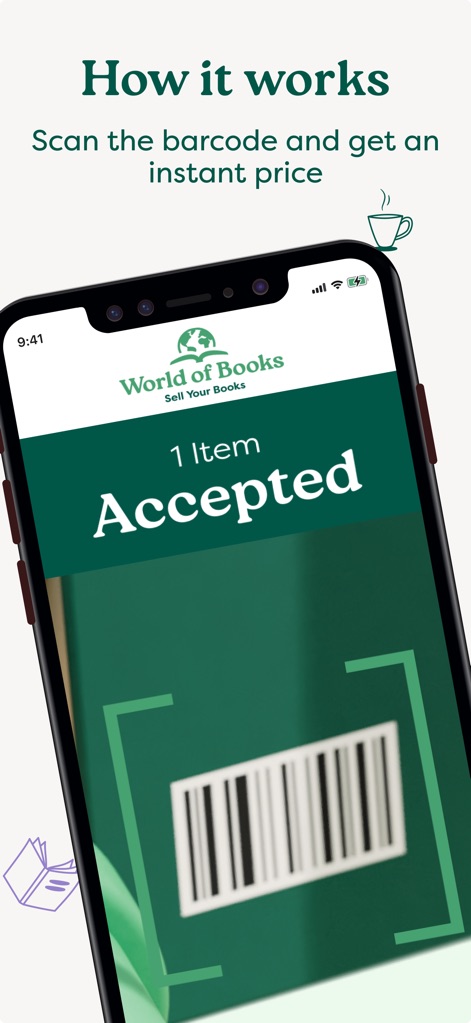
Users can effortlessly scan item barcodes and view the immediate 'Accepted' confirmation displayed within the app's clean interface.
Effortless Barcode Scan
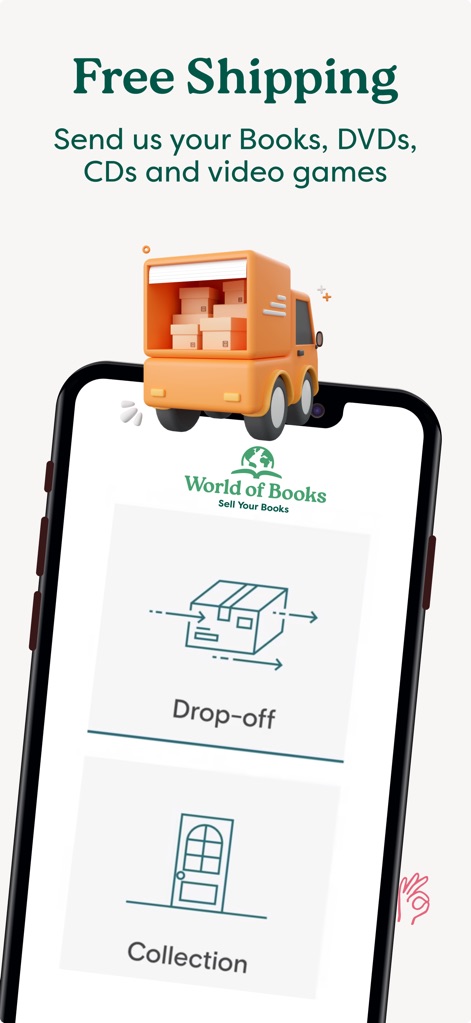
The app clearly presents free shipping methods, allowing users to choose between 'Drop-off' or 'Collection' for ultimate convenience.
Convenient Shipping Options
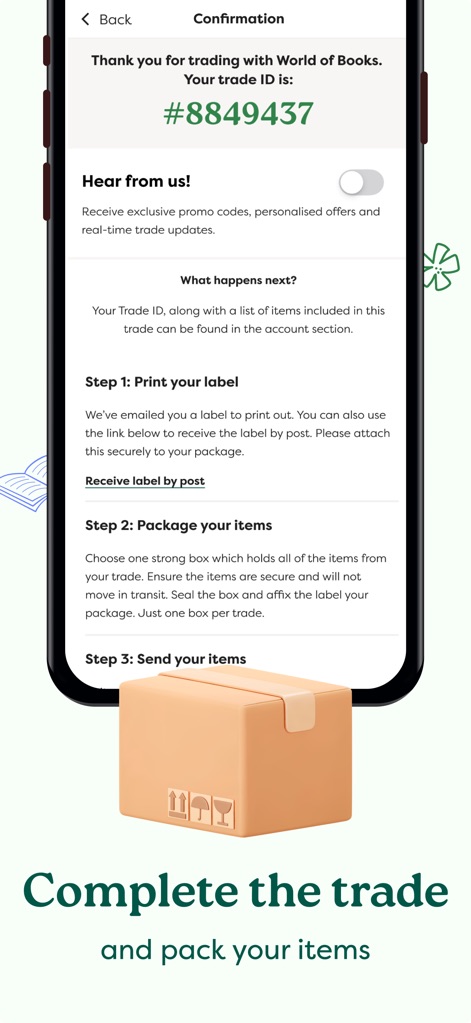
The confirmation screen details the 'Trade ID' and provides clear, step-by-step instructions for 'Print your label' and 'Package your items'.
Streamlined Trade Process
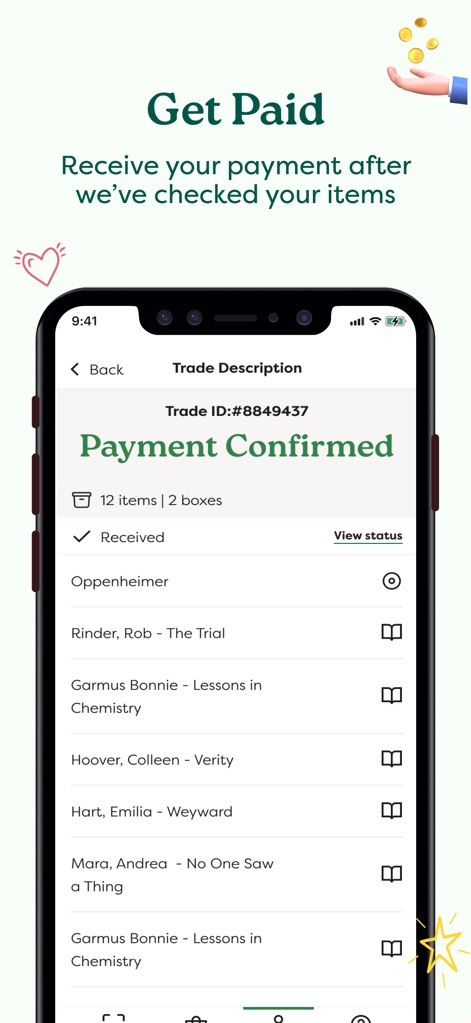
The 'Trade Description' screen confirms 'Payment Confirmed' and displays a detailed list of all 'Received' items for user peace of mind.
Quick Payment Confirmation
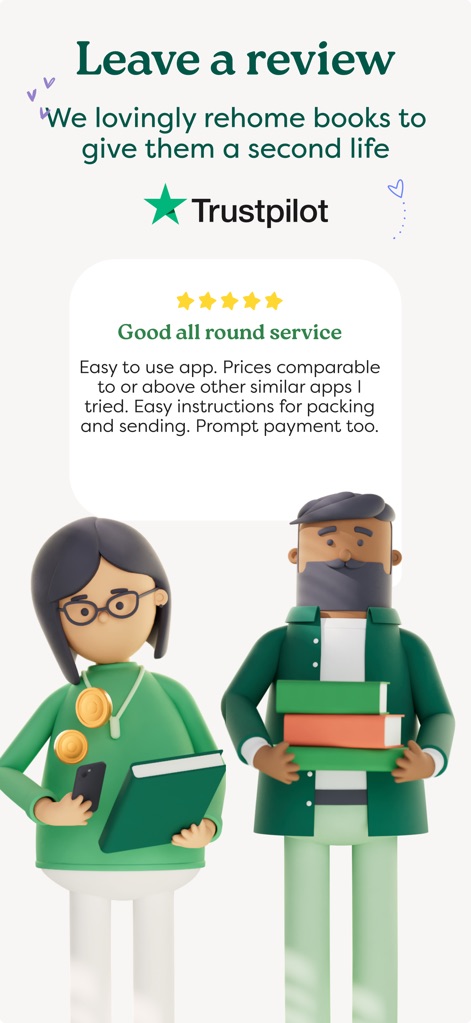
The app proudly showcases its 'Trustpilot' rating and features a positive user review praising its 'Good all round service' and ease of use.
Trusted User Feedback
Description
Download
More Like This
Apps with similar features and user experience

爱评估 –二手奢侈品高价变现 |中检认证 隐私清除 顺丰包邮
Chengdu Bimei Technology Co., Ltd.

Carding - Sell Gift Cards
Cardpay LLC

CardBrother - Sell Gift Cards
Selee, LLC

CardBase X: Sell Gift Cards
TRADEWAVE SDN.BHD.

민팃 - 중고폰 쿨거래
MINTIT CO., LTD.

Gibert - Je Vends
Societe Nusseo

Top Gift Card
Changsha Qianlai E - Commerce Co., Ltd.

Cardlaxy: Sell Gift Cards
CARDLAXY, LLC

ラクウル
Sofmap Co., Ltd.
This page is not an official page of the app or its developer, but an independent editorial publication created for informational and commentary purposes. Unless expressly stated otherwise, neither the app nor its developer is affiliated with, endorsed by, sponsored by, authorized by, or otherwise officially connected with MWM, Apple, Google Play, the app publisher, or the app's developer, and nothing on this page implies that the app was developed using MWM's services. Any trademarks, logos, screenshots, and other content remain the property of their respective owners.