ServerLife - Tip Tracker

ServerLife - Tip Tracker

Download on App StoreDownload on Google Play
Logo of ServerLife - Tip Tracker

ServerLife - Tip Tracker: Take Control of Every Dollar You Earn

Stop wondering where your cash goes. Join over 500,000 service and gig professionals using the #1 tool to track tips, analyze shifts, and master your variable income.

Publisher

MZBApps LLC

Category

Finance

Downloads

398K+

User Rating

4.8/5

Total Ratings

8K+

Locales

1

Your Hustle, Visualized

Discover the interface used by 398K+ users.

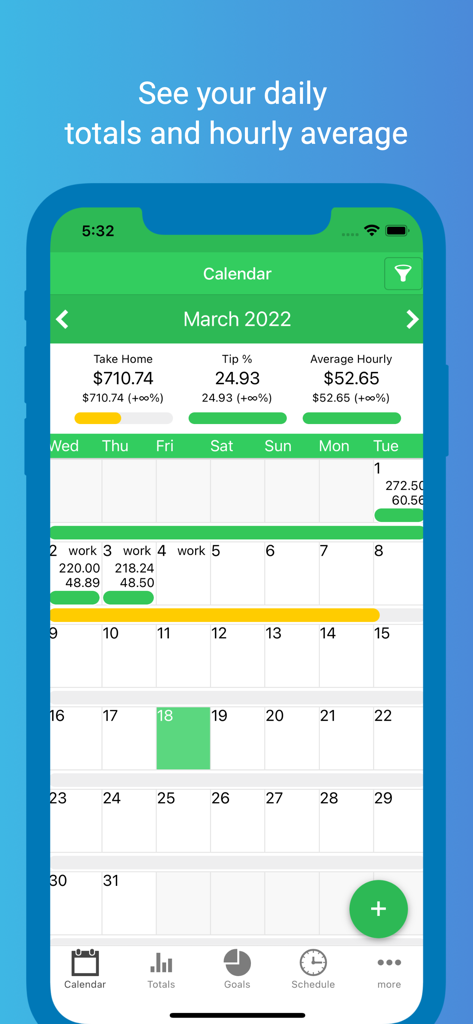
Monthly calendar view of the ServerLife app showing daily tip totals and hourly averages.
Monthly calendar view of the ServerLife app showing daily tip totals and hourly averages.

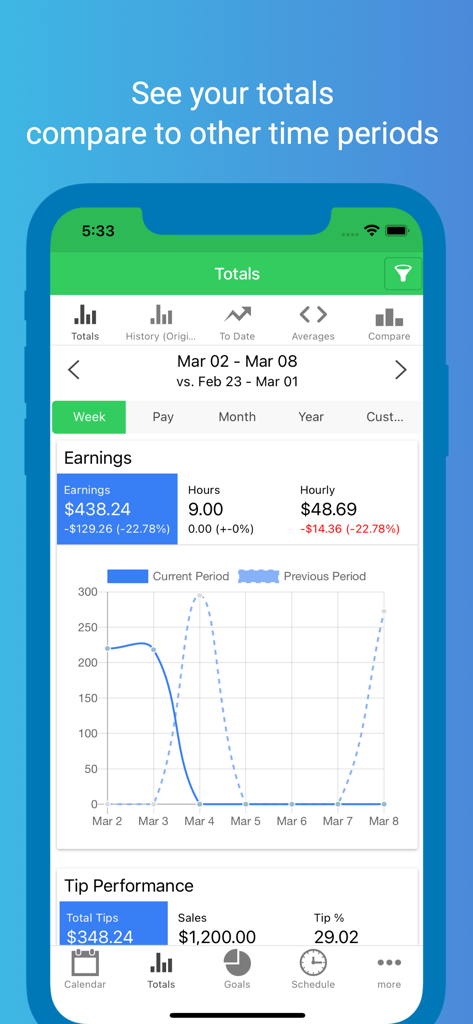
ServerLife app screenshot showing weekly earnings totals and tip performance comparison charts
ServerLife app screenshot showing weekly earnings totals and tip performance comparison charts

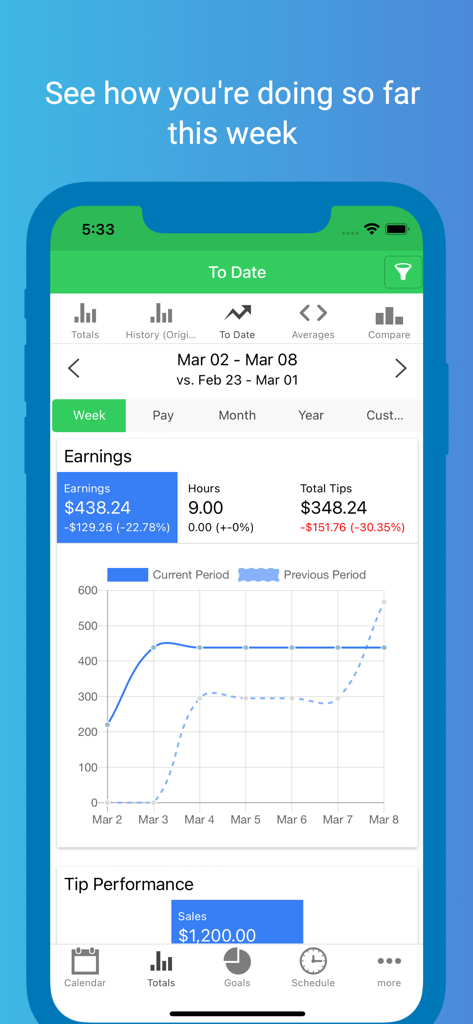
ServerLife app interface showing weekly earnings summary with a comparison graph of tips and hours
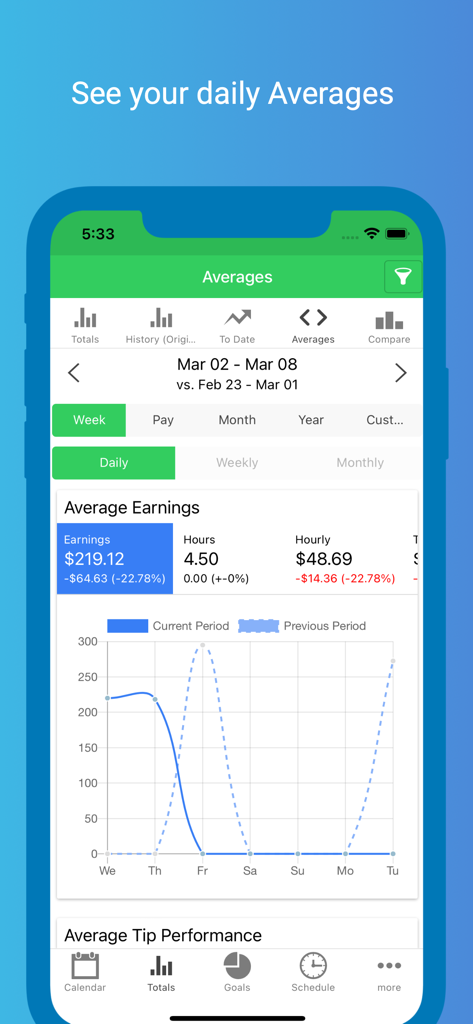
ServerLife app interface showing weekly earnings summary with a comparison graph of tips and hours

ServerLife app screenshot showing a dashboard with daily average earnings, hourly rates, and performance comparison charts.
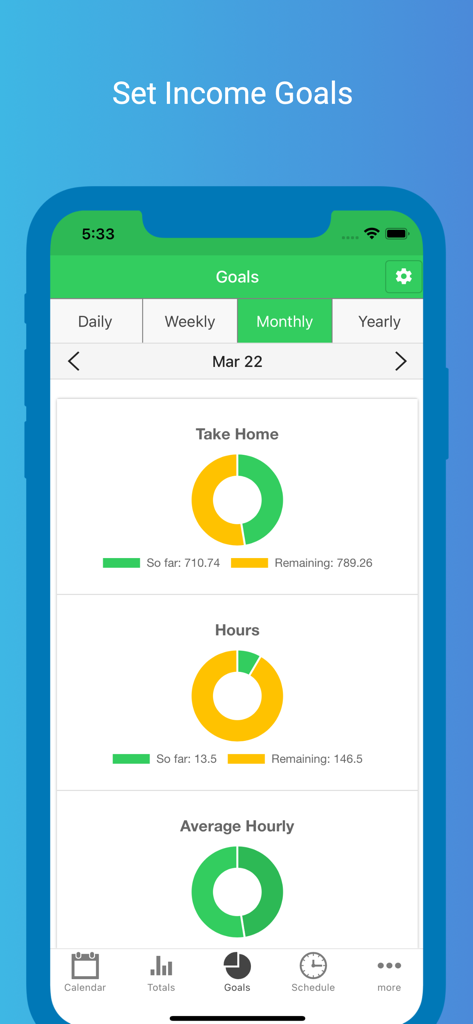
ServerLife app screenshot showing a dashboard with daily average earnings, hourly rates, and performance comparison charts.

ServerLife app interface showing monthly income and hours goals with progress donut charts
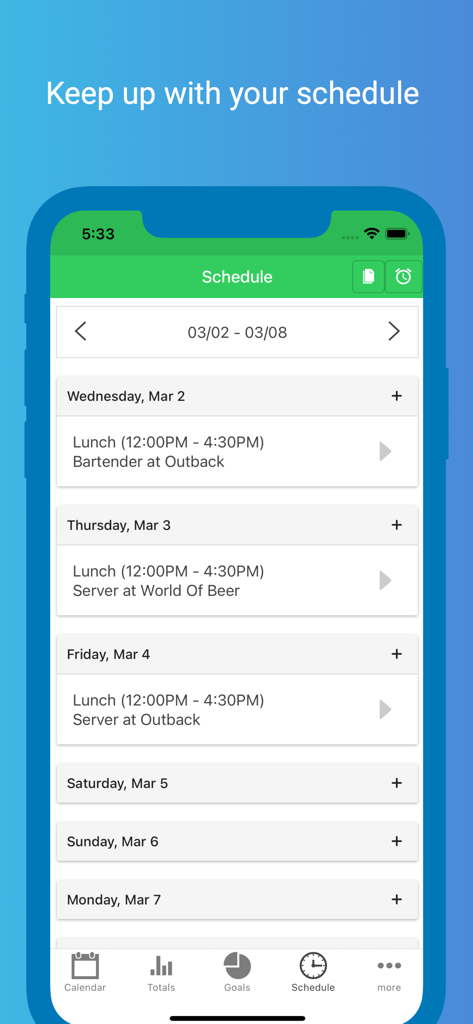
ServerLife app interface showing monthly income and hours goals with progress donut charts

A weekly work schedule within the ServerLife app showing shift times and job locations.
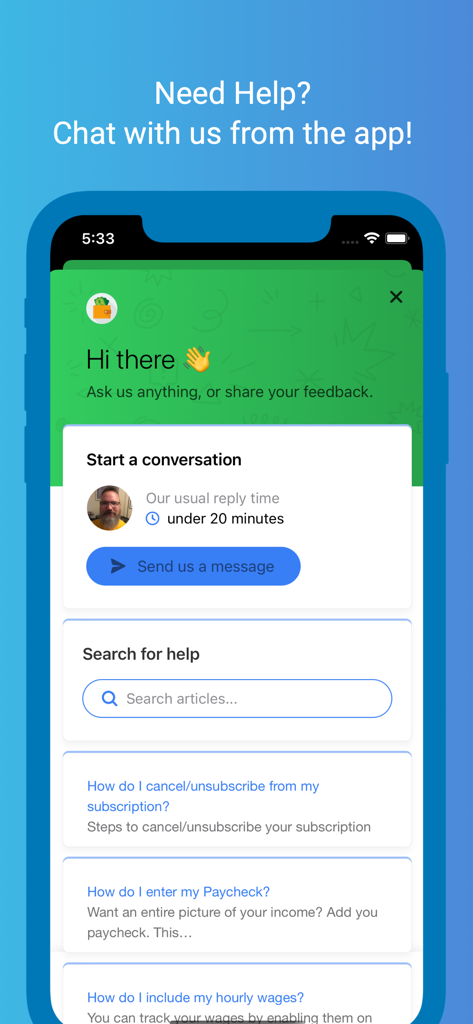
A weekly work schedule within the ServerLife app showing shift times and job locations.

Screenshot of the ServerLife app help center showing options for live chat and support articles

Screenshot of the ServerLife app help center showing options for live chat and support articles

Master Your Money Flow

The tools that make this app stand out, trusted by 398K+ users.

💰

Real-Time Income Clarity

Instantly see what you have earned across all your jobs. No more disappearing cash—just clear visibility into every dollar in your pocket.

📈

Smart Shift Comparison

Identify your most profitable days, sections, and roles. Use powerful filtering logic to work where the money is and maximize your time.

🎯

Goal-Driven Motivation

Set daily or monthly targets and watch your progress in real-time. Turn your hustle into a game and hit your financial milestones faster.

About the app

Everything you need to know about ServerLife - Tip Tracker.

Description

ServerLife is the best Tip Tracker app that enables you to clearly see the money you earn. Half a million people like you have entered over 30 Million tips! Are you tired of never knowing exactly how much money you make because it ends up as cash in your pocket? ServerLife will solve that. ServerLife is perfect for anyone whose income is variable and fluctuates from week to week. Hospitality Industry (Servers, Bartenders, Hosts) Gaming Dealers Uber & Lyft Drivers Shoppers (Shipt, Instacart) Hair Stylist, Barbers, Makeup Artists Fitness and Yoga Instructors, Personal Trainers Real Estate Agents Freelancers & Entrepreneurs Small Business Owners Self Employed Individuals Independent Contractors Enter your earnings at the end of your shift and easily see your totals. You'll be able to clearly see which days pay the best with our powerful filtering and comparison logic. You can easily track the following values for each entry: - Tips - Hours - Notes HISTORY The History page will show you the total tips and wages you earned for the any week, 2 weeks, semimonthly, month and year. DAILY AVERAGES Want to see the daily average for any month and year - head over to the Averages page. This page breaks down the daily averages for any month and the entire year. REMINDERS You can configure ServerLife to remind you to enter your tips. We all get busy and forget important things sometimes. Have ServerLife remind you to enter your tips at the same time every day. START OF WEEK Does your pay week start on a Tuesday? No problem you can change the start of the week so that the charts and totals will align with how you get paid. NEXT LEVEL Want even more from the app? Take your tracking to the next level with the in app purchase of the Advanced features. With the in app purchase you'll be able to see: - Work Schedule - Pictures - Credit/Cash Tips - Expenses - Sales Total/Tip % - Hourly Wage - Covers - Tips/Sales per Cover - Miles/Deliveries - Mile and Delivery Fee - Tip Out (Tips to others) - Tip In (Tips to you) - Weekly and Monthly Averages WORK SCHEDULE Tired of always referring back to the picture you took of the schedule? Quickly enter your weekly schedule and add default reminders so you're never late again. EXPENSES Have additional expenses that you payout to work, i.e. childcare, meals at work, transportation, or Tip Out multiple positions? Track them with Expense categories. HOURLY WAGE Want to include your hourly wage with your tips? Track your hourly wages so that your earnings are more accurate. GOALS Studies have shown that when you set a goal for yourself you are more likely to progress faster towards that goal. You can set daily, weekly, and monthly goals with any of the 17 fields the app calculates. TRACK MULTIPLE JOBS Work multiple Jobs or different Positions that have a different hourly wage? You can track the following with the in app purchase: - Multiple Jobs, Positions (with different hourly wage), Sections, and Shifts (save the typical start and end time and it'll populate when you enter your tip) COMPARE Compare all of these on the Compare page. Here you can compare your Jobs, Positions, Sections, or Shifts to see which one you're making the most money. FILTER Once you start tracking your Jobs, Positions, Sections or Shifts you can filter any of the pages to show any combination of these. You can also filter to show Paychecks or Tips. IMPORT YOUR DATA Upgrading from the Just the Tips or TipSee app? Email us your latest backup file and we'll import it for you. Step by step instructions are located on the Import button on the Settings page. SAFE AND SECURE Your data is always safe and secure. All of your data is saved to our private cloud securely every time you make a change. It is available on all of your devices. Even if you lose and get a new phone your data will always be safe. Terms and Conditions: https://www.iubenda.com/terms-and-conditions/30944670

Latest Version

2.1.24

Size

53.9 MB

First Released

Apr 13, 2016

Ready to Master Your Shift Earnings?

Join over 500,000 professionals who turn every tip into progress. Download ServerLife today and take total control of your financial future.

Download on App StoreDownload on Google Play

App information, icons, screenshots, and descriptions displayed on this page are sourced from the Apple App Store and are the property of their respective developers. Download estimates and rankings are based on MWM's proprietary models and may not reflect actual figures. This page is provided for informational and analytical purposes only.

Believe this page infringes your intellectual property? File a dispute