
This page is not an official page of the app or its developer, but an independent editorial publication created for informational and commentary purposes. Unless expressly stated otherwise, neither the app nor its developer is affiliated with, endorsed by, sponsored by, authorized by, or otherwise officially connected with MWM, Apple, Google Play, the app publisher, or the app's developer, and nothing on this page implies that the app was developed using MWM's services. Any trademarks, logos, screenshots, and other content remain the property of their respective owners.

闪电分镜
The all-in-one solution to storyboard, plan, and manage your production. Elevate your workflow with professional-grade tools designed for the modern independent filmmaker.
Downloads
162K+User Rating
Total Ratings
300Publisher
Category
ProductivityLocales
3Latest Version
2.2.3Size
48.1 MBFirst Released
Apr 19, 2022From Vision to Reality, Faster
The all-in-one pre-production toolkit designed for the next generation of independent filmmakers and creative agencies.
Intuitive Digital Storyboarding
Bring your vision to life with professional hand-drawn sketches or precise parameter settings. Visualize your lens language before the first take.
Efficient Shooting Plans
Group shots by location and time to optimize your workflow. Save time and resources by organizing your production logistics in seconds.
Frequently Asked Questions
Everything you need to know about 闪电分镜
How can users create storyboards with 闪电分镜?
Yes, 闪电分镜 offers comprehensive storyboard production. Users quickly fill in storyboards, freely set various shot parameters, and can draw storyboards by hand directly within the app.
What is the '故事板' feature in 闪电分镜?
The '故事板' (Storyboard) feature in 闪电分镜 allows users to preview their shot language after creating storyboards. It enables users to review their work and identify any omissions or areas for improvement.
Can 闪电分镜 assist in managing shooting plans and schedules?
Yes, 闪电分镜 helps manage shooting schedules through its '拍摄计划' (Shooting Plan) feature. Users can create detailed plans based on location and time, organizing shots to optimize resource allocation efficiently.
Does 闪电分镜 provide functionality for creating and distributing shooting notices?
Yes, 闪电分镜 includes a '拍摄通告' (Shooting Notice) feature. Users can edit and export detailed shooting notices to their team, ensuring effective communication and coordinated collaboration on set.
What electronic field note capabilities does 闪电分镜 offer?
闪电分镜 provides an '闪电场记' (Flash Clapboard/Field Notes) feature. This includes an electronic clapboard for logging takes and an electronic field notebook for quickly recording detailed notes during production.
The following screenshots and description are sourced directly from the app's official store listing and are the property of the app developer.
App Store
Screenshots
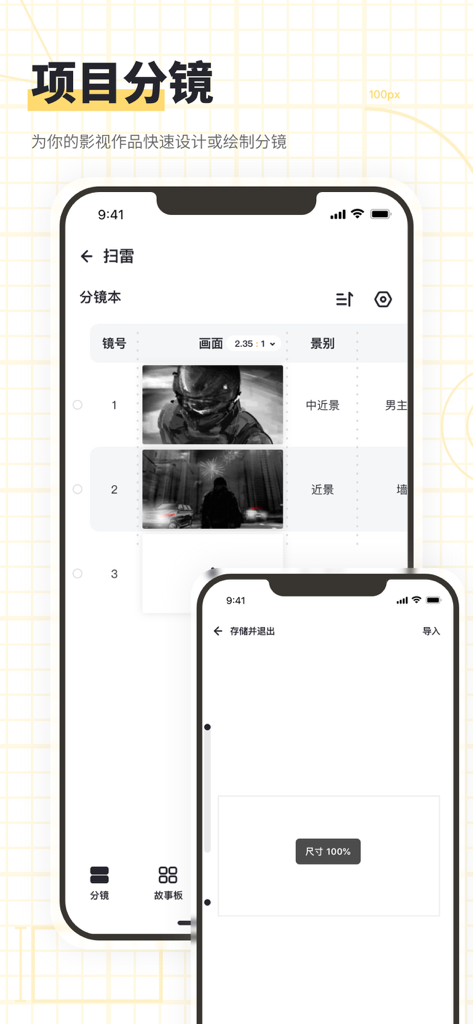
Lightning Storyboard app interface showing a digital shot list with sketches and cinematic framing details for film production.
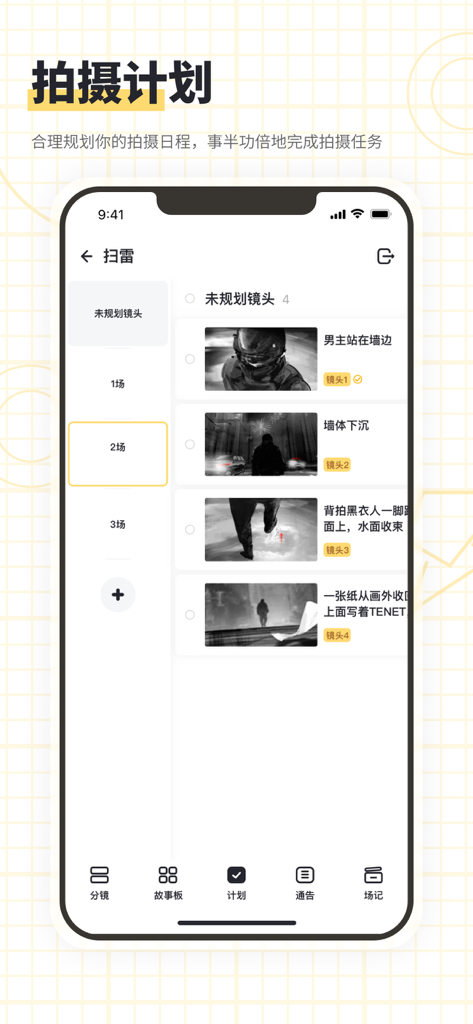
A mobile interface for the Lightning Storyboard app showing a professional film shooting plan with scene thumbnails and production schedules.
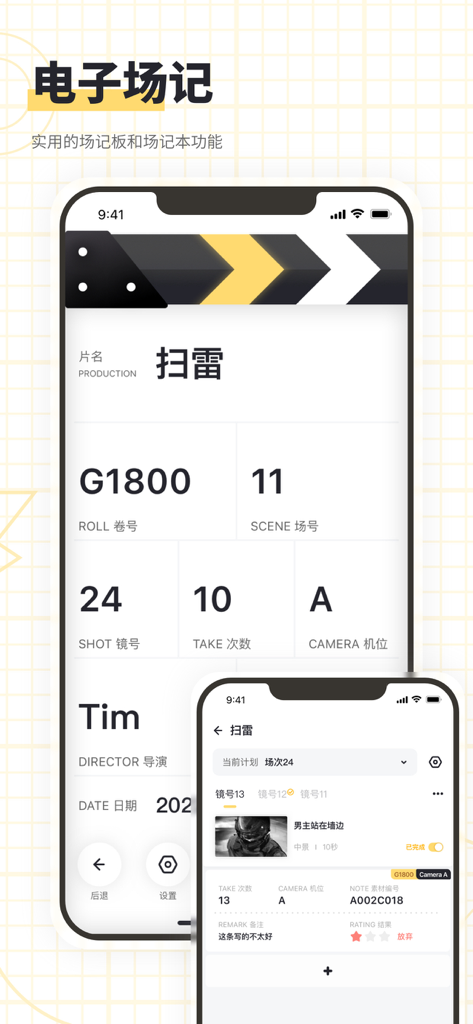
Electronic slate and field notes interface of the Lightning Storyboard filmmaking app.
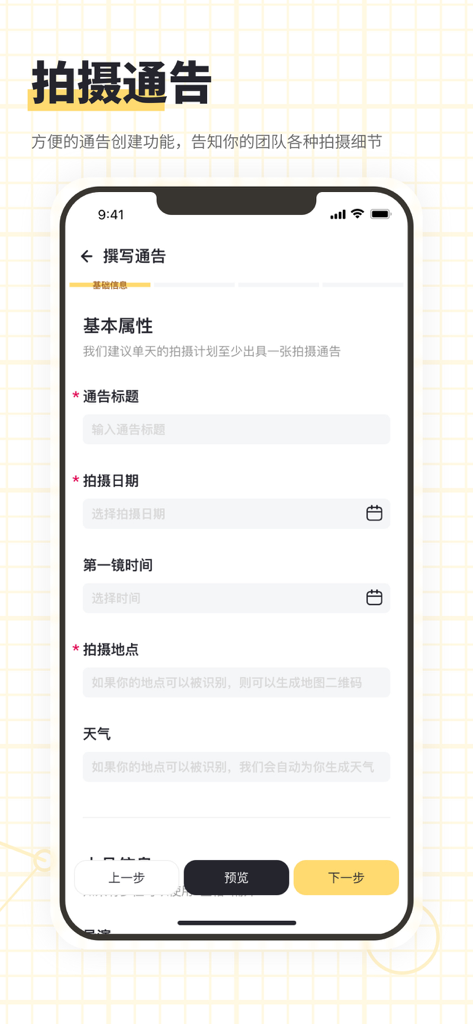
Lightning Storyboard app interface for creating a film production call sheet with fields for title, date, first shot time, and location.
Description
Download
More Like This
Apps with similar features and user experience

Basecamp - Project Management
37Signals LLC
QuickPlan Basic - Project Plan
皓 李

Zoho Projects Work Management
Zoho Corporation

inShort
Iouri Korotkikh

Merlin Project: Gantt + Kanban
ProjectWizards GmbH

SG Project Pro 5
Simple Genius Software, LLC

Balello
Sufyain Ahmad

iProject Viewer
Viewer Central Inc

Project Plan 365
Viewer Central Inc
This page is not an official page of the app or its developer, but an independent editorial publication created for informational and commentary purposes. Unless expressly stated otherwise, neither the app nor its developer is affiliated with, endorsed by, sponsored by, authorized by, or otherwise officially connected with MWM, Apple, Google Play, the app publisher, or the app's developer, and nothing on this page implies that the app was developed using MWM's services. Any trademarks, logos, screenshots, and other content remain the property of their respective owners.