
This page is not an official page of the app or its developer, but an independent editorial publication created for informational and commentary purposes. Unless expressly stated otherwise, neither the app nor its developer is affiliated with, endorsed by, sponsored by, authorized by, or otherwise officially connected with MWM, Apple, Google Play, the app publisher, or the app's developer, and nothing on this page implies that the app was developed using MWM's services. Any trademarks, logos, screenshots, and other content remain the property of their respective owners.


试卷宝-拍试卷还原空白,整理专属错题本
No more scribbled-on tests. This app gives back pristine, blank papers, and turns mistakes into mastery.
Downloads
2.5M+User Rating
Total Ratings
166.5KPublisher
Category
UtilitiesLocales
2Latest Version
4.7Size
88.7 MBFirst Released
Mar 11, 2021An analytical overview of functionalities designed for academic efficiency and personalized learning.
Key Features of 试卷宝
Smart Error Question Management
It allows users to quickly photograph and digitize incorrect answers, then automatically categorizes and organizes them into a personalized error question bank, ready for printing.
AI-Driven Adaptive Practice
This tool features an AI that can generate similar questions based on photos, recommend exercises tied to specific knowledge points, and create customized practice tests from collected wrong answers, ensuring precise and effective revision.
Handwriting Elimination & Blank Paper Restoration
The app intelligently removes existing handwriting from scanned test papers, restoring them to a clean, blank state suitable for reuse or re-practice.
Secure Cloud Storage & Organization
It provides cloud storage for all digitized materials, allowing users to categorize test papers and error questions into custom folders and access them from multiple devices, ensuring data security and easy retrieval.
Seamless Image to Word Conversion
The app quickly converts scanned test papers or images into editable Word documents, preserving the original layout for easy modification and reuse.
Versatile Export & Sharing
Users can export their processed documents as high-definition PDFs, images, or Word files, and directly connect to printers or share through popular messaging apps and email.
Frequently Asked Questions
Everything you need to know about 试卷宝-拍试卷还原空白,整理专属错题本
Can 试卷宝 remove handwriting from test papers?
Yes, 试卷宝 automatically removes handwriting from scanned test papers. It identifies the paper's edges, crops backgrounds, and clears pen marks to restore a blank version.
Does 试卷宝 offer AI-powered question generation?
Yes, 试卷宝 features AI smart question generation. Users can take photos to create similar test papers or generate new papers based on collected wrong questions and teaching progress.
Does 试卷宝 support cloud storage for documents?
Yes, 试卷宝 provides cloud storage for test papers and notes. This feature allows users to access documents across multiple devices and ensures that files are never lost.
How can users export or print documents from 试卷宝?
试卷宝 supports exporting documents as HD PDF, image, or Word files. Users can share them via WeChat, DingTalk, QQ, email, or directly connect to a printer for physical copies.
Does 试卷宝 process handwritten notes?
Yes, 试卷宝 allows users to scan notes, preserving the original handwritten marks. It then generates black and white images that are suitable for printing.
Is 试卷宝 recommended by teachers?
Yes, 试卷宝 is recommended by teachers. Screenshot #1 states it is an "essential APP for primary and secondary schools," and Screenshot #3 highlights it as "Teacher recommended" for practicing wrong questions.
The following screenshots and description are sourced directly from the app's official store listing and are the property of the app developer.
App Store
Screenshots
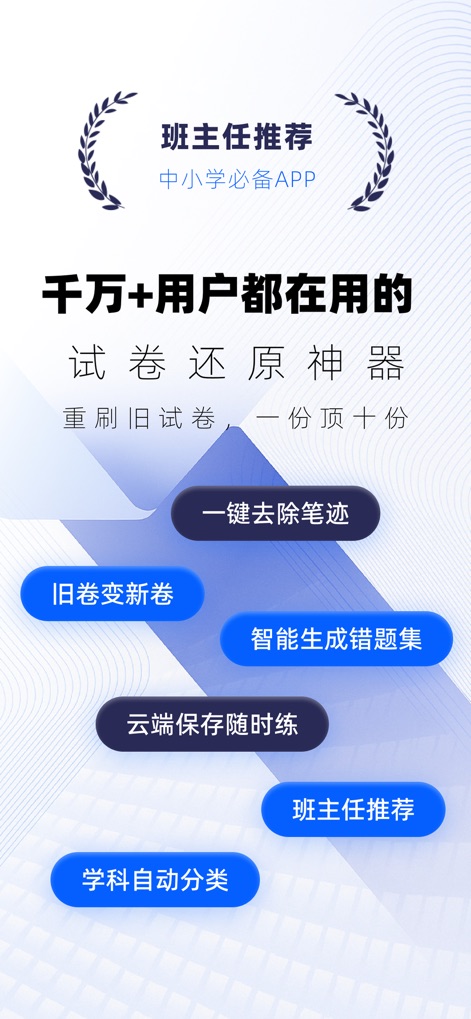
Discover the app's core capabilities, including its intelligent generation of error question sets and seamless cloud saving for practice anytime.
App Highlights Unveiled

Witness how the app instantly transforms filled test papers into a blank version, offering options to compare the original and print the clean document.
Blank Slate Feature
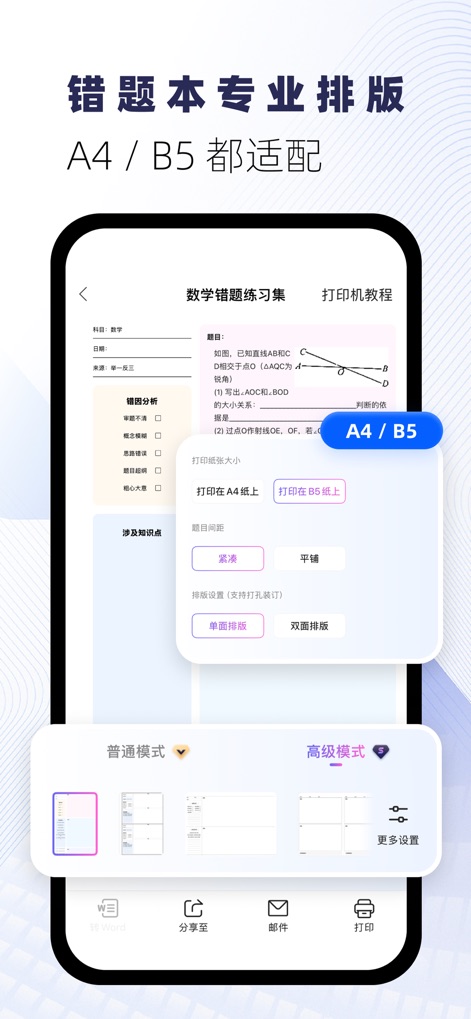
Explore the app's professional typesetting capabilities, allowing users to select standard paper sizes like A4 or B5 and customize printing modes.
Professional Layouts
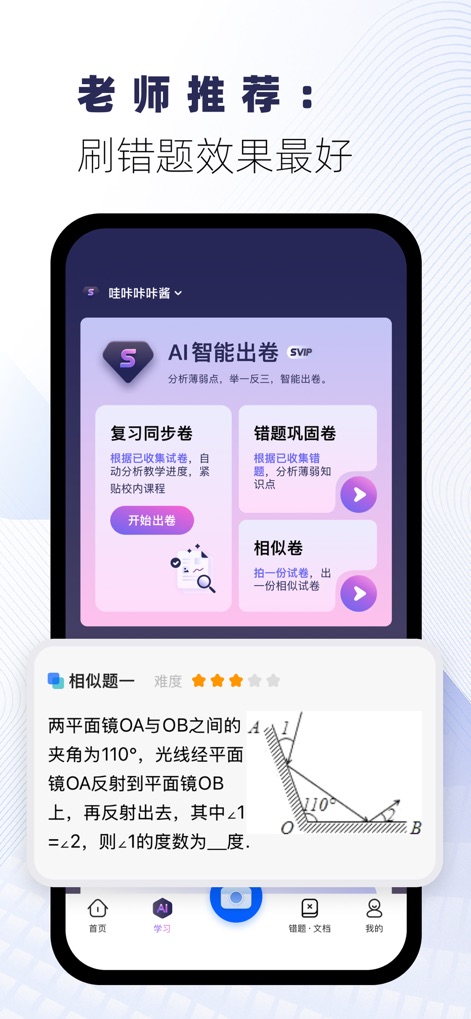
See how the AI intelligent test generation creates personalized practice, offering options for review synchronization papers and consolidating error questions.
AI Practice Generation
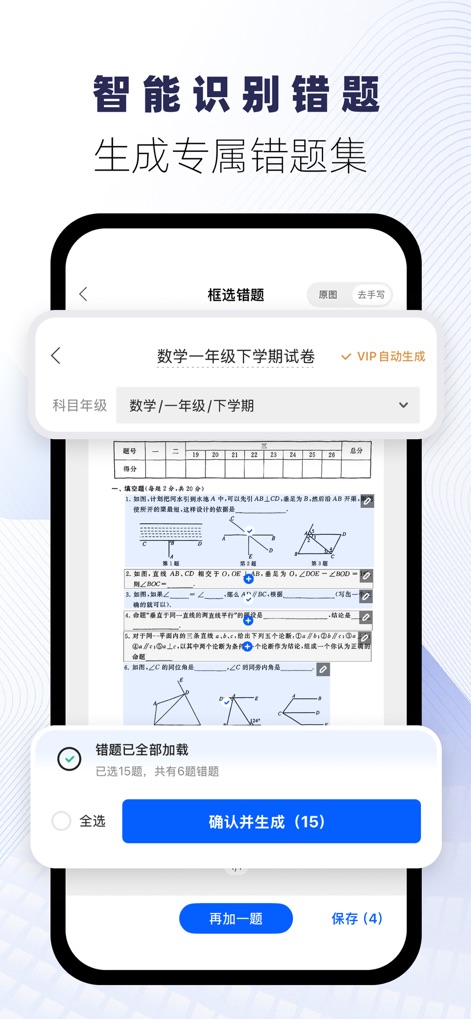
Observe the app's intelligent identification of error questions, allowing users to easily select and confirm questions to generate an exclusive error question set.
Smart Error Detection
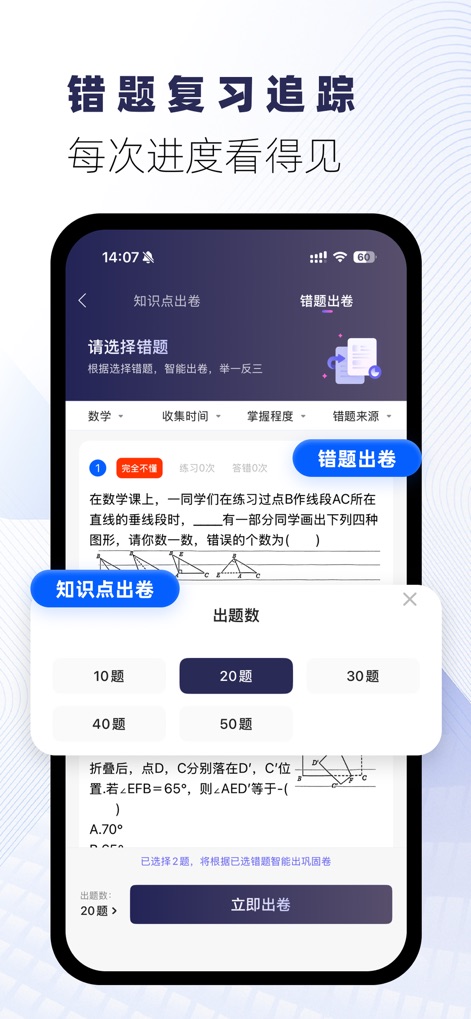
Track review progress with the app's knowledge point test generation, where users can choose from various question quantities and instantly generate practice papers.
Progress Tracking
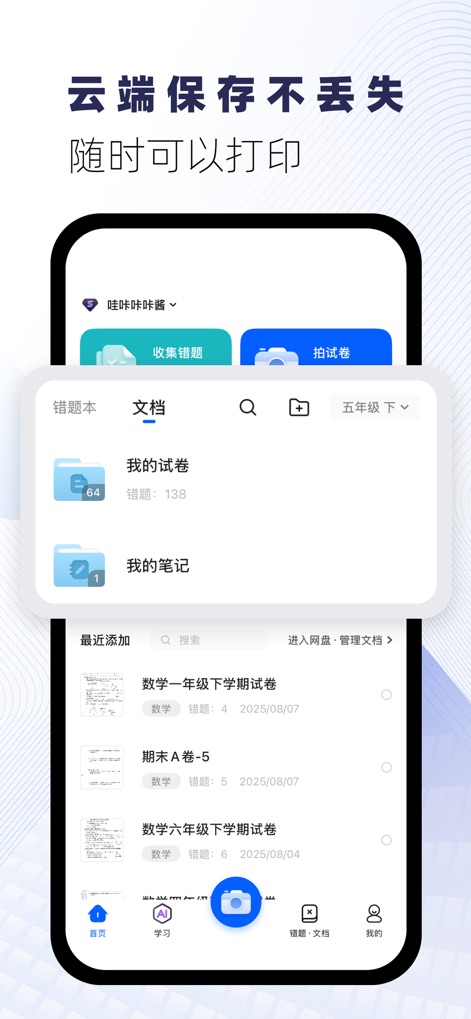
Discover the convenience of cloud saving, ensuring that "My test papers" and "My notes" are never lost and always available for printing.
Cloud Storage Solutions
Description
Download
More Like This
Apps with similar features and user experience


This page is not an official page of the app or its developer, but an independent editorial publication created for informational and commentary purposes. Unless expressly stated otherwise, neither the app nor its developer is affiliated with, endorsed by, sponsored by, authorized by, or otherwise officially connected with MWM, Apple, Google Play, the app publisher, or the app's developer, and nothing on this page implies that the app was developed using MWM's services. Any trademarks, logos, screenshots, and other content remain the property of their respective owners.