Shopping Lists+ Share&History
Download on App Store

This page is not an official page of the app or its developer, but an independent editorial publication created for informational and commentary purposes. Unless expressly stated otherwise, neither the app nor its developer is affiliated with, endorsed by, sponsored by, authorized by, or otherwise officially connected with MWM, Apple, Google Play, the app publisher, or the app's developer, and nothing on this page implies that the app was developed using MWM's services. Any trademarks, logos, screenshots, and other content remain the property of their respective owners.

Logo of Shopping Lists+ Share&History
Download on App Store

Shopping Lists+ Share&History

Simplify your household errands with store-specific lists, real-time family sharing, and instant history re-ordering. Securely synced across your Apple devices via iCloud.

Key Figures

Downloads

0

User Rating

4.1/5

Total Ratings

0

Publisher

sky-nexus Inc.

Category

Shopping

Locales

2

Latest Version

1.2.4

Size

8.2 MB

First Released

Sep 26, 2024
Features

Master Your Household Logistics

The ultimate shopping organizer designed for multi-store errands and seamless family collaboration, helping you reclaim your time and sanity.

Store-Specific Organization

Stop scrolling through one giant list. Create dedicated checklists for every stop on your route—from wholesale clubs to local grocers—and sort them by your preferred shopping path.

Real-Time Family Sync

Divide and conquer your shopping trips. Share specific store lists with your partner via iCloud and watch items update instantly as you both cross things off in different aisles.

The following screenshots and description are sourced directly from the app's official store listing and are the property of the app developer.

App Store

Screenshots
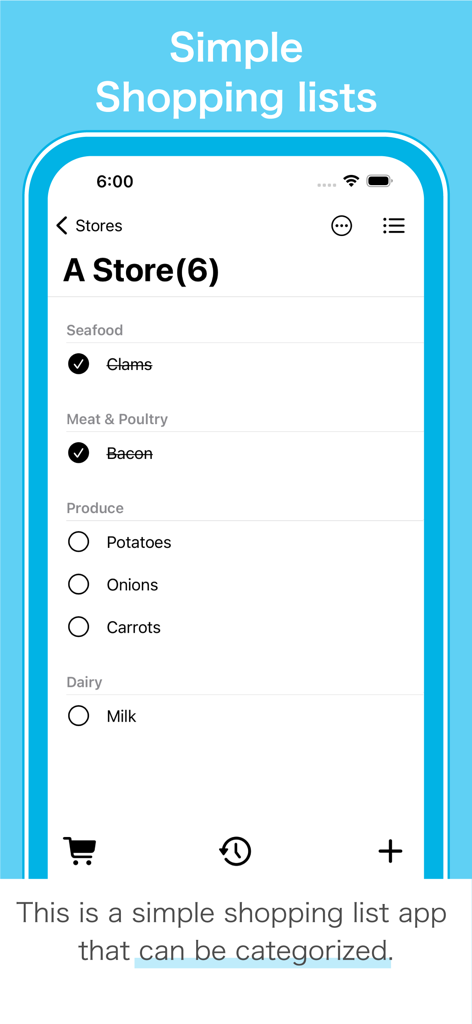
Shopping Lists+ Share&History - Screenshot of a categorized grocery list in Shopping Lists plus showing items organized by seafood meat produce and dairy sections
Screenshot of a categorized grocery list in Shopping Lists plus showing items organized by seafood meat produce and dairy sections

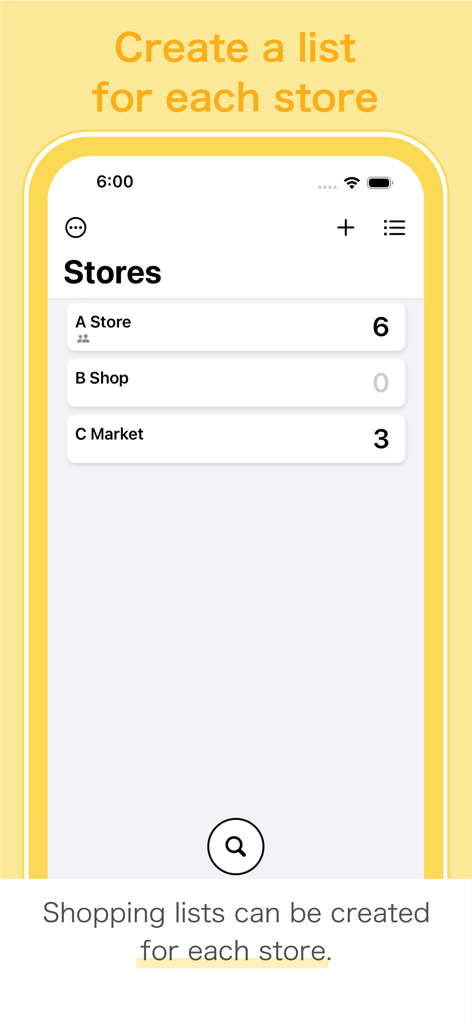
Shopping Lists+ Share&History - A smartphone screen displaying the Shopping Lists plus app with shopping lists categorized by individual stores like A Store and B Shop
A smartphone screen displaying the Shopping Lists plus app with shopping lists categorized by individual stores like A Store and B Shop

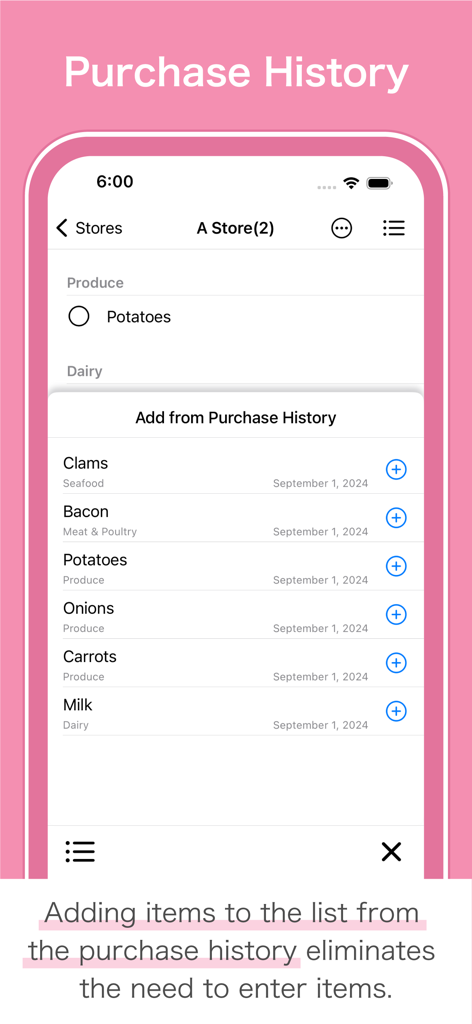
Shopping Lists+ Share&History - Interface showing the purchase history feature to quickly add recurring items to a grocery list.
Interface showing the purchase history feature to quickly add recurring items to a grocery list.

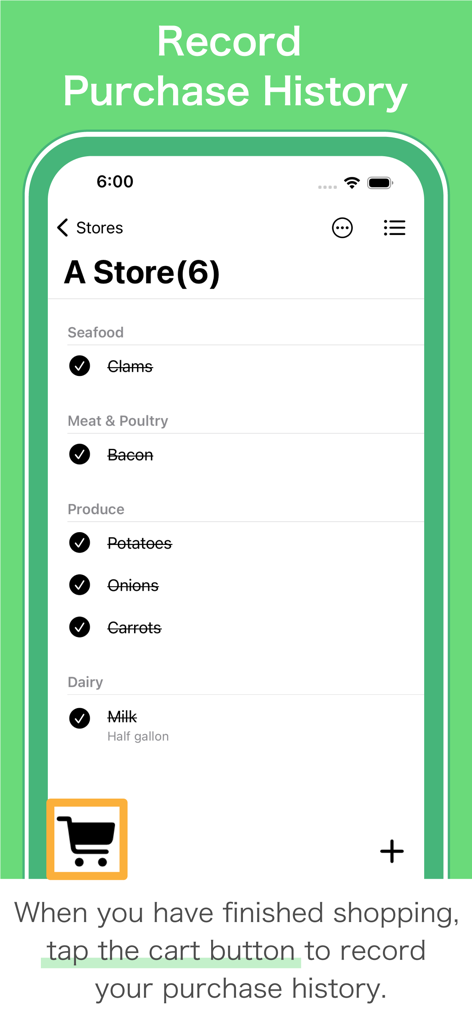
Shopping Lists+ Share&History - A mobile app screen showing a grocery list with checked items and a cart icon to record purchase history.
A mobile app screen showing a grocery list with checked items and a cart icon to record purchase history.

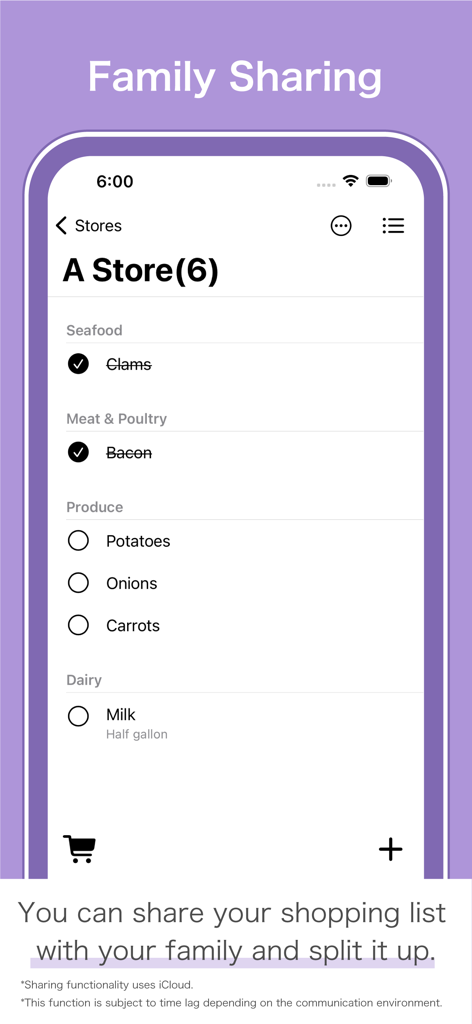
Shopping Lists+ Share&History - Shopping list app interface showing family sharing and categorized grocery items
Shopping list app interface showing family sharing and categorized grocery items

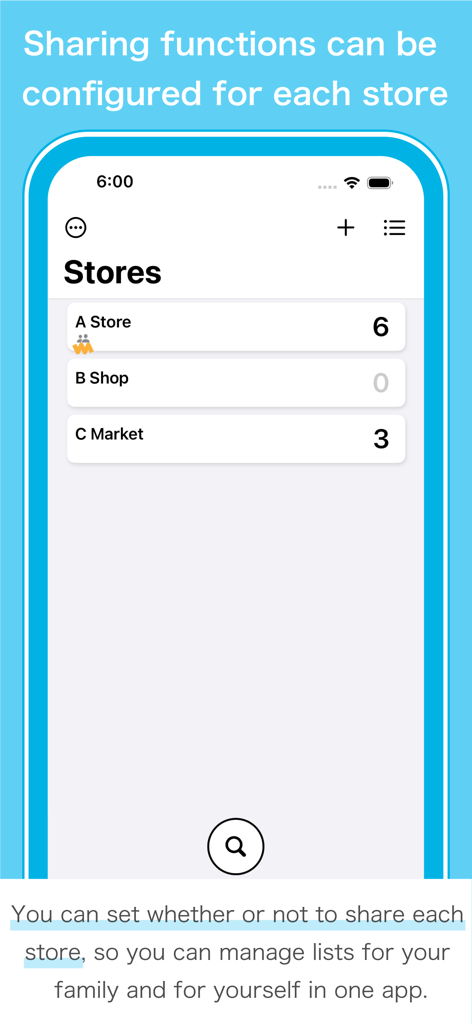
Shopping Lists+ Share&History - Interface of the Shopping List+ app showing a list of stores with individual sharing configurations
Interface of the Shopping List+ app showing a list of stores with individual sharing configurations

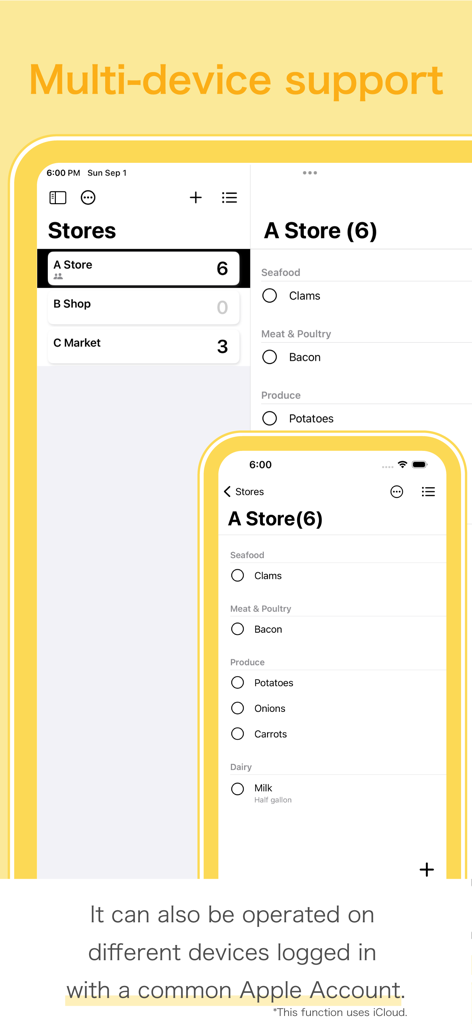
Shopping Lists+ Share&History - Interface showing real time shopping list synchronization between iPhone and iPad devices using iCloud
Interface showing real time shopping list synchronization between iPhone and iPad devices using iCloud

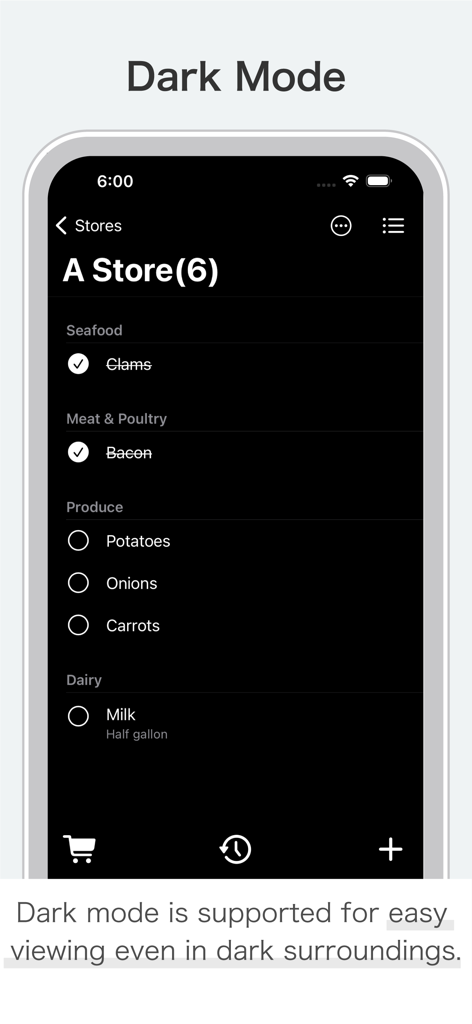
Shopping Lists+ Share&History - Shopping list app screen in dark mode showing grocery items organized by store departments

Shopping list app screen in dark mode showing grocery items organized by store departments

Description

Shopping List+ is an app that allows you to create a shopping list for each store and share it with family members! ■■ Family sharing can be set up on a store-by-store basis. ■■ ■■ Items can also be added from the purchase history. ■■ Based on feedback from moms, this app creates a list of things to buy in as few steps as possible and allows you to create and share lists by store. ■Store List Switching between many shopping lists is done from the list of stores. You can also rearrange the list of stores according to the day's shopping course. ■Shopping Lists Items can now be created in succession using “Next” in the keyboard. For items with a purchase history, items can also be added from the list of purchase history. Items with a check mark are recorded in your purchase history by tapping the cart button. It is also possible to delete items without recording them in the purchase history. Each item can be assigned a category or note. ■Categories Categories can be set for each store. When adding items from the purchase history, the category setting is also reflected. In the list of categories, you can also reorder or delete categories. ■Family Sharing Family sharing can be set up for each store, so you can create shopping lists for family members and for yourself. Data is reflected in real time, so you can split up your shopping. Whether or not family sharing is set up can be checked by using the icon below the store name. (List of stores) *Time lag may occur depending on the communication environment. *Available on iPhone and iPad. *All devices must be configured for iCloud because of the use of iCloud. *Please make sure you have enough storage space in iCloud. *Store data shared with family members will be stored in the owner's iCloud storage. ■Search function The search function allows you to find items from all your store shopping lists and purchase histories. If the desired item is not found in the search results, the item can be added to the shopping list from that screen. Also, items can be added from the purchase history displayed as search results by tapping the Add button. This search function is available from the search button on the store list. ■Other Functions - Dark mode supported. - Multi-device support. - All data is stored on the device or in iCloud to help protect privacy. - Data stored on the device is backed up together when the device is backed up. *Multi-device use requires that each device be logged in with a common Apple ID. *If you do not wish to store data in iCloud, please switch this app off by tapping [Apple ID] > [iCloud] > [Apps using iCloud] in the Settings app. (However, family sharing and multi-device use will no longer be available.) *If you want to back up the data stored on your device to iCloud, you must make this app the target of the backup in the Settings app. [Disclaimer] Your use of the app is at your own risk. We pay close attention to the application to be provided, but the app is provided "as is basis" without any warranty of any kind. We assume no responsibility for any result caused by using the application. [ The store names used in the App Store preview image and the in-app help image are fictitious store names created as an example. ]

Download

Download on App Store

This page is not an official page of the app or its developer, but an independent editorial publication created for informational and commentary purposes. Unless expressly stated otherwise, neither the app nor its developer is affiliated with, endorsed by, sponsored by, authorized by, or otherwise officially connected with MWM, Apple, Google Play, the app publisher, or the app's developer, and nothing on this page implies that the app was developed using MWM's services. Any trademarks, logos, screenshots, and other content remain the property of their respective owners.