Simionic G1000 (MFD)

Simionic G1000 (MFD)

Download on App Store
Logo of Simionic G1000 (MFD)

Simionic G1000 (MFD): Master Your Glass Cockpit Procedures

Bridge the gap between flight simulation and reality with high-fidelity G1000 MFD emulation. Perfect your buttonology and master complex IFR procedures from home to save thousands on real-world training hours.

Download on App Store

Publisher

晨 李

Category

Utilities

Downloads

134K+

User Rating

2.9/5

Total Ratings

300

Locales

1

Precision at Your Fingertips

Discover the interface used by 134K+ users.
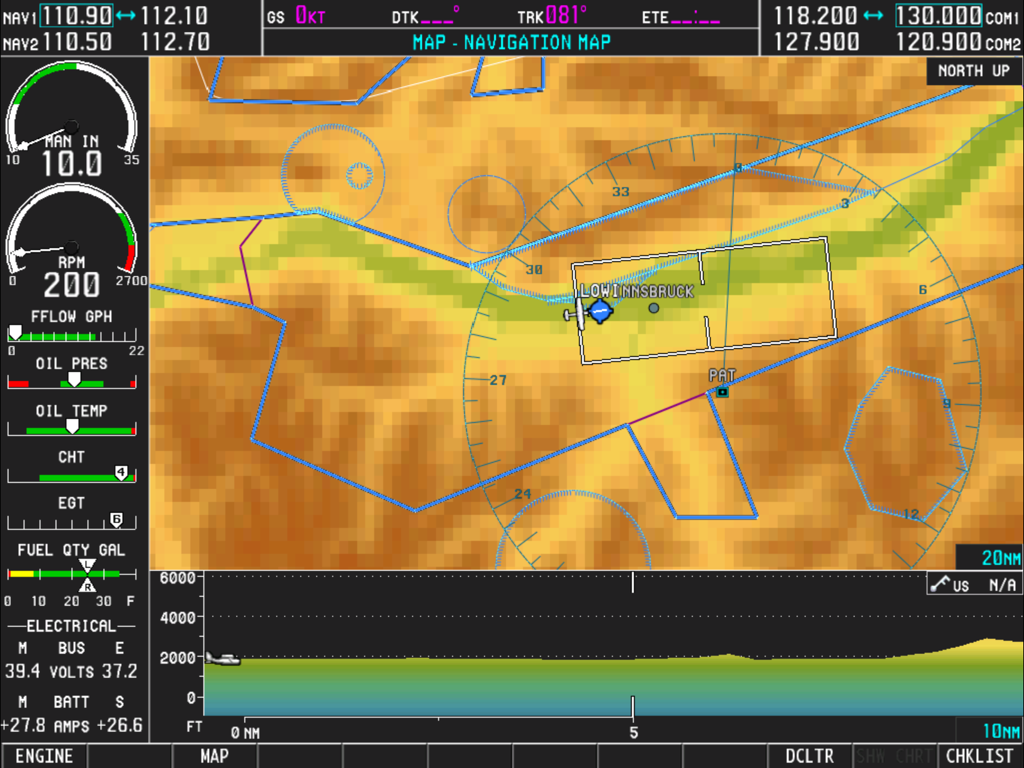
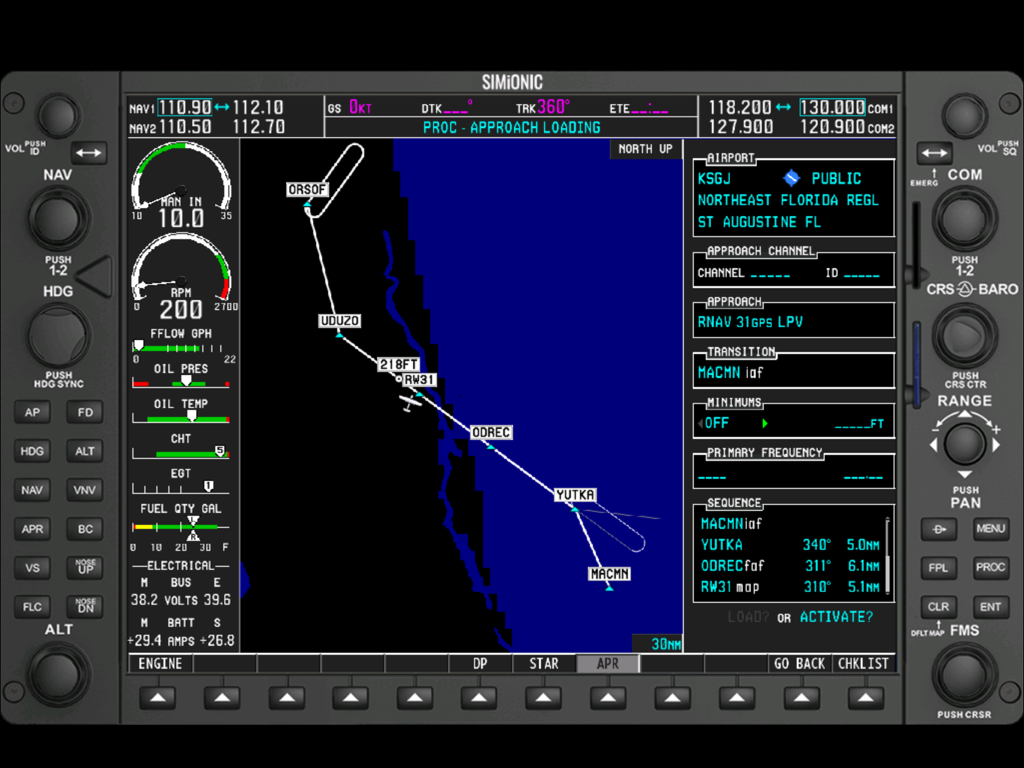
A screenshot of the Simionic G1000 MFD featuring a moving navigation map and detailed engine performance instruments

A screenshot of the Simionic G1000 MFD featuring a moving navigation map and detailed engine performance instruments

Interface of the Simionic G1000 MFD app showing a navigation map and engine gauges

Interface of the Simionic G1000 MFD app showing a navigation map and engine gauges

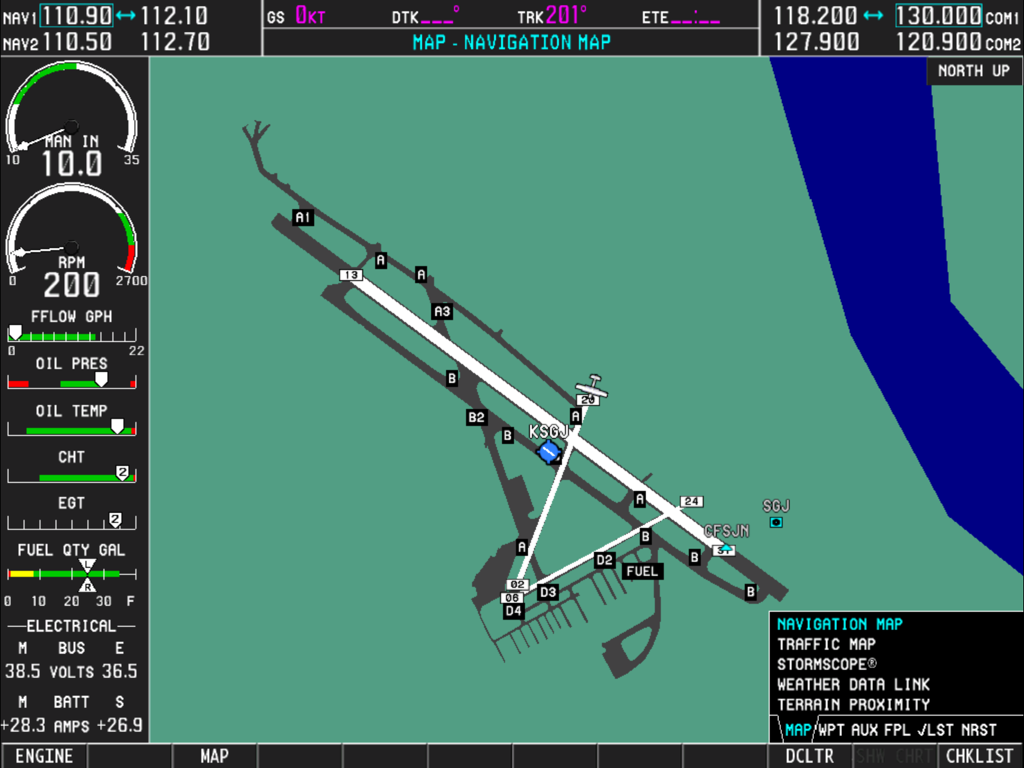
Digital flight instrument panel displaying a Garmin G1000 navigation map and engine gauges

Digital flight instrument panel displaying a Garmin G1000 navigation map and engine gauges

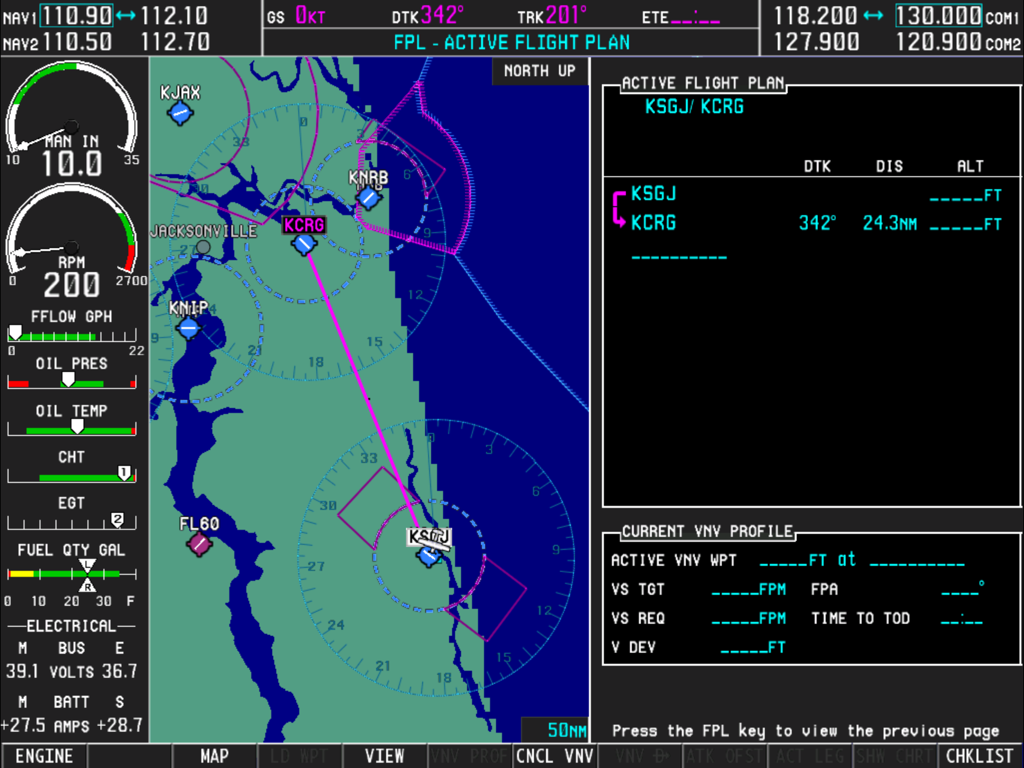
Simionic G1000 MFD interface showing a moving navigation map engine instruments and active flight plan

Simionic G1000 MFD interface showing a moving navigation map engine instruments and active flight plan

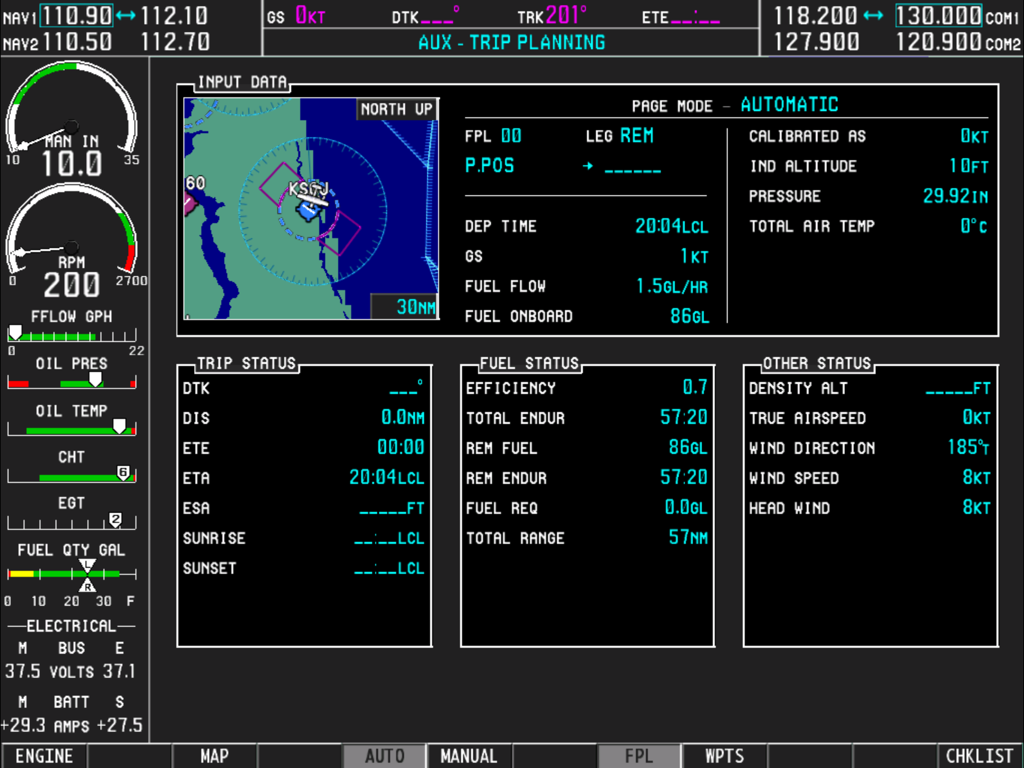
Simionic G1000 MFD interface showing the trip planning page and engine monitoring instruments

Simionic G1000 MFD interface showing the trip planning page and engine monitoring instruments

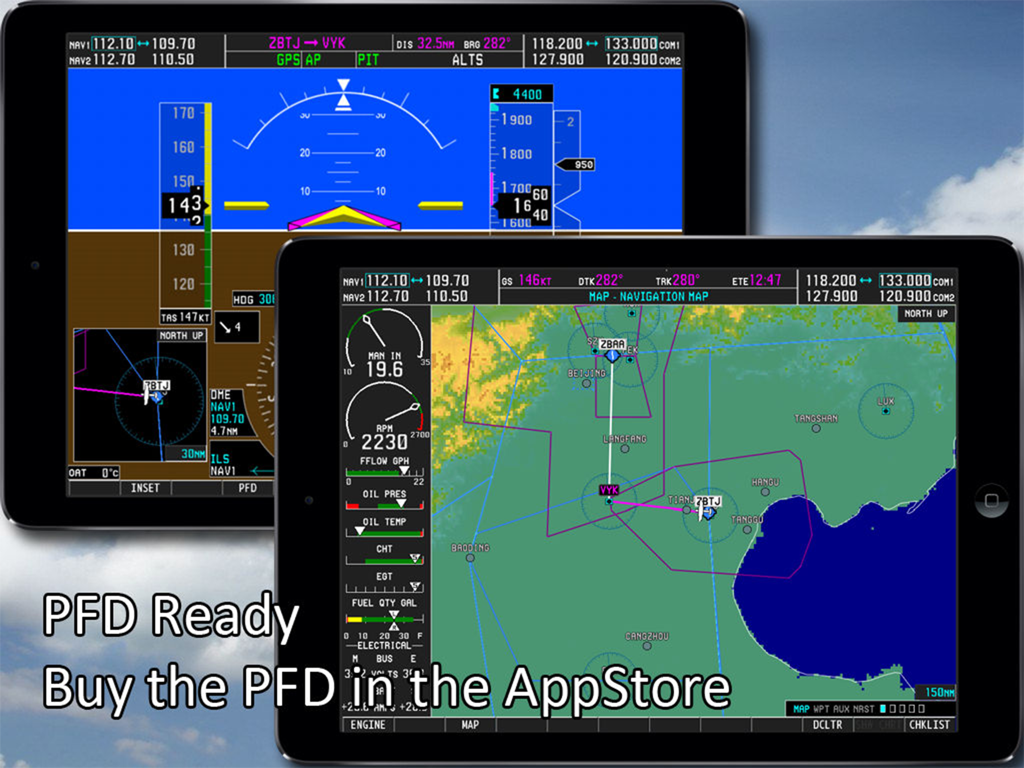
Dual iPad setup showing the Simionic G1000 MFD and PFD flight simulator apps

Dual iPad setup showing the Simionic G1000 MFD and PFD flight simulator apps

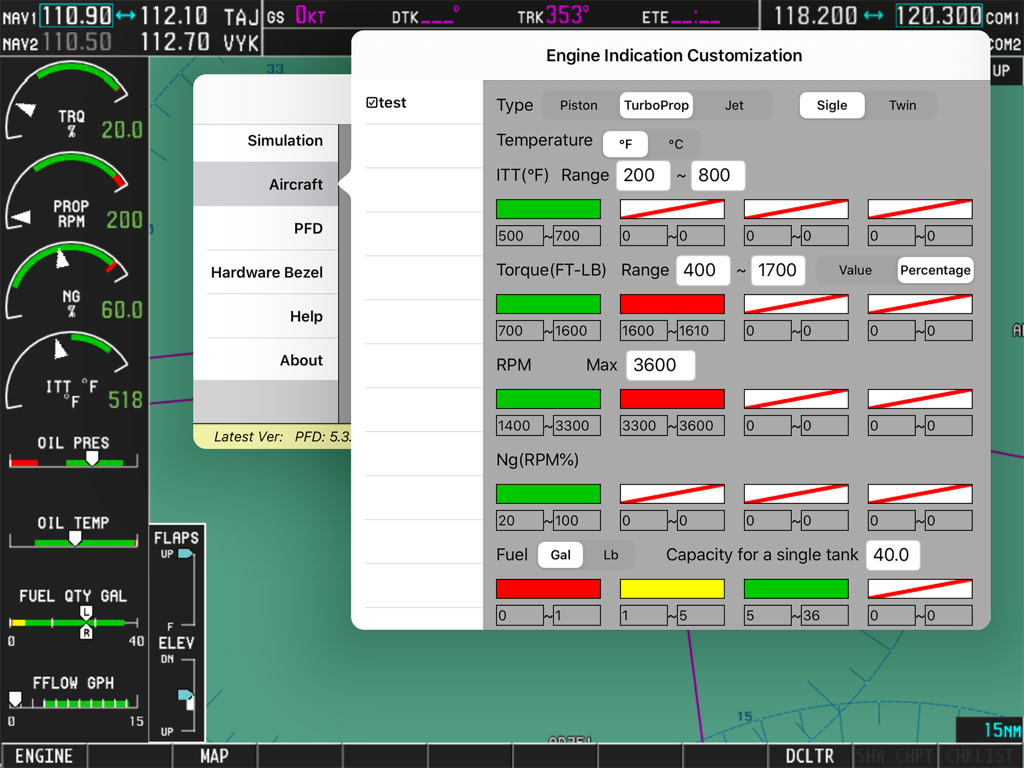
Simionic G1000 MFD engine indication customization settings screen

Simionic G1000 MFD engine indication customization settings screen

Professional-Grade Procedure Training

The tools that make this app stand out, trusted by 134K+ users.

🗺️

Complete System Fidelity

Master the 'buttonology' with access to global navigation databases, terminal procedures, and every AUX page found in real-world Garmin units.

🔗

Seamless Sim Integration

Transform your iPad into a dedicated avionics panel by connecting via Wi-Fi to X-Plane, Microsoft Flight Simulator, or Prepar3D.

⏱️

High-ROI Proficiency

Build critical muscle memory for IFR operations and flight planning from home, saving you thousands in aircraft rental and fuel costs.

About the app

Everything you need to know about Simionic G1000 (MFD).

Description

Check out this video: https://www.youtube.com/watch?v=3xePnu3MsBQ IMPORTANT NOTICE: 1. This app emulates G1000 MFD functionalities only. It does not include PFD functionalities. To obtain PFD functionalities, download the PFD app from AppStore which can co-operate with this app(MFD) via wifi connection. Download address of PFD app: http://itunes.apple.com/us/app/id501990787?mt=8 2. This app is for practice only. The navigation database included in this app may be outdated and very possible to be different from what it is in real life. 3. Due to huge memory consumption, it's highly recommended that you install this app on an iPad which has at least 1G memory on board. Thus, install this app on iPad 1, iPad 2 or iPad mini is not recommended. Running this app on iPad Air or newer devices will get you a much better performance. Disclaimer: -Simionic and the seller are not affiliated with Garmin, -The app is not provided, approved, endorsed, or otherwise supported by Garmin. This is an app which simulates the Multi Function Display(MFD) of the Garmin G1000 used on Cessna 182T, 172S, 172R, 206H and Beechcraft Baron G58. It can also be configured to adapt piston, turboprop and jet engines. Most of the functionalities are implemented just as they are in the real life. It can be used by aviation enthusiasts as well as pilots to perform either an IFR training or just to familiarize the operations of G1000 MFD. This app is capable to connect to another app which simulates the G1000 PFD via wifi connection through which you can have a complete set of G1000 and make them work with FSX, Prepar3D , X-Plane or InfiniteFlight to get the best experience. G1000 is a highly integrated system, it is very powerful and also very complicated. It is recommended that you have a real G1000 user guide from Garmin. Details: 1. Global navigation database and topo data 2. Engine status simulation 3. Functional "Map Setup" 4. All pages including AUX pages are implemented 5. Terminal procedures are included 6. User waypoint creating/editing 7. User defined holding patterns 8. Flight plans storing/editing 9. Checklists for Cessna 182T, 172S, 172R and 206H are included 10. PFD connection via wifi

Latest Version

7.5.1

Size

1.9 GB

First Released

Mar 5, 2014

Master the G1000 Before You Even Step Into the Cockpit

Achieve procedural proficiency and save on flight hours. Download the most advanced MFD simulation for iPad and bridge the gap between your home flight sim and reality.

Download on App Store

App information, icons, screenshots, and descriptions displayed on this page are sourced from the Apple App Store and are the property of their respective developers. Download estimates and rankings are based on MWM's proprietary models and may not reflect actual figures. This page is provided for informational and analytical purposes only.

Believe this page infringes your intellectual property? File a dispute