Simionic G1000 (PFD): Master the Industry-Standard Glass Cockpit
Transform your iPad into a professional-grade Primary Flight Display. Build muscle memory and master complex IFR procedures with high-fidelity simulation for MSFS, X-Plane, and Prepar3D.
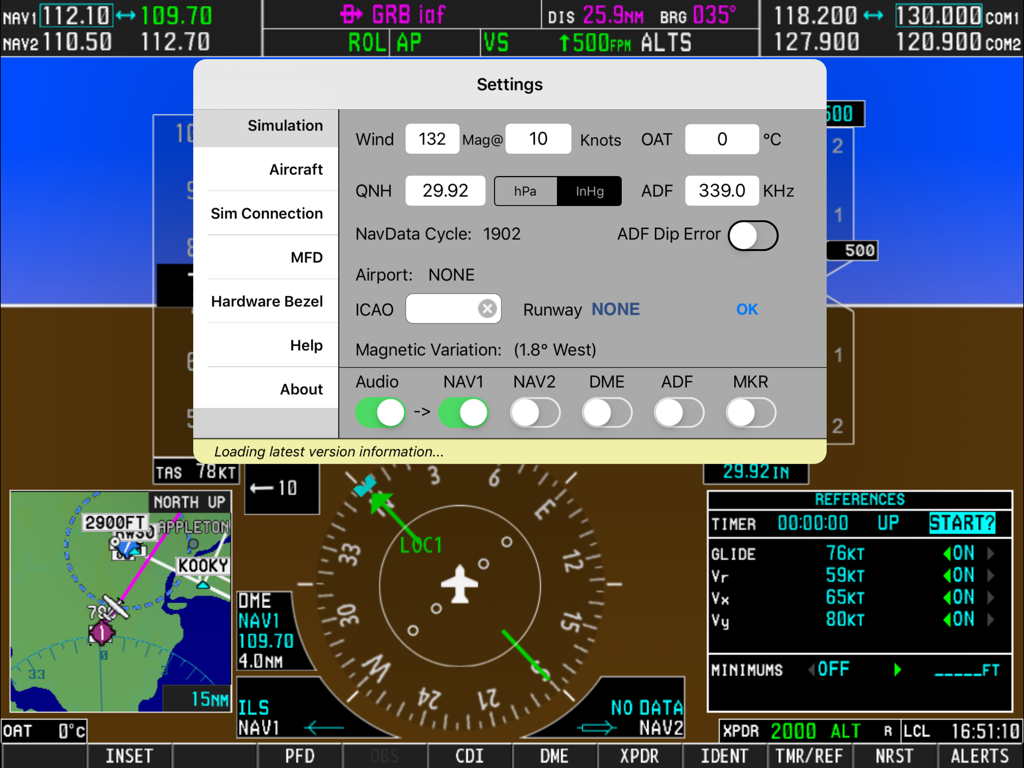
Settings menu overlay on a flight simulator primary flight display interface
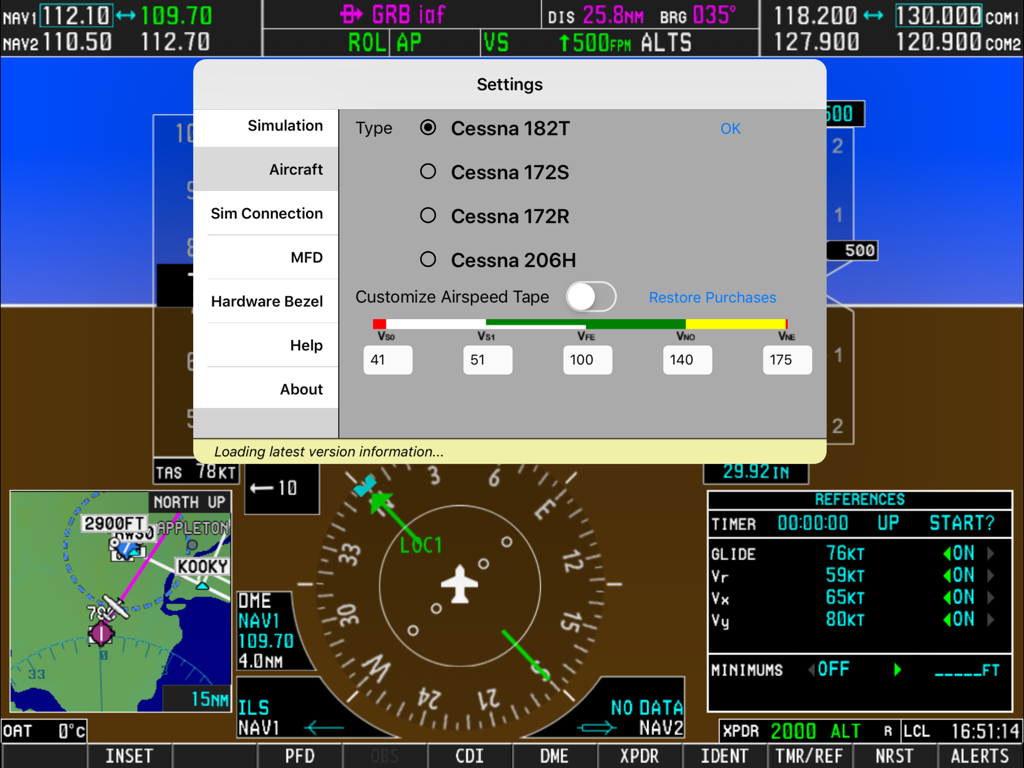
Settings menu of the Simionic G1000 PFD app showing aircraft type selection options for various Cessna models over a flight simulator display
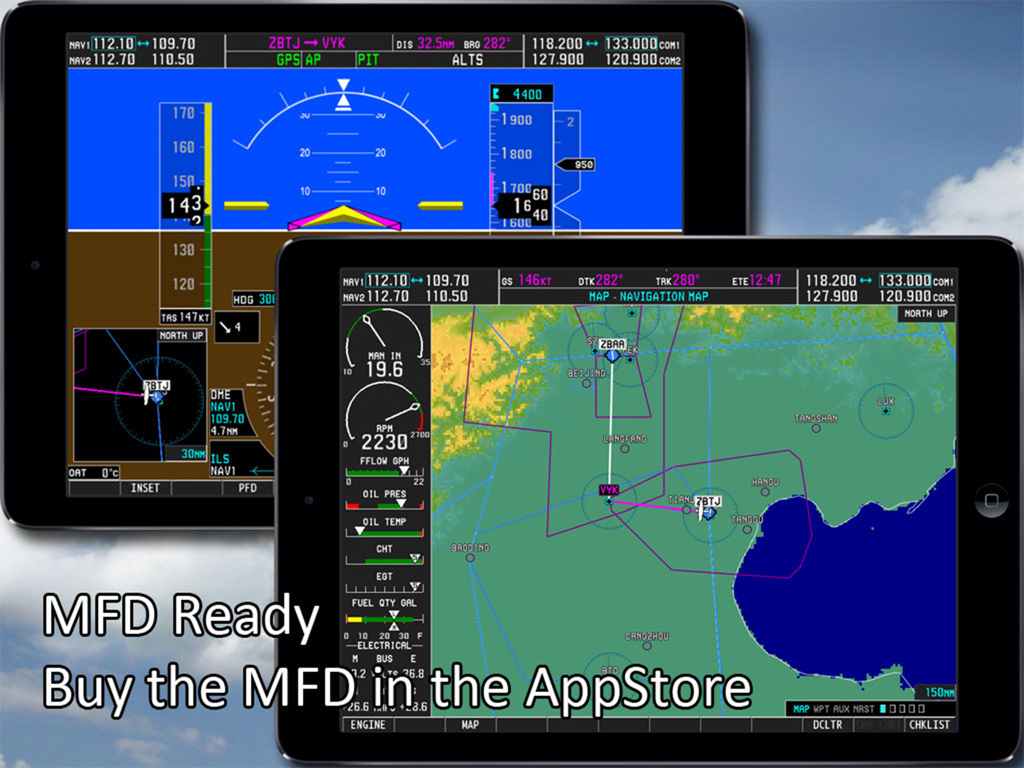
Dual iPad setup displaying the Simionic G1000 Primary Flight Display and Multi Function Display
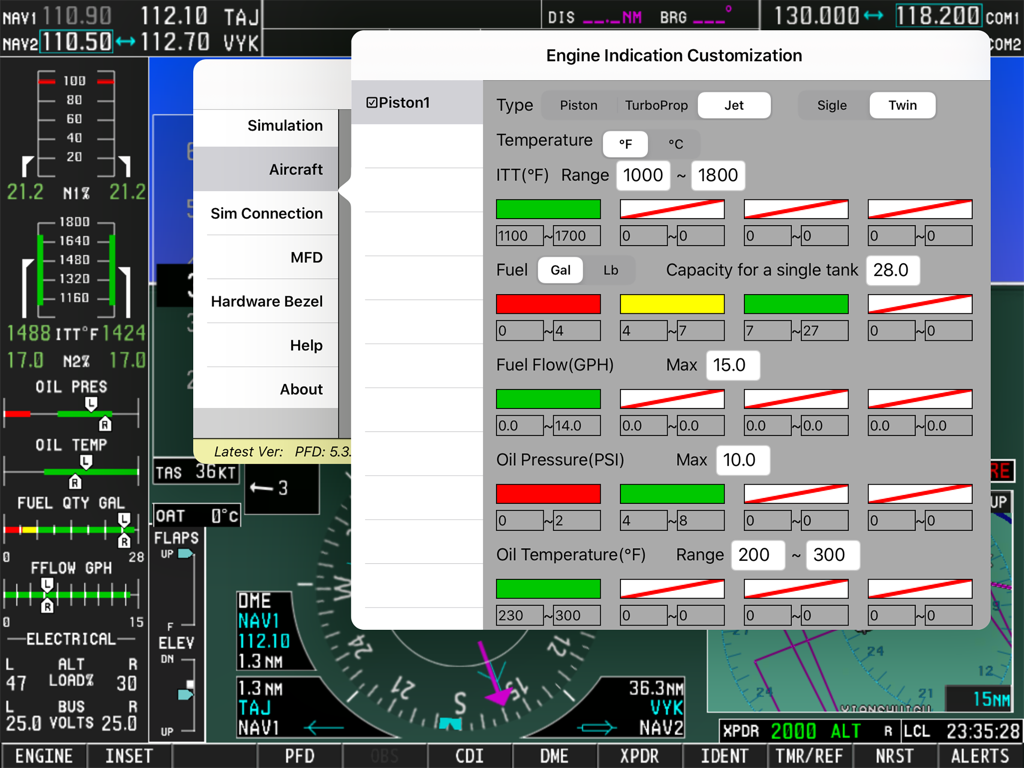
Engine indication customization menu in the Simionic G1000 PFD app showing settings for piston jet and turboprop engines
Master the Glass Cockpit Anywhere
The tools that make this app stand out, trusted by 180K+ users.
🕹️
Tactile Precision
Experience 'buttonology' that mirrors the real unit. Every knob and button is functional, allowing for authentic procedural training and muscle memory development.
🔌
Universal Sim Connectivity
Turn your iPad into an external instrument for MSFS 2020, X-Plane, or Prepar3D. Offload your PFD to a dedicated screen for ultimate realism.
📡
Advanced Flight Planning
Practice IFR procedures, autopilot modes, and flight plan management using a global navigation database built for serious training sessions.
About the app
Everything you need to know about Simionic G1000 (PFD).
Description
Check out this video:
https://www.youtube.com/watch?v=3xePnu3MsBQ
IMPORTANT NOTICE:
1. This app emulates G1000 PFD functionalities only. It does not include MFD functionalities. To obtain MFD functionalities, download the MFD app from AppStore which can co-operate with this app(PFD) via wifi connection.
Download address of PFD app: http://itunes.apple.com/us/app/id827464105?mt=8
2. This app is for practice only. The navigation database included in this app may be outdated and very possible to be different from what it is in real life.
Disclaimer:
-Simionic and the seller are not affiliated with Garmin,
-The app is not provided, approved, endorsed, or otherwise supported by Garmin.
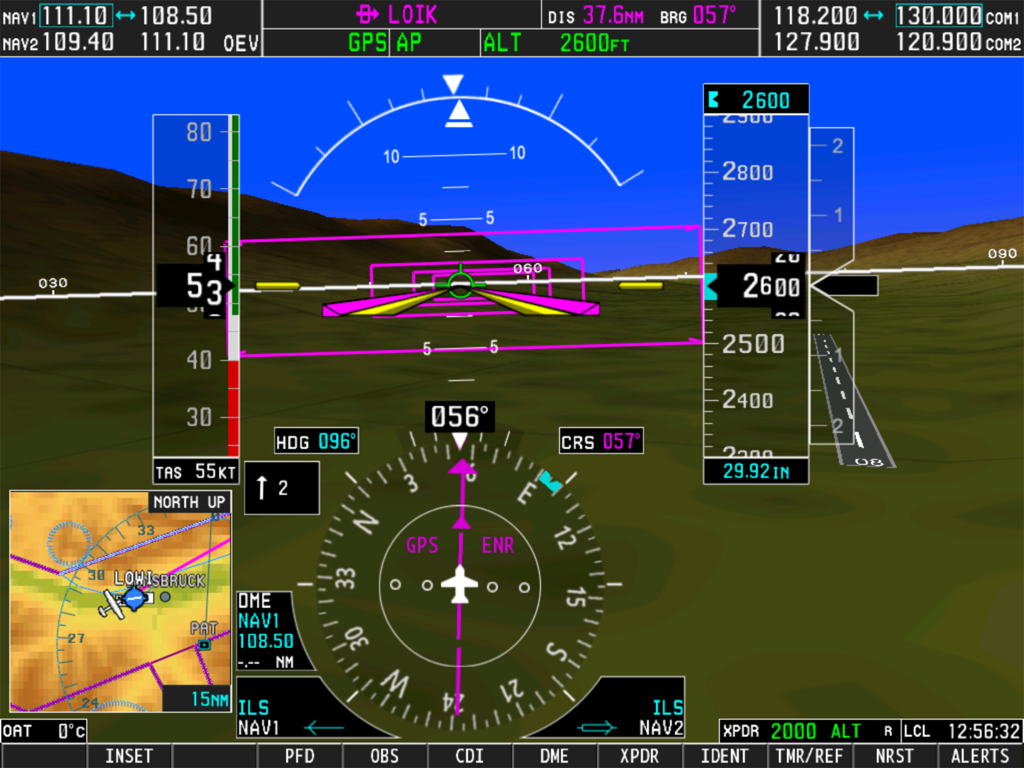
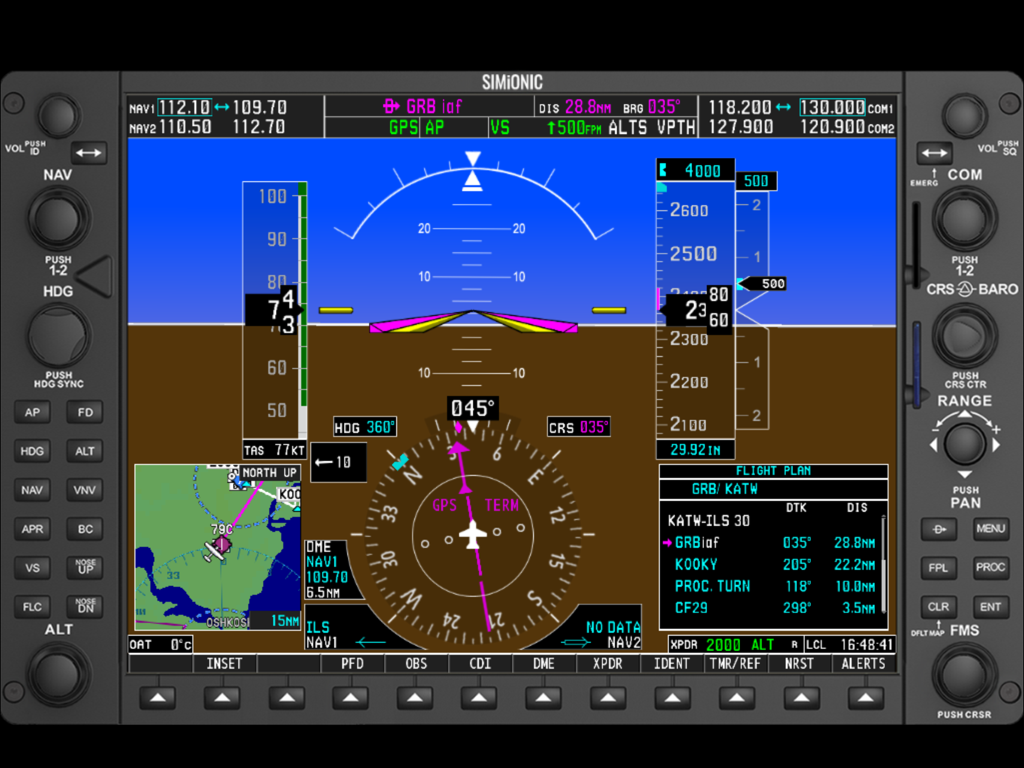
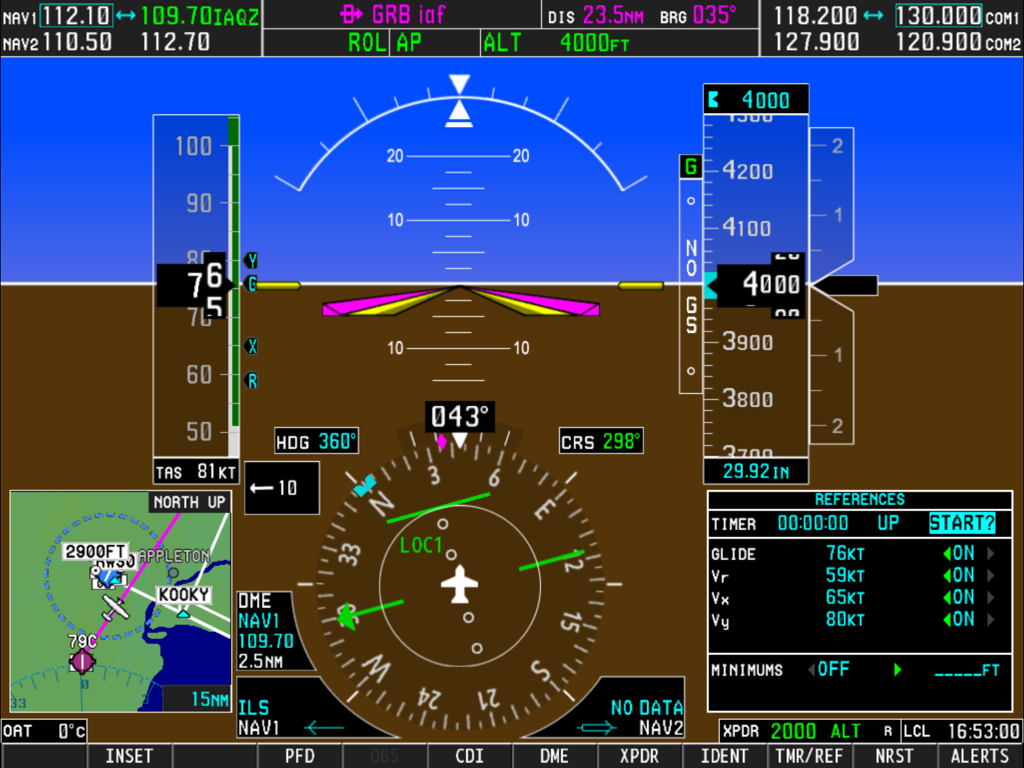
Garmin G1000 is an integrated avionic system used in many small aircrafts. This simulator simulates a primary flight display(PFD) which is used on Cessna 182T, 172S, 172R, 206H and Beechcraft Baron G58. It can also be configured to adapt piston, turboprop and jet engines. Most of the useful functionalities has been implemented in this simulator, such as navigation, inset map, flight plan, flight director, and autopilot. Besides of that, nearly every nob/button is functioning just like they were on the real G1000.
G1000 is a highly integrated system, it is very powerful and also very complicated. It is recommended that you have a real G1000 user guide from Garmin. This simulator can be used by aviation enthusiasts as well as pilots to perform either an IFR training or just fly for fun. There is a global navigation database included in this simulator, and you can fly any where in the world.
This simulator supports FSX, Prepar3D, MSFS2020, X-Plane and InfiniteFlight. You can use this simulator either as a stand alone trainer or as an instrument for FSX, Prepar3D, X-Plane or InfiniteFlight.
You need G1000Bridge(X) to make this simulator working with FSX, Prepar3D, MSFS2020 or X-Plane. Please visit http://www.simionic.net to download G1000Bridge(X).
Detail list of functionalities:
*Control surface implementation
+Pitch and bank are controlled by tilting the device using built-in accelerometer.
+Throttle and rudder are controlled by touching the screen.
*Flight director modes implementation
+Pitch modes
-Pitch Hold: Yes
-Selected Altitude Capture: Yes
-Altitude Hold: Yes
-Vertical Speed: Yes
-Flight Level Change: Yes
-Vertical Path Tracking: Yes
-VNV Target Altitude Capture: Yes
-Glidepath: Yes
-Glideslope: Yes
-Go Around: Yes
+Roll modes
-Roll Hold: Yes
-Heading Select: Yes
-Navigation: Yes
-Backcourse: Yes
-Approach: Yes
-Go Around: Yes
*Autopilot: Yes
*Flight plan
+Store Flight Plan: Yes(only when MFD connected)
+Invert Flight Plan: Yes
+Closest Point Of FPL: No
+Parallel Track: Yes
+Create ATK Offset Waypoint: Yes
+Direct-to: Yes, with vertical constraints and offset
+Terminal Procedures: Yes
+User defined holding patterns: Yes
*Navigation database: Global, but may not as detailed or updated as they are in the real G1000.
*Inset map: Zoom in/out, browsing, partly de-clutter, topo and terrain are implemented, all the navaids are displayed properly. No traffic, storm scope, NEXRAD radar information and XM information.
*Other functionalities
+Synthetic Vision as an In-App-Purchase item
+All the navaids operations(VOR/ILS course select, ADF/VOR/Waypoint bearing indicator, CDI indicator, etc)
+All the PFD settings(Wind, Bearing1/2, HSI format, Alt unit, Standard baro, etc)
+DME source select: Yes
+Transponder settings: Yes
+Timer and references(V speeds and minimums): Yes
+Advisory and alerts: Yes
+ADF dip: Yes
+Magnetic variation: automatic
*Flight simulator connection
+FSX: Yes
+Prepar3D: Yes
+MSFS2020: Yes
+X-Plane: Yes
+Infinite Flight: Yes, requires 19.4 and later
*MFD connection: Via wifi
Latest Version
7.5.0
Size
1.9 GB
First Released
Feb 17, 2012
Master the Glass Cockpit from Your Couch
Stop wasting expensive flight hours on 'buttonology.' Download the Simionic G1000 PFD today to build professional muscle memory and integrate seamlessly with MSFS 2020, X-Plane, or Prepar3D.
App information, icons, screenshots, and descriptions displayed on this page are sourced from the Apple App Store and are the property of their respective developers. Download estimates and rankings are based on MWM's proprietary models and may not reflect actual figures. This page is provided for informational and analytical purposes only.
Believe this page infringes your intellectual property? File a dispute