
This page is not an official page of the app or its developer, but an independent editorial publication created for informational and commentary purposes. Unless expressly stated otherwise, neither the app nor its developer is affiliated with, endorsed by, sponsored by, authorized by, or otherwise officially connected with MWM, Apple, Google Play, the app publisher, or the app's developer, and nothing on this page implies that the app was developed using MWM's services. Any trademarks, logos, screenshots, and other content remain the property of their respective owners.

Simple Notes - Notepad Manager
The ultimate minimalist notebook for your aesthetic. Securely capture ideas with photos, color-coded folders, and iCloud sync—all with no account required and zero monthly fees.
Downloads
1M+User Rating
Total Ratings
36K+Publisher
Category
ProductivityLocales
35Latest Version
4.1.0Size
183.9 MBFirst Released
Aug 30, 2019Organize Your Life, Your Way
The aesthetic, all-in-one notepad designed for simplicity. No subscriptions, no account required—just a beautiful, private space for your ideas.
Fully Customizable Aesthetics
Personalize your experience with 23 theme colors, 12 curated fonts, and custom app icons to match your unique style and vibe.
Visual Folder Management
Stay organized using 24 vibrant folder colors and a dedicated photo gallery to keep your memories and notes perfectly categorized.
Frequently Asked Questions
Everything you need to know about Simple Notes - Notepad Manager
Is Simple Notes - Notepad Manager a free app?
Simple Notes is a free note-taking app. It does not require account registration or monthly fees, making it a convenient and accessible option for managing your notes.
Can I add photos to notes in Simple Notes - Notepad Manager?
Yes, Simple Notes allows you to attach images to any note. You can insert pictures directly from your photo library or capture new ones using your device's camera on the spot.
How can I organize my notes in Simple Notes - Notepad Manager?
Simple Notes provides folder organization. You can create folders to keep your notes neatly arranged and choose from 24 different folder colors to easily identify categories.
Does Simple Notes - Notepad Manager offer a calendar view for notes?
Yes, Simple Notes features a built-in calendar view. This allows you to view notes by date and tap on any specific date to see all entries saved on that day.
How do I secure my notes in Simple Notes - Notepad Manager?
Simple Notes protects your notes with a passcode lock. It supports secure access methods like Face ID and Touch ID for quick and enhanced privacy.
Can I change the font style in Simple Notes - Notepad Manager?
Yes, Simple Notes allows you to customize font styles. You can select from 25 available fonts to personalize the appearance of your notes within the app.
Does Simple Notes - Notepad Manager allow customization of themes and app icons?
Yes, Simple Notes offers extensive customization. You can choose from 23 theme colors and app icons to personalize the app's look and even its home screen icon.
How can I back up my notes in Simple Notes - Notepad Manager?
Simple Notes allows you to back up your notes to iCloud for free. You can also export notes to external apps like Evernote or Dropbox, and as RTFD files with embedded images.
Does Simple Notes - Notepad Manager support iCloud synchronization?
Yes, Simple Notes utilizes iCloud to sync notes across your iPhone and iPad. This ensures your data remains safe and allows for easy restoration on new devices.
How do I remove advertisements from Simple Notes - Notepad Manager?
Ads are permanently removed from Simple Notes with a single one-time payment. This is not a monthly subscription, and the removal persists across reinstalls or device changes.
Does Simple Notes - Notepad Manager have a search function for notes?
Yes, Simple Notes features a built-in smart search function. This allows you to quickly locate notes by keywords and use tags like "#Important" for easier retrieval.
Can I adjust text size and readability in Simple Notes - Notepad Manager?
Yes, Simple Notes provides text display settings. You can adjust the text size, contrast, and line spacing to optimize readability, especially for users preferring larger fonts.
What are the data export capabilities of Simple Notes - Notepad Manager?
Simple Notes allows exporting notes as RTFD files with embedded images. While iCloud backups are free, the option to export to other apps like Evernote or Dropbox is a premium feature.
Does Simple Notes - Notepad Manager have a dedicated photo album or gallery?
Yes, Simple Notes includes a Photo Album. You can browse all images added to your notes in one centralized location, facilitating quick searches by photo for specific content.
The following screenshots and description are sourced directly from the app's official store listing and are the property of the app developer.
App Store
Screenshots
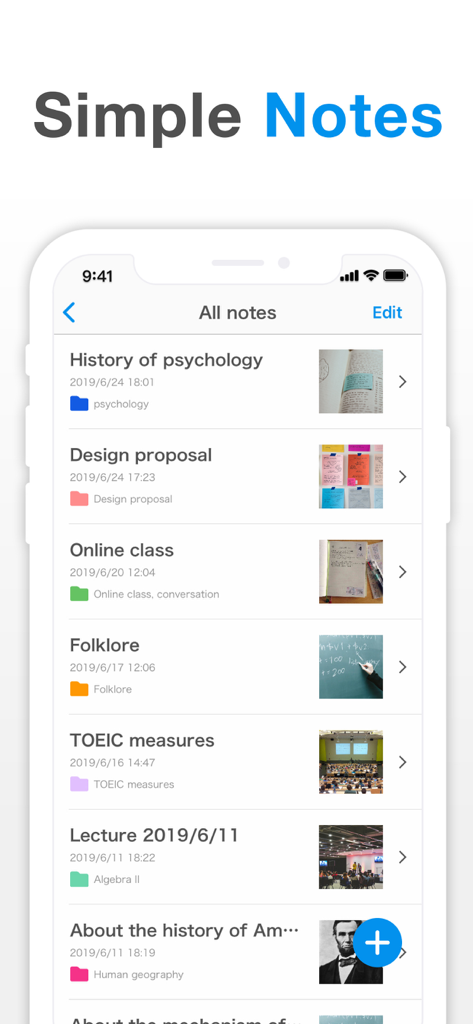
Smartphone screen displaying the Simple Notes app with a list of organized notes, colored folders, and image attachments.
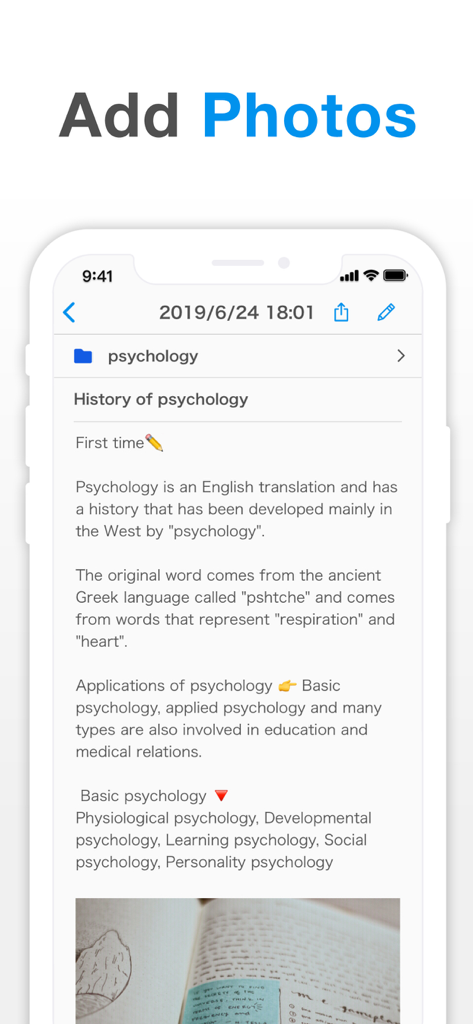
User interface of the Simple Notes app showing a psychology note with an embedded photo
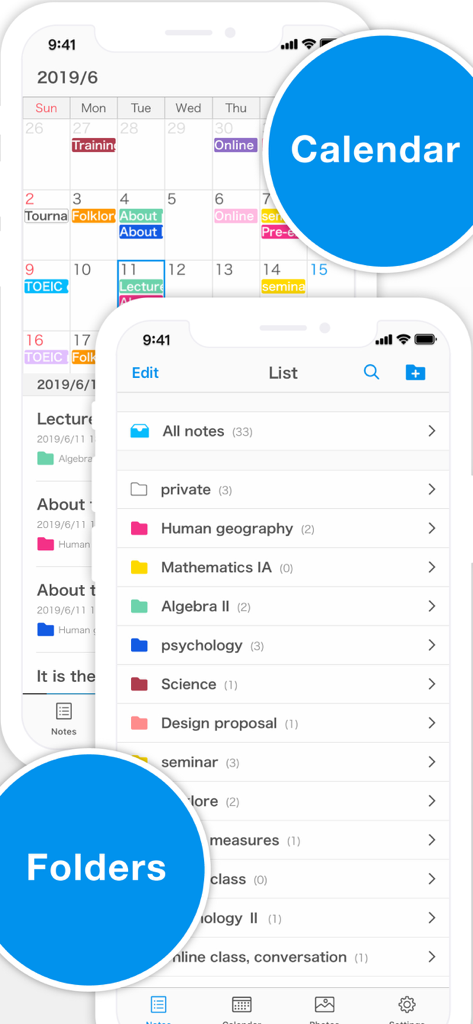
Simple Notes app interface showing a color-coded calendar and a list of organized folders.
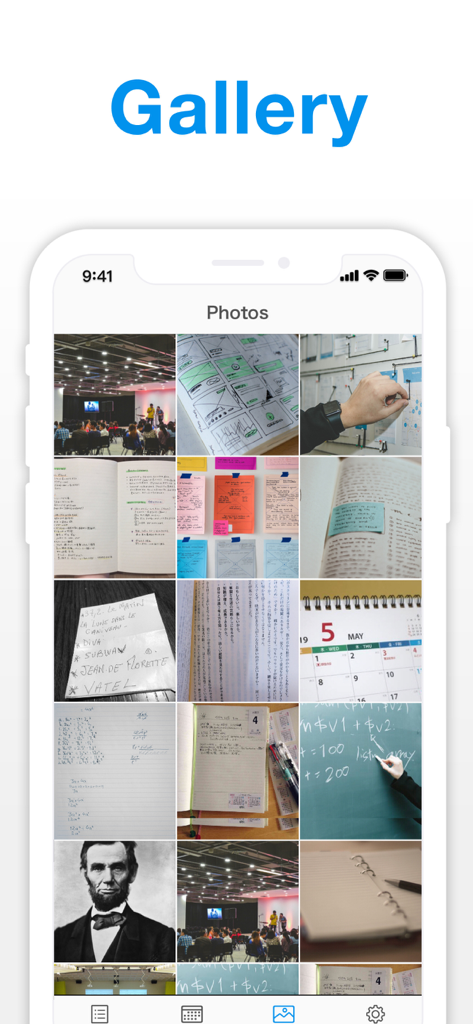
A grid view of images and photos stored within the Simple Notes app gallery feature
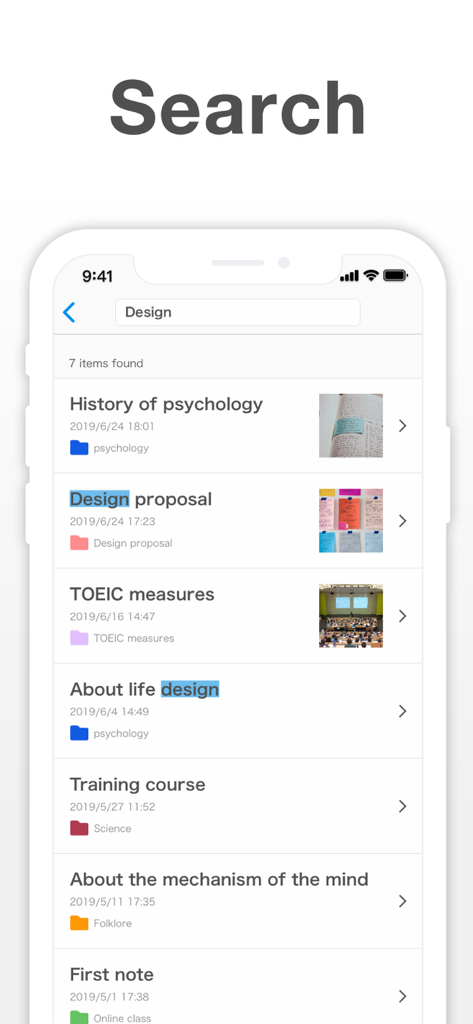
Search interface of the Simple Notes app showing a list of notes with highlighted keywords and image thumbnails.
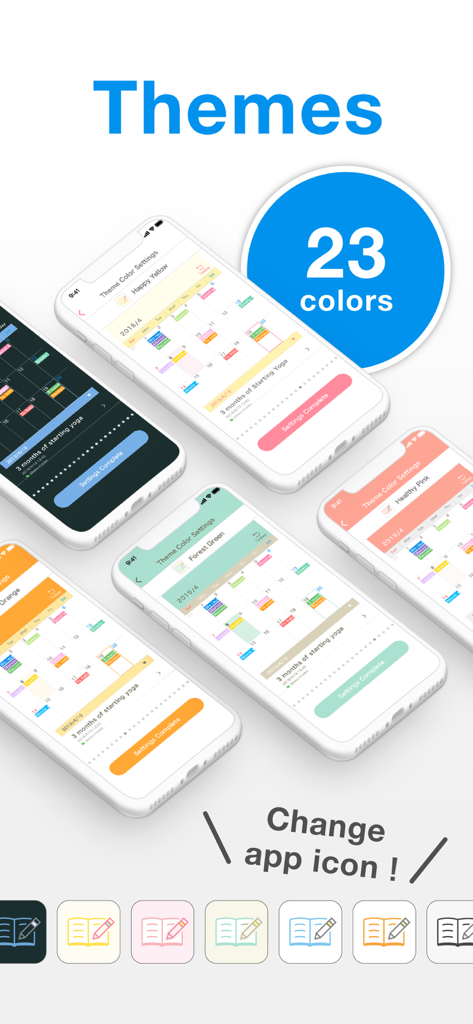
Showcase of 23 different color themes and customizable app icons for the Simple Notes app.
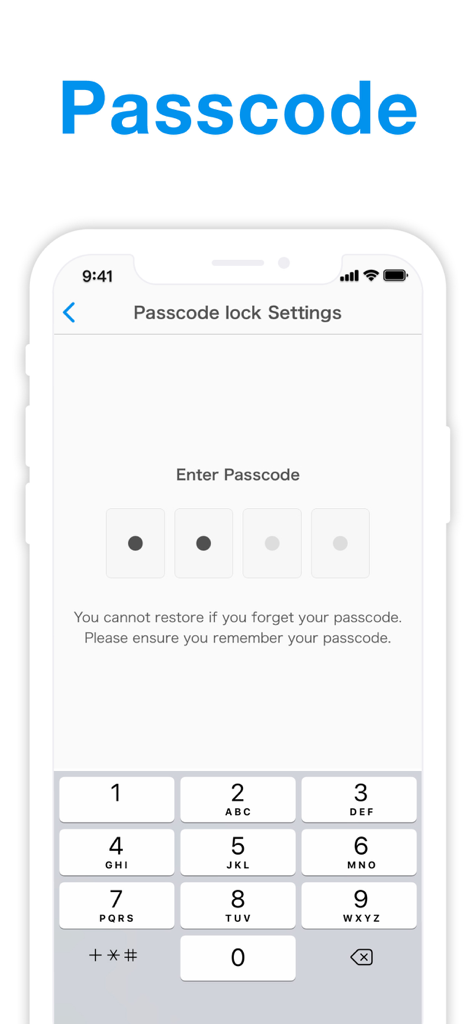
A smartphone screen displaying the passcode lock settings and numeric keypad for the Simple Notes app
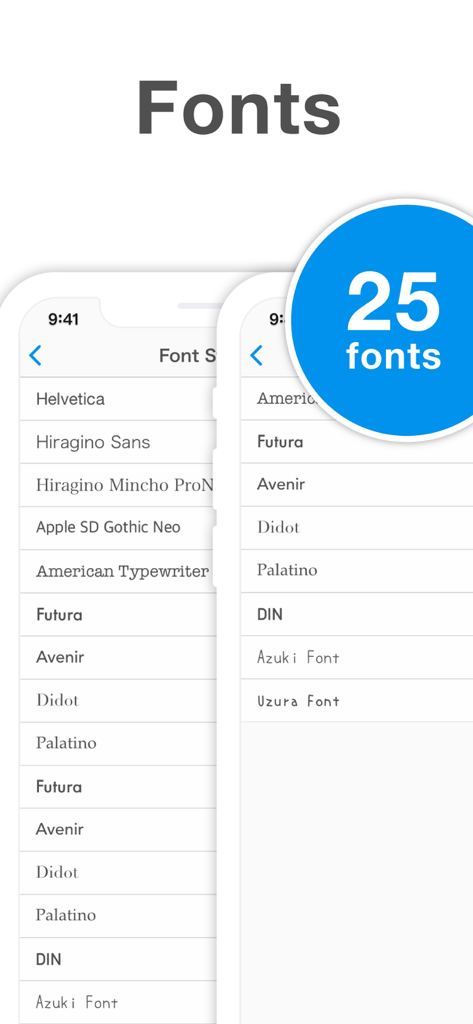
Screenshot of the Simple Notes app displaying 25 different font styles for note customization
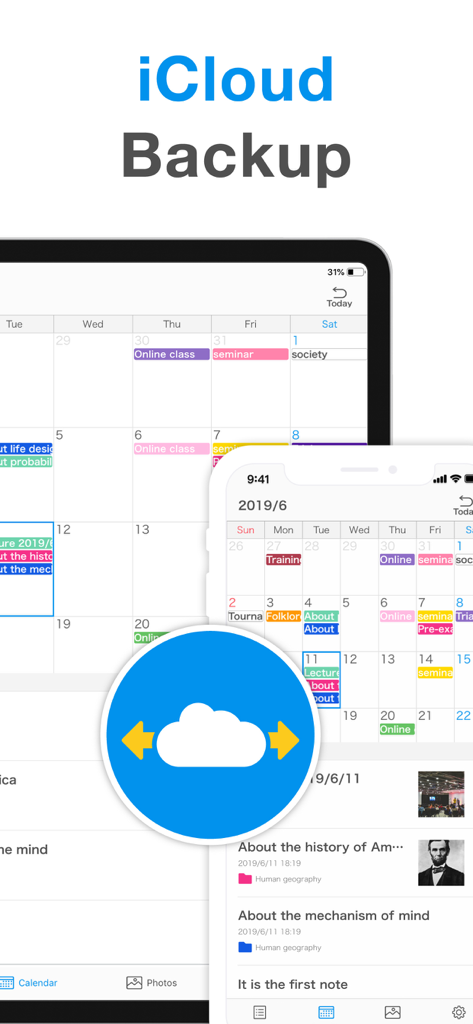
iCloud backup and synchronization feature for Simple Notes on iPhone and iPad
Description
Download
More Like This
Apps with similar features and user experience

mumbler
SEOYOUNG JO
SyncTasks
Toh Kar Le

Notes, Journal, Diary: PenCake
Diffathy, Inc.

Malpon:QuickNotes
BACKEND IQ LLC

Superquote: Diary Book
BRYONY EVERLY

小记录-轻量级日记应用
Eve Southey

Brain Dump: Notes & Writing
Francesco Leoni

Notes Book PRO
Dylan Zaoui

Nutbox: save, organize, find
Anders Klausen
This page is not an official page of the app or its developer, but an independent editorial publication created for informational and commentary purposes. Unless expressly stated otherwise, neither the app nor its developer is affiliated with, endorsed by, sponsored by, authorized by, or otherwise officially connected with MWM, Apple, Google Play, the app publisher, or the app's developer, and nothing on this page implies that the app was developed using MWM's services. Any trademarks, logos, screenshots, and other content remain the property of their respective owners.