
This page is not an official page of the app or its developer, but an independent editorial publication created for informational and commentary purposes. Unless expressly stated otherwise, neither the app nor its developer is affiliated with, endorsed by, sponsored by, authorized by, or otherwise officially connected with MWM, Apple, Google Play, the app publisher, or the app's developer, and nothing on this page implies that the app was developed using MWM's services. Any trademarks, logos, screenshots, and other content remain the property of their respective owners.


Singapore Airlines
Experience seamless luxury from booking to boarding. Effortlessly manage your flights, track your baggage, and curate your personalized KrisWorld entertainment for a journey as exceptional as your destination.
Downloads
7M+User Rating
Total Ratings
397K+Publisher
Category
TravelLocales
13Latest Version
25.10.0Size
293.6 MBFirst Released
Apr 7, 2012A World-Class Experience, Right in Your Pocket
Experience the ultimate in travel convenience. From personalized flight management to seamless inflight entertainment, our app is designed for the discerning global traveler.
Effortless Airport Transitions
Bypass the queues with mobile check-in and track your baggage in real-time, giving you more time to relax before your flight.
Curated Inflight Luxury
Customize your journey by pre-selecting gourmet meals and syncing your personal entertainment playlists to your seat-back screen.
Frequently Asked Questions
Everything you need to know about Singapore Airlines
Can I book flights using KrisFlyer miles on the Singapore Airlines app?
Yes, the Singapore Airlines app allows you to book flights and preferred seats using your KrisFlyer miles. This feature simplifies your booking process.
What payment options are available for booking flights on the Singapore Airlines app?
The Singapore Airlines app accepts KrisFlyer miles, Apple Pay, and Alipay for booking flights and preferred seats. This offers flexible payment choices.
How do I check in for my flight using the Singapore Airlines app?
The Singapore Airlines app allows you to check in for your flight and download your boarding pass before departure. This helps you skip airport queues.
Can I manage my KrisFlyer account details within the Singapore Airlines app?
Yes, the Singapore Airlines app lets you manage your KrisFlyer account. You can track your miles balance, expiry, transaction statements, and PPS value.
Does the Singapore Airlines app allow pre-selection of inflight entertainment?
Yes, the Singapore Airlines app's KrisWorld feature allows you to curate playlists of movies, TV shows, and music. You can also view flight progress.
What information does the Singapore Airlines app provide about my upcoming trips?
The Singapore Airlines app displays upcoming trip details, including online check-in availability and flight information. You can manage your booking directly from the app.
Can I track baggage status with the Singapore Airlines app?
Yes, if departing from Singapore Changi Airport, you can generate baggage tags and track your baggage status directly on the Singapore Airlines app.
Where can I find the privacy policy for the Singapore Airlines app?
The privacy policy for the Singapore Airlines app is available on the Singapore Airlines website. A link is provided within the app description.
Does the Singapore Airlines app offer support for PPS Club members?
Yes, PPS Club members can connect with the customer support team via PPS Connect within the Singapore Airlines app. This service is for registered members.
How can I find travel deals and inspiration using the Singapore Airlines app?
The Singapore Airlines app allows you to explore destinations and discover the latest fare deals. It helps in planning your next trip.
The following screenshots and description are sourced directly from the app's official store listing and are the property of the app developer.
App Store
Screenshots
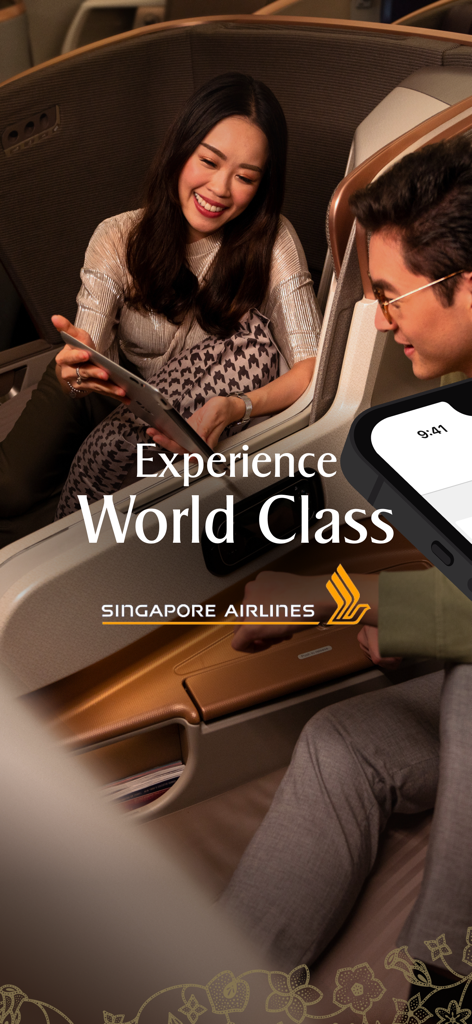
Two travelers enjoying the luxury business class service of Singapore Airlines
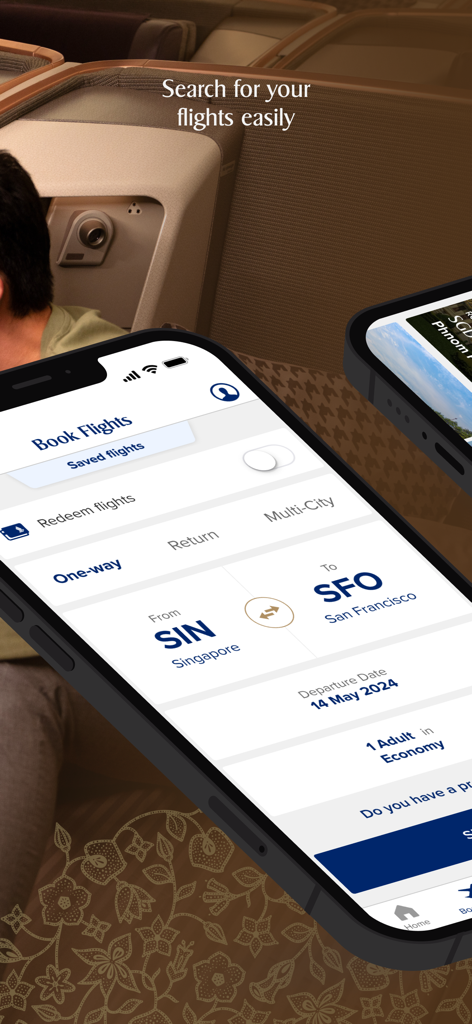
Singapore Airlines mobile app interface for searching and booking a flight from Singapore to San Francisco.
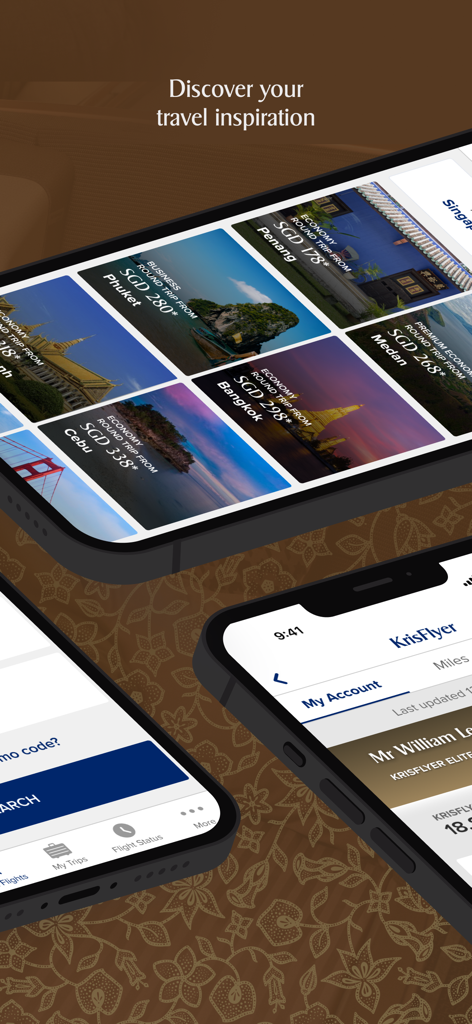
Singapore Airlines mobile app screens displaying travel inspiration deals and KrisFlyer loyalty account information.
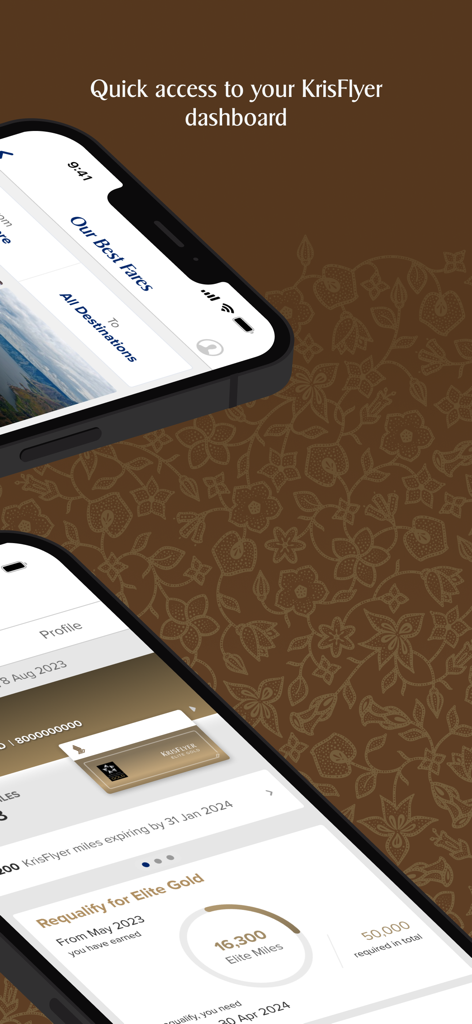
The Singapore Airlines mobile app interface showing the KrisFlyer loyalty dashboard with Elite Gold membership status and current miles on an iPhone.
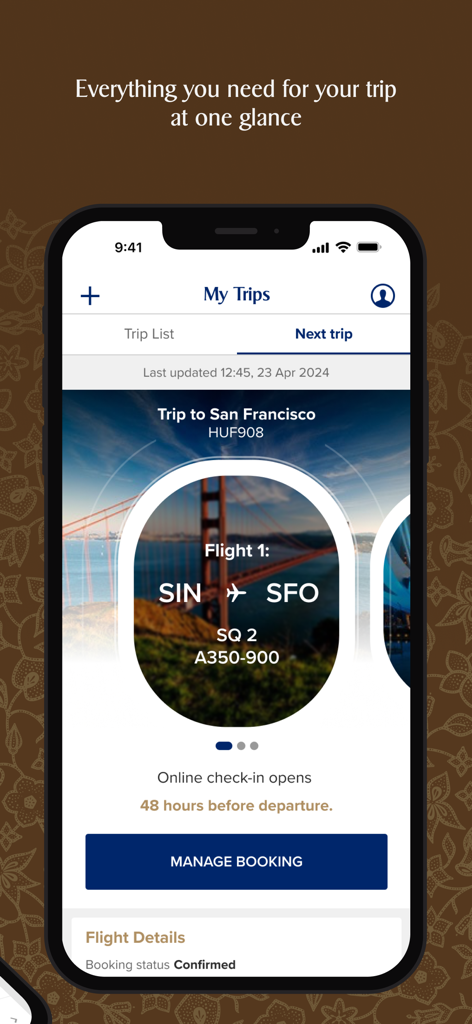
A mobile screen showing the My Trips section of the Singapore Airlines app with confirmed flight details to San Francisco
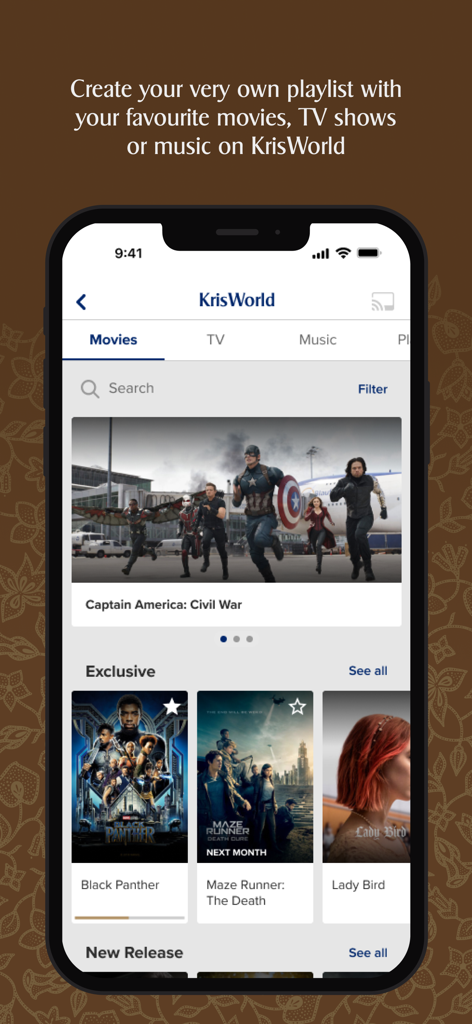
Singapore Airlines app screen showing the KrisWorld inflight entertainment movie catalog and playlist creation feature.
Description
Download
More Like This
Apps with similar features and user experience
China Southern Airlines
China Southern Airlines Company Limited

United Airlines
United Air Lines

Fly Delta
Delta Air Lines, Inc

Southwest Airlines: Travel App
Southwest Airlines

Air China
Air China Limited

easyJet: Travel App
easyJet Airline Company Limited

Turkish Airlines: Book Flights
Turkish Airlines

Aeroméxico
Aerovias de Mexico, S.A. de C.V.

LATAM: Flights, Hotels, Cars
LATAM Airlines Group S.A.
This page is not an official page of the app or its developer, but an independent editorial publication created for informational and commentary purposes. Unless expressly stated otherwise, neither the app nor its developer is affiliated with, endorsed by, sponsored by, authorized by, or otherwise officially connected with MWM, Apple, Google Play, the app publisher, or the app's developer, and nothing on this page implies that the app was developed using MWM's services. Any trademarks, logos, screenshots, and other content remain the property of their respective owners.