
This page is not an official page of the app or its developer, but an independent editorial publication created for informational and commentary purposes. Unless expressly stated otherwise, neither the app nor its developer is affiliated with, endorsed by, sponsored by, authorized by, or otherwise officially connected with MWM, Apple, Google Play, the app publisher, or the app's developer, and nothing on this page implies that the app was developed using MWM's services. Any trademarks, logos, screenshots, and other content remain the property of their respective owners.

Ski Tracks
Join over 800,000 winter enthusiasts and quantify your day on the slopes. Track every run, max speed, and vertical foot with seamless Apple Watch integration and industry-leading battery efficiency.
Downloads
804K+User Rating
Total Ratings
13K+Publisher
Category
NavigationLocales
9Latest Version
3.7Size
101.1 MBFirst Released
Apr 5, 2010Track Every Run Like a Pro
The essential companion for the modern skier, offering high-precision GPS tracking, seamless wearable integration, and detailed performance insights for your season.
Precision Performance Data
Quantify your day with accurate stats on your max speed, vertical drop, and total distance covered.
Glance-and-Go Integration
Keep your phone protected and warm. View live speed and altitude data directly on your Apple Watch.
Frequently Asked Questions
Everything you need to know about Ski Tracks
What is Ski Tracks?
Ski Tracks is a GPS companion app for skiing, snowboarding, and winter mountain adventures. It records runs with precision, displays routes on maps, and provides detailed performance stats.
Does Ski Tracks record speed and distance?
Yes, Ski Tracks automatically tracks your speed, distance, altitude, and vertical movement. It provides detailed stats for understanding performance.
Can I view my routes on a map with Ski Tracks?
Yes, Ski Tracks allows users to view their recorded paths directly on a map. This feature helps revisit slopes, trails, and mountain lines.
Does Ski Tracks integrate with Apple Watch?
Yes, Ski Tracks connects to your Apple Watch. Users can view live speed, distance, and altitude data directly from their wrist.
Can I play music while using Ski Tracks?
Yes, Ski Tracks enables users to play their favorite music tracks without leaving the app. The app continues recording seamlessly in the background.
How does Ski Tracks track my skiing performance?
Ski Tracks uses accurate GPS tracking to automatically record speed, distance, altitude, and vertical movement. It allows users to compare stats and monitor long-term progression.
Can I take photos within the Ski Tracks app?
Yes, Ski Tracks enables users to capture photos of the mountain, snow, and landscape. These images stay linked to your activity history.
What are the subscription options for Ski Tracks?
Ski Tracks offers weekly and yearly subscription lengths. These subscriptions unlock premium app features.
How do I manage my Ski Tracks subscription?
Users can manage their Ski Tracks subscriptions and turn off auto-renewal from their iTunes Account Settings after purchase.
Does Ski Tracks automatically renew subscriptions?
Yes, Ski Tracks subscriptions automatically renew. Users must turn off auto-renew at least 24 hours before the current period ends to prevent renewal.
Are photos geotagged in Ski Tracks?
Yes, photos imported or captured within Ski Tracks are geotagged. They are linked to your activity history, preserving memories with location data.
Can I export my Ski Tracks data?
Yes, Ski Tracks supports KMZ & GPX export for data. It also offers Health Workout Export for tracked activities.
Does Ski Tracks offer unlimited recordings?
Yes, Ski Tracks provides unlimited recordings for users. This allows extensive tracking of all winter sports activities without limits.
Does Ski Tracks include cloud storage?
Yes, Ski Tracks includes unlimited cloud storage for users. This ensures that all recorded data and memories are safely stored and accessible.
The following screenshots and description are sourced directly from the app's official store listing and are the property of the app developer.
App Store
Screenshots
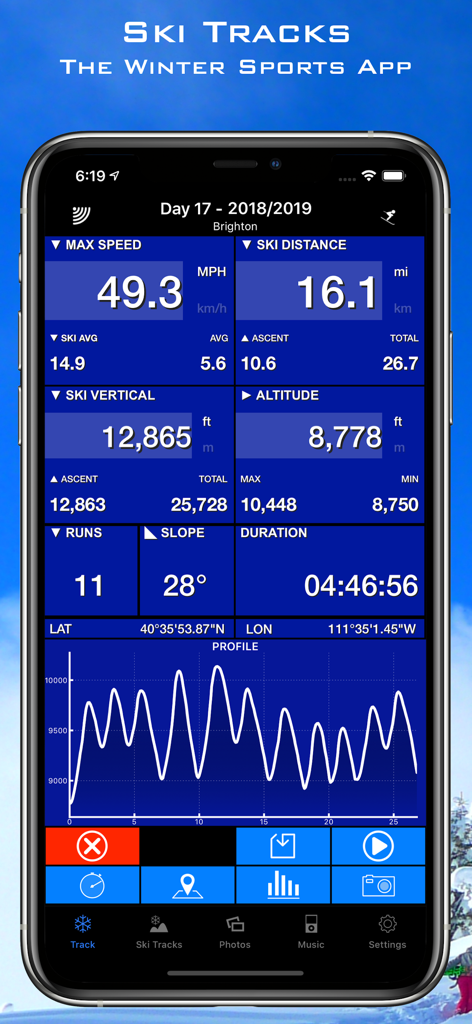
Ski Tracks app interface showing speed distance and vertical stats
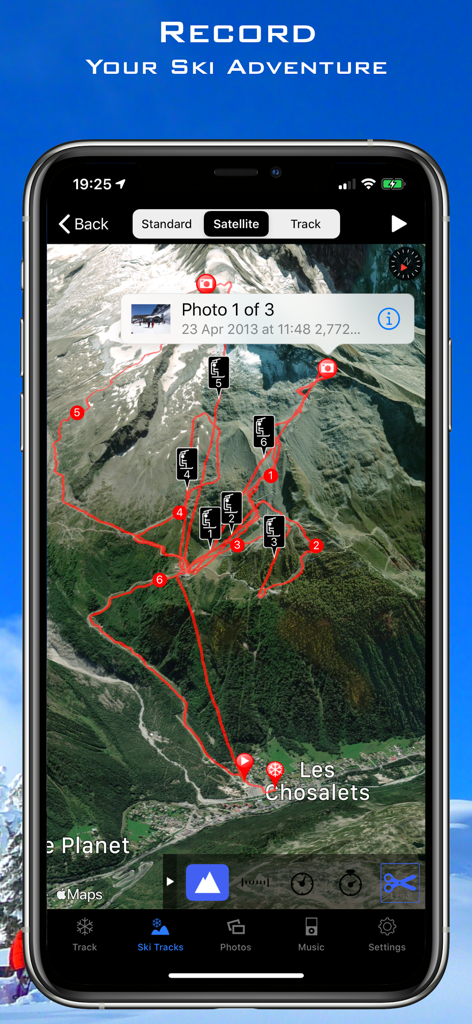
Ski Tracks app satellite map view showing recorded ski routes and photo markers on a mountain
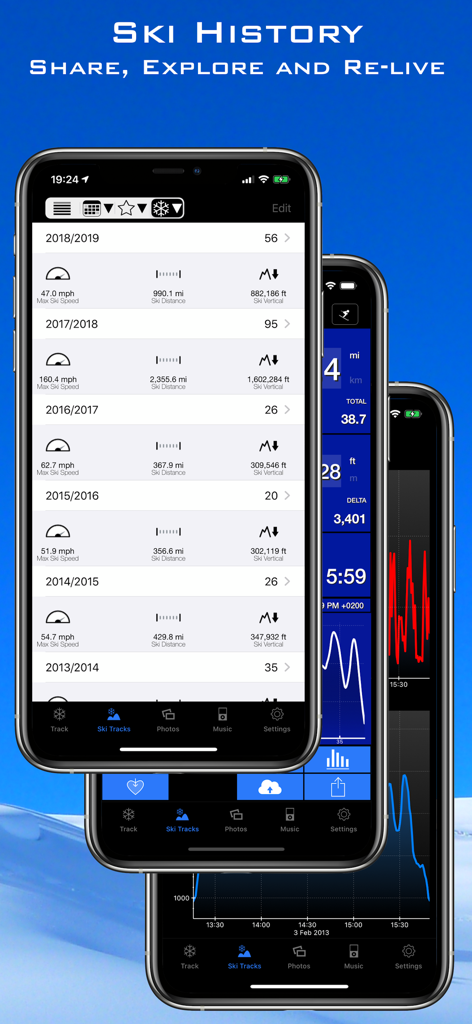
Ski Tracks app interface displaying yearly ski history and performance data metrics.
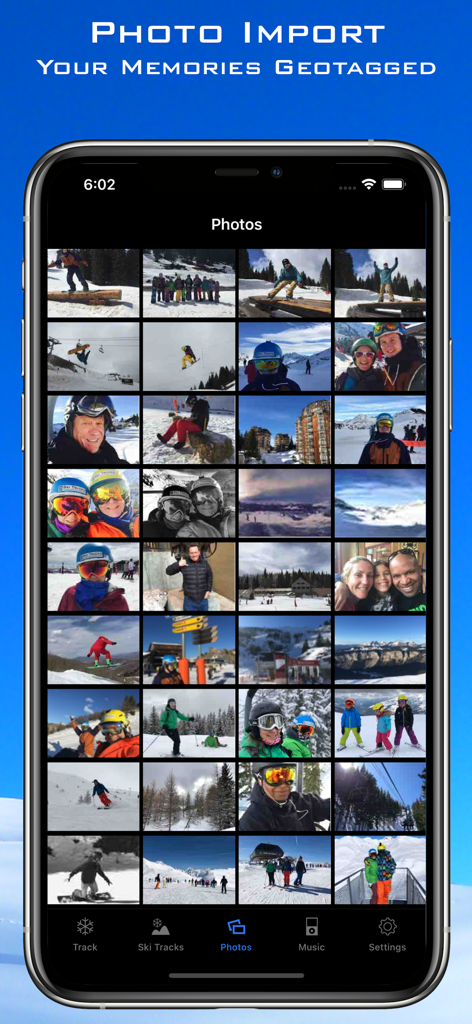
Smartphone displaying a grid of geotagged ski and snowboard photos in the Ski Tracks app
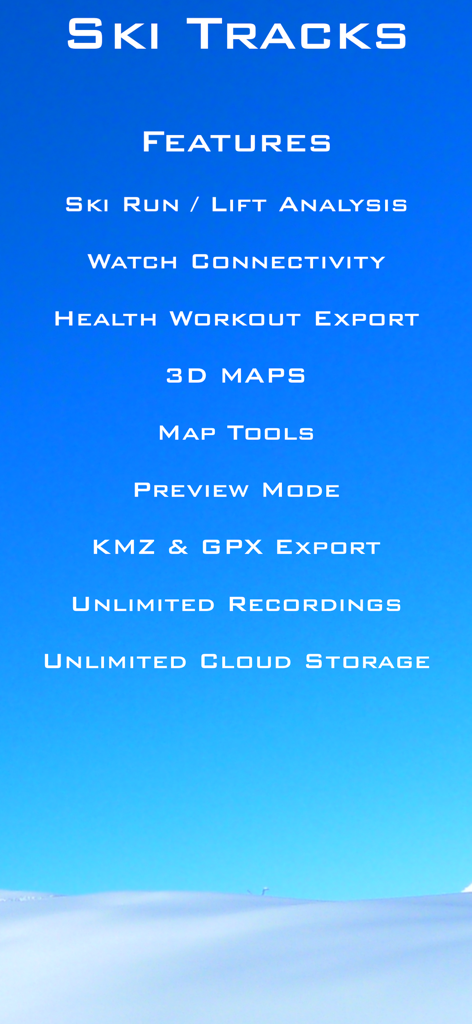
List of features for the Ski Tracks app including ski run analysis watch connectivity and 3D maps
Description
Download
More Like This
Apps with similar features and user experience

滑呗 - 1000万雪友的选择
Pow Snow Technology Co., Ltd.
Slopes: Ski & Snowboard
Breakpoint Studio LLC

GOSKI去滑雪 - 我的滑雪社区
Beijing Natural Power Tech Co Ltd

Val d'Isère Ski
SOCIETE DES TELEPHERIQUES DE VAL D ISERE

Skill: Ski, MTB, Hike Tracker
Ruslan Viktorovich Zaviyalov IP

bergfex: Skiing & Tracking
bergfex GmbH

EXA Ski Tracker
ExaMobile S.A.

Ikon Pass
Alterra Mountain Company

Skiline
Alturos Destinations GmbH
This page is not an official page of the app or its developer, but an independent editorial publication created for informational and commentary purposes. Unless expressly stated otherwise, neither the app nor its developer is affiliated with, endorsed by, sponsored by, authorized by, or otherwise officially connected with MWM, Apple, Google Play, the app publisher, or the app's developer, and nothing on this page implies that the app was developed using MWM's services. Any trademarks, logos, screenshots, and other content remain the property of their respective owners.