
This page is not an official page of the app or its developer, but an independent editorial publication created for informational and commentary purposes. Unless expressly stated otherwise, neither the app nor its developer is affiliated with, endorsed by, sponsored by, authorized by, or otherwise officially connected with MWM, Apple, Google Play, the app publisher, or the app's developer, and nothing on this page implies that the app was developed using MWM's services. Any trademarks, logos, screenshots, and other content remain the property of their respective owners.


Skwad: Privacy-First Budgeting
Tired of broken bank links and privacy risks? Skwad uses secure email alerts to sync transactions instantly and reliably. Experience a faster, private way to track spending and manage bills—no third-party logins or re-authentications required.
Downloads
200User Rating
Total Ratings
0Publisher
Category
FinanceLocales
1Latest Version
0.8.6Size
69.6 MBFirst Released
Jun 8, 2025Total Financial Control Without the Security Risk
Skwad bridges the gap between manual tracking and intrusive bank syncing, giving you real-time insights through the secure email alerts you already receive from your bank.
Privacy-First Architecture
Keep your credentials where they belong. We sync transactions via your bank's email alerts, so you never have to share your bank login or passwords with third-party aggregators.
Unbreakable Real-Time Sync
Say goodbye to broken API connections and constant 2FA re-authentication. Because we rely on email triggers, your dashboard updates the instant you make a purchase.
The following screenshots and description are sourced directly from the app's official store listing and are the property of the app developer.
App Store
Screenshots
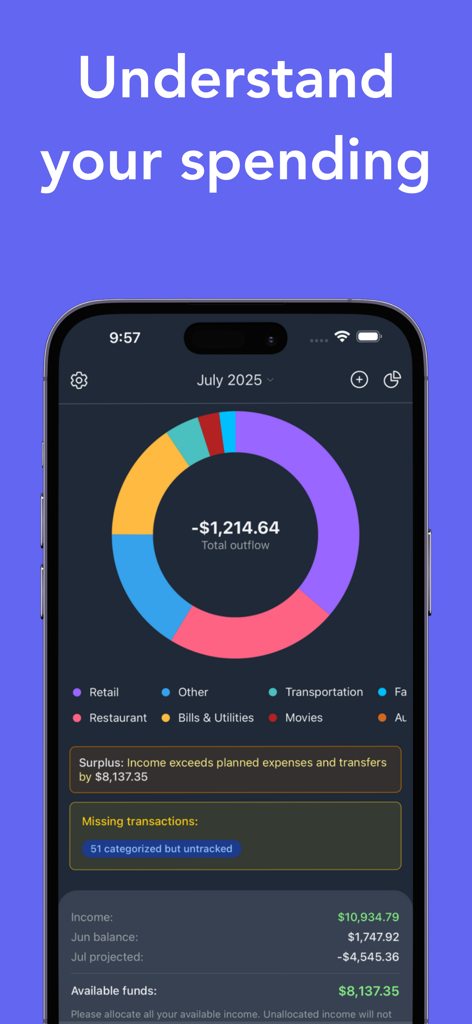
A mobile screenshot of Skwad app showing a colorful donut chart of monthly spending categories including retail and utilities.
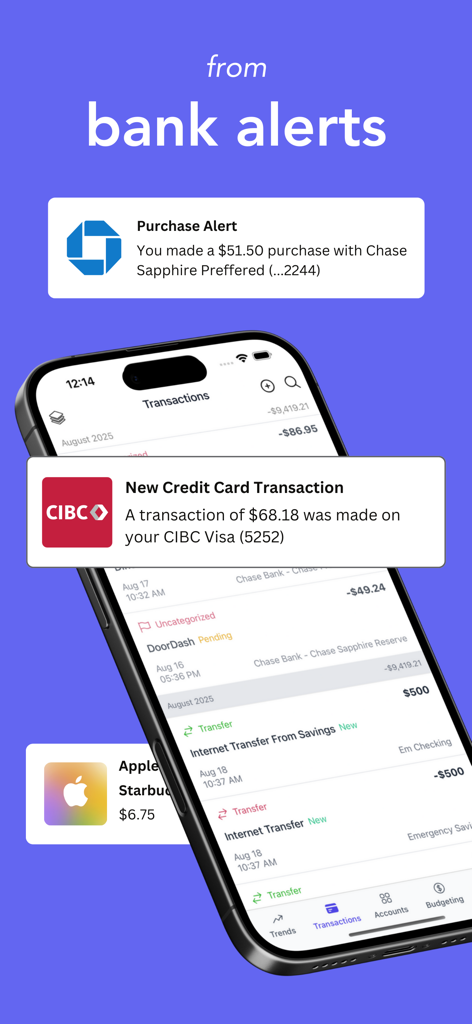
A smartphone showing the Skwad app transaction screen with floating bank alert notifications from Chase and CIBC.
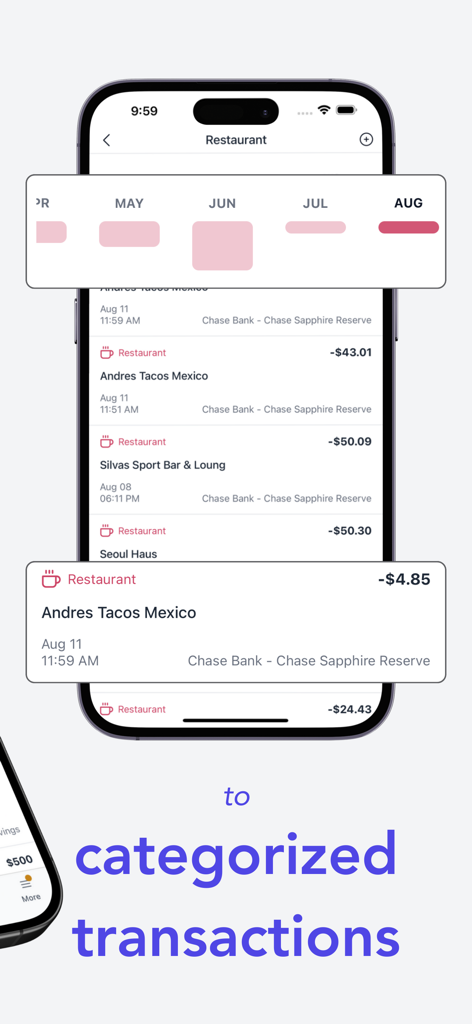
A smartphone screen showing the Skwad app displaying a list of transactions categorized under restaurant and a monthly spending chart.
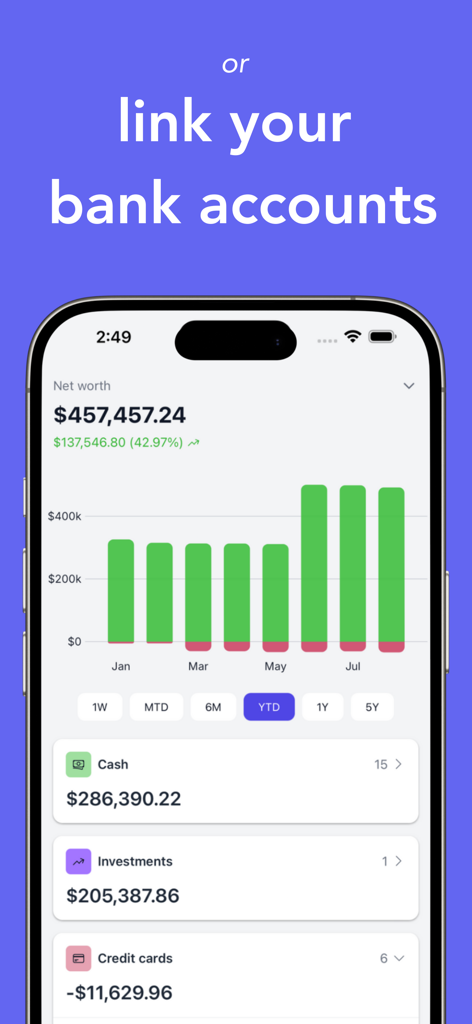
Dashboard view of the Skwad app showing a net worth bar chart and financial account summaries for cash and investments.
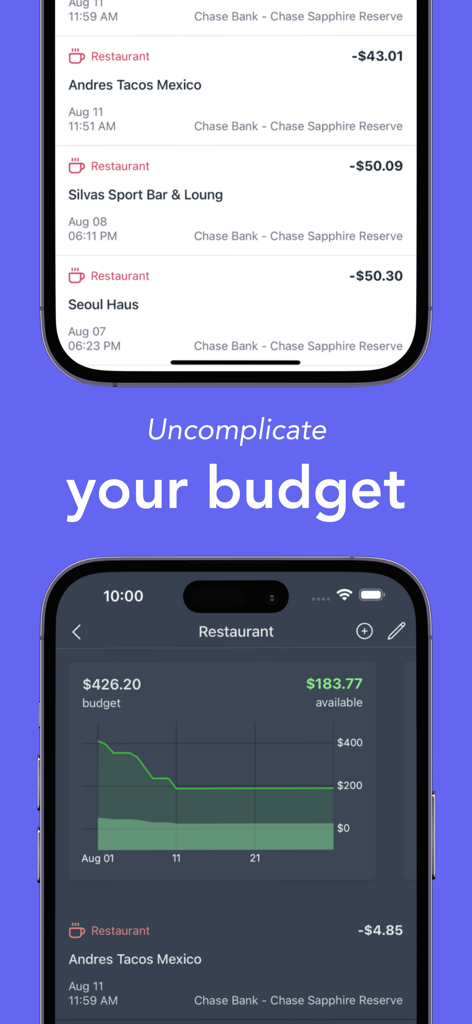
Smartphone screens showing Skwad budgeting app with transaction history and a spending budget graph.
Description
Download
More Like This
Top-ranked apps in the same category

UnionPay APP
China Unionpay Co.,Ltd.

养基宝 - 年轻人的养基神器
Shenzhen Xiaoduotou Information Technology Co.,Ltd.

电子税务局
State Administration of Taxation

PayPal - Pay, Send, Save
PayPal, Inc.

Mercado Pago: cuenta digital
MercadoLibre S.A.

中国农业银行
AGRICULTURAL BANK OF CHINA LIMITED

TurboTax: File Your Tax Return
Intuit Inc.

个人所得税
State Administration of Taxation

Kalshi: Trade the Big Game
KALSHI INC.
This page is not an official page of the app or its developer, but an independent editorial publication created for informational and commentary purposes. Unless expressly stated otherwise, neither the app nor its developer is affiliated with, endorsed by, sponsored by, authorized by, or otherwise officially connected with MWM, Apple, Google Play, the app publisher, or the app's developer, and nothing on this page implies that the app was developed using MWM's services. Any trademarks, logos, screenshots, and other content remain the property of their respective owners.