
Skype for Business



Bring your office everywhere with secure instant messaging, high-quality video conferencing, and seamless integration with your Microsoft ecosystem. Stay connected, stay productive, and join any meeting with just one tap.
Publisher
Category
BusinessDownloads
25M+User Rating
Total Ratings
65K+Locales
31Discover the interface used by 25M+ users.
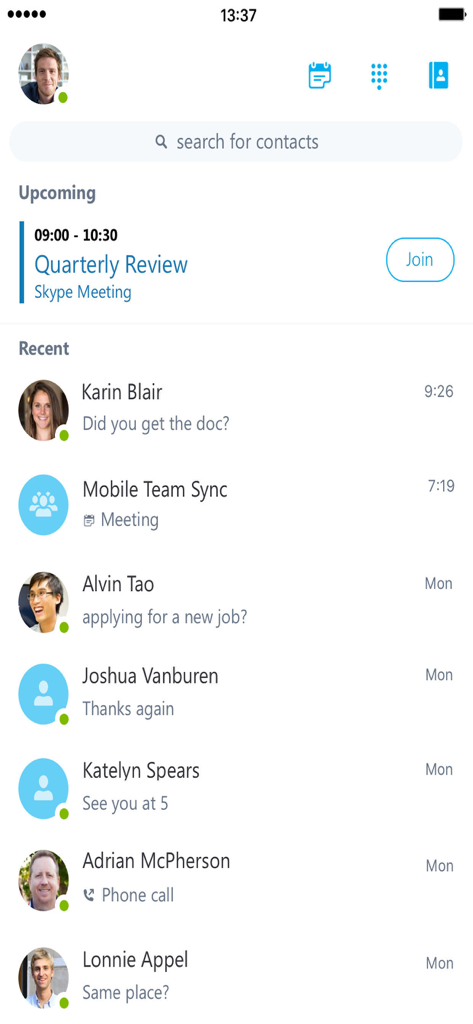
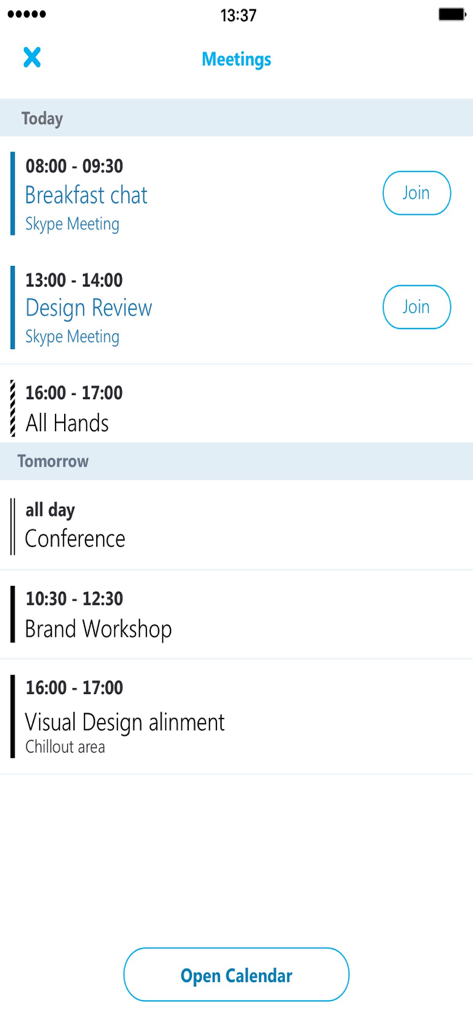
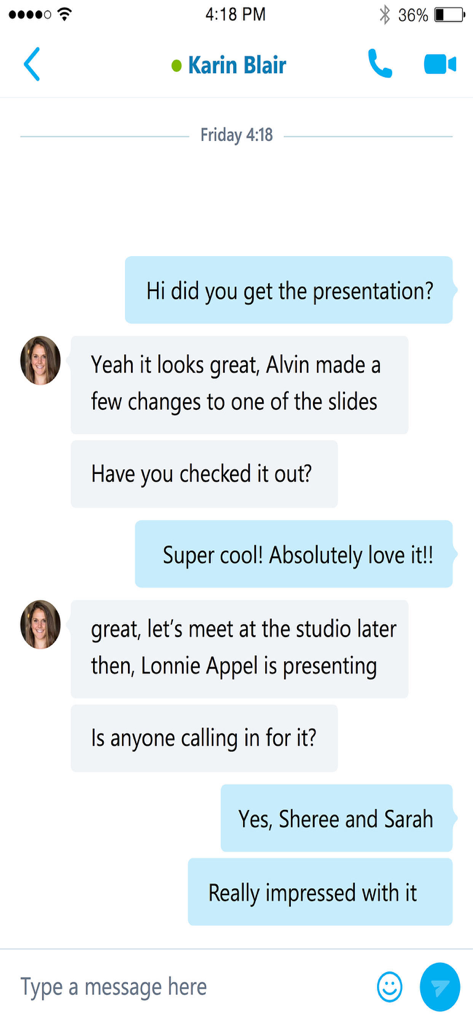
The tools that make this app stand out, trusted by 25M+ users.
Join any conference call or video meeting with a single tap directly from your dashboard—no dial-in codes or IDs required.
Identify colleague availability at a glance to reduce communication friction and choose the best moment for a quick IM or call.
Communicate with total peace of mind using IT-sanctioned security, encrypted conversations, and Active Directory authentication.
Insights from user reviews.
Sentiment Score
Summary
The app receives predominantly negative feedback, with many users experiencing critical issues like inability to log in, frequent crashes, and a lack of notifications, particularly in the background or for iOS. Several users also lament the perceived discontinuation or diminished functionality of "Skype for Personal," wishing for its return or noting the app's retirement. While a few express appreciation for Skype's historical role, common complaints include difficulties with meeting functionality, an outdated user interface, and synchronization problems. A recurring problem is the app losing connection in the background and failing to display scheduled meetings, alongside specific issues on iOS 17.4.1 causing errors and preventing updates.
Common Themes
Everything you need to know about Skype for Business.
Description
Latest Version
6.34.119
Size
80.1 MB
First Released
Mar 12, 2013
Join meetings with one click and stay connected to your team with IT-approved security. Download Skype for Business to bridge the gap between your desk and your mobile life.
Everything you need to know about Skype for Business
Skype for Business extends Lync and Skype capabilities to mobile devices, offering voice, video, instant messaging, conferencing, and calling features from a single interface.
Key features include initiating group IMs and video calls, joining/initiating meetings, viewing shared content, controlling meetings, checking upcoming meetings, finding recent conversations, and searching contacts.
Yes, users can join, rejoin, and initiate Skype for Business meetings directly from the app. Upcoming meetings are visible and joinable with one click.
Yes, Skype for Business supports instant messaging. Users can initiate group IM conversations and access recent conversations to pick up where they left off.
A Skype for Business or Lync account is required for full functionality. The app also needs connectivity to licensed Microsoft Lync or Skype for Business Server or Office 365.
The Skype for Business app is only available for devices running iOS 8.0 or greater. This ensures compatibility with the necessary operating system functionalities.
Yes, users can search for contacts by name, email, or phone number within the Skype for Business application. This feature is readily available from the main interface.
Yes, Skype for Business supports video conferencing. Users can initiate group video conversations and simultaneously view shared content and speaker's video during a conference.
Skype for Business enhances security through Active Directory Authentication Library. This provides a robust authentication mechanism for user accounts, protecting communications and data.
Apps with similar features and user experience

GoTo Group, Inc.

LARK TECHNOLOGIES PTE. LTD.

RingCentral, Inc

VEBINAR TEKHNOLOGII, OOO

Hit Labs, Inc.

Zoho Corporation

Microsoft Corporation

Zoom Communications, Inc.

Google LLC
App information, icons, screenshots, and descriptions displayed on this page are sourced from the Apple App Store and are the property of their respective developers. Download estimates and rankings are based on MWM's proprietary models and may not reflect actual figures. This page is provided for informational and analytical purposes only.
Believe this page infringes your intellectual property? File a dispute
