
This page is not an official page of the app or its developer, but an independent editorial publication created for informational and commentary purposes. Unless expressly stated otherwise, neither the app nor its developer is affiliated with, endorsed by, sponsored by, authorized by, or otherwise officially connected with MWM, Apple, Google Play, the app publisher, or the app's developer, and nothing on this page implies that the app was developed using MWM's services. Any trademarks, logos, screenshots, and other content remain the property of their respective owners.


Sleep++
Sleep, quantified. The app pulls back the curtain, giving users the hard data to reclaim their nights.
Downloads
2.5M+User Rating
Total Ratings
13.1KPublisher
Category
Health & FitnessLocales
1Latest Version
4.7.2Size
15.1 MBFirst Released
Sep 21, 2015Evaluating key features for health-conscious Apple Watch users seeking optimized sleep.
Sleep++: A Comprehensive Analysis
Automatic Apple Watch Sleep Tracking
The app provides seamless and automatic tracking of sleep directly from the Apple Watch, eliminating manual input for ultimate user convenience.
Detailed Sleep Duration & Quality Measurement
This tool features comprehensive measurement of both sleep duration and quality (restfulness), offering critical data-driven insights into personal sleep patterns.
Clear & Simple Daily Sleep Reports
It allows users to receive straightforward and easy-to-understand daily sleep reports, summarizing sleep length and restfulness for quick comprehension and actionable insights.
Integrated with Apple Health App
The app seamlessly integrates with Apple's Health App, ensuring secure and private sharing of sleep data while enabling a consolidated overview of overall health metrics.
Optional Sleep Analysis Export to Health
It allows users to optionally export their detailed sleep analysis directly into the Apple Health database, facilitating long-term trend analysis and integration with other health data.
Flexible Manual Sleep Tracking Mode
This tool provides a manual tracking mode, offering precise control over sleep start and end times for users who prefer accuracy over automation or have irregular sleep schedules.
The following screenshots and description are sourced directly from the app's official store listing and are the property of the app developer.
App Store
Screenshots
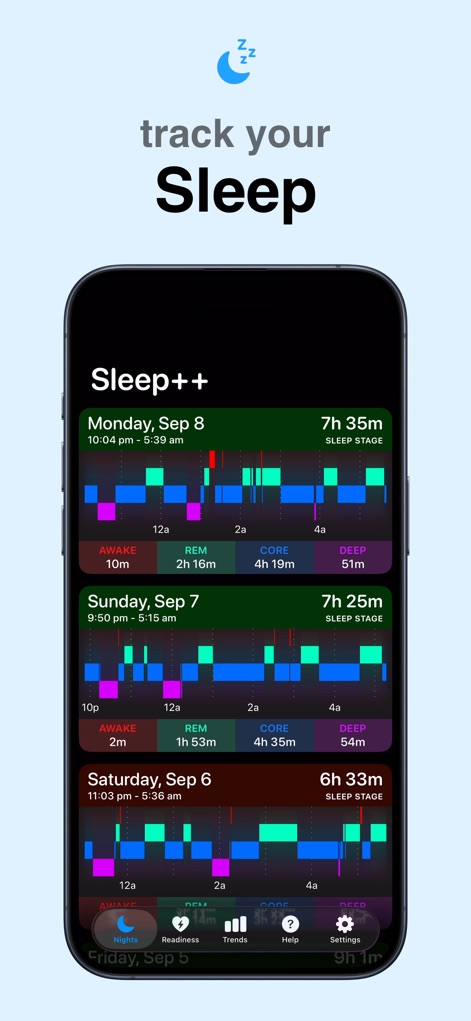
This overview presents an intuitive multi-day view of sleep sessions, clearly detailing both total sleep duration and the granular breakdown of sleep stages.
Sleep Stage Insights
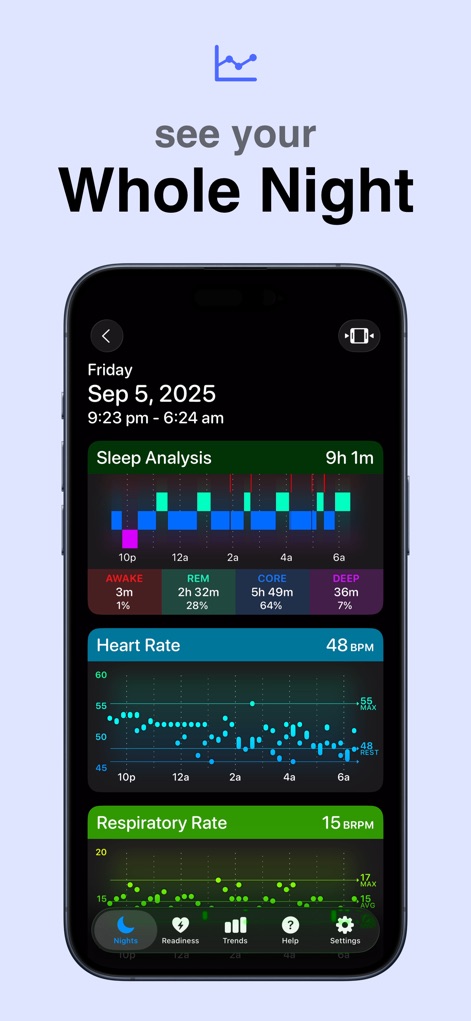
Users can delve into a comprehensive analysis for each night, viewing a detailed breakdown of sleep stages alongside precise heart rate and respiratory rate measurements.
Detailed Night Analysis
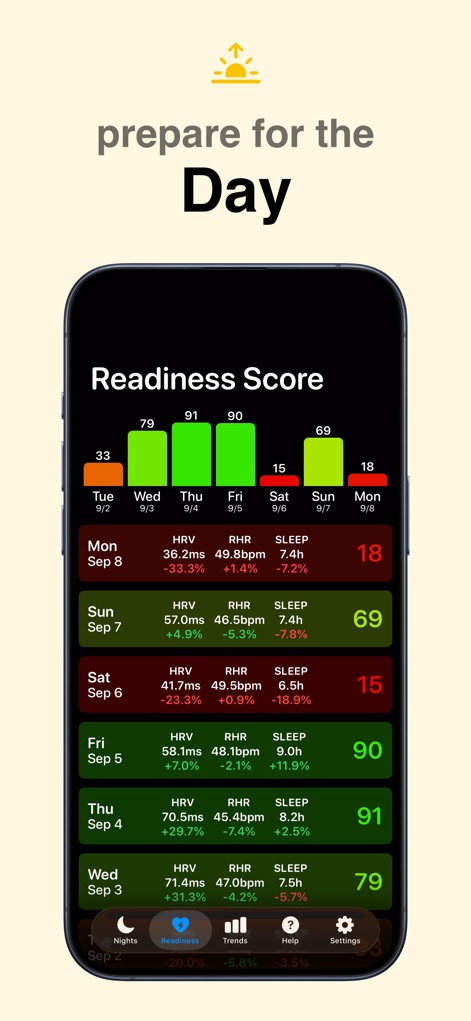
The app calculates a daily Readiness Score, providing users with actionable insights derived from their Heart Rate Variability (HRV) and Resting Heart Rate (RHR).
Daily Readiness Score
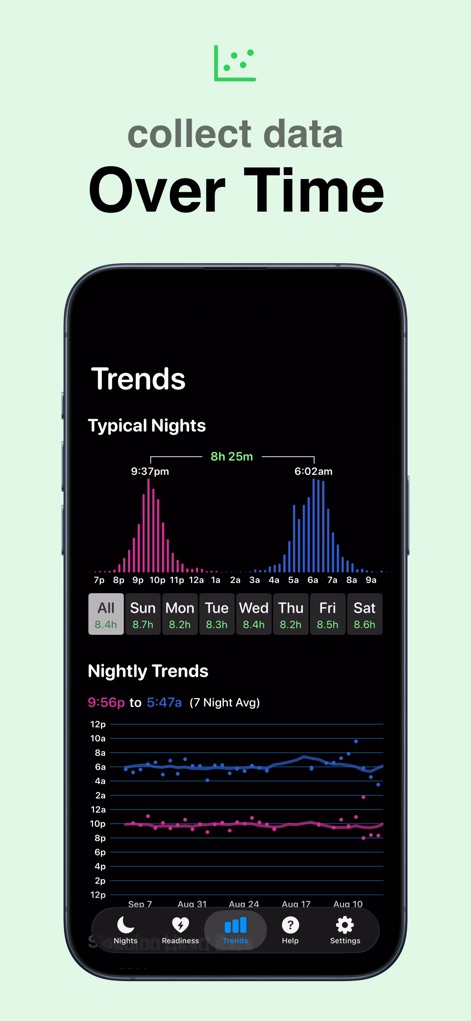
This section allows users to visualize long-term sleep trends, showcasing patterns in typical sleep and wake times, alongside the evolution of nightly metric variations.
Long-Term Sleep Trends
Description
Download
More Like This
Top-ranked apps in the same category

Strava: Run, Bike, Walk
Strava Inc.

Flo Cycle & Period Tracker
FLO HEALTH UK LIMITED

AI Calorie Tracker by Yazio
YAZIO GmbH

Mi Fitness (Xiaomi Wear Lite)
Beijing Xiaomi Co., Ltd

MyFitnessPal: Calorie Counter
MyFitnessPal, Inc.

Cal AI - Calorie Tracker
Viral Development LLC

Yuka - Food & Cosmetic Scanner
Yuca

美柚 - 经期·备孕·怀孕·育儿&亲友版
Xiamen Meet You Co., Ltd.

HUAWEI Health
Huawei Software Technologies Co., Ltd.
This page is not an official page of the app or its developer, but an independent editorial publication created for informational and commentary purposes. Unless expressly stated otherwise, neither the app nor its developer is affiliated with, endorsed by, sponsored by, authorized by, or otherwise officially connected with MWM, Apple, Google Play, the app publisher, or the app's developer, and nothing on this page implies that the app was developed using MWM's services. Any trademarks, logos, screenshots, and other content remain the property of their respective owners.