Songistic
Songistic
Download on App Store

This page is not an official page of the app or its developer, but an independent editorial publication created for informational and commentary purposes. Unless expressly stated otherwise, neither the app nor its developer is affiliated with, endorsed by, sponsored by, authorized by, or otherwise officially connected with MWM, Apple, Google Play, the app publisher, or the app's developer, and nothing on this page implies that the app was developed using MWM's services. Any trademarks, logos, screenshots, and other content remain the property of their respective owners.


Logo of Songistic
Download on App Store

Songistic

Master over 2,500 audited songs with high-quality backing tracks and a powerful chart editor. Whether you are gigging on stage or practicing at home, experience the precision of digital charts optimized for your iPhone and iPad.

Key Figures

Downloads

0

User Rating

4.4/5

Total Ratings

0

Publisher

RV Software LTD

Category

Music

Locales

1

Latest Version

2.7.66

Size

222.7 MB

First Released

Feb 13, 2020
Features

The Ultimate Toolkit for the Working Musician

From the practice room to the center stage, Songistic provides the precision, flexibility, and professional backing you need to master your repertoire and lead your band with confidence.

Verified Pro-Grade Charts

Stop relying on inaccurate, crowdsourced tabs. Access a library of 2,500+ professionally audited chord charts across Jazz, Latin, and Pop, ensuring harmonic perfection for every gig.

Your Virtual Backing Band

Practice with high-quality MIDI grooves that simulate a full ensemble. Instantly transpose keys, adjust tempos, and customize instrumentation to fit your solo performance or rehearsal needs.

The following screenshots and description are sourced directly from the app's official store listing and are the property of the app developer.

App Store

Screenshots
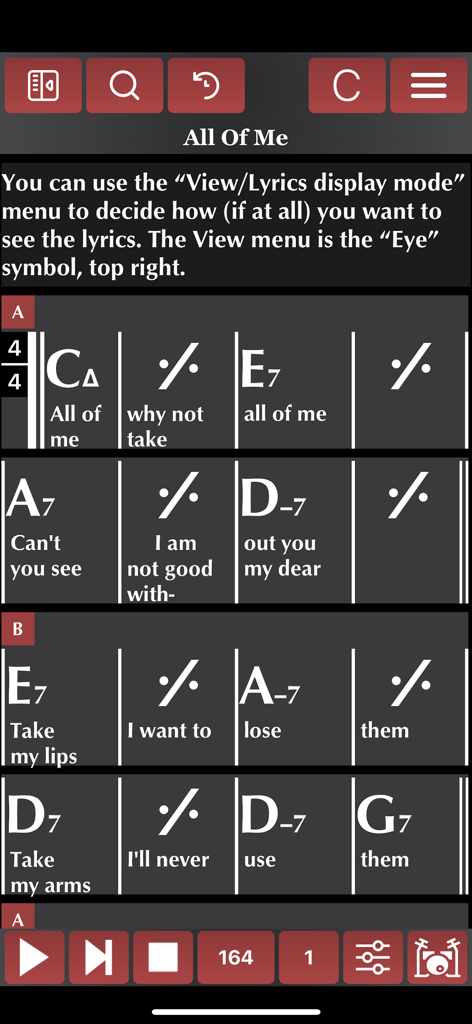
Songistic - Songistic mobile app showing a jazz chord chart with lyrics for the song All of Me
Songistic mobile app showing a jazz chord chart with lyrics for the song All of Me

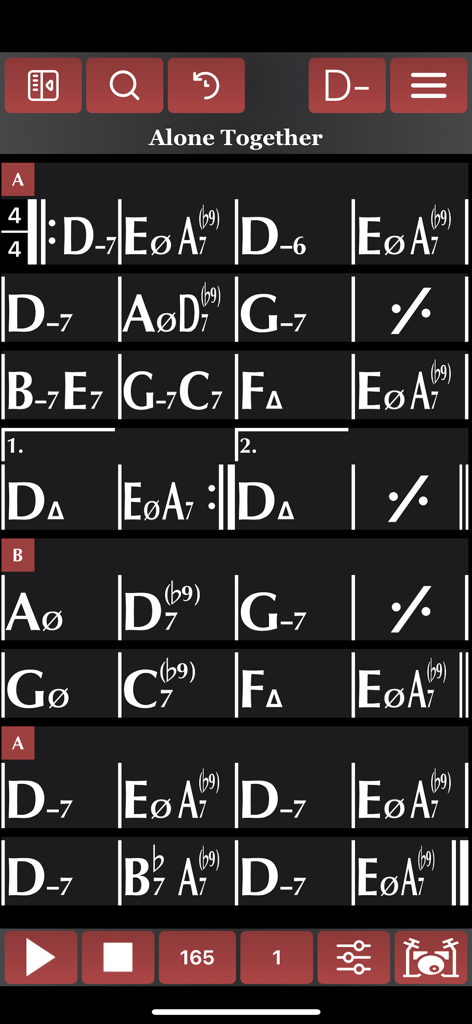
Songistic - A high-contrast digital chord chart for the jazz standard Alone Together within the Songistic app interface showing complex chord symbols and playback controls.
A high-contrast digital chord chart for the jazz standard Alone Together within the Songistic app interface showing complex chord symbols and playback controls.

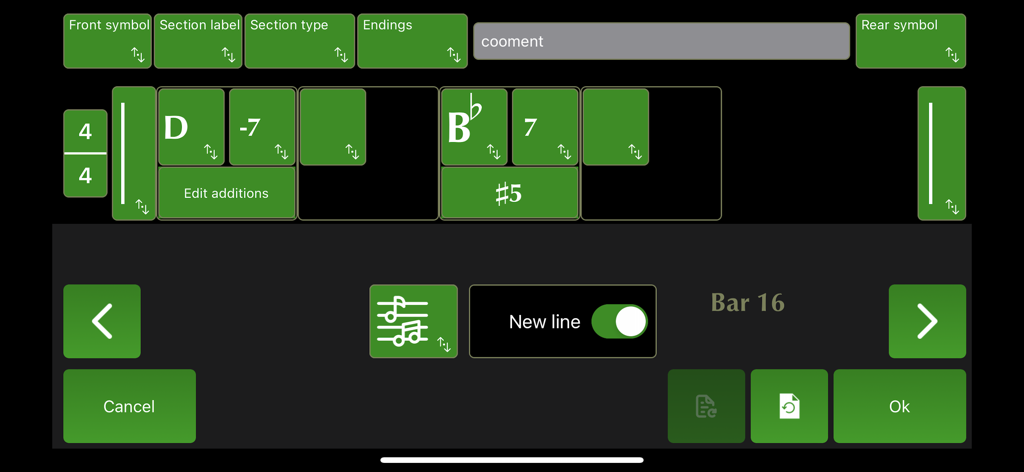
Songistic - Interface of the Songistic app's bar editor showing musical chord symbols like D-7 and Bb7 with editing controls for section labels and endings.

Interface of the Songistic app's bar editor showing musical chord symbols like D-7 and Bb7 with editing controls for section labels and endings.

Description

Songistic is a pop, rock, jazz, gypsy jazz, latin, etc. digital chord chart, chord sheet library with more than 2500 songs. It is a full-band play-along app with many-many styles, and a new tool for creating and editing chord chart in a real easy way. It is very useful for both beginners, music students, hobbyists, and professional musicians, for both skill development and as a performance aid. 1. The Players The players will simply use the charts, in chart mode, will probably do little or no editing at all. Assemble some playlists for gigs/practice and simply read the charts on their device. In Songistic we enforce correct use of the symbols for both chord and navigation, and we give the end user (the player) the control over how the charts will look on his particular device. The charts we supply with Songistic are all audited to be correct in both form and harmonic content. Options: How the charts will look on your particular device, will depend on your individual settings. The symbols for "minor" or "major" chords will be what you set, how many bars will display in a single line, and many chart layout options will determine how the chart will look on your device. These options will give you deep control on the chart layout regardless of how they looked on the author's machine. The reason for this is very simple: the same chart wants to look very different on a small iPhone screen from what it will look like on an iPad Professional. Our view options and features (including auto-navigation) are far more advanced than anything you would find in the other apps. 2. The practicing musicians Music students of all ages/levels, even professional musicians can use Songistic for practicing. Songistic has many sounds and grooves built in you can choose from. All gooves/groove options can be audited while the song is playing. For instance you can select "Shuffle" for your song then pick the appropriate drum and bass grooves while the song is playing. Songistic is a full featured play-along app, has great sounding grooves, the songs can be played in any key and tempo. 3. The Writes/Editors These are the musicians who will write/customize existing songs for their own purposes. They will use the editing function a lot. Songistic has a first class bar editor that is very powerful, has many features to speed your work in either editing existing music or entering a new song from scratch. Our quick-bar-insert bar lets you enter a new song in matter of minutes. The logical breakdown of harmonies will ensure that you do not have to dig through a hundred obscure chord types to find a minor7. After analyzing thousands of songs we know what the most used chord combinations are, and these are quickly at your fingertips as you edit. Once you are ready to save, another Songistic feature kicks in: error checking. In order to maintain consistency of the charts we enforce many rules in how repeat signs, repeat bars, codas etc.. are used. When you save a song Songistic will warn you if the chart have errors that were detected during the error check. Once you fix these errors and save without warnings, your song is ready to be played or presented as a chart. 4. Performance Songistic is more than a practicing tool. By default, the chart is being repeated in midi-play infinitely. However, there are repeat settings, where you can set the song to just play the song from top to bottom, once. Or, repeat the "form" of the song a predetermined number of times. Even better, using the solo-section feature (which identifies the form, the "meat"of the song between the intro and the outro), a performance can be set up easily where the intro is played, then the middle section is repeated a number of times, then the outro is played, possibly with a fermata (birdseye) at the end. This can be used for performances where a singer or a soloist play along the Songistic backing. Terms of service: https://songistic.eu/terms-of-service/

Download

Download on App Store

This page is not an official page of the app or its developer, but an independent editorial publication created for informational and commentary purposes. Unless expressly stated otherwise, neither the app nor its developer is affiliated with, endorsed by, sponsored by, authorized by, or otherwise officially connected with MWM, Apple, Google Play, the app publisher, or the app's developer, and nothing on this page implies that the app was developed using MWM's services. Any trademarks, logos, screenshots, and other content remain the property of their respective owners.