
This page is not an official page of the app or its developer, but an independent editorial publication created for informational and commentary purposes. Unless expressly stated otherwise, neither the app nor its developer is affiliated with, endorsed by, sponsored by, authorized by, or otherwise officially connected with MWM, Apple, Google Play, the app publisher, or the app's developer, and nothing on this page implies that the app was developed using MWM's services. Any trademarks, logos, screenshots, and other content remain the property of their respective owners.


SonoEye
Transform your iPhone or iPad into a professional-grade diagnostic tool. Experience the freedom of ultra-portable, waterproof ultrasound imaging designed for the fast-paced demands of emergency and clinical bedside care.
Downloads
6K+User Rating
Total Ratings
0Publisher
Category
MedicalLocales
1Latest Version
1.0.50Size
551.3 MBFirst Released
Aug 8, 2021Advanced Imaging in the Palm of Your Hand
SonoEye transforms your iOS device into a powerful diagnostic tool, delivering high-quality ultrasound imaging wherever your patients need care.
Ultra-Portable Mobility
Skip the wait for bulky imaging carts. Carry a lightweight, professional-grade ultrasound in your pocket for instant bedside assessments in any clinical setting.
Clinical-Grade Durability
Built for the rigors of the ER and ICU, the waterproof design ensures you can easily disinfect your equipment to meet strict hospital hygiene standards.
Frequently Asked Questions
Everything you need to know about SonoEye
What is the SonoEye app used for?
The SonoEye app helps provide high-quality patient care in various locations. It offers features like portability, waterproof design, and wireless operation, supporting medical imaging.
Does the SonoEye app require professional medical advice?
Yes, the SonoEye app description states that users should ask a doctor for professional advice before making any medical decisions, in addition to using the app.
What are the key features of the SonoEye application?
The SonoEye app's key features include a lightweight design, waterproof capabilities, thumb-play operation, and wireless connectivity, making it suitable for use anywhere.
Can the SonoEye app be used wirelessly?
Yes, the SonoEye app is designed for wireless operation. This feature allows for greater flexibility and portability in delivering patient care.
What kind of imaging does SonoEye provide?
The SonoEye app provides ultrasound imaging capabilities, as shown by the ultrasound display and controls for depth and gain in the application interface.
How do you adjust the depth in the SonoEye app?
Users adjust the depth setting directly within the SonoEye app's interface. A visual indicator and hand gesture demonstrate how to manipulate this control for imaging.
How is gain adjusted in the SonoEye application?
Gain adjustment in the SonoEye app is performed through a dedicated control in the interface. A hand gesture illustrates the horizontal slider motion required for this setting.
The following screenshots and description are sourced directly from the app's official store listing and are the property of the app developer.
App Store
Screenshots
Splash screen of the SonoEye app by Chison showing a network of medical and communication icons
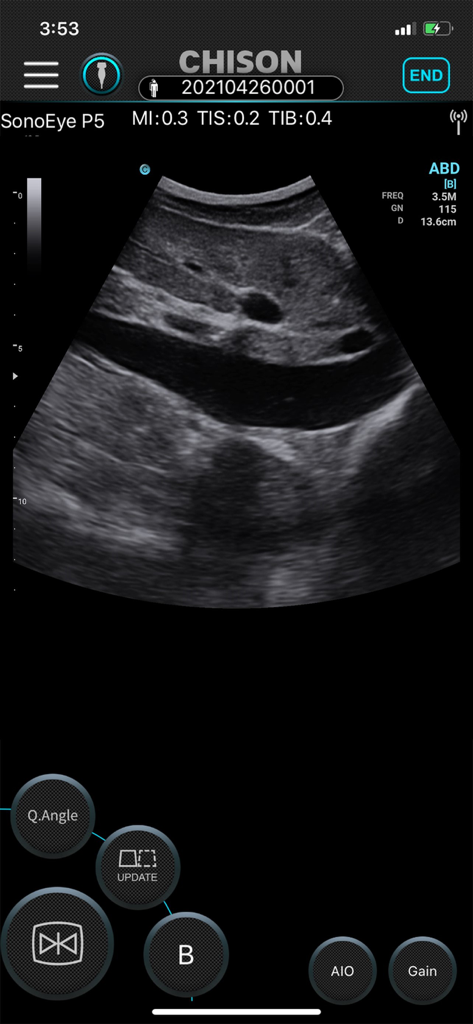
SonoEye mobile app interface displaying a live abdominal ultrasound scan with diagnostic imaging controls
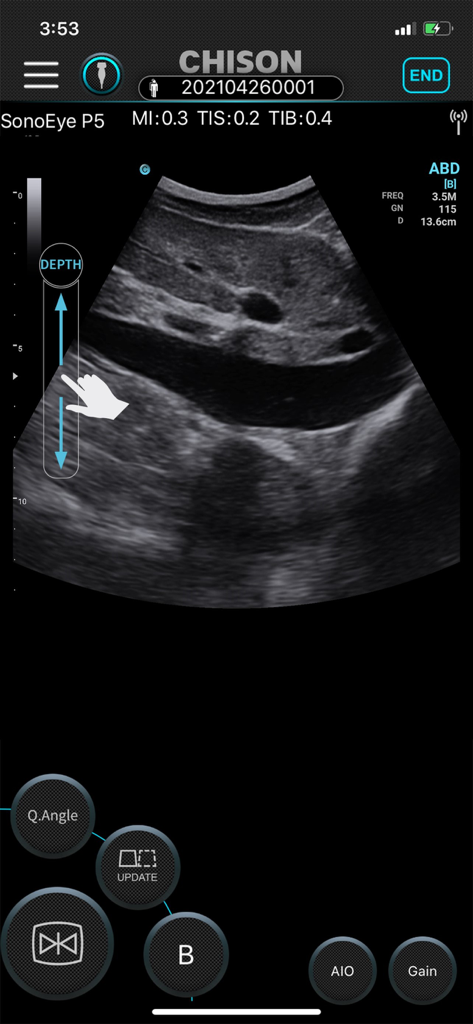
SonoEye app interface showing an abdominal ultrasound scan with touch controls
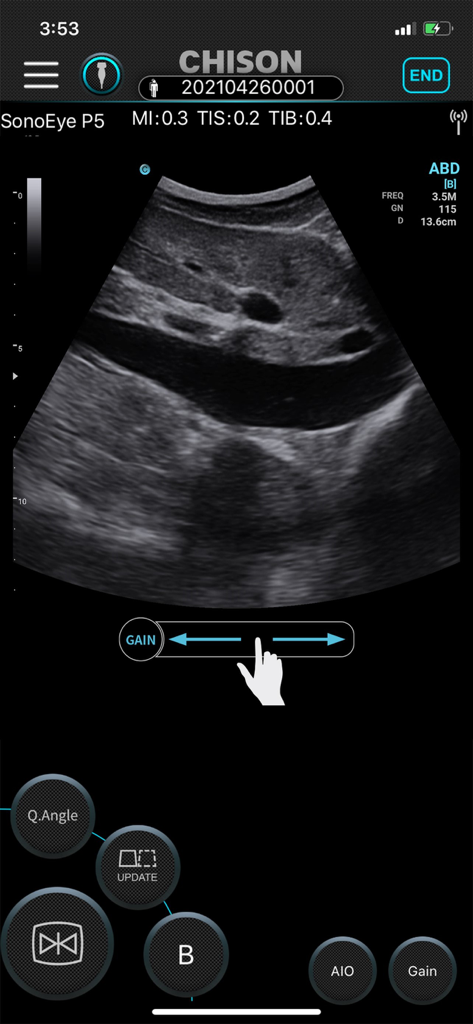
Interface of the SonoEye app showing a live abdominal ultrasound scan with gain adjustment controls on a smartphone.
Description
Download
More Like This
Top-ranked apps in the same category

国家医保服务平台
National Healthcare Security Administration

MyChart
Epic Systems Corporation

Doctolib - Your health partner
Doctolib

Pregnancy + | Tracker App
Philips Digital UK Limited

CVS Health
CVS Pharmacy

江苏医保云
Jiangsu Healthcare Security Bureau

UnitedHealthcare
UNITED HEALTHCARE SERVICES, INC.

京东健康
BEIJING JINGDONG 360 DU E-COMMERCE LTD.

Meu SUS Digital
Servicos e Informacoes do Brasil
This page is not an official page of the app or its developer, but an independent editorial publication created for informational and commentary purposes. Unless expressly stated otherwise, neither the app nor its developer is affiliated with, endorsed by, sponsored by, authorized by, or otherwise officially connected with MWM, Apple, Google Play, the app publisher, or the app's developer, and nothing on this page implies that the app was developed using MWM's services. Any trademarks, logos, screenshots, and other content remain the property of their respective owners.