SonoPhone for Sonos
SonoPhone for Sonos
Download on App Store

This page is not an official page of the app or its developer, but an independent editorial publication created for informational and commentary purposes. Unless expressly stated otherwise, neither the app nor its developer is affiliated with, endorsed by, sponsored by, authorized by, or otherwise officially connected with MWM, Apple, Google Play, the app publisher, or the app's developer, and nothing on this page implies that the app was developed using MWM's services. Any trademarks, logos, screenshots, and other content remain the property of their respective owners.

Logo of SonoPhone for Sonos
Download on App Store

SonoPhone for Sonos

Tired of the official app's complexity? Take back control with a cleaner, more stable interface designed for speed. Effortlessly manage your S1 and S2 devices in one view with fewer taps and total reliability.

Key Figures

Downloads

124K+

User Rating

4.3/5

Total Ratings

700

Publisher

Stefan Hansel Solutions UG (haftungsbeschraenkt)

Category

Music

Locales

4

Latest Version

1.8.11

Size

13.2 MB

First Released

Feb 18, 2014
Features

Take Back Control of Your Sonos System

Designed for speed and reliability, SonoPhone offers the streamlined, high-performance interface that serious Sonos owners have been waiting for.

Instant Play, Fewer Taps

Skip the menu diving. With 'Touch To Play' and aggregated search, you can start your favorite albums and playlists with a single tap instead of a sequence of clicks.

Unified S1 & S2 Support

Stop switching between legacy apps. Control your older S1 hardware and modern S2 devices from one unified list, keeping your entire multi-room ecosystem at your fingertips.

The following screenshots and description are sourced directly from the app's official store listing and are the property of the app developer.

App Store

Screenshots
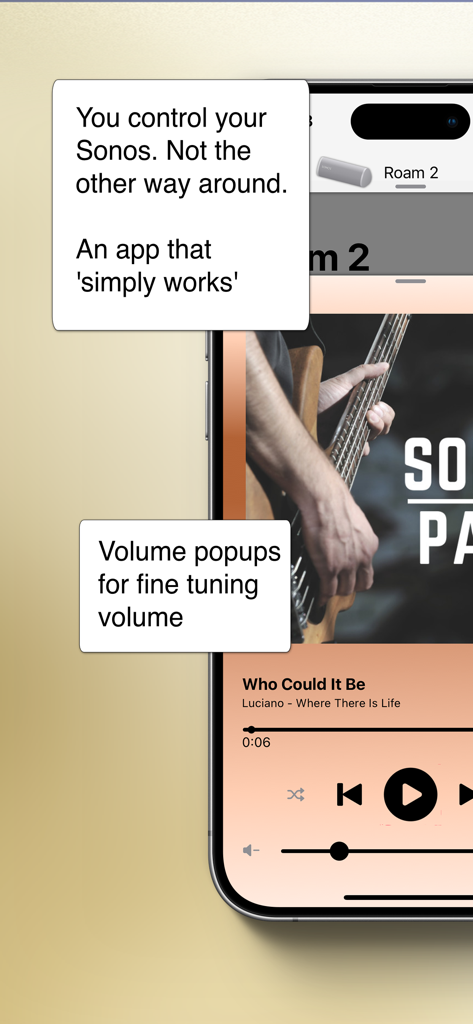
SonoPhone for Sonos - SonoPhone for Sonos app showing music playback controls and volume fine tuning popups for a Roam 2 speaker
SonoPhone for Sonos app showing music playback controls and volume fine tuning popups for a Roam 2 speaker

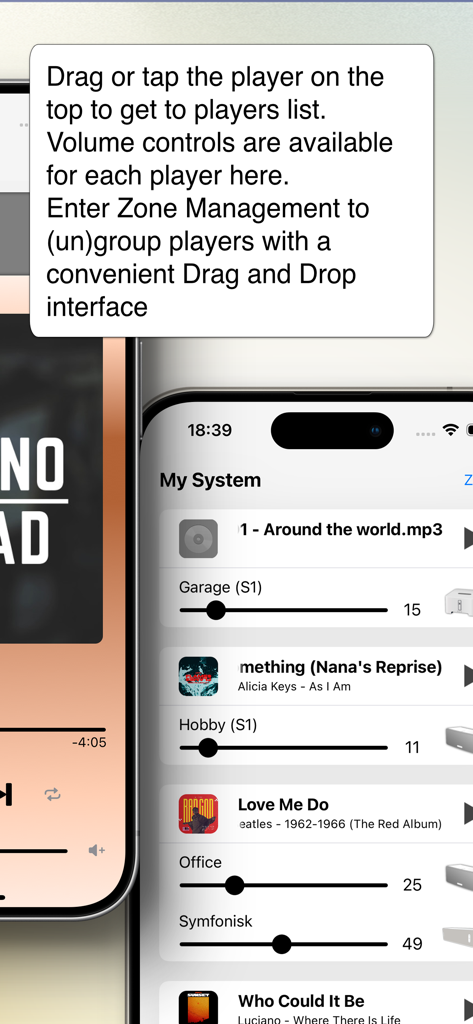
SonoPhone for Sonos - Interface of the SonoPhone app showing a list of Sonos speakers with individual volume sliders for multi-room management.
Interface of the SonoPhone app showing a list of Sonos speakers with individual volume sliders for multi-room management.

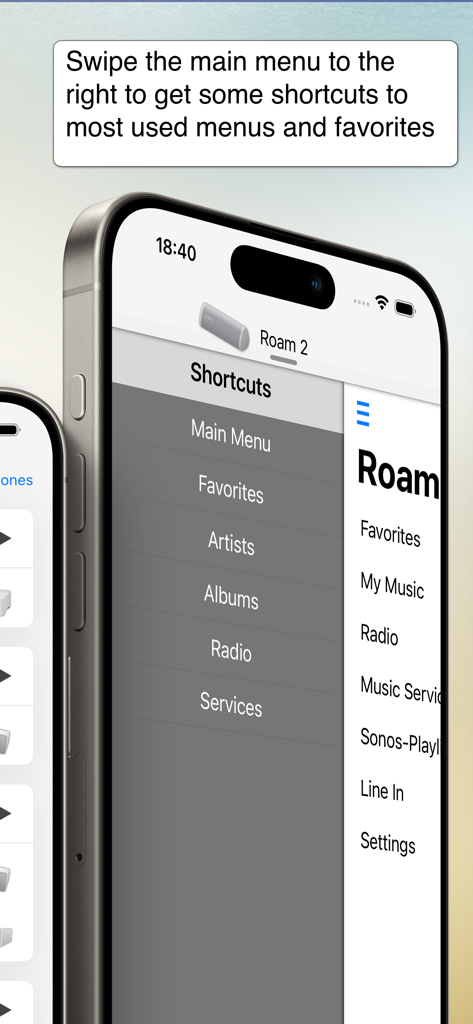
SonoPhone for Sonos - SonoPhone for Sonos app displaying the shortcuts sidebar menu for easy navigation
SonoPhone for Sonos app displaying the shortcuts sidebar menu for easy navigation

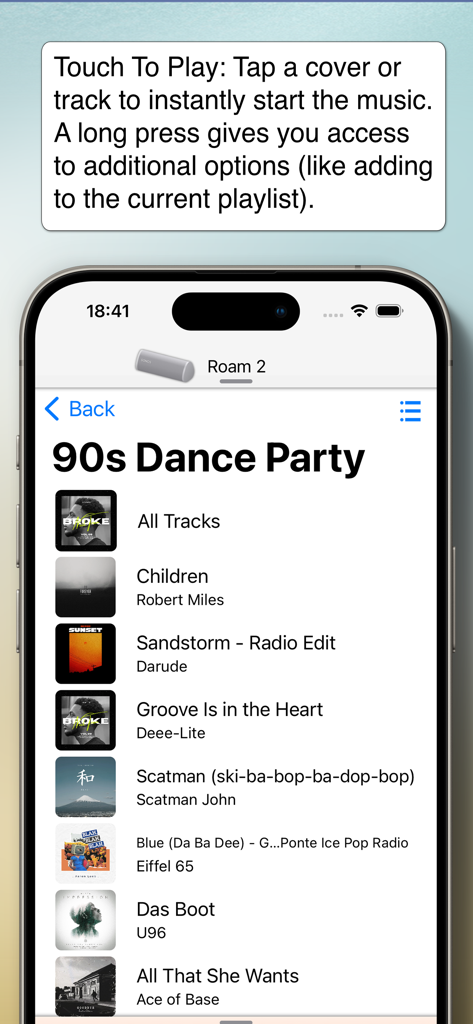
SonoPhone for Sonos - SonoPhone app showing a 90s Dance Party playlist and the Touch To Play feature
SonoPhone app showing a 90s Dance Party playlist and the Touch To Play feature

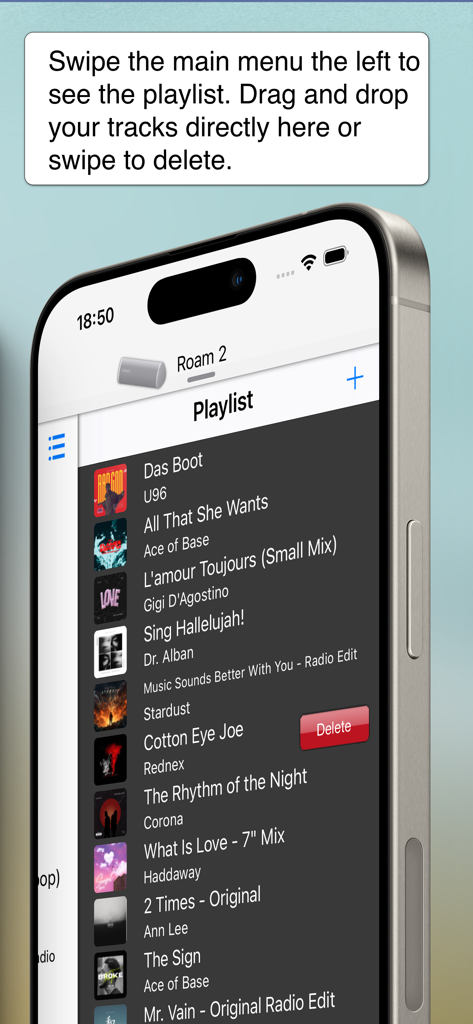
SonoPhone for Sonos - SonoPhone for Sonos app interface showing playlist management with swipe to delete

SonoPhone for Sonos app interface showing playlist management with swipe to delete

Description

Yes. There's a better way to control your Sonos system. - Speeds up most common tasks (less taps) - Cleaner, more stable and fast interface. - Backward compatibility is king (we support Sonos S1 firmware and also iOS15 devices) - Manage zones and music sources. You control your Sonos. Not the other way around. See the features in action on YouTube (https://youtu.be/aMEuaZPUH58) or read more below. This application is a third party app and not endorsed by or associated with Sonos, Inc. (which is why it is not free) ◆◆◆ A new, intuitive and concise user interface ◆◆◆ SonoPhone is designed to leverage the latest iOS design principles: - Tap or drag the player on the top and you'll find the players view to select a new player and with volume controls for all players. From here you can also enter Zone Management, where you can group and ungroup players with drag and drop. - Tap or drag the Track infos on the bottom and you'll be at the big covers screen - Drag the main menu from any place to the left or right to have instant access to playlist or shortcuts - volume + progress popups: when changing volume or progress of a song, you get popups telling you the actual values. Stop guessing your desired values today! ◆◆◆ less taps for common tasks ◆◆◆ SonoPad tries to optimize most often used tasks to have the least taps needed. In the end you are able to navigate and control your players much more fluently. - Touch To Play: are you sick of always beeing asked what to do when you tap a track or album? SonoPhone defaults to just starting an album or song. A long press still gives you access to all options - you can also change the tap default in the settings menu. Want to build a playlist fast? Just set the default to 'always add to end' and off you go ... - tap an album cover image and the whole album starts to play immediately - aggregated search: search results are collapsed into one view, so you see immediately in what category you have the best results, without switching back and forth - shortcuts to most used functions: drag the main menu to the right to get shortcut buttons for artist, albums, radio and musicservices. - you can control the volume of every player directly from the player selection screen. No need to switch players anymore. ◆◆◆ S1 and S2 devices in one app ◆◆◆◆ - If you still have old S1 devices, the time of always having to change apps is over. We simply display all existing players in the network in one list. Grouping is unfortunately not possible, this is prevented by Sonos. ◆◆◆ Limitations ◆◆◆ - all music services except YouTube Music are supported - no support for administrative features (adding/removing players, music service, ...). You need the official Apps for initial setup of your system, SonoPad will pick up all changes automatically. - no options to set alarms or sleep settings - no playing of music stored on iPhone - no support for discontinued WD100 dock ◆◆◆ Other stuff ◆◆◆ - Sonos is registered trademark of Sonos, Inc.

Download

Download on App Store

This page is not an official page of the app or its developer, but an independent editorial publication created for informational and commentary purposes. Unless expressly stated otherwise, neither the app nor its developer is affiliated with, endorsed by, sponsored by, authorized by, or otherwise officially connected with MWM, Apple, Google Play, the app publisher, or the app's developer, and nothing on this page implies that the app was developed using MWM's services. Any trademarks, logos, screenshots, and other content remain the property of their respective owners.







