
This page is not an official page of the app or its developer, but an independent editorial publication created for informational and commentary purposes. Unless expressly stated otherwise, neither the app nor its developer is affiliated with, endorsed by, sponsored by, authorized by, or otherwise officially connected with MWM, Apple, Google Play, the app publisher, or the app's developer, and nothing on this page implies that the app was developed using MWM's services. Any trademarks, logos, screenshots, and other content remain the property of their respective owners.


Sound Meter (Decibel)
Noise pollution is insidious. This app offers a stark, immediate look at your sonic environment.
Downloads
250k+User Rating
Total Ratings
6.0KPublisher
Category
UtilitiesLocales
1Latest Version
1.5Size
8.2 MBFirst Released
May 30, 2022An analysis of core functionalities empowering health-conscious individuals to monitor and understand their acoustic environment.
Evaluation of 'Sound Meter (Decibel)' App Features
Real-time Decibel Measurement
The app provides immediate feedback on ambient noise levels, allowing users to quickly assess their sound environment and identify potentially harmful noise exposure.
Statistical Noise Analysis
This tool features the display of minimum, average, and maximum decibel values, enabling users to gain a comprehensive understanding of noise fluctuations over time and evaluate prolonged exposure.
Historical Noise Trend Visualization
It allows users to visualize decibel changes over time through a graph line, offering insights into noise patterns and helping to identify specific events or periods of high sound.
Contextual Noise Reference
The app provides a display of current noise references, assisting users in interpreting measured decibel values by comparing them to common sound levels for better understanding of their environment.
Noise Data Logging
This tool features the ability to save measured records, allowing users to track noise levels over extended periods for historical analysis, trend identification, and documentation purposes.
Instant Decibel Gauge
It allows users to view decibel levels instantly via an intuitive gauge, providing a quick and easy-to-read indication of current sound intensity.
Frequently Asked Questions
Everything you need to know about Sound Meter (Decibel)
What is the primary function of the Sound Meter (Decibel) app?
The Sound Meter (Decibel) app measures environmental noise and displays decibel values. It shows current, minimum, average, and maximum decibel readings using a gauge and graph line.
Can the Sound Meter (Decibel) app save my noise measurements?
Yes, the Sound Meter (Decibel) app saves measured records. Users can review past noise levels, including max, average, and min decibel values, within the app.
How does Sound Meter (Decibel) display noise data?
Sound Meter (Decibel) displays noise data using a gauge, a graph line, and shows current, minimum, average, and maximum decibel values for the measured environment.
Is Sound Meter (Decibel) accurate for professional sound measurement?
No, the Sound Meter (Decibel) app is an auxiliary tool. Phone microphones limit accuracy, especially for sounds over ~110 dB. For precise values, a professional sound level meter is recommended.
Does the Sound Meter (Decibel) app provide noise reference categories?
Yes, the Sound Meter (Decibel) app provides current noise references. It categorizes decibel levels into segments like "QUIET," "SPEECH," "NOISE," and "DANGER" on its display.
Is the Sound Meter (Decibel) app available on Apple Watch?
Yes, the Sound Meter (Decibel) app is available on Apple Watch. It displays decibel measurements directly on the Apple Watch interface, as shown in the screenshot.
The following screenshots and description are sourced directly from the app's official store listing and are the property of the app developer.
App Store
Screenshots
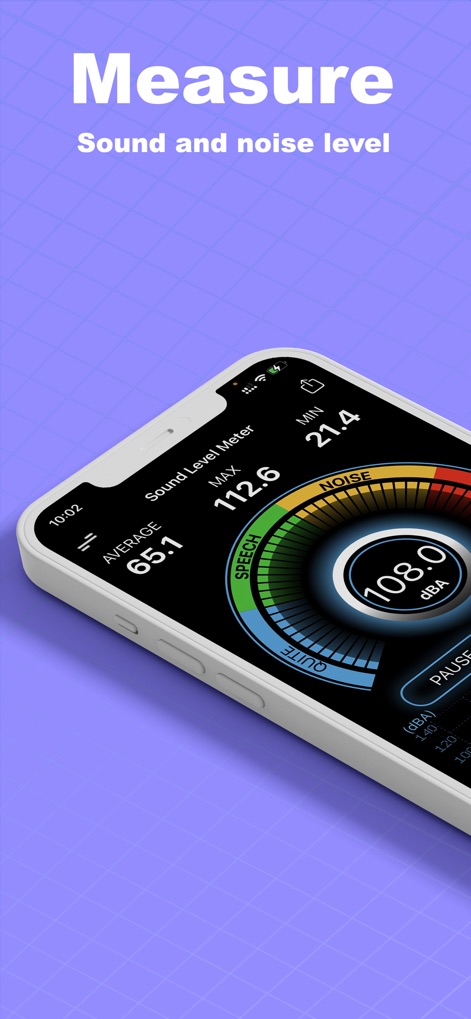
The app offers real-time decibel readings on a prominent digital gauge and clearly indicates sound intensity with a color-coded noise scale.
Instant Noise Analysis
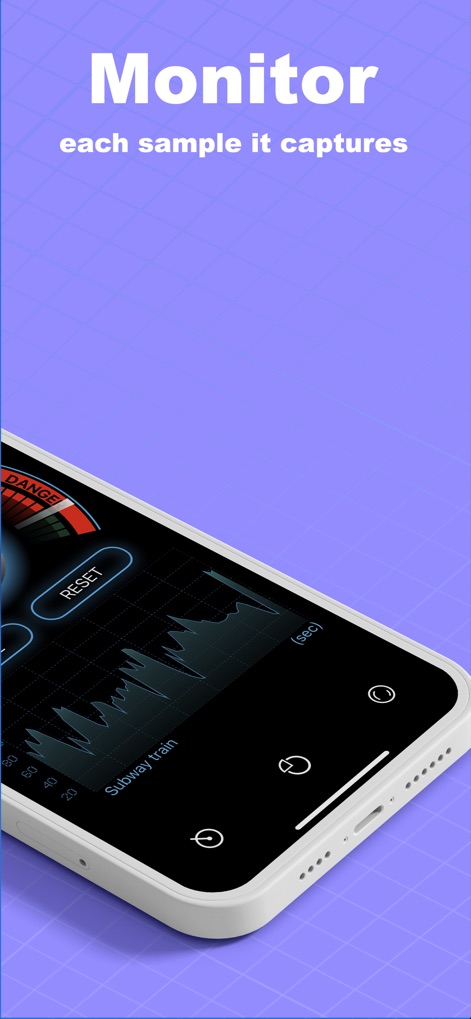
Monitor environmental noise with a dynamic graph line that visualizes decibel fluctuations over time, accompanied by current noise reference labels like 'Subway train'.
Detailed Sound Monitoring
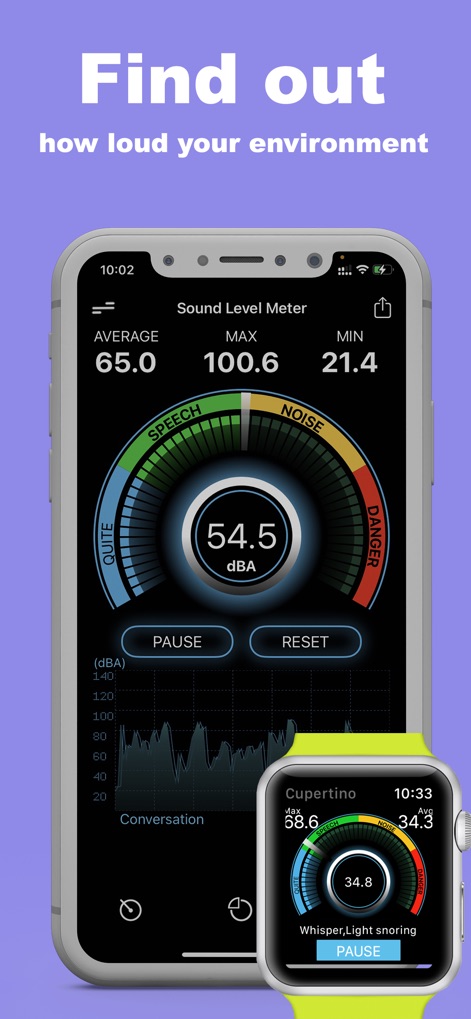
This tool provides comprehensive noise data, including min/avg/max decibel values and a real-time graph line, with seamless integration extending to an Apple Watch display.
Cross-Device Insight

Review past noise levels with the 'Saved Records' feature, presenting multiple graph lines of recorded data and detailed MAX/AVG/MIN values for each session.
Historical Data Tracking

Gain crucial insights into your surroundings with the intuitive decibel gauge and a continuous graph line, helping users identify potentially loud and unsafe environments.
Environmental Awareness
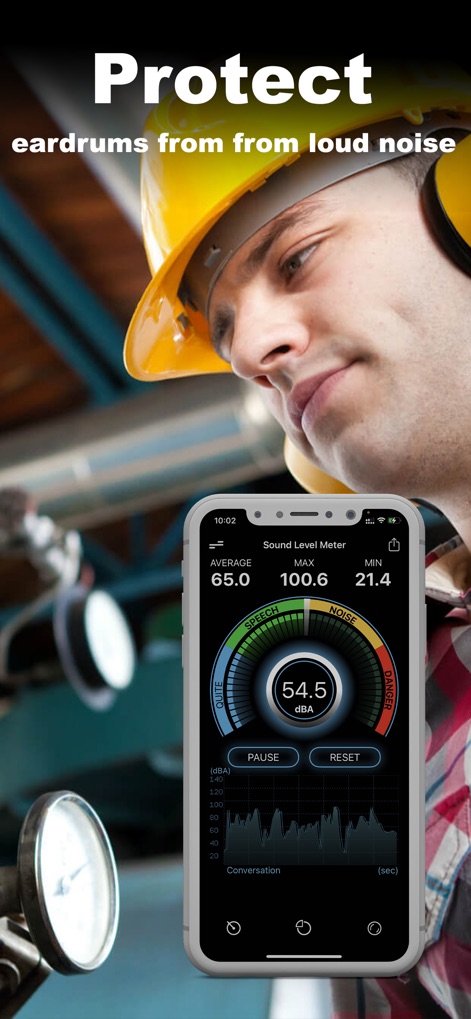
Empower users to make informed decisions for hearing health by displaying current noise levels on a clear gauge and illustrating sound trends with a dynamic graph line.
Protect Your Hearing
Description
Download
More Like This
Apps with similar features and user experience
Decibel Meter: Sound dB Level
传胜 贾
Smaart RTA
Rational Acoustics LLC
Decibel X:dB Sound Level Meter
SkyPaw Co., Limited
Decibel : dB sound level meter
Vlad Polyanskiy
Decibel dB Sound Meter Ultra
Ultrafine, Lda
Decibel Meter Sound Detector
Ashraf Thoppukadavil

NIOSH Sound Level Meter
EA LAB d.o.o.
Sound Meter HQ
ExaMobile S.A.
Audio / Spectrum Analyzer
Loop-Sessions.LLC.
This page is not an official page of the app or its developer, but an independent editorial publication created for informational and commentary purposes. Unless expressly stated otherwise, neither the app nor its developer is affiliated with, endorsed by, sponsored by, authorized by, or otherwise officially connected with MWM, Apple, Google Play, the app publisher, or the app's developer, and nothing on this page implies that the app was developed using MWM's services. Any trademarks, logos, screenshots, and other content remain the property of their respective owners.