
This page is not an official page of the app or its developer, but an independent editorial publication created for informational and commentary purposes. Unless expressly stated otherwise, neither the app nor its developer is affiliated with, endorsed by, sponsored by, authorized by, or otherwise officially connected with MWM, Apple, Google Play, the app publisher, or the app's developer, and nothing on this page implies that the app was developed using MWM's services. Any trademarks, logos, screenshots, and other content remain the property of their respective owners.

SoundPad Pro
Take command of your live performances, podcasts, and theater cues with 48 customizable pads, individual volume precision, and gapless loop playback designed for mission-critical reliability.
Downloads
7K+User Rating
Total Ratings
0Publisher
Category
MusicLocales
2Latest Version
1.9.5Size
69.4 MBFirst Released
Oct 24, 2017Pro-Level Sound Control for Every Stage
Empower your creativity with 48 customizable pads, precision audio settings, and seamless cloud integration designed for performers, podcasters, and dungeon masters.
48 Instant-Trigger Pads
Map your entire library of SFX and music tracks to a high-density grid for lightning-fast access during high-pressure live performances.
Granular Audio Fine-Tuning
Master your output with individual volume adjustments, tempo shifting, and professional fade-in/out effects for every single pad.
The following screenshots and description are sourced directly from the app's official store listing and are the property of the app developer.
App Store
Screenshots
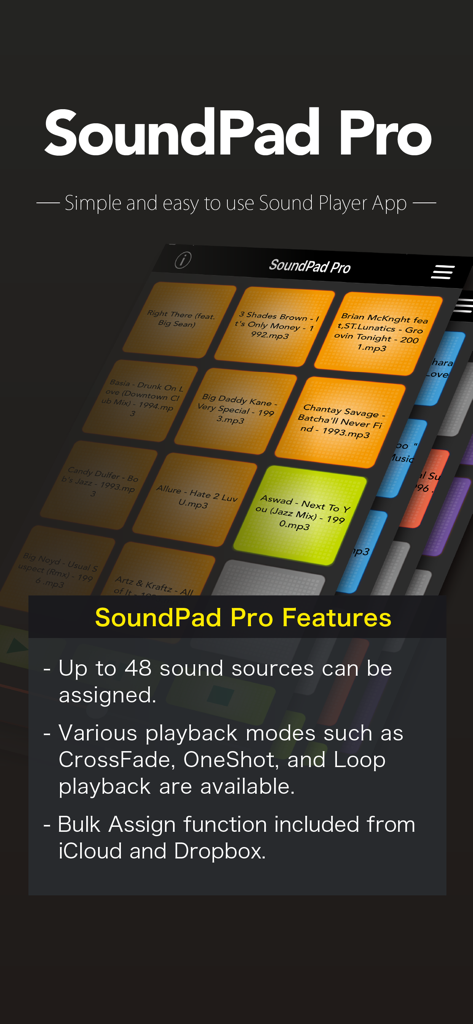
SoundPad Pro app interface showing a 48-pad soundboard and a list of professional playback features.
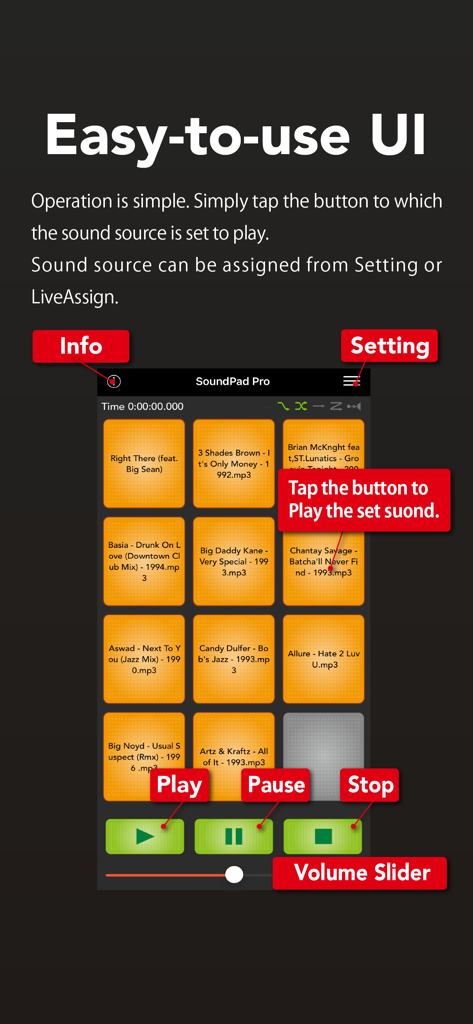
Interface of SoundPad Pro showing sound pads and audio controls.
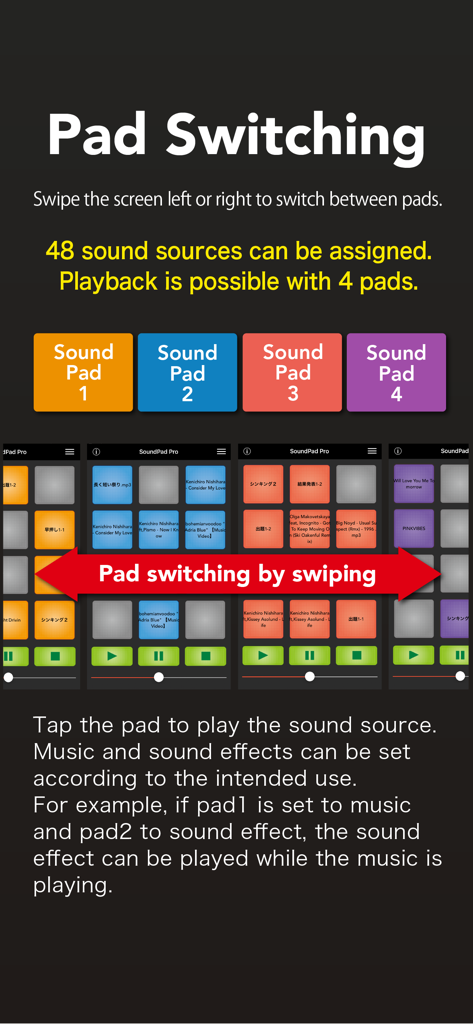
SoundPad Pro interface showing pad switching functionality for 48 assignable sound sources across four color-coded pads
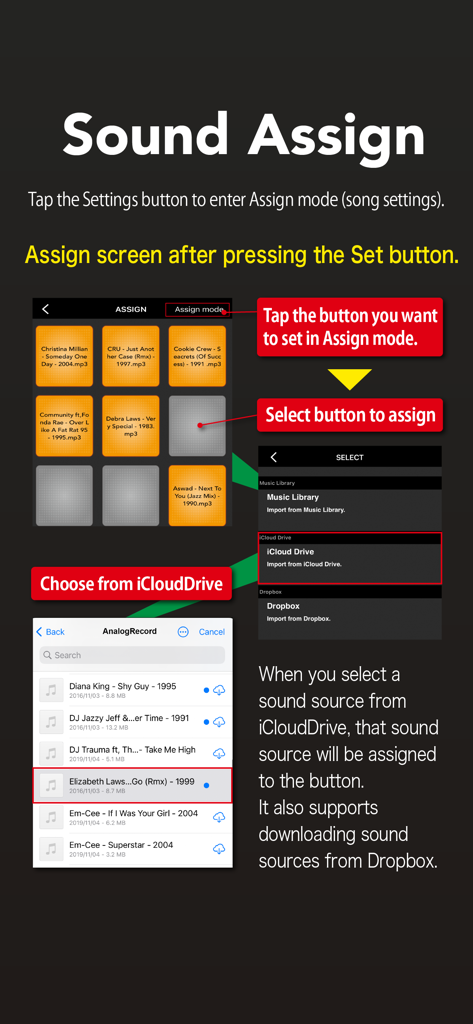
A step-by-step guide showing how to assign audio files from iCloud or Dropbox to sound pads in the SoundPad Pro app.
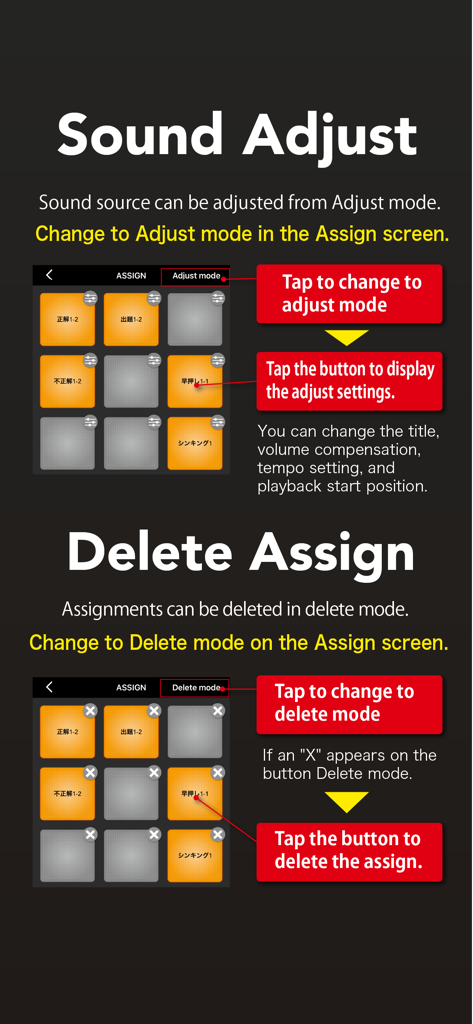
SoundPad Pro interface showing instructions for adjusting sound settings and deleting pad assignments.
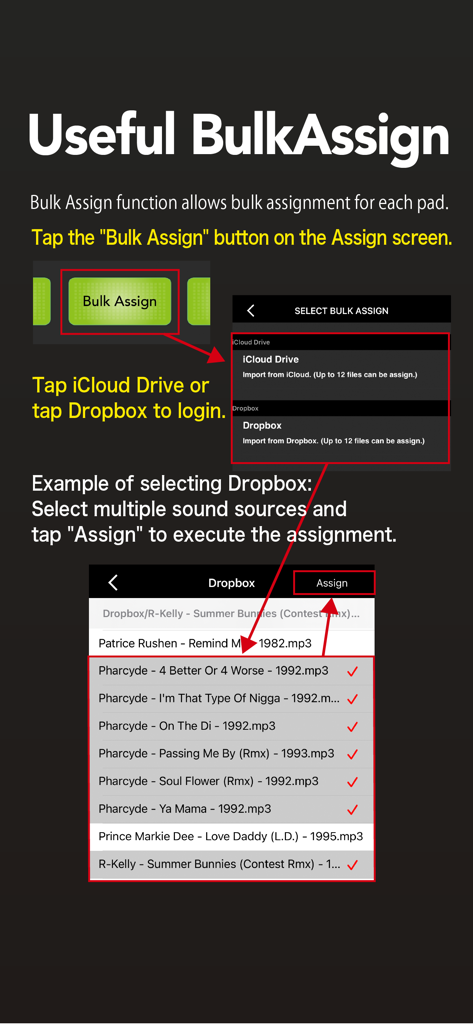
Tutorial for SoundPad Pro's Bulk Assign feature to import multiple audio files from Dropbox or iCloud Drive.
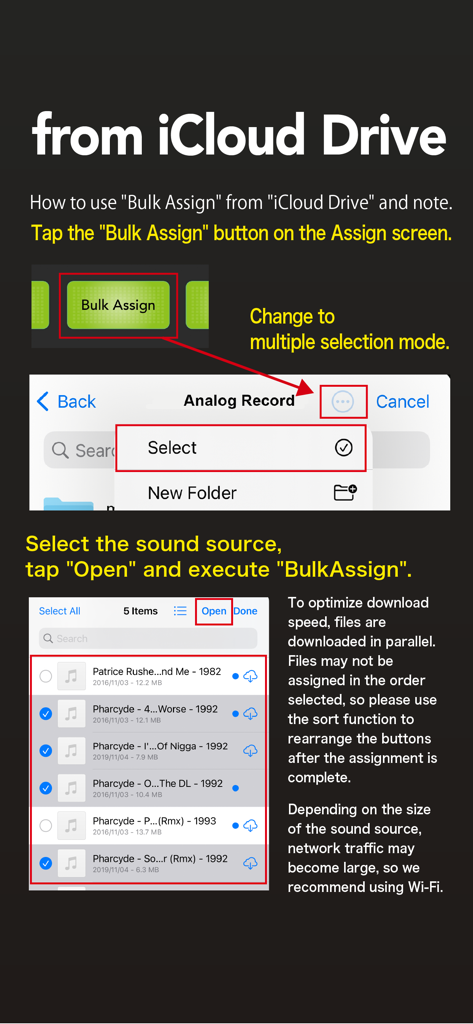
Tutorial screen showing how to bulk assign audio files from iCloud Drive in SoundPad Pro
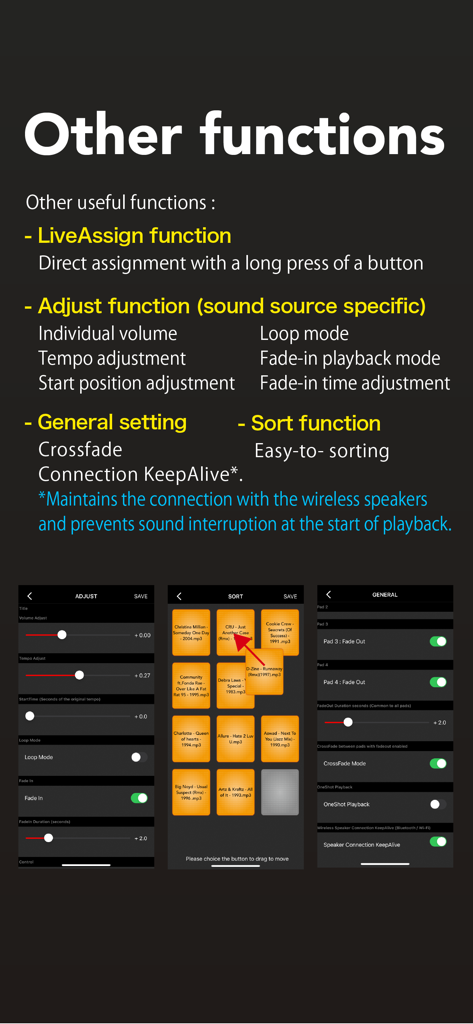
Detailed view of SoundPad Pro audio adjustment settings and pad sorting interface
Description
Download
More Like This
Top-ranked apps in the same category

Spotify: Music and Podcasts
Spotify

YouTube Music
Google LLC

Shazam: Find Music & Concerts
Apple Inc.

SoundCloud: The Music You Love
SoundCloud Global Limited & Co KG

Suno - AI Songs & Music
Suno Inc.

QQ音乐 - 听我想听
Tencent Technology (Shenzhen) Company Limited

Audiomack - Play Music Offline
Audiomack, Inc.

GuitarTuna: Tune & Play Guitar
Yousician Ltd

BandLab – Music Maker & Beats
BandLab Singapore Pte Ltd
This page is not an official page of the app or its developer, but an independent editorial publication created for informational and commentary purposes. Unless expressly stated otherwise, neither the app nor its developer is affiliated with, endorsed by, sponsored by, authorized by, or otherwise officially connected with MWM, Apple, Google Play, the app publisher, or the app's developer, and nothing on this page implies that the app was developed using MWM's services. Any trademarks, logos, screenshots, and other content remain the property of their respective owners.