
This page is not an official page of the app or its developer, but an independent editorial publication created for informational and commentary purposes. Unless expressly stated otherwise, neither the app nor its developer is affiliated with, endorsed by, sponsored by, authorized by, or otherwise officially connected with MWM, Apple, Google Play, the app publisher, or the app's developer, and nothing on this page implies that the app was developed using MWM's services. Any trademarks, logos, screenshots, and other content remain the property of their respective owners.

SpaceStationAR
Turn your device into a high-precision celestial window. Track Starlink trains, discover distant galaxies, and plan your next night-sky observation with professional accuracy and offline reliability.
Downloads
39K+User Rating
Total Ratings
1K+Publisher
Category
EducationLocales
10Latest Version
2.28.2Size
25.2 MBFirst Released
Mar 16, 2010Master the Night Sky with Precision AR
Transform your device into a high-tech observatory. Effortlessly track the International Space Station, Starlink trains, and deep-space probes with professional-grade accuracy.
Live AR Visualization
Experience the magic of seeing the ISS and Starlink satellites overlaid directly onto your real-world landscape through your camera lens.
Precision Event Planning
Never miss a pass with a comprehensive 14-day calendar and custom notifications tailored to your exact geographic coordinates.
Frequently Asked Questions
Everything you need to know about SpaceStationAR
What is SpaceStationAR?
SpaceStationAR is an augmented reality (AR) application that simulates the visibility of satellites in the night sky. It overlays passes of the International Space Station, Starlink Trains, and other satellites onto your camera's view.
Can SpaceStationAR track satellites in real-time?
Yes, SpaceStationAR offers real-time tracking of passing satellites. This specific feature is exclusive to the paid version of the app.
Does SpaceStationAR support offline use?
Yes, SpaceStationAR supports offline app usage. Users can utilize the app's features even without an internet connection.
Can I receive notifications for satellite passes with SpaceStationAR?
Yes, SpaceStationAR provides satellite pass notifications. Users can set notification times from 15 minutes to 6 hours before an event for precise alerts.
What kind of space objects can SpaceStationAR display in AR?
SpaceStationAR displays the International Space Station, Starlink Trains, Chinese Space Station, bright stars, galaxies, black holes, planetary probes, and other satellites in AR. Visibility is customizable.
Does SpaceStationAR show satellite information on maps?
Yes, SpaceStationAR displays satellite orbits and current locations on a global map. It also visualizes satellite passes on maps.
How far in advance does the SpaceStationAR calendar show satellite passes?
The SpaceStationAR calendar displays upcoming satellite passes and rocket launches within the next two weeks. You can simulate passes directly from this list.
What are the limitations of the SpaceStationAR LITE version?
The LITE version of SpaceStationAR restricts AR mode display to 30 minutes before satellite passes and lacks real-time AR functionality. It also displays advertisements.
Does SpaceStationAR integrate with Apple Watch?
Yes, SpaceStationAR includes an Apple Watch app and a 'Today' widget. These provide a simplified satellite forecast list without needing to open the main app.
Can I customize what SpaceStationAR shows in AR?
Yes, SpaceStationAR allows customization of visibility for stars, galaxies, black holes, planetary probes, satellites, and world cities by type in AR mode.
Does SpaceStationAR automatically add newly launched satellites?
Yes, SpaceStationAR automatically adds newly launched satellites. This ensures the app's data remains current and comprehensive.
Can SpaceStationAR help with antenna installation?
Yes, SpaceStationAR indicates the positions of geostationary satellites. This makes it a valuable tool for assisting with antenna installation.
The following screenshots and description are sourced directly from the app's official store listing and are the property of the app developer.
App Store
Screenshots
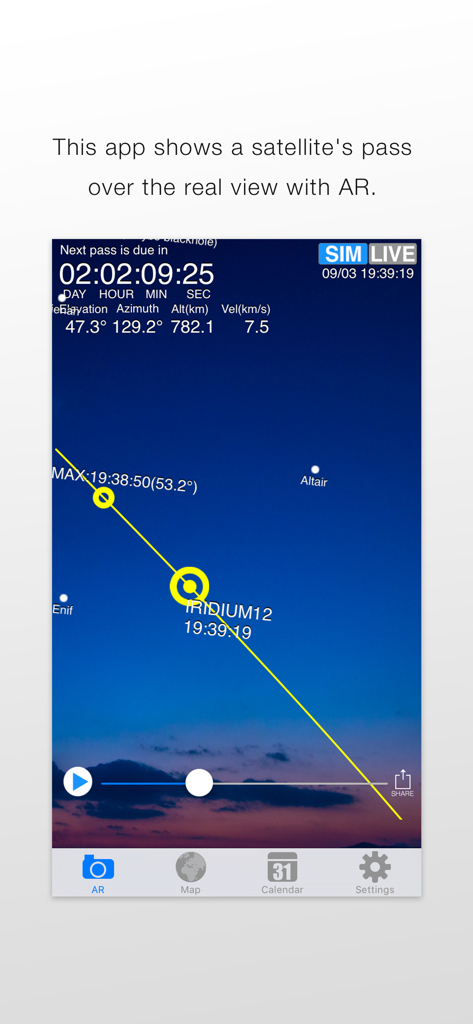
Augmented reality view of a satellite path over the night sky in the SpaceStationAR app
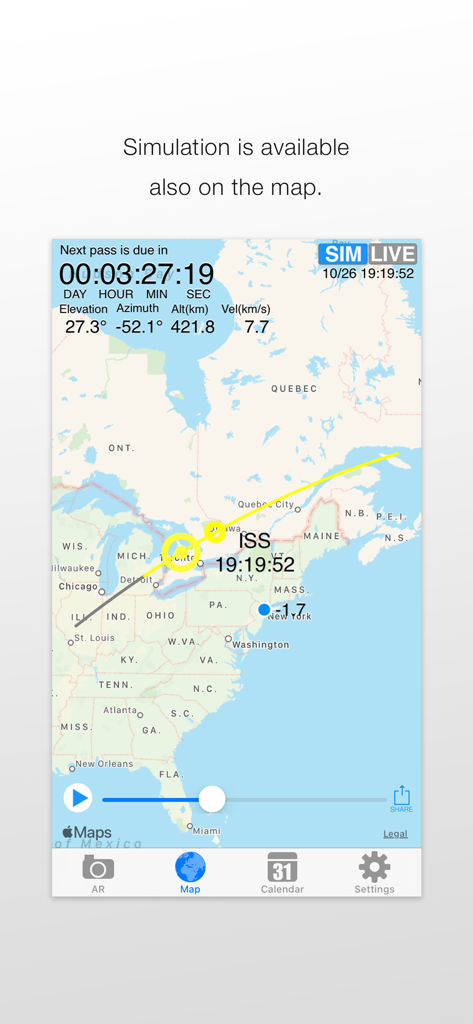
A map interface in SpaceStationAR showing the International Space Station flight path over North America
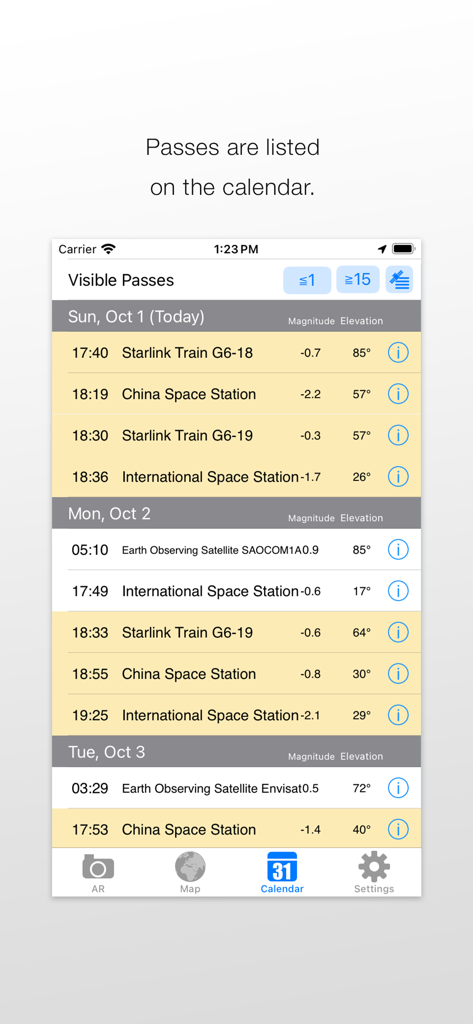
A list of visible satellite passes for Starlink and ISS on the app calendar view.
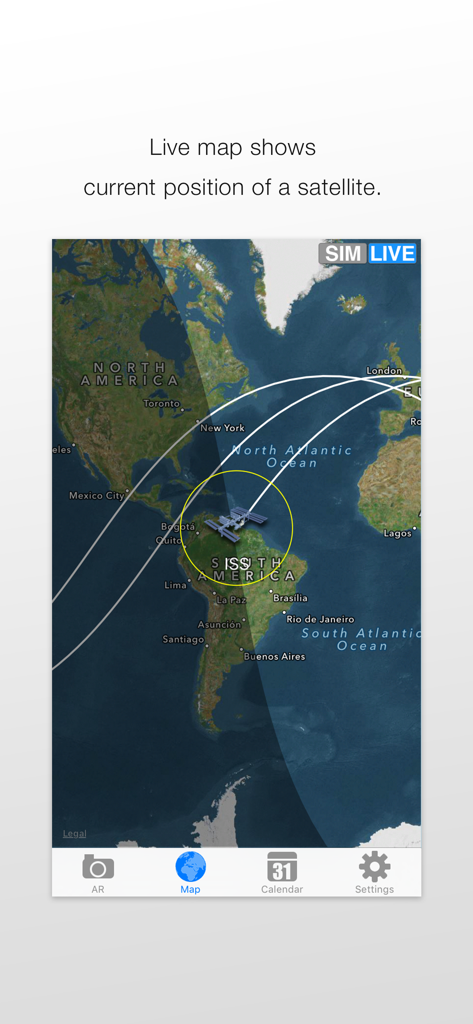
Live world map tracking the current position and orbital path of the International Space Station.
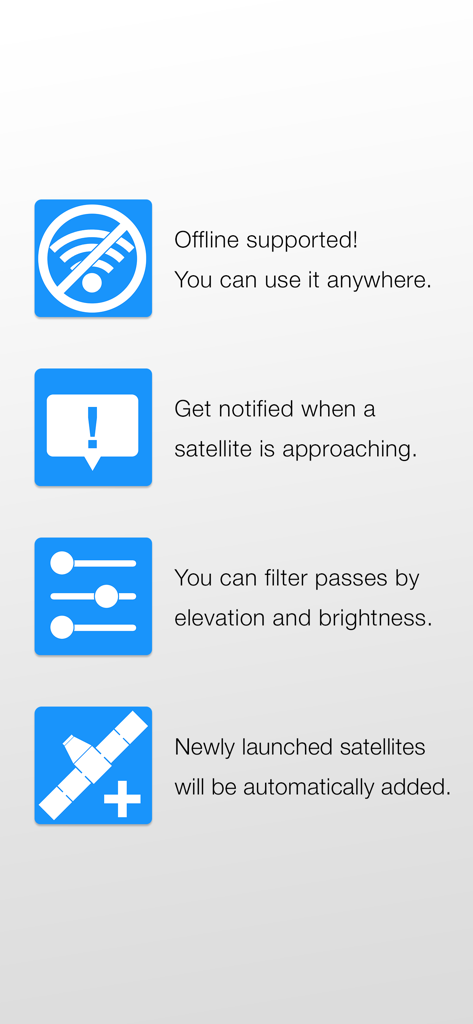
A list of SpaceStationAR app features including offline support, satellite notifications, pass filtering, and automatic satellite updates.
Description
Download
More Like This
Top-ranked apps in the same category

Duolingo - Language Lessons
Duolingo, Inc

Speak & Learn English: Learna
DEEP FLOW SOFTWARE SERVICES - FZCO

驾考宝典-科一科四驾驶证考试驾考通
Wuhan Jiakaobaodian Information Service Co., Ltd.

Toca Boca World
Toca Boca AB

Google Classroom
Google LLC

作业帮-中小学家长作业检查和辅导工具
Guangzhou Polar Future Culture Technology Co., Ltd

学信网
Student Information Consultation Service Co., Ltd.

Gauth: AI Study Companion
GAUTHTECH PTE. LTD.

ArtWorkout: Learn How to Draw
Aleksandr Ulitin
This page is not an official page of the app or its developer, but an independent editorial publication created for informational and commentary purposes. Unless expressly stated otherwise, neither the app nor its developer is affiliated with, endorsed by, sponsored by, authorized by, or otherwise officially connected with MWM, Apple, Google Play, the app publisher, or the app's developer, and nothing on this page implies that the app was developed using MWM's services. Any trademarks, logos, screenshots, and other content remain the property of their respective owners.