
This page is not an official page of the app or its developer, but an independent editorial publication created for informational and commentary purposes. Unless expressly stated otherwise, neither the app nor its developer is affiliated with, endorsed by, sponsored by, authorized by, or otherwise officially connected with MWM, Apple, Google Play, the app publisher, or the app's developer, and nothing on this page implies that the app was developed using MWM's services. Any trademarks, logos, screenshots, and other content remain the property of their respective owners.

SpeedX: Speedometer, Altimeter
Turn your phone into a high-performance cockpit. Track speed, altitude, G-force, and orientation with precision tools designed for explorers who demand data, even when offline.
Downloads
700User Rating
Total Ratings
0Publisher
Category
NavigationLocales
11Latest Version
2.4.0Size
33.0 MBFirst Released
Aug 23, 2024Master Every Terrain with Precision
Your all-in-one digital dashboard for speed, altitude, and environmental data—engineered to work anywhere, even without an internet connection.
Professional Cockpit Metrics
Monitor real-time speed, G-force, and attitude with precision. Perfect for automotive enthusiasts and pilots who demand high-fidelity data.
Built for the Off-Grid Explorer
No signal? No problem. Utilize your device's built-in sensors for accurate barometer and altimeter readings in the deepest wilderness.
Frequently Asked Questions
Everything you need to know about SpeedX: Speedometer, Altimeter
What is SpeedX?
SpeedX is an app that utilizes phone sensors to provide detailed data on speed, pressure, and altitude. It includes compass, attitude indicator, and GPS functions for tracking exercise, environmental changes, and daily travel.
Does SpeedX require an internet connection?
No, SpeedX does not require an internet connection. It utilizes mobile device sensor technology to provide accurate and reliable data offline, making it suitable for various environments.
What speed units does SpeedX support?
SpeedX supports multiple speed units including m/s, km/h, mph, knots, min/km pace, and min/mile pace. It also supports distance units like meters, kilometers, feet, miles, and nautical miles.
Can SpeedX record and review past trips?
Yes, SpeedX records trips, showcasing data such as maximum speed and highest/lowest altitudes. Users can review detailed speed and altitude information for every point along their journey.
Does SpeedX offer a free version?
Yes, SpeedX offers a free basic version with features. Users can upgrade to the PRO version for additional features, enhancing the app's capabilities.
What environmental data does SpeedX provide?
SpeedX provides accurate barometric pressure and altitude data. It includes GPS altitude and pressure altitude, with supported units for pressure like atm, hPa, inHg, PSI, and Bar.
How can I share my trip data from SpeedX?
SpeedX allows users to create stunning trip cards to highlight speed and adventure moments. These cards can be shared after a trip is recorded.
What is the purpose of the attitude indicator in SpeedX?
The attitude indicator in SpeedX precisely shows the phone's attitude. This feature is useful for aviation or other scenarios requiring precise attitude control.
Can SpeedX display a map of my current location?
Yes, SpeedX includes an integrated map feature. This allows users to easily view their current location and surroundings directly within the app, enhancing navigation.
Where can I find the privacy policy for SpeedX?
The privacy policy for SpeedX is available online. Users can access it via the link provided in the app description: https://floatmaze.com/speedx/privacy-policy.html.
Does SpeedX include a compass function?
Yes, SpeedX includes a simple and intuitive compass interface. This ensures users always know the correct direction for navigation and orientation.
Does SpeedX provide G-Force acceleration data?
Yes, SpeedX provides acceleration G-Force data. Users can check the current acceleration through a straightforward acceleration gauge displayed in the app interface.
What are the main benefits of using SpeedX?
SpeedX provides real-time exercise data, environmental information, and accurate location details. Its intuitive interface and offline functionality enhance fitness, outdoor adventures, and daily travel.
How do I enable or disable speed warnings in SpeedX?
SpeedX allows users to enable or disable speed warnings. This setting is accessible within the app's settings menu, where a toggle controls the "Enable Speed Warn" option.
The following screenshots and description are sourced directly from the app's official store listing and are the property of the app developer.
App Store
Screenshots
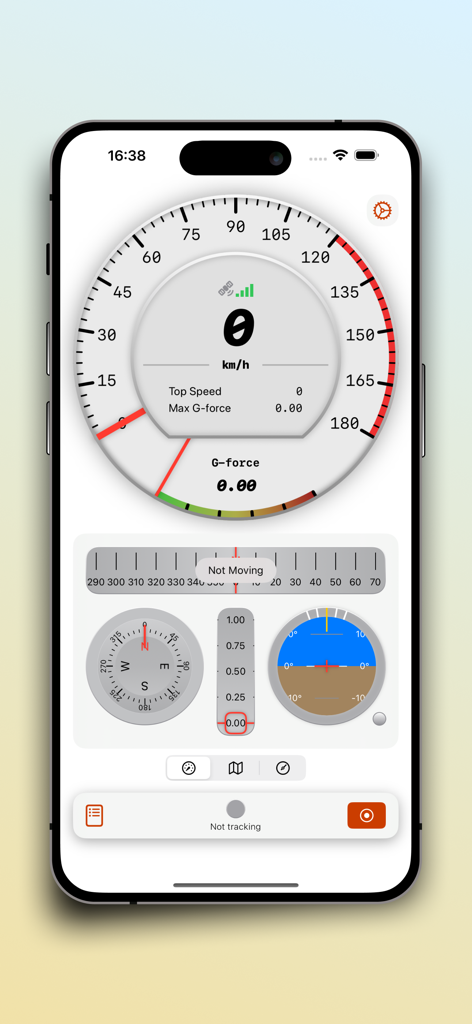
SpeedX app dashboard featuring a speedometer compass and attitude indicator
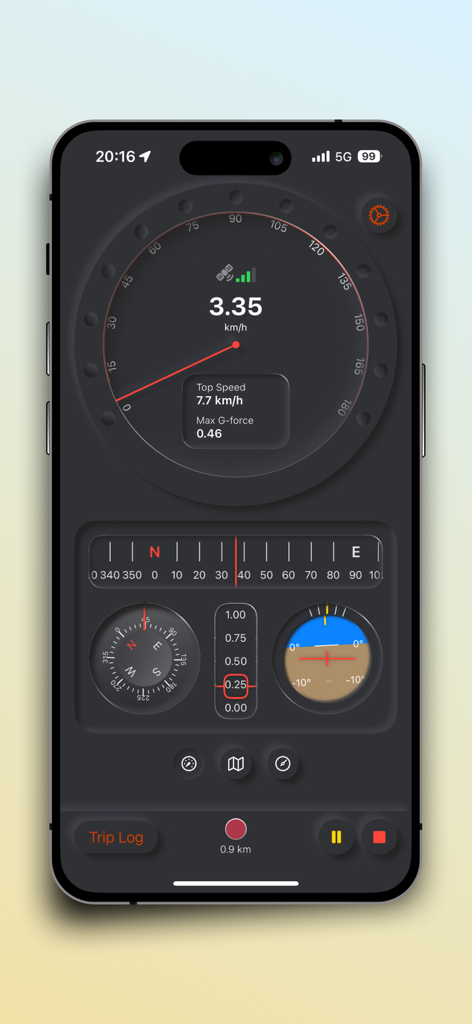
SpeedX app interface showing real-time speedometer compass and attitude indicator
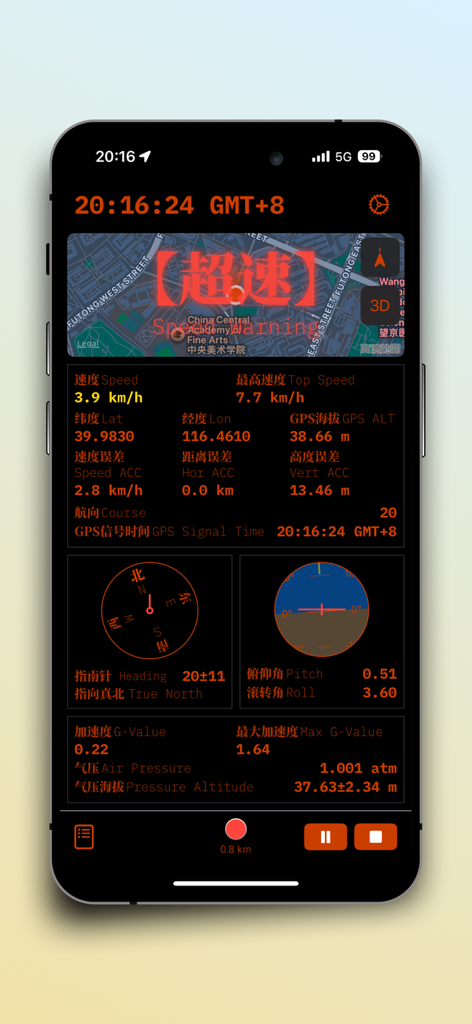
SpeedX app interface displaying a dashboard with speed, altitude, compass, attitude indicator, and G-force data
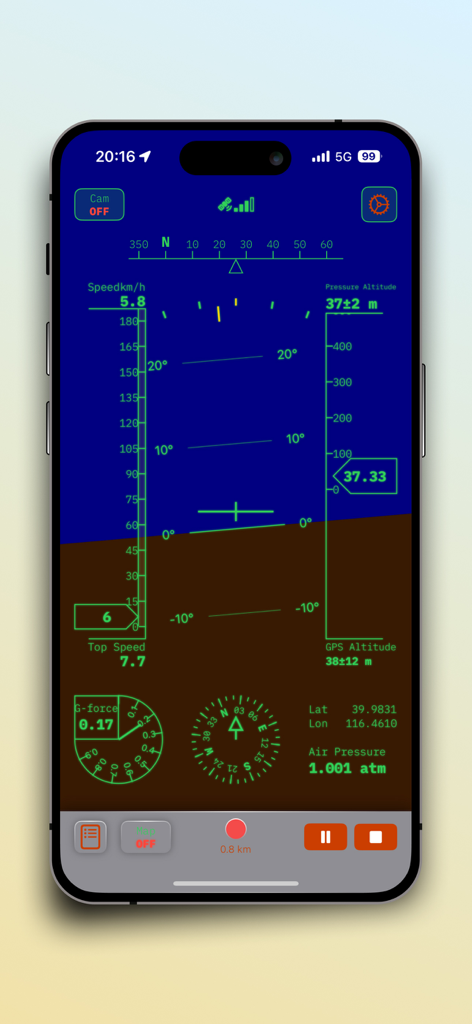
SpeedX app interface featuring an attitude indicator speedometer and altimeter dashboard
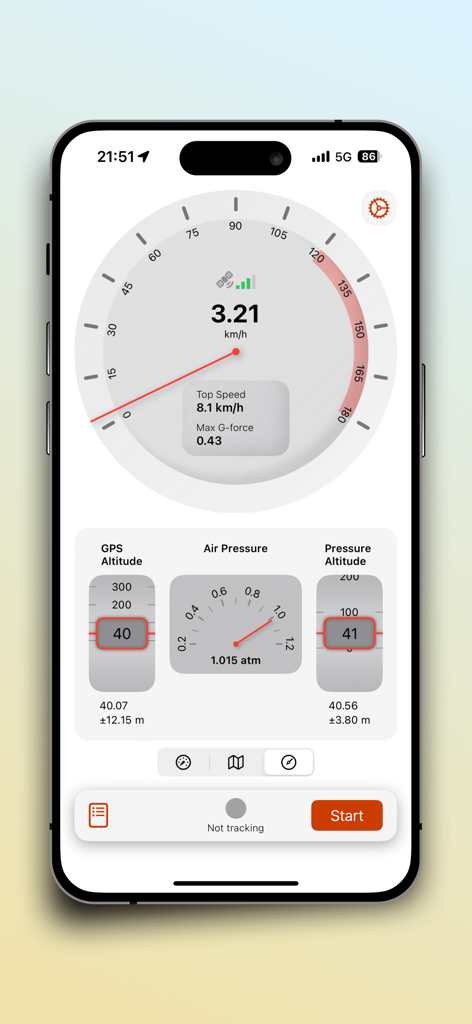
SpeedX app dashboard showing real time speedometer altitude and barometric pressure data
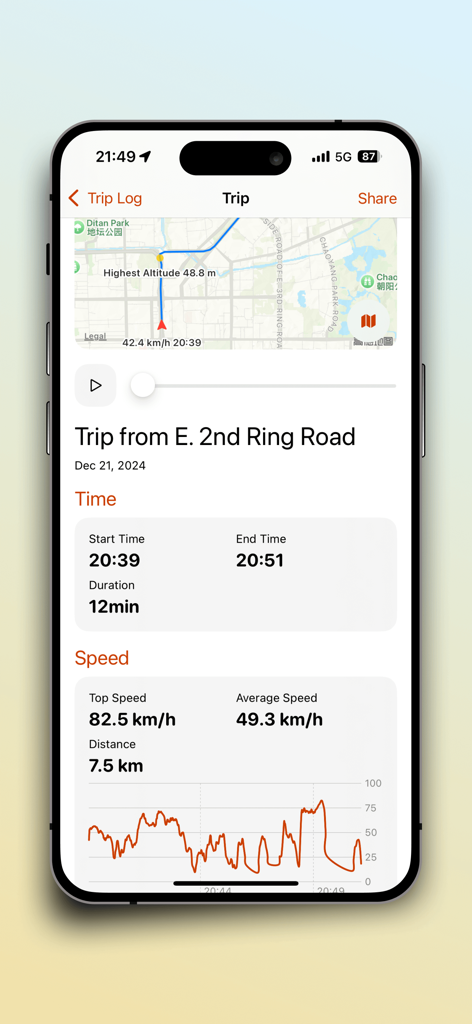
Detailed trip log summary in SpeedX app showing route map and speed statistics
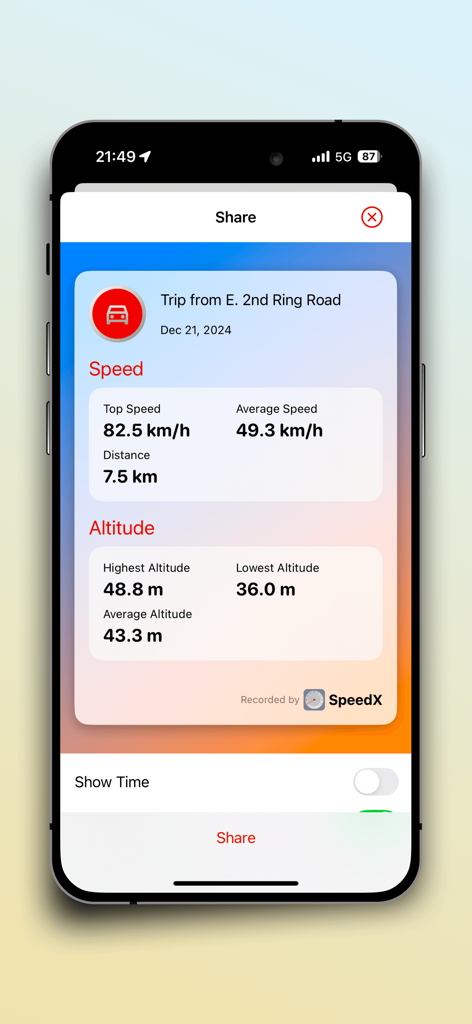
SpeedX trip card showing recorded speed and altitude statistics ready for sharing
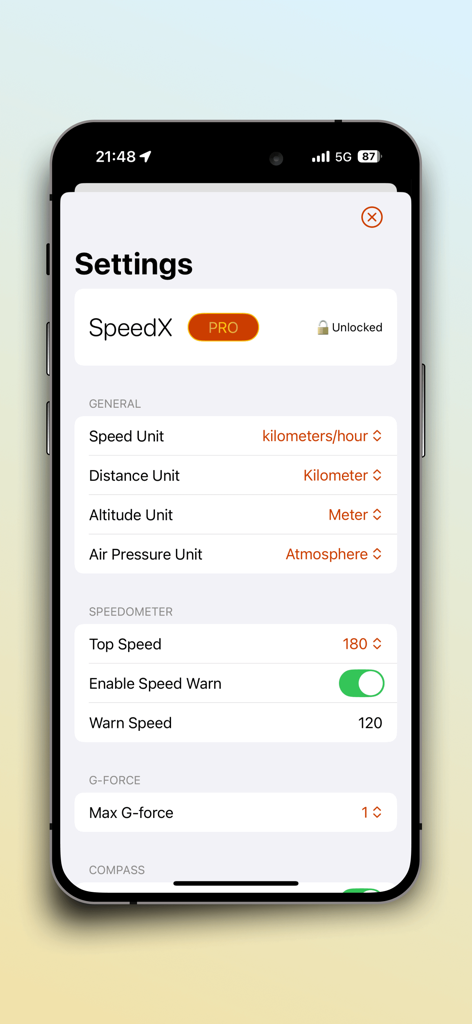
The settings screen of the SpeedX app showing options for units of measurement and speedometer warnings.
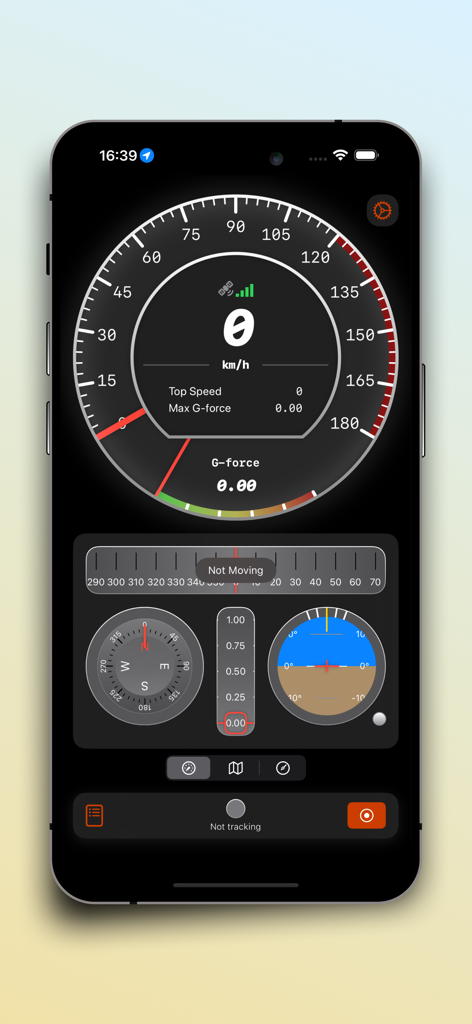
A digital dashboard from the SpeedX app featuring a speedometer, G-force meter, compass, and attitude indicator.
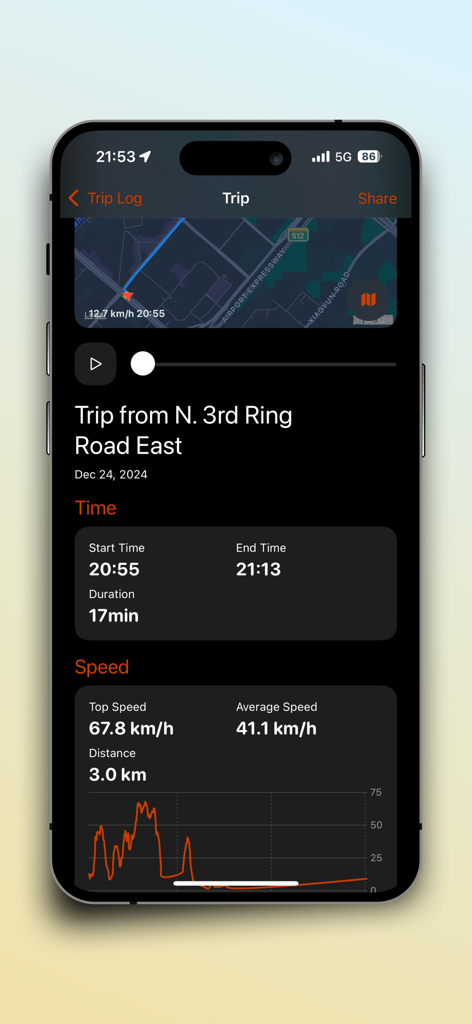
SpeedX app trip summary interface showing duration speed statistics and route map
Description
Download
More Like This
Top-ranked apps in the same category

Google Maps
Google LLC

Waze Navigation & Live Traffic
waze

AMap Global
AutoNavi Information Technology Co. Ltd.

百度地图-路线规划,出行必备
Beijing Baidu Netcom Science & Technology Co.,Ltd

Moovit: Bus & Transit Tracker
Moovit App Global LTD

Transit • Subway & Bus Times
9280-0366 Quebec inc.

ParkMobile: Park. Pay. Go.
Parkmobile USA, Inc

腾讯地图-路线规划,导航地铁打车出行
Shenzhen Tencent Computer Systems Company Limited

Île-de-France Mobilités
Ile de France Mobilites
This page is not an official page of the app or its developer, but an independent editorial publication created for informational and commentary purposes. Unless expressly stated otherwise, neither the app nor its developer is affiliated with, endorsed by, sponsored by, authorized by, or otherwise officially connected with MWM, Apple, Google Play, the app publisher, or the app's developer, and nothing on this page implies that the app was developed using MWM's services. Any trademarks, logos, screenshots, and other content remain the property of their respective owners.