
This page is not an official page of the app or its developer, but an independent editorial publication created for informational and commentary purposes. Unless expressly stated otherwise, neither the app nor its developer is affiliated with, endorsed by, sponsored by, authorized by, or otherwise officially connected with MWM, Apple, Google Play, the app publisher, or the app's developer, and nothing on this page implies that the app was developed using MWM's services. Any trademarks, logos, screenshots, and other content remain the property of their respective owners.


Spending Tracker-Money Manager
The ultimate cross-platform financial hub for the modern achiever. Scan receipts, manage shared wallets, and use scientific reports to reach financial freedom faster.
Downloads
1M+User Rating
Total Ratings
46K+Publisher
Category
FinanceLocales
30Latest Version
84.7.6Size
389.5 MBFirst Released
Apr 25, 2014Everything You Need to Build Lasting Wealth
Go beyond simple tracking. MISA combines smart automation with scientific budgeting to give you a complete 360-degree view of your financial health across all your devices.
Smart AI Receipt Scanning
Save time and eliminate errors. Simply snap a photo of any receipt and let our smart scanner instantly record and categorize the expense for you.
Seamless Shared Wallets
The ultimate tool for the 'Household CFO.' Easily share wallets with partners or family members to manage group budgets and sync expenses in real-time.
Frequently Asked Questions
Everything you need to know about Spending Tracker-Money Manager
How does Spending Tracker-Money Manager help record expenses?
Spending Tracker-Money Manager acts as an expense notebook, allowing easy categorization of income and expenses. It features AI-powered ultra-fast voice input for quick daily recording and smart receipt scanning.
Does Spending Tracker-Money Manager synchronize financial data across multiple devices?
Yes, Spending Tracker-Money Manager automatically synchronizes all expense records between devices. Users can access data securely on phones, tablets, and PCs simultaneously.
Can I set spending limits with the Spending Tracker-Money Manager app?
Yes, Spending Tracker-Money Manager allows users to set spending limits for specific categories like food or shopping. The app automatically reminds you if spending exceeds the set limit.
Does Spending Tracker-Money Manager support managing multiple bank accounts and wallets?
Yes, Spending Tracker-Money Manager helps manage money across multiple accounts and wallets with different currencies. It also allows sharing accounts for family or friends to track expenses together.
What kind of financial analysis reports does Spending Tracker-Money Manager provide?
Spending Tracker-Money Manager provides intuitive, scientific expense analysis reports, debt tracking reports, and financial analysis based on the 6-jar principle. These help with personal financial decisions.
Does Spending Tracker-Money Manager offer loan and credit management features?
Yes, Spending Tracker-Money Manager manages loans, allowing users to record income and expenses during trips and events. It also provides tools to track repayment progress and calculate interest.
Can I export my financial data from Spending Tracker-Money Manager?
Yes, Spending Tracker-Money Manager allows users to export their financial data to EXCEL or PDF files. This provides flexibility for external analysis or record-keeping.
Does Spending Tracker-Money Manager include a receipt scanning feature?
Yes, Spending Tracker-Money Manager features smart receipt scanning. This functionality enables quick and convenient recording of daily expenses by digitizing receipts.
How does Spending Tracker-Money Manager help with savings and currency exchange?
Spending Tracker-Money Manager helps manage savings in various currencies. It automatically updates foreign exchange rates and gold prices daily, and offers a currency exchange rate lookup.
Does Spending Tracker-Money Manager provide reminders for expense recording?
Yes, Spending Tracker-Money Manager includes a reminder feature for data entry. This helps users consistently record their income and expenses to maintain accurate financial tracking.
The following screenshots and description are sourced directly from the app's official store listing and are the property of the app developer.
App Store
Screenshots
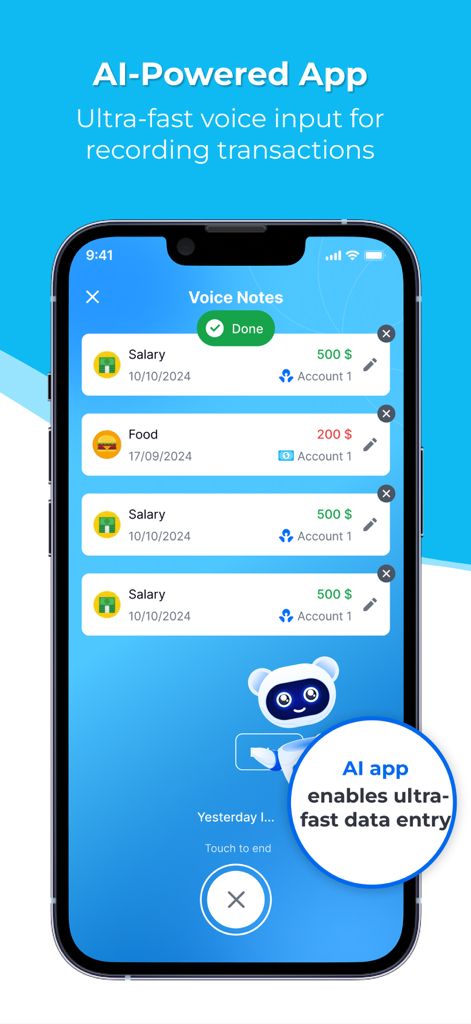
Spending Tracker app interface demonstrating AI voice input for fast expense and income recording
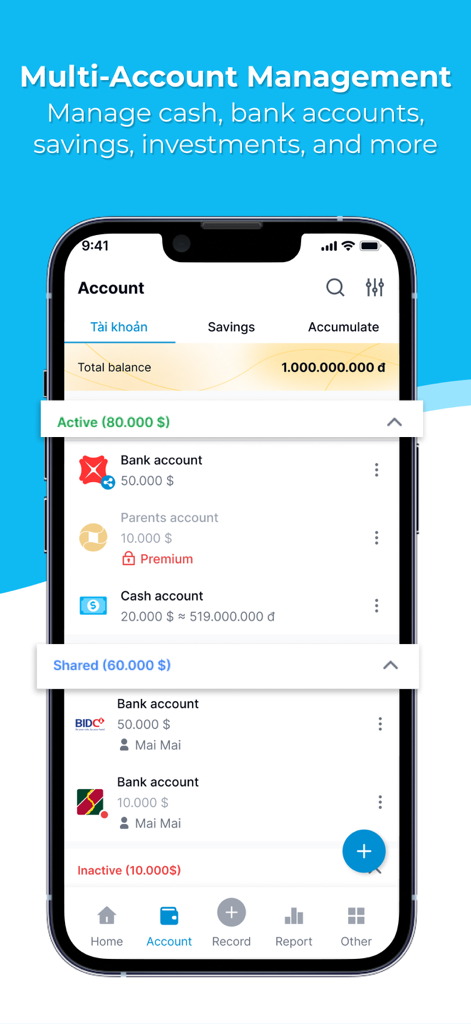
Mobile app screen showing management of multiple bank cash and shared accounts in Spending Tracker
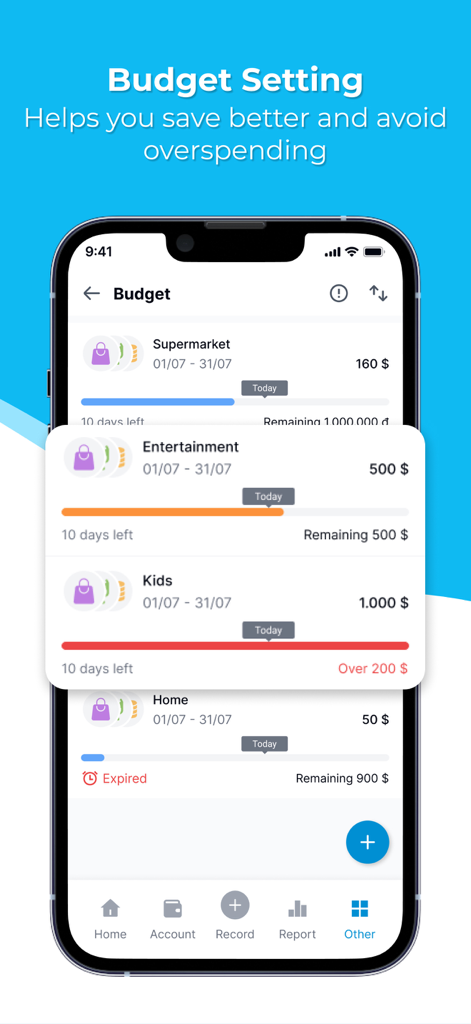
Budget setting screen in the Spending Tracker app showing monthly expense limits and category progress bars
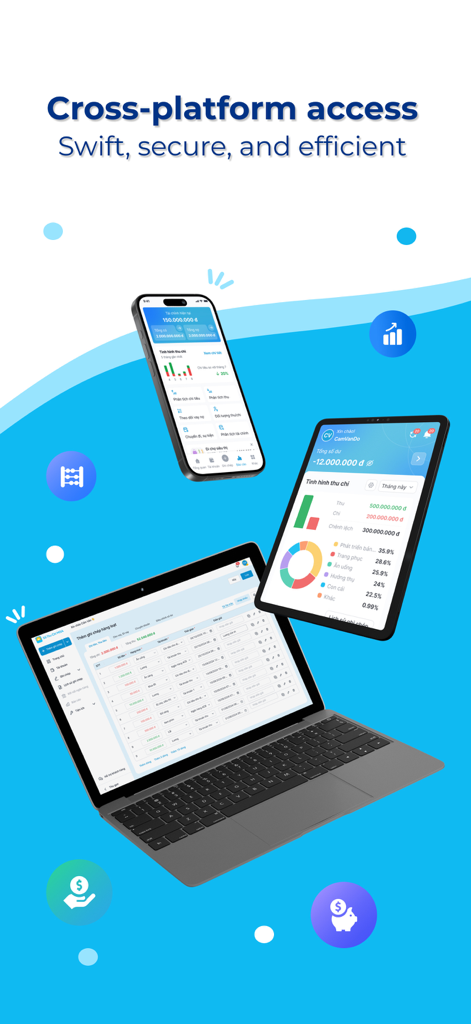
Money Manager app interface displayed on a smartphone tablet and laptop showing cross platform financial data synchronization
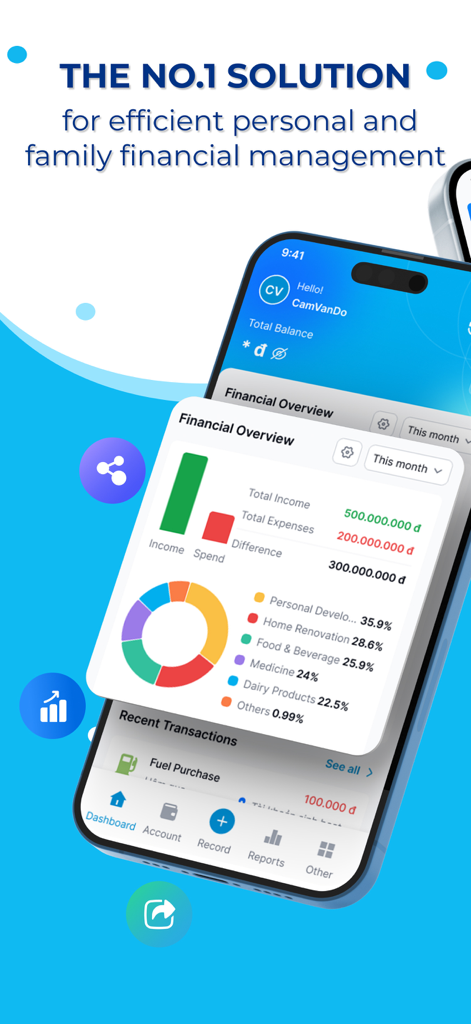
Financial overview dashboard in the Spending Tracker app showing income and expense charts
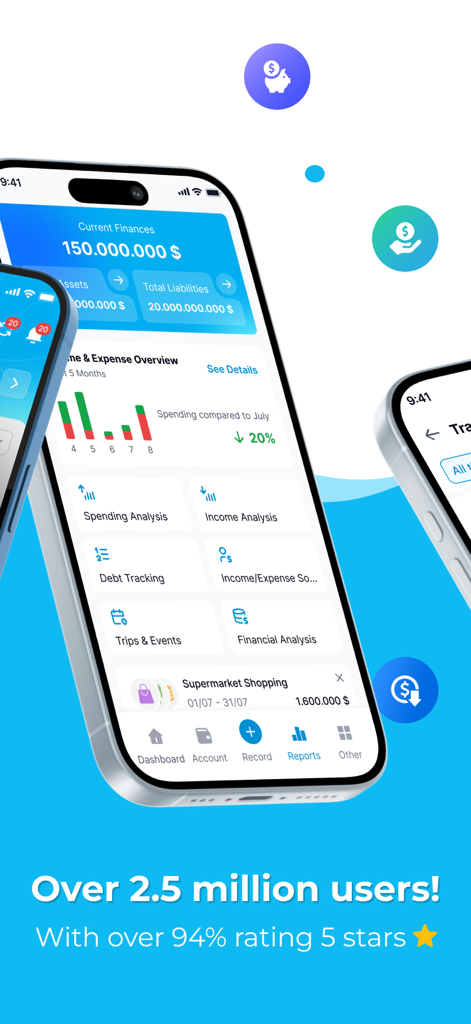
A smartphone showing the Spending Tracker-Money Manager dashboard with financial reports and spending analysis.
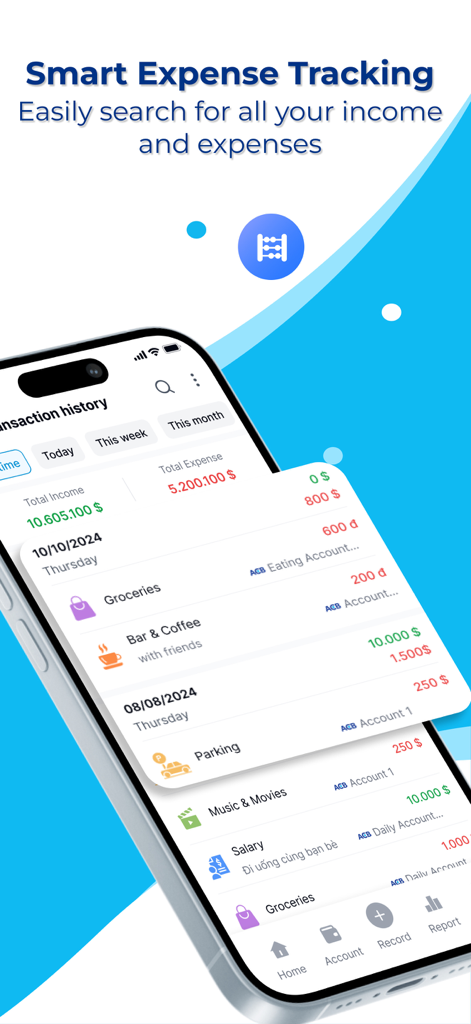
A mobile app interface showing a detailed transaction history with categorized income and expenses.
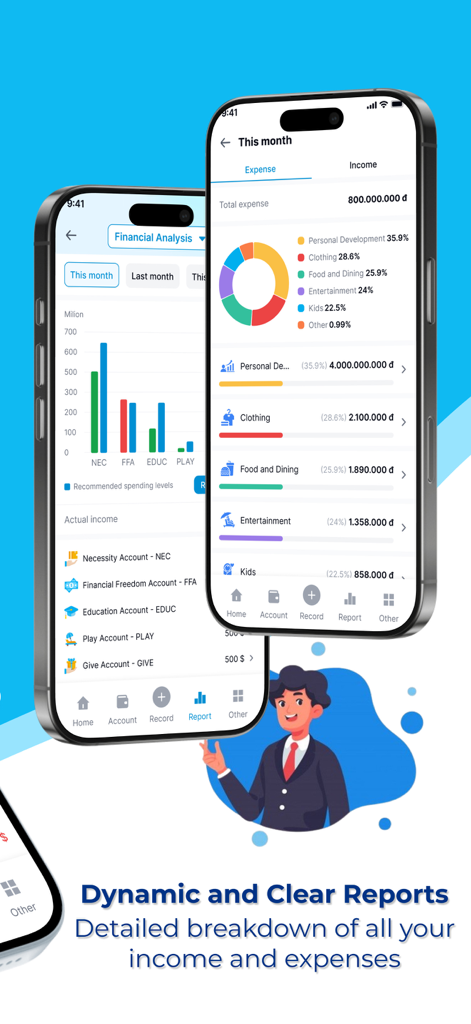
A mobile app screen showing a detailed financial breakdown with colorful charts and expense categories
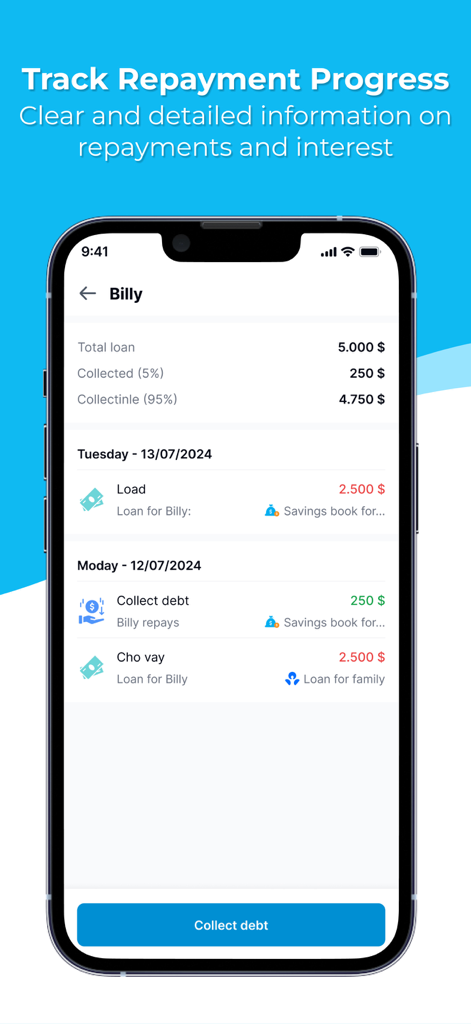
Smartphone screen showing detailed loan repayment progress and debt collection tracking for an individual
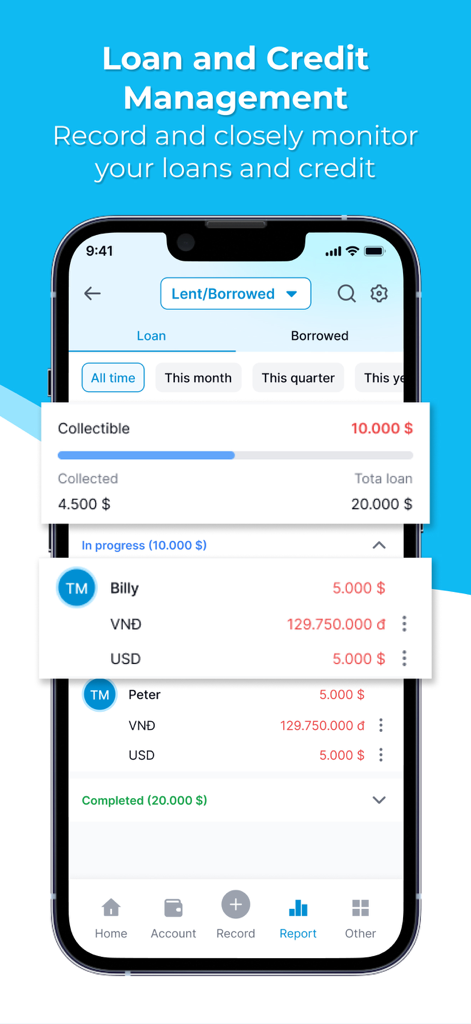
Mobile app screen showing loan and credit management for tracking lent and borrowed money
Description
Download
More Like This
Apps with similar features and user experience

随手记-记账就用随手记
Shenzhen Mingshu Information Co., Ltd.

Money Tracker:Expense & Budget
奎 郑

Budget App & Expense Tracker
Bookipi Pty Ltd

My Spending
Luke Zammit

Quicken Simplifi: Budget Smart
Quicken Inc.

Account Book - Money Manager
BIZCE TEKNOLOJI VE BILISIM A S

Fin - Budget Tracker
Thomas Brandstaetter e.U.

Finance OK - finance tracker
Mobion OOO

MoneyBe
Dmytro Obertynskyi
This page is not an official page of the app or its developer, but an independent editorial publication created for informational and commentary purposes. Unless expressly stated otherwise, neither the app nor its developer is affiliated with, endorsed by, sponsored by, authorized by, or otherwise officially connected with MWM, Apple, Google Play, the app publisher, or the app's developer, and nothing on this page implies that the app was developed using MWM's services. Any trademarks, logos, screenshots, and other content remain the property of their respective owners.