Spinfire Pro 2
Spinfire Pro 2
Download on App Store

This page is not an official page of the app or its developer, but an independent editorial publication created for informational and commentary purposes. Unless expressly stated otherwise, neither the app nor its developer is affiliated with, endorsed by, sponsored by, authorized by, or otherwise officially connected with MWM, Apple, Google Play, the app publisher, or the app's developer, and nothing on this page implies that the app was developed using MWM's services. Any trademarks, logos, screenshots, and other content remain the property of their respective owners.


Logo of Spinfire Pro 2
Download on App Store

Spinfire Pro 2

Elevate your Tennis, Pickleball, and Padel training with custom AI drills, precision aiming, and seamless control from your iPhone or Apple Watch.

Key Figures

Downloads

0

User Rating

1.0/5

Total Ratings

0

Publisher

The trustee for The Fry Developments Trust

Category

Sports

Locales

1

Latest Version

1.2.2 (45)

Size

54.5 MB

First Released

Nov 20, 2024
Features

Elevate Your Game with Smart Precision

The ultimate command center for your Spinfire Pro 2. Experience professional-grade training with AI-driven drills and seamless remote control designed for performance optimizers.

AI Drill Creator

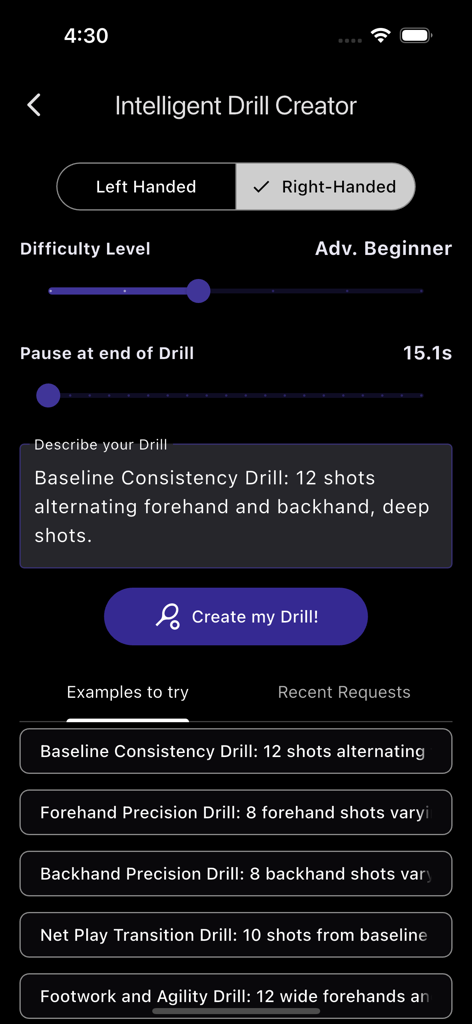
Instantly generate elite practice sessions tailored to your skill level. Tell the AI what you want to improve, and let it handle the programming.

Surgical Shot Accuracy

Take total command of speed, spin, and trajectory. Fine-tune every delivery to replicate real match conditions with pinpoint precision.

The following screenshots and description are sourced directly from the app's official store listing and are the property of the app developer.

App Store

Screenshots
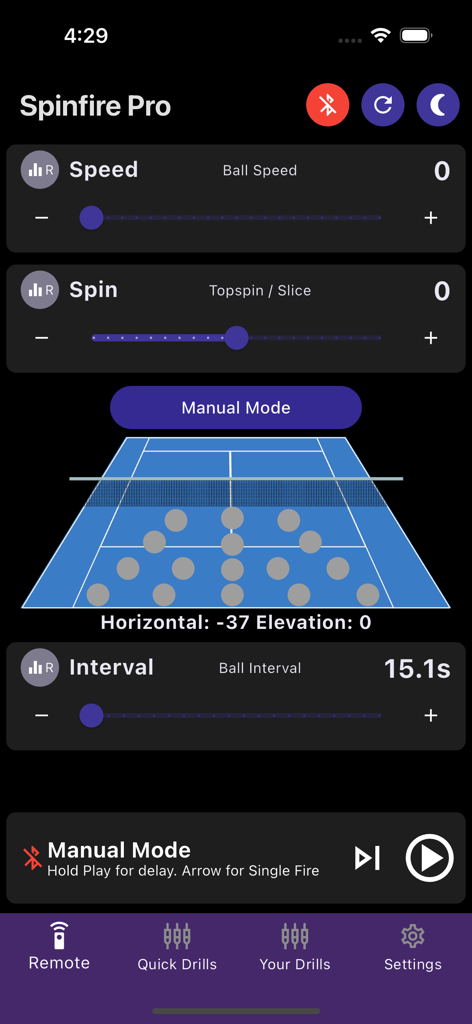
Spinfire Pro 2 - Manual remote control screen of the Spinfire Pro 2 app showing sliders for ball speed spin and interval with a tennis court diagram
Manual remote control screen of the Spinfire Pro 2 app showing sliders for ball speed spin and interval with a tennis court diagram

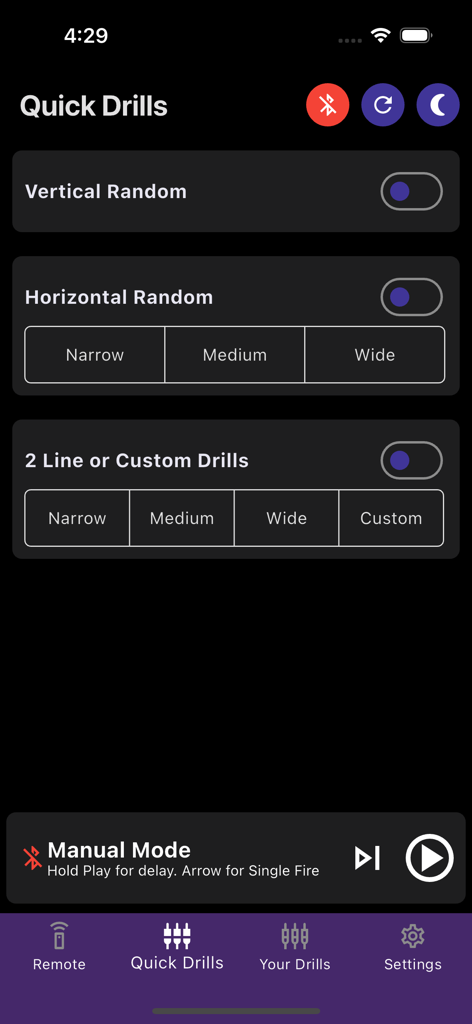
Spinfire Pro 2 - Spinfire Pro 2 app Quick Drills screen showing settings for vertical and horizontal random ball delivery patterns
Spinfire Pro 2 app Quick Drills screen showing settings for vertical and horizontal random ball delivery patterns

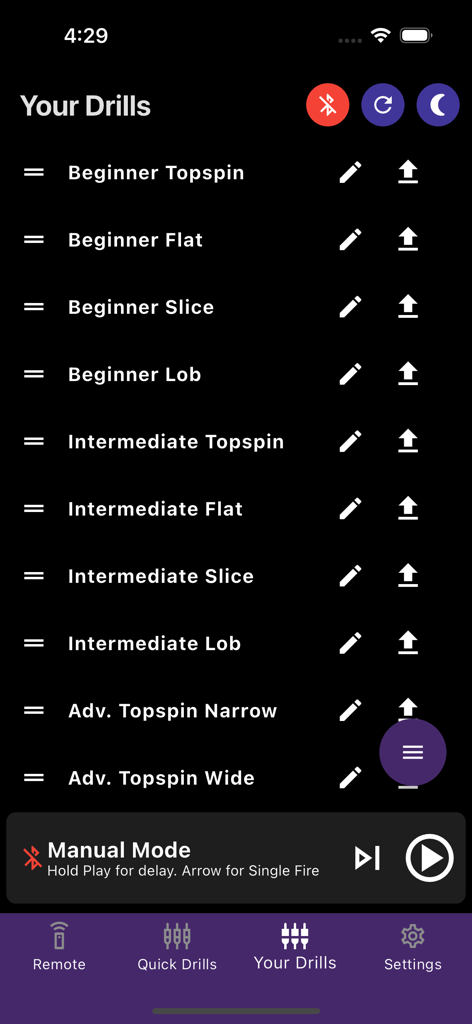
Spinfire Pro 2 - List of saved tennis and pickleball drills categorized by skill level in the Spinfire Pro 2 app interface
List of saved tennis and pickleball drills categorized by skill level in the Spinfire Pro 2 app interface

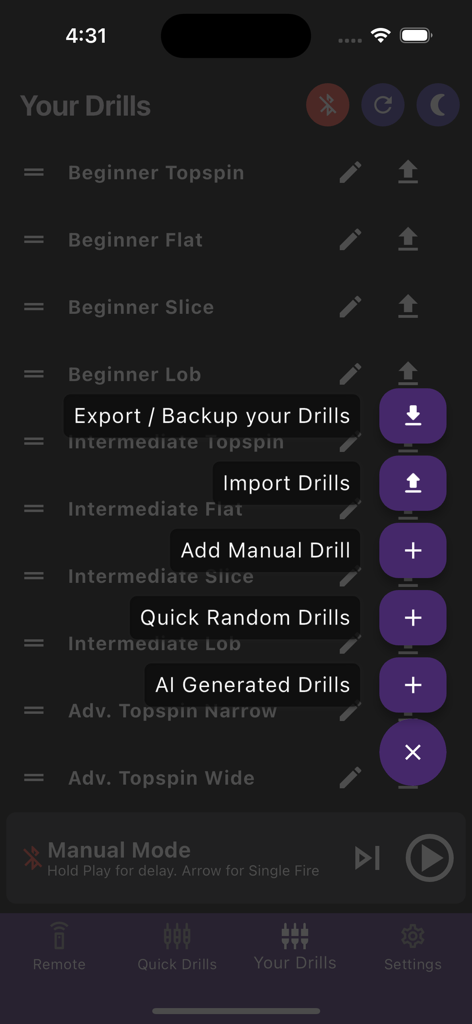
Spinfire Pro 2 - Interface of the Spinfire Pro 2 app showing drill management options like AI generated drills and manual drill creation
Interface of the Spinfire Pro 2 app showing drill management options like AI generated drills and manual drill creation

Spinfire Pro 2 - Intelligent Drill Creator screen in the Spinfire Pro 2 app for personalized tennis training
Intelligent Drill Creator screen in the Spinfire Pro 2 app for personalized tennis training

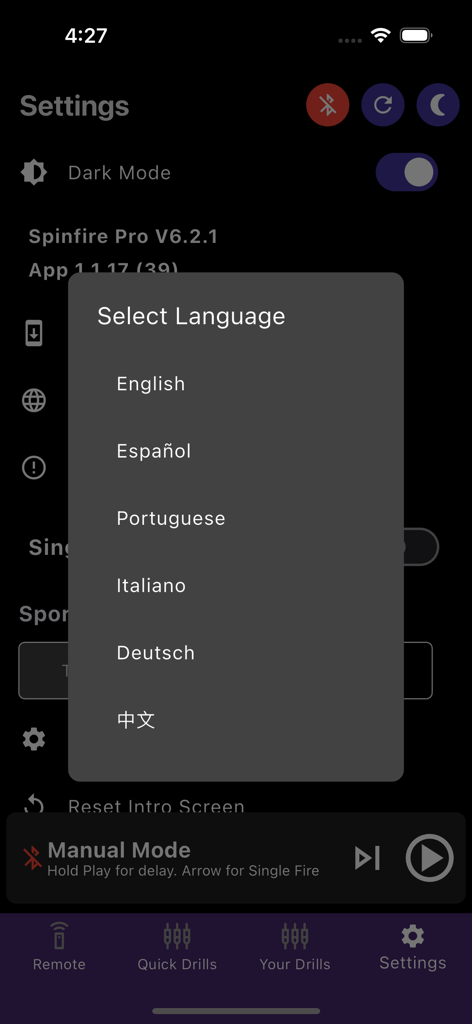
Spinfire Pro 2 - Language selection menu in the Spinfire Pro 2 app settings showing options for English, Spanish, Portuguese, Italian, German, and Chinese.

Language selection menu in the Spinfire Pro 2 app settings showing options for English, Spanish, Portuguese, Italian, German, and Chinese.

Description

Introducing the Ultimate Tennis Training Machine App Take your tennis training to the next level with our state-of-the-art tennis training machine app, designed to cater to players of all skill levels. Engineered for precision, performance, and ease of use, this app will transform the way you train, offering unparalleled practice sessions. One App, Multiple Sports: Spinfire Pro 2 Tennis & Padel Machines: Our machine and app has support for Tennis, Padel & Lacrosse. Spinfire Pro 2 Pickleball Machine: Our same app allows for customised shot placement and drills Pickleball. Key Features: - AI Drill Creator: Choose your skill level, tell it the types of shots you want to practice and how many ball and it will automatically create your customised Drill. We include numerous examples to get you going. - Precision Aiming: When paired with Spinfire Touch balls, achieve consistent accuracy with our high-tech ball delivery mechanism, ensuring the perfect shot placement every time. - Fine Tuning: Our bulk modifier allows you to modify all or some existing shots for all variables: Speed, Spin, Elevation, Width, Flip delivery side, Interval and more depending on Wind conditions or Ball types of the day. - Adjustable Angles: Customise the trajectory and angles, simulating real match conditions for full single court widths to elevations from 0 to 60 degrees for perfect Lobs or Volleys Multiple Modes for All Skill Levels Beginner Mode: Get started quickly with our court map selection and easy-to-use settings perfect for novice players. Intermediate Mode: Great for those who have played for a while and trying to level up specific techniques or shots. Advanced Mode: Unlock more sophisticated features designed for higher-level players and coaches for perfect ball placement. Versatile Training Programs Customisable Drills: Create and save custom drills tailored to your specific needs, from basic practice routines to advanced training programs with up to 30 shots per drill. Bulk Modifications: Adjust speed, spin, elevation, interval, and width for all or selected shots, and flip sides from forehand to backhand effortlessly. Quick Drills: Choose from vertical delivery locations, horizontal random delivery at three widths, and 2-line drills at three different widths. Individual Shot Control Test Shots: Individually test each shot to ensure perfect delivery. Shot Management: Easily remove or duplicate shots within a drill. Single Fire Mode: Ideal for coaching, send a single shot and pause for feedback. Timer Mode: Start play in 10, 20, 30, or 40 seconds to prepare before a drill starts. Enhanced Convenience Randomisation: Randomise speed, spin, and interval for varied training. Manual Remote Mode: Quickly choose a single position on the court or make finer adjustments with auto-calculation based on speed and spin. Over-the-Air Updates Continuous Improvement: With our dedicated internal development team, receive frequent updates and long-term support for both the machine and software. User-Friendly Interface Intuitive Controls: Effortlessly adjust settings with a user-friendly interface, making it simple to fine-tune your training sessions. Remote Operation: Control the machine remotely, allowing for seamless adjustments during practice without interrupting your flow. Multi-Language Support Language Options: Available in English, Spanish, German, and Chinese, with more languages coming soon. Dark/Light Modes: Choose between dark or light modes for optimal visibility. Why Choose Our Tennis Training Machine App? Enhance Your Skills: Whether you're a beginner or a seasoned pro, our app helps you improve your skills faster and more efficiently. Professional-Grade Training: Train like the pros with an app trusted by coaches and players worldwide. Unmatched Convenience: Enjoy the flexibility of practising whenever and wherever you want, without the need for a practice partner.

Download

Download on App Store

This page is not an official page of the app or its developer, but an independent editorial publication created for informational and commentary purposes. Unless expressly stated otherwise, neither the app nor its developer is affiliated with, endorsed by, sponsored by, authorized by, or otherwise officially connected with MWM, Apple, Google Play, the app publisher, or the app's developer, and nothing on this page implies that the app was developed using MWM's services. Any trademarks, logos, screenshots, and other content remain the property of their respective owners.