
SQCOM.


Protect your home, family, and deliveries with real-time HD monitoring. Get intelligent motion alerts, secure cloud storage, and instant remote access—all designed for the modern DIY homeowner.
Publisher
Category
Photo & VideoDownloads
80K+User Rating
Total Ratings
200Locales
16Discover the interface used by 80K+ users.

The tools that make this app stand out, trusted by 80K+ users.
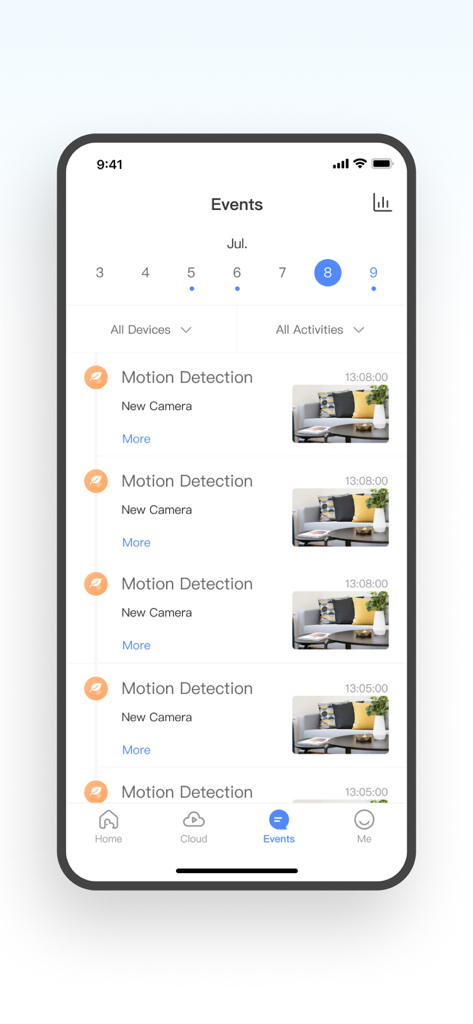
Stop porch pirates with instant motion detection alerts. Get notified the second a package arrives or if someone steps onto your property.
Stay connected with your furry friends throughout the day using real-time HD preview, ensuring they are safe and happy while you are at work.
Review what matters with a secure 7-day event recording cycle. Access historical footage anytime without the need for complex hardware setups.
Everything you need to know about SQCOM..
Description
Latest Version
1.1.3
Size
222.3 MB
First Released
Apr 24, 2024
Join over 80,000 users who trust SQCOM for reliable, real-time security and total peace of mind for their home and family.
Everything you need to know about SQCOM.
SQCOM is a powerful security monitoring application providing comprehensive protection for homes, offices, and other places. It offers remote monitoring, intelligent detection, cloud storage, and remote control capabilities.
The SQCOM app offers remote monitoring, intelligent detection, cloud storage, and remote control. It also supports real-time HD preview, playback, and motion detection for security surveillance.
Yes, the SQCOM app supports motion detection. Users can check for abnormalities and dynamics within the monitoring range and view event records through the app's interface.
Yes, the SQCOM app allows users to view historical videos. It provides a comprehensive security monitoring service to check past events and dynamics within the surveillance area.
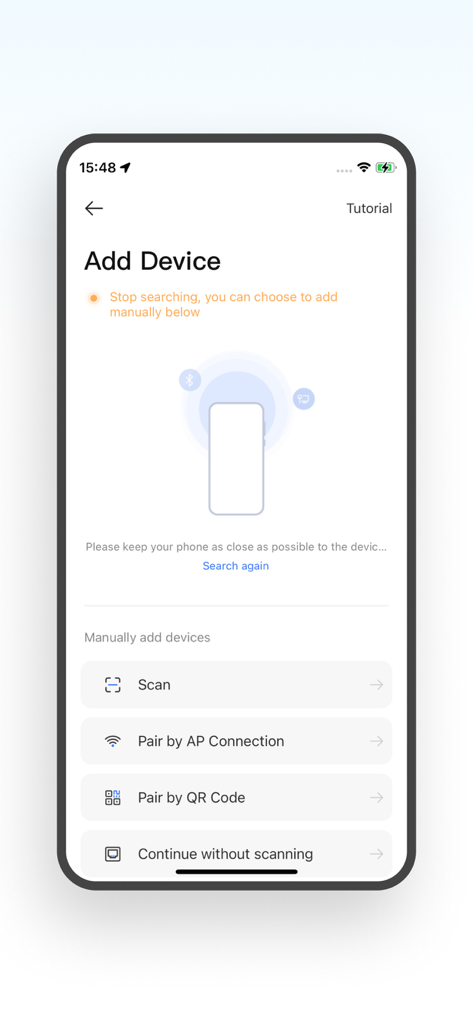
Users can add devices to SQCOM by scanning, pairing via AP connection, pairing by QR code, or continuing without scanning. These options are available on the "Add Device" screen.
Yes, SQCOM offers a monthly subscription service for 7-day event recording. This service is paid through an iTunes account and automatically renews unless manually canceled.
To cancel an SQCOM subscription, access Apple phone "Settings" > "iTunes Store and App Store" > "Apple ID" > "View Apple ID" > "Account Settings" > "Subscriptions" to manage automatic renewal.
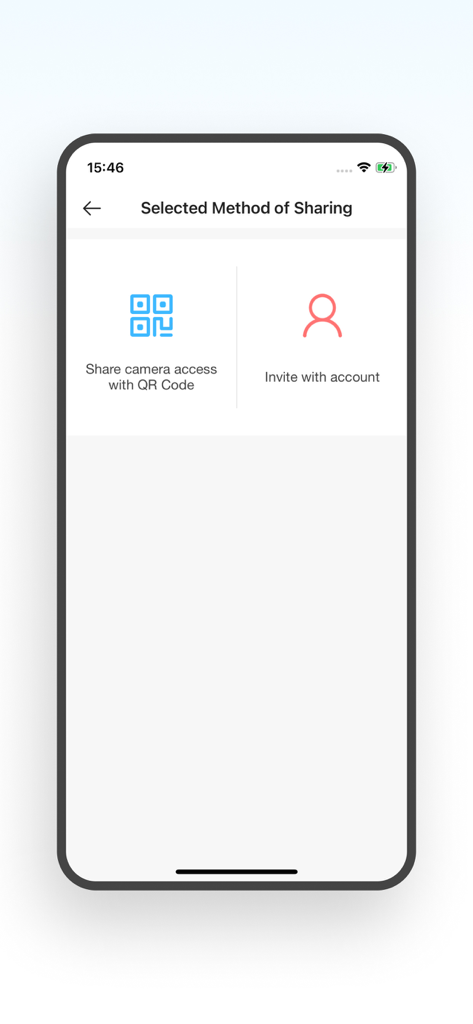
Yes, SQCOM allows sharing camera access. Users can share access using a QR Code or by inviting others with an account, as displayed on the "Selected Method of Sharing" screen.
SQCOM provides a Service Agreement, Cloud Service Description, and a Privacy Policy Agreement. These documents outline the terms of service, cloud usage, and data privacy policies.
Apps with similar features and user experience

Hangzhou Dong Bin Information Technology Co., Ltd.

Shenzhen Jooan Technology Company

PHOTON SAIL TECHNOLOGIES PTE. LTD.

洪波 王

SimpliSafe, Inc.

JFL Equipamentos Eletronicos Industria e Comercio Ltda.

Shenzhen Weixi Technology Co., Ltd

Bot Home Automation, INC

Hangzhou Hikvision Digital Technology Co., Ltd.
App information, icons, screenshots, and descriptions displayed on this page are sourced from the Apple App Store and are the property of their respective developers. Download estimates and rankings are based on MWM's proprietary models and may not reflect actual figures. This page is provided for informational and analytical purposes only.
Believe this page infringes your intellectual property? File a dispute