
This page is not an official page of the app or its developer, but an independent editorial publication created for informational and commentary purposes. Unless expressly stated otherwise, neither the app nor its developer is affiliated with, endorsed by, sponsored by, authorized by, or otherwise officially connected with MWM, Apple, Google Play, the app publisher, or the app's developer, and nothing on this page implies that the app was developed using MWM's services. Any trademarks, logos, screenshots, and other content remain the property of their respective owners.


Sta.Navi
Master the labyrinth with 3D indoor positioning, real-time locker availability, and comfortable barrier-free routes tailored for the modern traveler.
Downloads
380K+User Rating
Total Ratings
200Publisher
Category
NavigationLocales
2Latest Version
3.0.0Size
28.6 MBFirst Released
May 31, 2020Master Japan’s Transit Hubs
Navigate the world’s most complex stations with confidence using high-precision indoor mapping and real-time data designed for the modern traveler.
Lose the 'Signal Lost' Stress
Navigate multi-level underground stations where traditional GPS fails. Our high-accuracy indoor positioning keeps your location pinpointed in real-time.
Instant Locker & Facility Access
Traveling with heavy bags? Check live availability for coin lockers and restrooms before you arrive, ensuring a seamless transition from train to city.
Frequently Asked Questions
Everything you need to know about Sta.Navi
How does Sta.Navi help users find shops and facilities?
Sta.Navi displays shops and facilities on layered 2D and 3D maps. Users can search by keyword or category, with results ordered by proximity, even indoors.
Does Sta.Navi offer indoor navigation?
Yes, Sta.Navi provides indoor positioning, determining your location even where GPS signals are unavailable. Search results are displayed by proximity.
Can I check routes before arriving at a location using Sta.Navi?
Yes, Sta.Navi allows you to specify departure and destination points on the map to pre-check movement routes within an area, even when not on-site.
What real-time information does Sta.Navi provide?
Sta.Navi provides real-time availability information for selected shops, coin lockers, and restrooms. It collaborates with facility managers for updates.
Does Sta.Navi support navigation for wheelchair users?
Yes, Sta.Navi displays barrier-free routes with elevators and ramps, designed for wheelchair users, stroller users, and those with suitcases.
What kind of advanced navigation features does Sta.Navi offer?
Sta.Navi offers advanced 3D map navigation, including walkthrough navigation, AR navigation, and VR features to check movement routes.
Can Sta.Navi help me find deals and events?
Yes, Sta.Navi provides information on deals and events through banner ads, pop-up ads, and map bubble ads. It also offers notifications for coupons.
Does Sta.Navi offer multilingual support?
Yes, Sta.Navi supports multiple languages. It provides navigation and information in Japanese, English, Traditional Chinese, Simplified Chinese, and Korean.
Does Sta.Navi include disaster information?
Yes, Sta.Navi includes evacuation facilities and disaster information. It provides details on evacuation sites, routes, and emergency contacts to support user safety.
Can I save my favorite spots in Sta.Navi?
Yes, Sta.Navi allows you to register your favorite shops or locations as "My Spots". This includes places like coin lockers or meeting points for personalized navigation.
The following screenshots and description are sourced directly from the app's official store listing and are the property of the app developer.
App Store
Screenshots
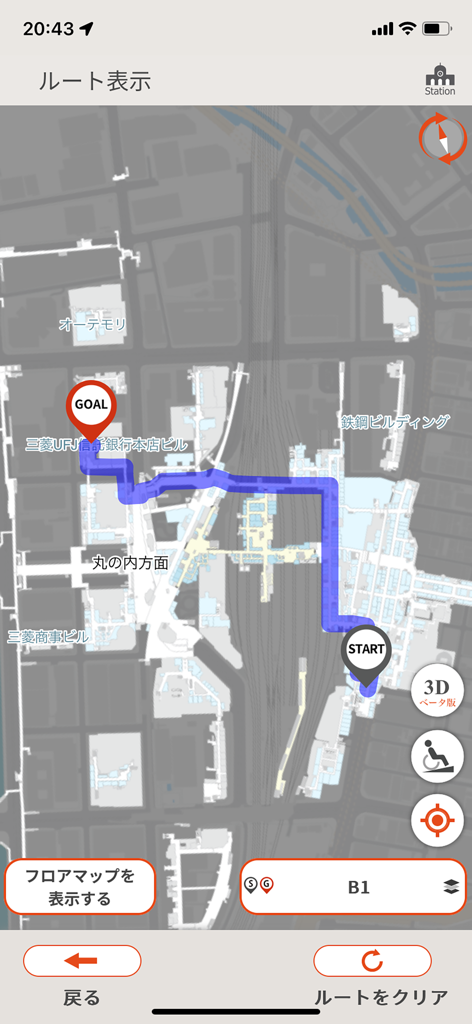
Indoor navigation route showing the path between start and goal points inside a station on floor B1
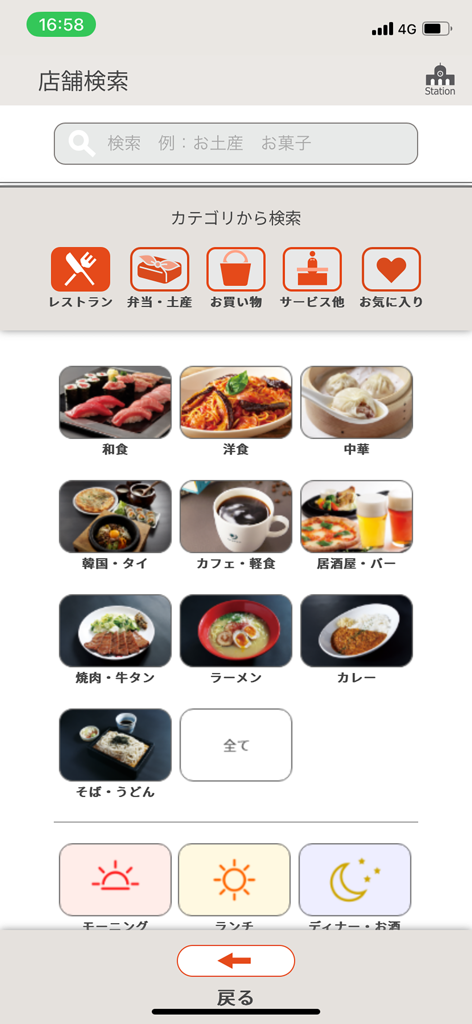
Screenshot of Sta.Navi app showing a menu for searching restaurants and shops within a Japanese train station by food category and time of day.
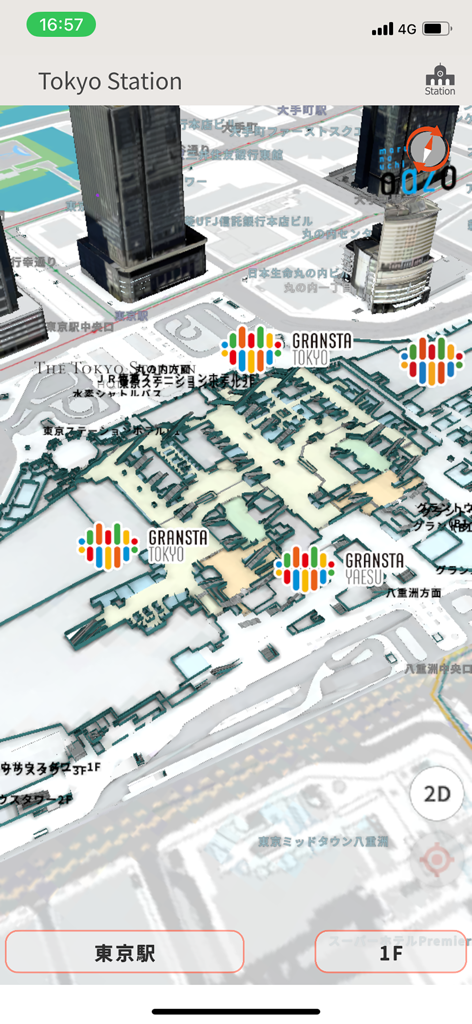
3D navigation map of Tokyo Station in the Sta Navi app
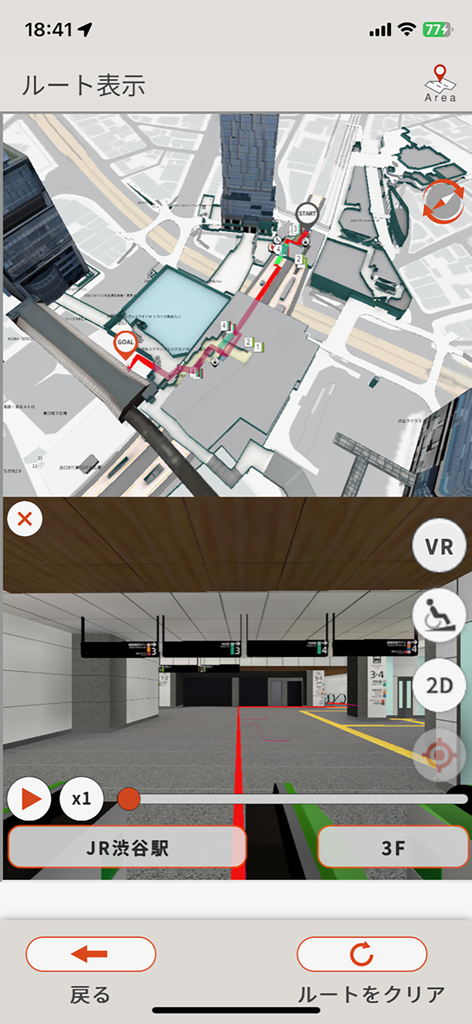
Sta.Navi app interface showing a 3D overhead map and a first person VR walkthrough of a route inside JR Shibuya Station
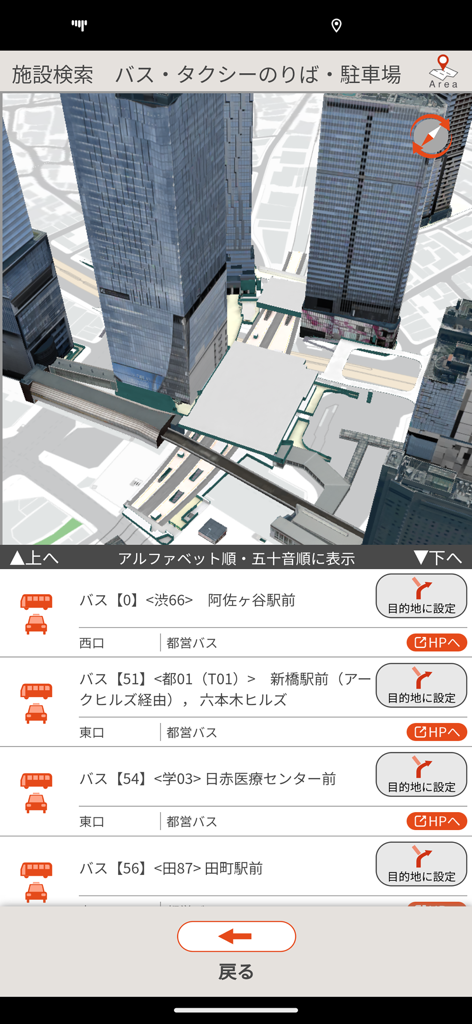
A 3D city map and bus route listings within the Sta Navi navigation app interface.
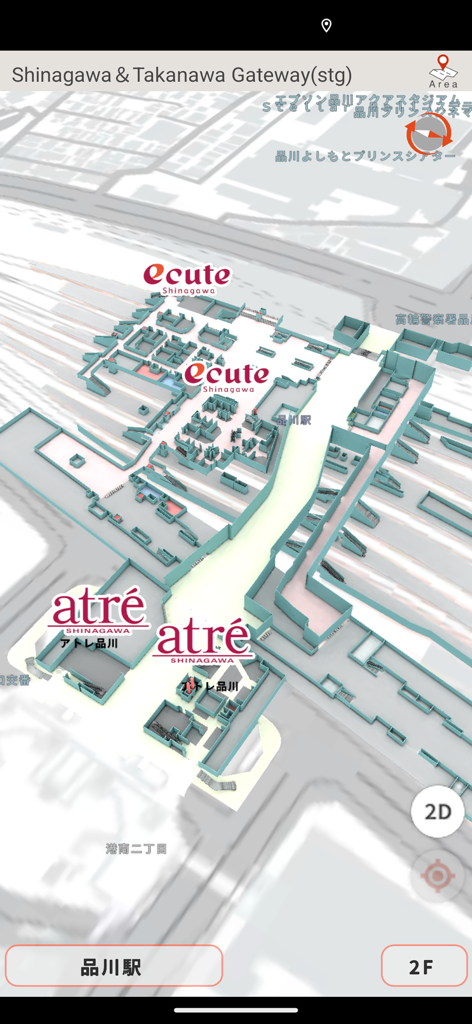
A 3D indoor map of Shinagawa Station displaying retail stores and station layouts
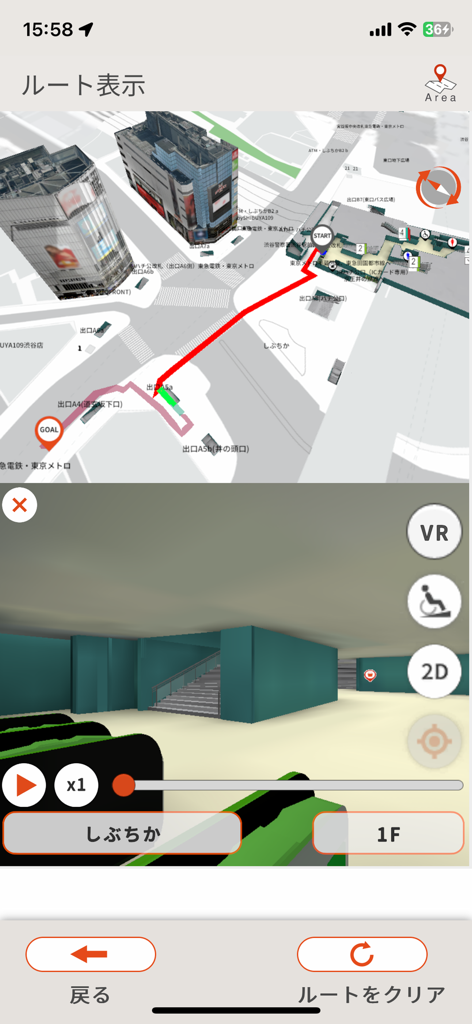
Split screen showing 3D station map and indoor walkthrough navigation.
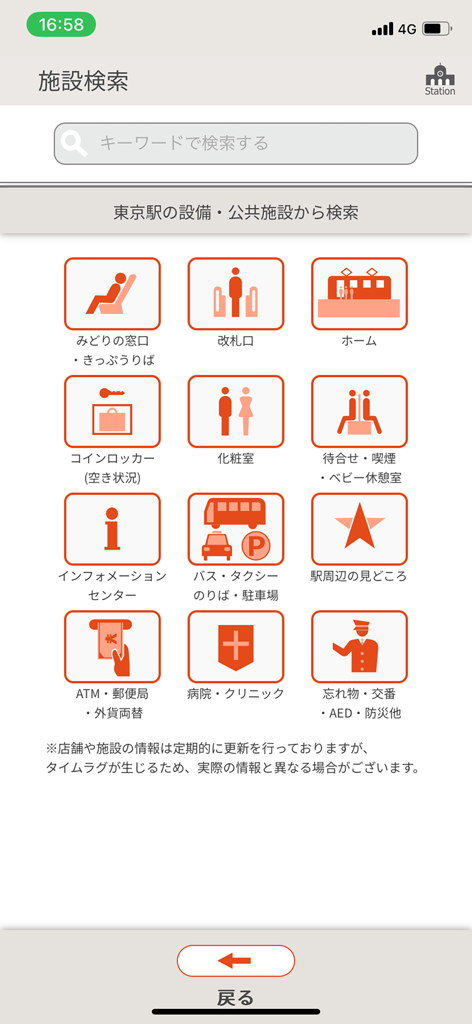
Sta Navi app facility search menu with icons for station amenities like lockers and restrooms
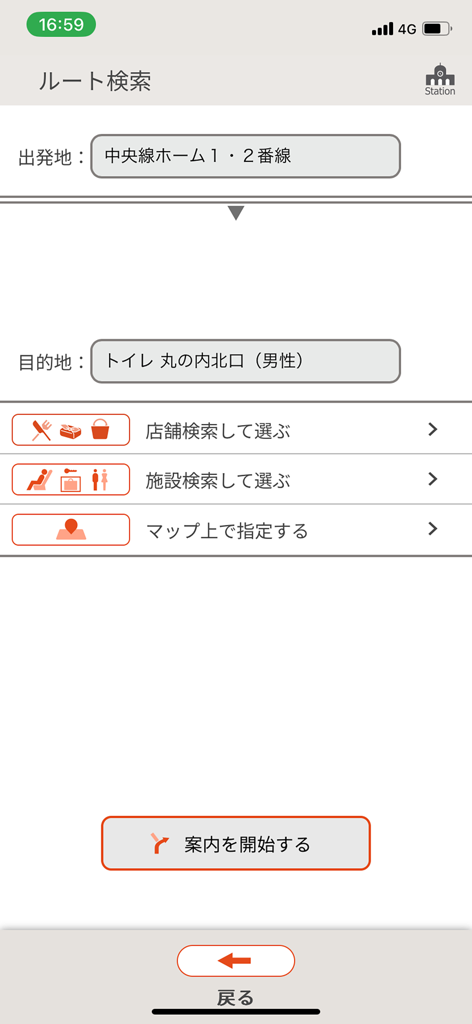
Sta.Navi app route search interface for navigating Japanese train stations
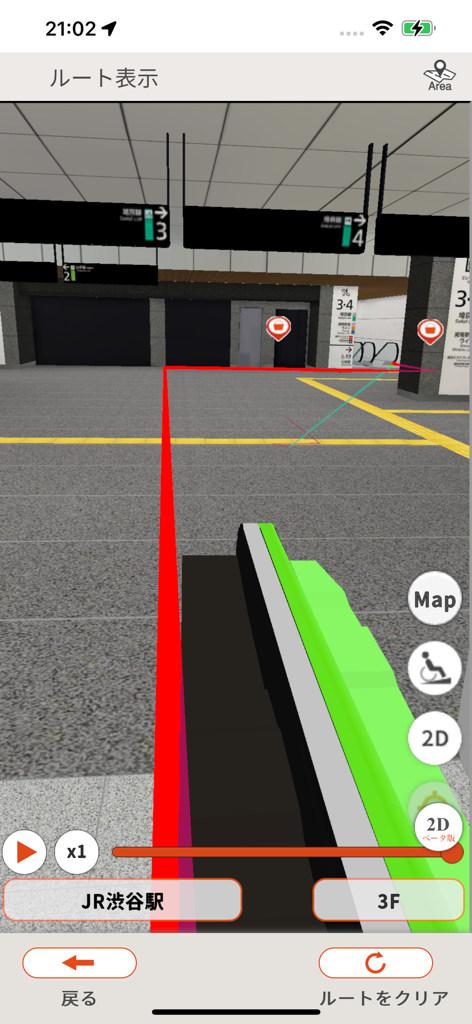
3D indoor navigation of JR Shibuya Station in the Sta.Navi app showing a red route line
Description
Download
More Like This
Apps with similar features and user experience

Universal Orlando Resort
NBCUniversal Media, LLC

Universal Studios Hollywood™
NBCUniversal Media, LLC

Great Wolf Lodge
Great Wolf Resorts Holdings, Inc.

SeaWorld
SeaWorld Parks & Entertainment Inc.

Village Roadshow Theme Parks
Village Roadshow Theme Parks Pty Ltd

Busch Gardens
SeaWorld Parks & Entertainment Inc.

Mandai Wildlife Reserve
Singapore Zoological Gardens

San Diego Zoo - Travel Guide
San Diego Zoo

Efteling
De Efteling B.V.
This page is not an official page of the app or its developer, but an independent editorial publication created for informational and commentary purposes. Unless expressly stated otherwise, neither the app nor its developer is affiliated with, endorsed by, sponsored by, authorized by, or otherwise officially connected with MWM, Apple, Google Play, the app publisher, or the app's developer, and nothing on this page implies that the app was developed using MWM's services. Any trademarks, logos, screenshots, and other content remain the property of their respective owners.