
This page is not an official page of the app or its developer, but an independent editorial publication created for informational and commentary purposes. Unless expressly stated otherwise, neither the app nor its developer is affiliated with, endorsed by, sponsored by, authorized by, or otherwise officially connected with MWM, Apple, Google Play, the app publisher, or the app's developer, and nothing on this page implies that the app was developed using MWM's services. Any trademarks, logos, screenshots, and other content remain the property of their respective owners.

Stacking: For Runners
Transform your Apple Health data into a powerful narrative of your fitness journey. Track long-term trends, analyze heart rate zones, and watch your consistency stack up with a privacy-first experience designed for the intentional athlete.
Downloads
0User Rating
Total Ratings
0Publisher
Category
Health & FitnessLocales
1Latest Version
1.5.0Size
3.7 MBFirst Released
Aug 13, 2025Master Your Momentum
Transform years of raw Apple Health data into beautiful, actionable insights. See the long-term progress that daily fitness apps miss.
Multi-Year Trend Analysis
Uncover deep patterns in your VO2 Max, HRV, and cardio recovery with elegant three-year trend visualizations.
Visual Consistency Grids
Watch your hard work stack up. Map your weekly, monthly, and yearly training volume on high-density activity grids.
The following screenshots and description are sourced directly from the app's official store listing and are the property of the app developer.
App Store
Screenshots
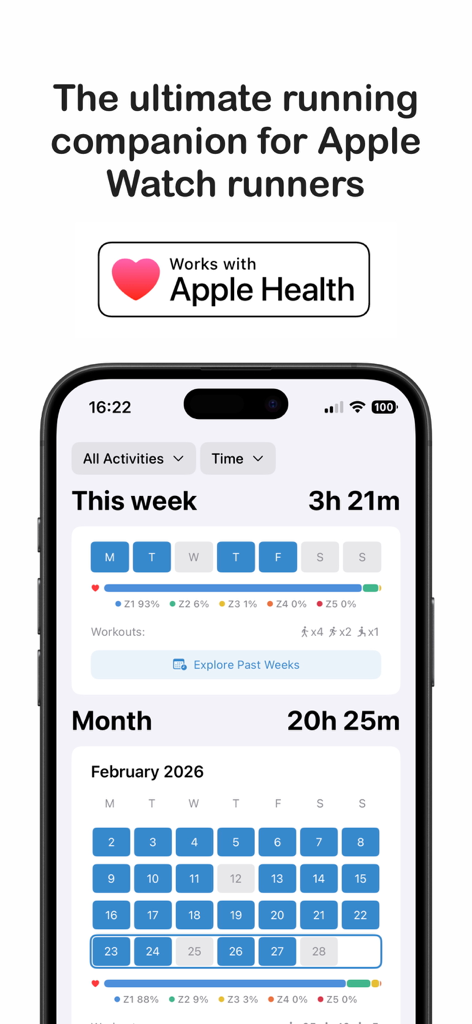
The Stacking For Runners app dashboard displaying weekly and monthly activity visualizations with heart rate zone analysis and Apple Health integration.
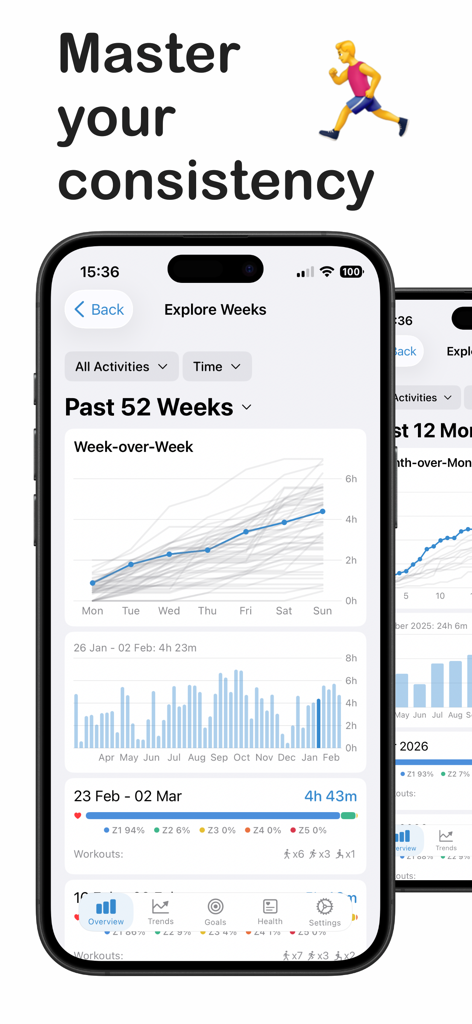
Mobile app interface displaying weekly activity trends heart rate zone analysis and workout consistency charts for runners
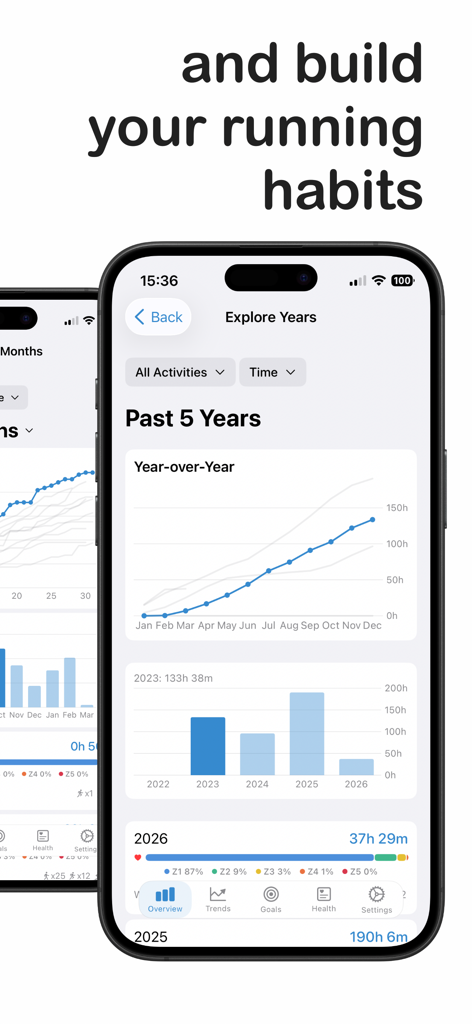
A dashboard in the Stacking app showing five years of running progress with year-over-year charts and activity bars.
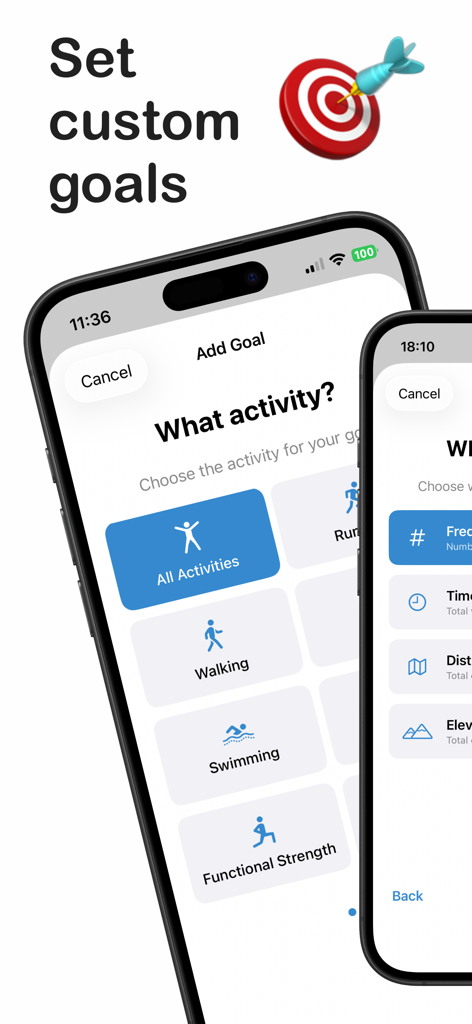
Interface of the Stacking app for setting custom fitness goals across different activities
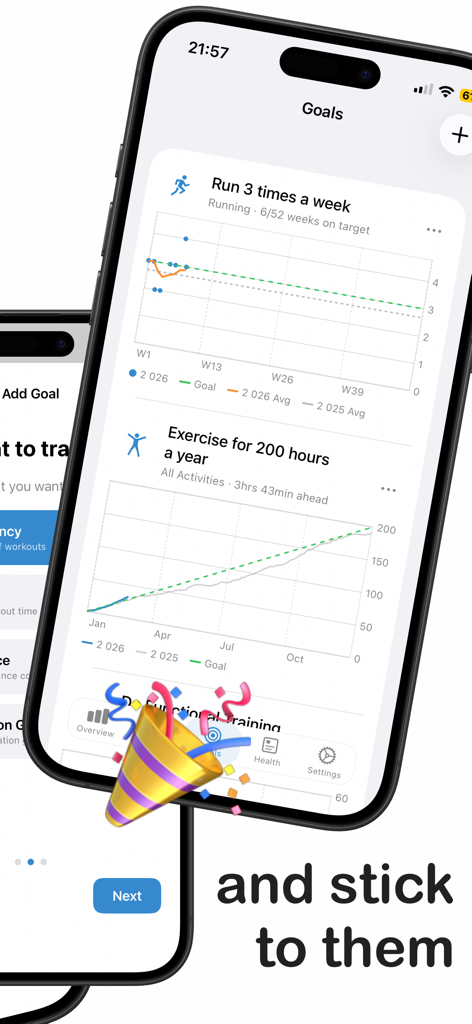
Stacking app goals dashboard with running and exercise progress charts
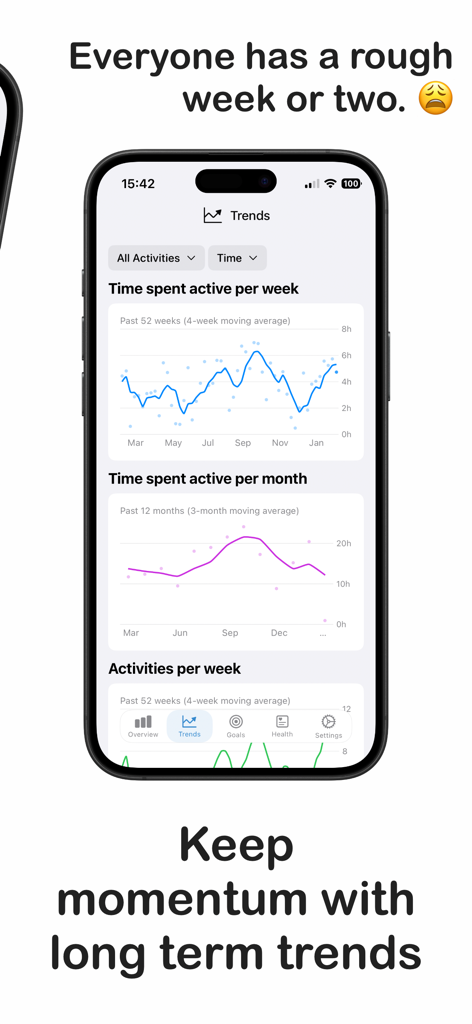
iPhone screen displaying long term activity trends and active time charts in the Stacking app for runners
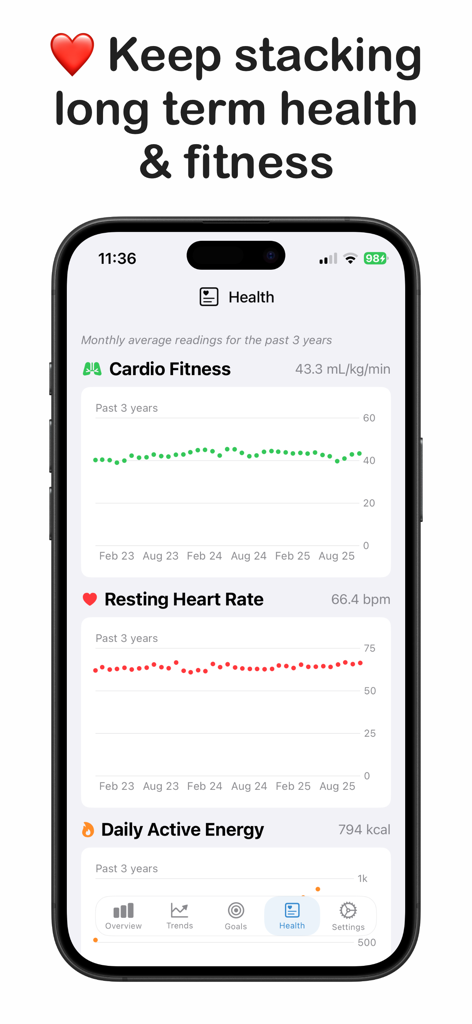
A mobile app interface displaying three year health trends for cardio fitness and resting heart rate
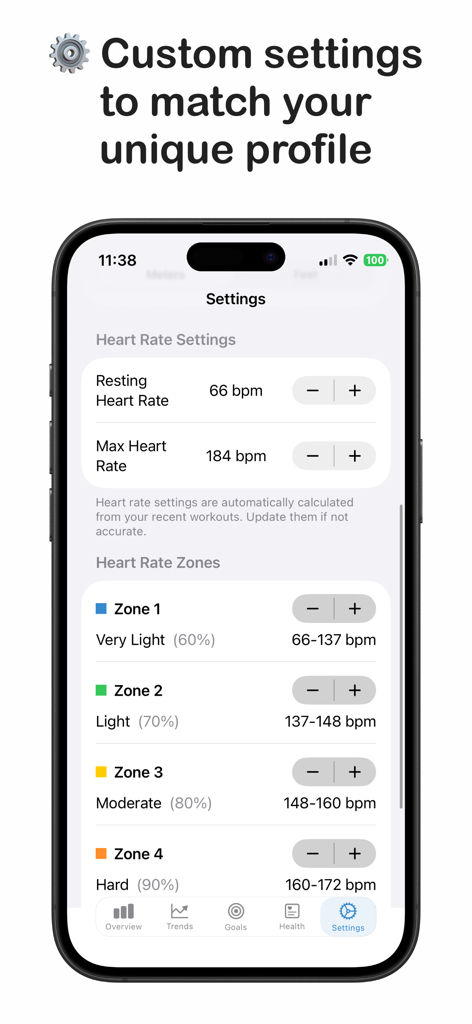
Custom heart rate zones and resting heart rate settings in the Stacking app

A screen from the Stacking app stating that data is 100 percent private with no tracking and stays on the device.
Description
Download
More Like This
Top-ranked apps in the same category

Strava: Run, Bike, Walk
Strava Inc.

Flo Cycle & Period Tracker
FLO HEALTH UK LIMITED

Mi Fitness (Xiaomi Wear Lite)
Beijing Xiaomi Co., Ltd

AI Calorie Tracker by Yazio
YAZIO GmbH

MyFitnessPal: Calorie Counter
MyFitnessPal, Inc.

Yuka - Food & Cosmetic Scanner
Yuca

HUAWEI Health
Huawei Software Technologies Co., Ltd.

Cal AI - Calorie Tracker
Viral Development LLC

美柚 - 经期·备孕·怀孕·育儿&亲友版
Xiamen Meet You Co., Ltd.
This page is not an official page of the app or its developer, but an independent editorial publication created for informational and commentary purposes. Unless expressly stated otherwise, neither the app nor its developer is affiliated with, endorsed by, sponsored by, authorized by, or otherwise officially connected with MWM, Apple, Google Play, the app publisher, or the app's developer, and nothing on this page implies that the app was developed using MWM's services. Any trademarks, logos, screenshots, and other content remain the property of their respective owners.