
This page is not an official page of the app or its developer, but an independent editorial publication created for informational and commentary purposes. Unless expressly stated otherwise, neither the app nor its developer is affiliated with, endorsed by, sponsored by, authorized by, or otherwise officially connected with MWM, Apple, Google Play, the app publisher, or the app's developer, and nothing on this page implies that the app was developed using MWM's services. Any trademarks, logos, screenshots, and other content remain the property of their respective owners.


Stamps for Direct Mail
The essential mobile companion for your Mac email campaigns. Monitor real-time performance, capture new subscribers at events, and stay in full control of your mailings—all from your iPhone or iPad.
Downloads
400User Rating
Total Ratings
0Publisher
Category
BusinessLocales
5Latest Version
2.0.1Size
5.2 MBFirst Released
May 1, 2012Master Your Email Marketing on the Move
The essential iOS companion for Direct Mail for Mac. Stay connected to your audience and monitor your campaign success from anywhere.
Real-Time Performance Tracking
Get the dopamine hit of watching your engagement grow. Access instant reports on opens, clicks, and bounces the moment your campaign goes live.
Professional Lead Capture
Turn your iPad into a high-end sign-up kiosk. Replace paper sheets with a beautiful full-screen form to grow your mailing list at events or in-store.
Frequently Asked Questions
Everything you need to know about Stamps for Direct Mail
What is Stamps for Direct Mail?
Stamps for Direct Mail is a companion app for the Mac's Direct Mail email newsletter app. It allows users to view campaign results, sign up new subscribers, and manage deliveries on the go.
Can I view email campaign reports with Stamps for Direct Mail?
Yes, Stamps for Direct Mail provides easy access to email campaign reports. Users can view metrics like opens, bounces, clicks, and unsubscribes directly from their iOS devices.
How do I sign up new subscribers using Stamps for Direct Mail?
Stamps for Direct Mail allows users to sign up new mailing list subscribers. It features the ability to design and use a beautiful full-screen subscribe form directly from an iPad or iPhone.
What campaign metrics does Stamps for Direct Mail display?
Stamps for Direct Mail displays various campaign metrics. These include opens, bounces, clicks, unsubscribes, complaints, and unopened rates for email campaigns.
Can I manage email deliveries using Stamps for Direct Mail?
Yes, Stamps for Direct Mail allows users to manage email deliveries. It provides the functionality to cancel or reschedule deliveries while on the go.
Does Stamps for Direct Mail synchronize with Direct Mail on Mac?
Yes, Stamps for Direct Mail automatically synchronizes with the Direct Mail application on the user's Mac. This ensures data consistency between devices.
The following screenshots and description are sourced directly from the app's official store listing and are the property of the app developer.
App Store
Screenshots
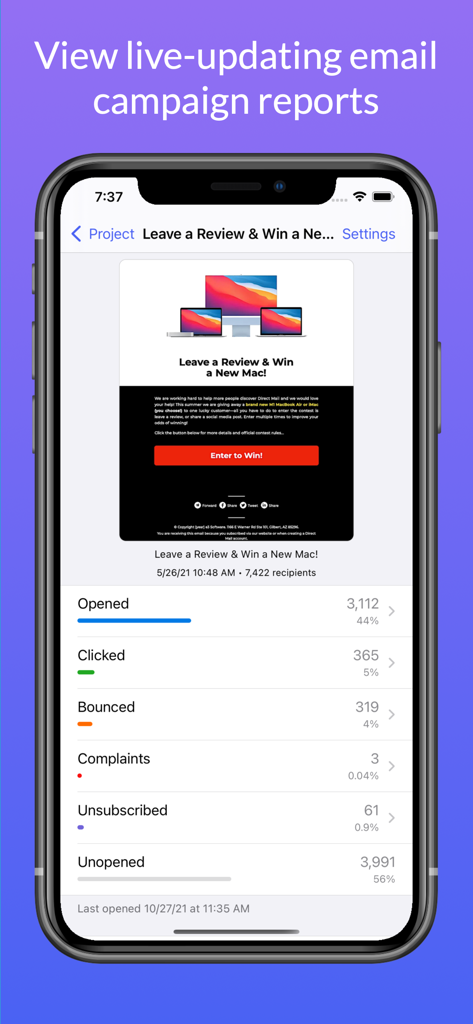
Stamps app interface showing live email campaign analytics with open and click rates on an iPhone
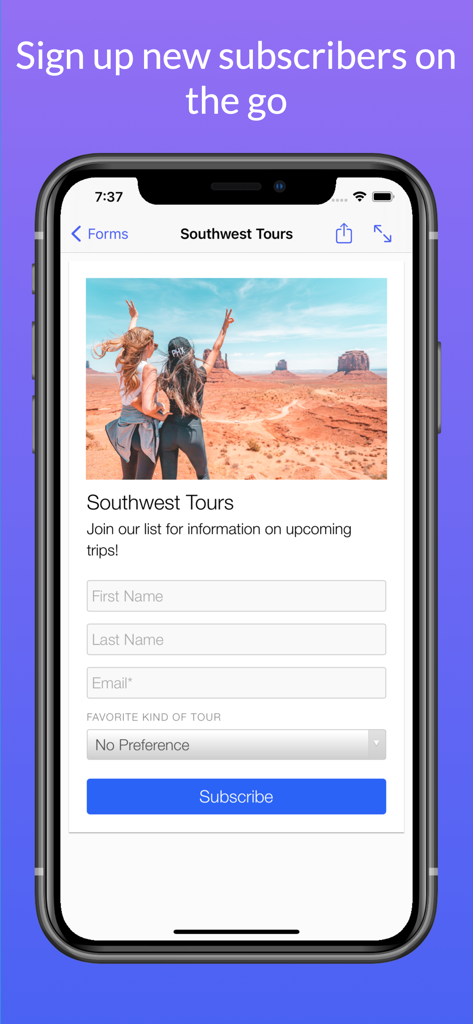
A mobile screen from the Stamps for Direct Mail app showing a customizable newsletter signup form with a travel photo and input fields.
Description
Download
More Like This
Top-ranked apps in the same category

Microsoft Teams
Microsoft Corporation

Zoom Workplace
Zoom Communications, Inc.

WhatsApp Business
WhatsApp Inc.

Indeed Job Search
Indeed Inc.

LinkedIn: Network & Job Finder
LinkedIn Corporation

Adobe Acrobat Reader: Sign PDF
Adobe Inc.

DingDing - Redefine Work in AI
DingTalk Technology Co., Ltd.

WeCom-Work Communication&Tools
Tencent Technology (Shenzhen) Company Limited

BOSS直聘-招聘求职找工作神器
Beijing China Product Bo Farce Network Technology Co., Ltd.
This page is not an official page of the app or its developer, but an independent editorial publication created for informational and commentary purposes. Unless expressly stated otherwise, neither the app nor its developer is affiliated with, endorsed by, sponsored by, authorized by, or otherwise officially connected with MWM, Apple, Google Play, the app publisher, or the app's developer, and nothing on this page implies that the app was developed using MWM's services. Any trademarks, logos, screenshots, and other content remain the property of their respective owners.