
This page is not an official page of the app or its developer, but an independent editorial publication created for informational and commentary purposes. Unless expressly stated otherwise, neither the app nor its developer is affiliated with, endorsed by, sponsored by, authorized by, or otherwise officially connected with MWM, Apple, Google Play, the app publisher, or the app's developer, and nothing on this page implies that the app was developed using MWM's services. Any trademarks, logos, screenshots, and other content remain the property of their respective owners.


Stars Messenger Kids Safe Chat
This app gives parents absolute command over who contacts their kids online.
Downloads
750k+User Rating
Total Ratings
24.0KPublisher
Category
Social NetworkingLocales
4Latest Version
2.0.138Size
142.0 MBFirst Released
Oct 5, 2014Evaluating core functionalities for child safety, parental control, and engaging communication.
Stars Messenger Kids Safe Chat: Feature Analysis
Comprehensive Parental Oversight
This tool features an optional 'Parent View' allowing parents to monitor their child's friend list, groups, and activity in real-time, ensuring digital well-being and peace of mind.
Controlled Connections with Friend Codes
The app utilizes unique, resettable Friend Codes and requires mutual acceptance for connections, giving users and parents full control over who can initiate contact and preventing unwanted interactions.
Secure & Private Communication Environment
The app provides a fully private, spam, and phishing-free environment for children to message and video chat, emphasizing safety and data protection without sharing personal phone numbers.
Enhanced Privacy & Ad-Free Experience
It ensures that no phone number is required for registration, eliminating risks associated with sharing personal contact information, and provides an entirely ad-free environment for uninterrupted use.
Granular Connection Approval
The app ensures users must first accept add requests before someone can message them, offering an additional layer of control and empowering children to manage their social circle safely.
Expressive & Fun Communication
It offers customizable message styles, fonts, colors, cool emojis, and the ability to share multimedia, enabling children to personalize their conversations and express themselves creatively.
Frequently Asked Questions
Everything you need to know about Stars Messenger Kids Safe Chat
Is Stars Messenger Kids free to download and use?
Yes, Stars Messenger Kids is a free application. It provides safe messaging and video chat functionalities for all ages on smartphones and tablets without any cost.
How does Stars Messenger Kids provide safety for its users?
Stars Messenger Kids ensures safety by using unique Friend Codes, eliminating phone numbers and strangers. It includes Parent View and AI-powered Stars Shield to block inappropriate content and provide real-time parental notifications.
What is a Friend Code in Stars Messenger Kids?
A Friend Code in Stars Messenger Kids is a unique, randomly generated code. Users must share this code, along with their username, for others to add them, ensuring controlled and private connections.
Can I reset my Friend Code in Stars Messenger Kids?
Yes, users can reset their Friend Code in Stars Messenger Kids at any time. This generates a new unique code, giving users full control over who can connect with them.
Does Stars Messenger Kids require a phone number to register?
No, Stars Messenger Kids does not require a phone number for registration or use. It prioritizes user privacy and safety by utilizing unique Friend Codes instead.
Does Stars Messenger Kids contain advertisements?
No, Stars Messenger Kids is completely ad-free. The app guarantees a 100% private, safe, and spam-free environment without any advertisements.
What are the main communication features of Stars Messenger Kids?
Stars Messenger Kids offers messaging, voice messages, photo/video sharing, group chats, and group video calls. It also includes customizable message styles and quick one-tap messages for fun communication.
How do I block a contact in Stars Messenger Kids?
To block someone in Stars Messenger Kids, delete them from your contacts. The app then prompts you to reset your Friend Code, ensuring the blocked person cannot add you again.
What is the Parent View feature in Stars Messenger Kids?
Parent View in Stars Messenger Kids allows parents to monitor their child's app activity. Parents can see who their child is friends with, groups joined, time spent, and receive real-time notifications.
Does Stars Messenger Kids use AI to enhance user safety?
Yes, Stars Messenger Kids utilizes AI-Powered Safety through its Stars Shield feature. This technology actively blocks inappropriate words and images within chat conversations for enhanced protection.
The following screenshots and description are sourced directly from the app's official store listing and are the property of the app developer.
App Store
Screenshots
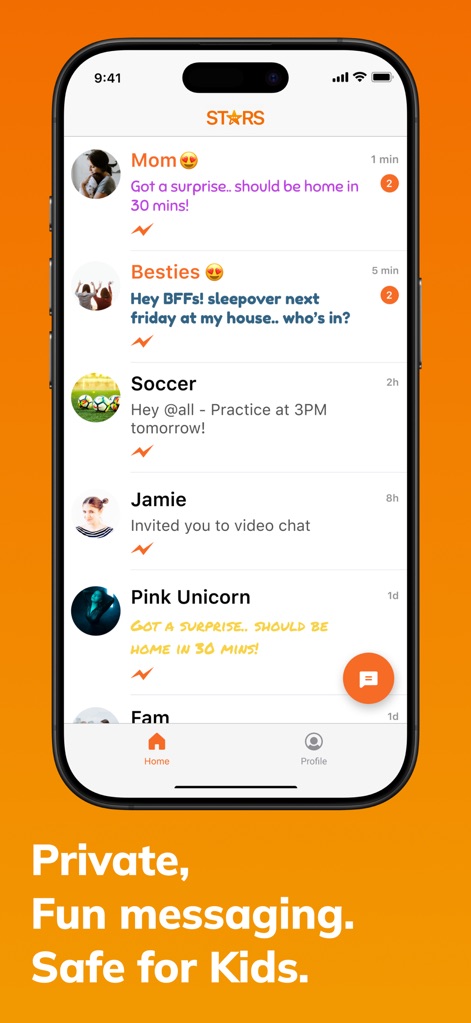
Users can manage multiple chat threads with contacts like "Mom" and "Besties", engaging with diverse message content including emojis and quick messages.
Safe Chat Interface
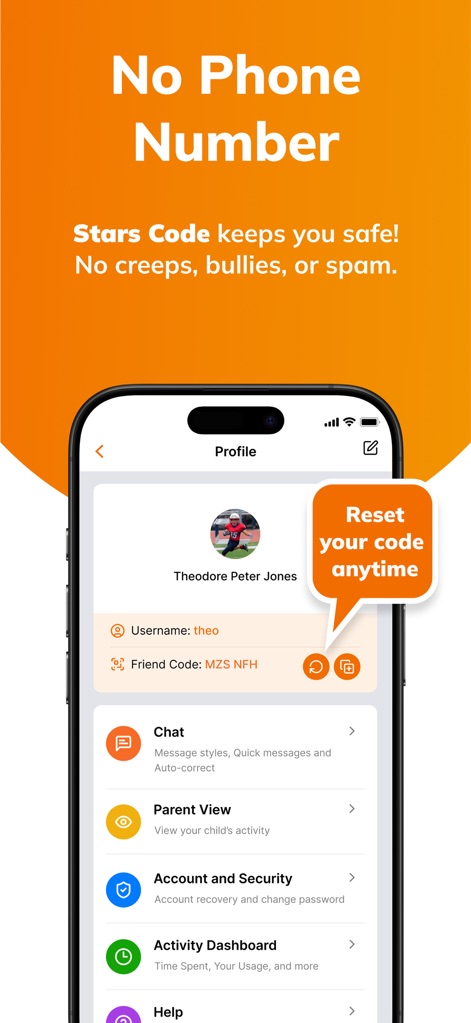
This tool emphasizes user safety with a unique "Friend Code" for adding friends and the clear option to "Reset your code anytime" for enhanced privacy.
Secure Connection Controls
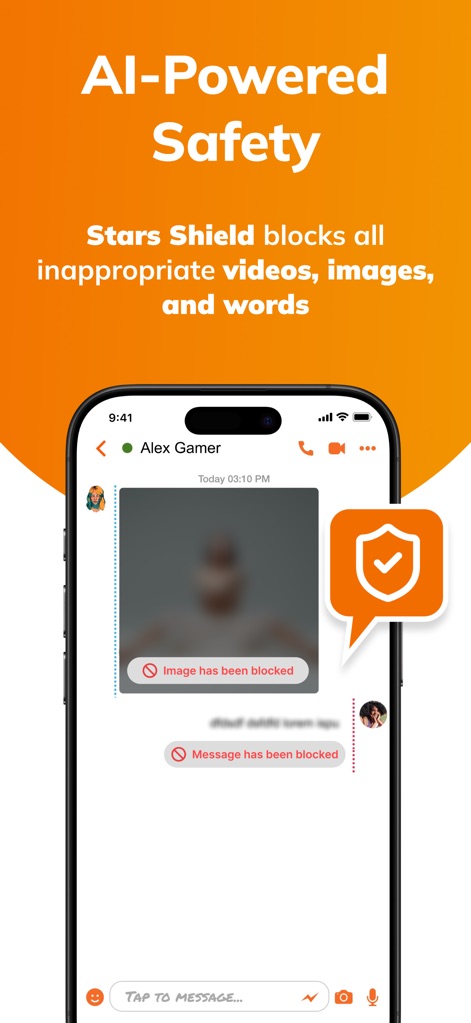
The app demonstrates its "AI-Powered Safety" by actively blocking inappropriate content, clearly showing "Image has been blocked" and utilizing a prominent shield icon.
Proactive Content Shield
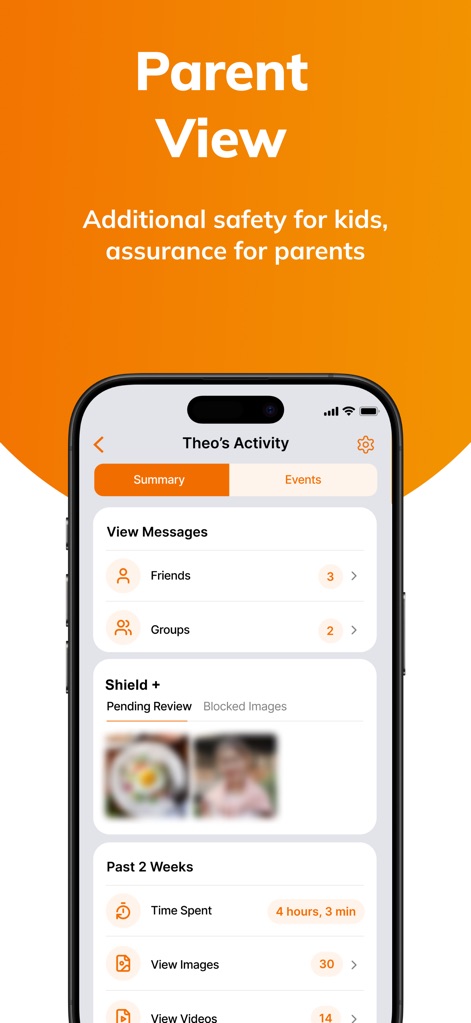
The dedicated "Parent View" offers guardians detailed insights into their child's activity, displaying valuable metrics like "Time Spent" and reviewing "Blocked Images" for peace of mind.
Comprehensive Parental Oversight
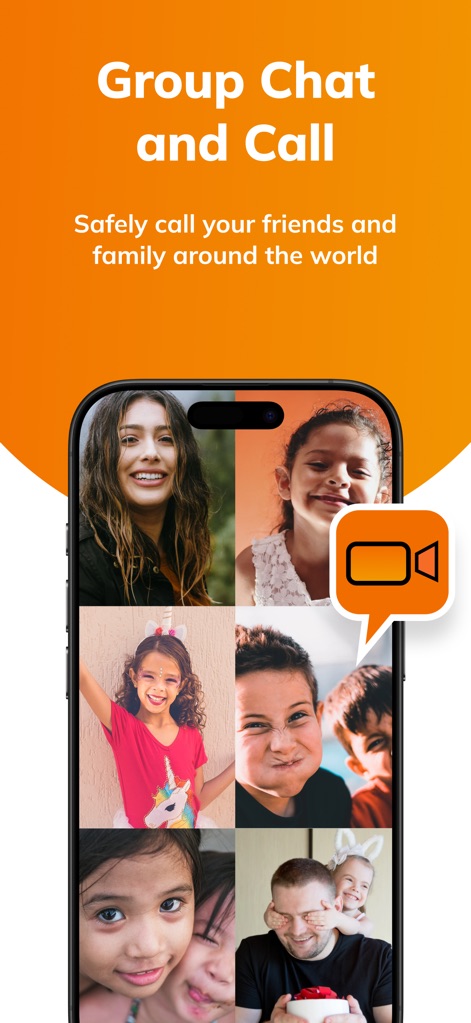
Users can easily engage in "Group Chat and Call" with friends and family, as depicted by the multi-participant video grid showcasing various callers.
Connect with Video
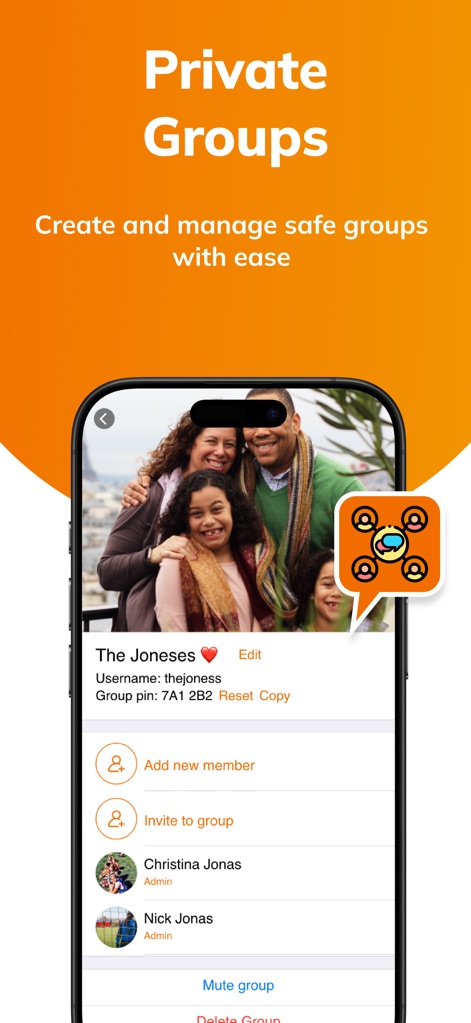
This app simplifies "Private Groups" management, featuring a unique "Group pin" for secure access and clear options to "Add new member" for streamlined participation.
Controlled Group Management
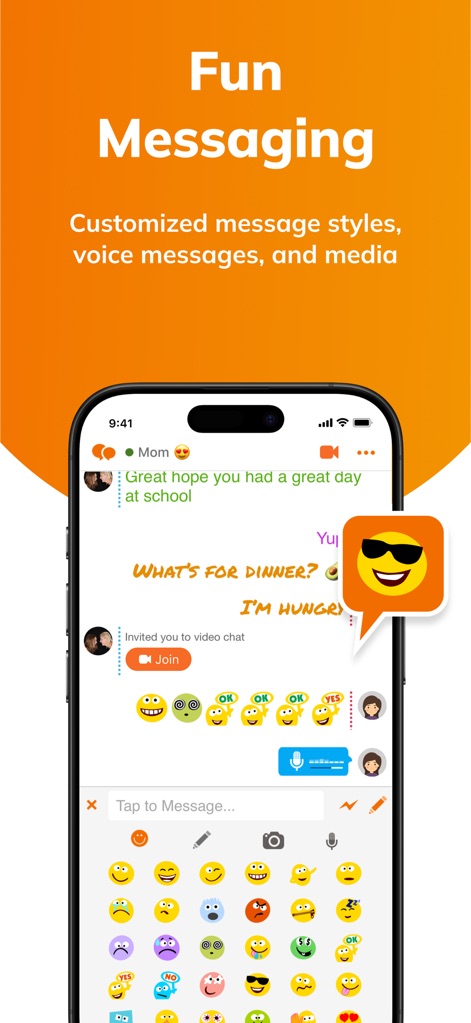
The app provides a "Fun Messaging" experience, offering an extensive emoji selection and a convenient microphone icon for sending audio messages.
Expressive Messaging Options
Description
Download
More Like This
Apps with similar features and user experience





This page is not an official page of the app or its developer, but an independent editorial publication created for informational and commentary purposes. Unless expressly stated otherwise, neither the app nor its developer is affiliated with, endorsed by, sponsored by, authorized by, or otherwise officially connected with MWM, Apple, Google Play, the app publisher, or the app's developer, and nothing on this page implies that the app was developed using MWM's services. Any trademarks, logos, screenshots, and other content remain the property of their respective owners.