
This page is not an official page of the app or its developer, but an independent editorial publication created for informational and commentary purposes. Unless expressly stated otherwise, neither the app nor its developer is affiliated with, endorsed by, sponsored by, authorized by, or otherwise officially connected with MWM, Apple, Google Play, the app publisher, or the app's developer, and nothing on this page implies that the app was developed using MWM's services. Any trademarks, logos, screenshots, and other content remain the property of their respective owners.


Stripe Dashboard
No longer tethered to a desktop, users gain absolute control over their finances, anytime, anywhere.
Downloads
5M+User Rating
Total Ratings
125.1KPublisher
Category
BusinessLocales
14Latest Version
2.26.0Size
135.3 MBFirst Released
Jun 10, 2015An in-depth evaluation of key features designed for mobile-first business management and financial oversight, catering to the needs of entrepreneurs and financial managers.
Stripe Dashboard App: Core Functionality Analysis
Real-time Financial Monitoring
The app provides users with immediate access to revenue, payment, balance, and payout data, allowing them to track their financial performance and compare it to historical data directly from their mobile device.
Secure Mobile Account Access
It ensures users can securely monitor and manage their Stripe accounts from any mobile device, protecting sensitive financial data while offering convenience and accessibility for business operations on the go.
Flexible Payment Acceptance
It allows users to accept in-person payments (including Tap to Pay), send payment links, create invoices, and manage subscriptions, significantly expanding their ability to generate revenue anywhere.
On-the-Go Financial Management
This tool features the capability to check balances, initiate payouts, issue refunds (full or partial), and investigate failed payments, providing essential financial control remotely.
Customer & Transaction Lookups
It enables users to quickly look up detailed information about customers, payments, invoices, and subscriptions, facilitating efficient customer service and record-keeping on the go.
Proactive Business Notifications
The app provides instant push notifications for new payments and customers, along with optional daily business summaries, keeping users continuously informed about critical business events.
Frequently Asked Questions
Everything you need to know about Stripe Dashboard
How can I monitor my business performance with the Stripe Dashboard app?
The Stripe Dashboard app allows users to view revenue, payments, balances, payouts, and compare current performance to historical data.
Can the Stripe Dashboard app process in-person payments?
Yes, the Stripe Dashboard app accepts in-person payments. Users can process these payments manually or by using the Tap to Pay feature.
Does the Stripe Dashboard app support sending invoices and payment links?
Yes, the Stripe Dashboard app allows users to send payment links and invoices directly from their mobile device. It also supports creating subscriptions.
How does the Stripe Dashboard app keep users informed about their business?
The Stripe Dashboard app provides instant notifications for new payments and customers. Users can also opt-in to receive daily business summaries via push notification.
Can I manage customer and payment details using the Stripe Dashboard app?
Yes, the Stripe Dashboard app enables users to look up customers, payments, invoices, and subscriptions. It also allows issuing refunds and investigating failed payments.
Is a Stripe account required to use the Stripe Dashboard app?
Yes, an existing Stripe account is required to use the Stripe Dashboard app. Users can sign up for an account on the Stripe website.
Can I check my balance and make payouts with the Stripe Dashboard app?
Yes, the Stripe Dashboard app allows users to check their current balance and initiate payouts of funds directly from their mobile device.
The following screenshots and description are sourced directly from the app's official store listing and are the property of the app developer.
App Store
Screenshots
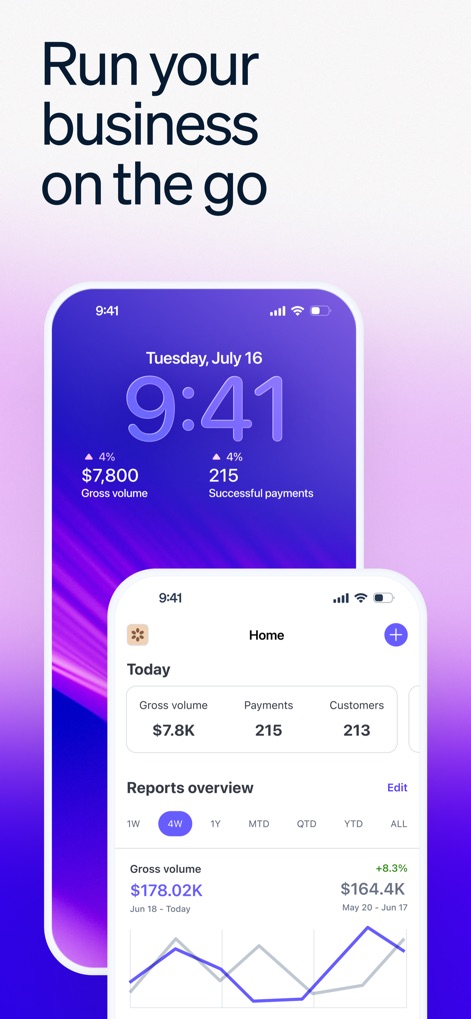
The app provides an immediate overview of key metrics like gross volume and payment counts, alongside an interactive graph for tracking business performance.
Business Performance At-a-Glance
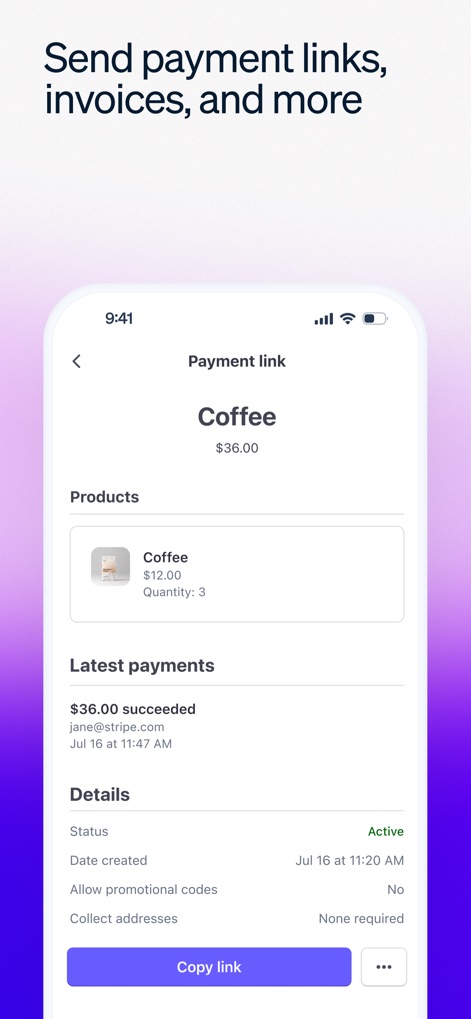
This tool enables users to effortlessly create payment links for products, displaying both product details and the status of recent transactions.
Streamlined Payment Links
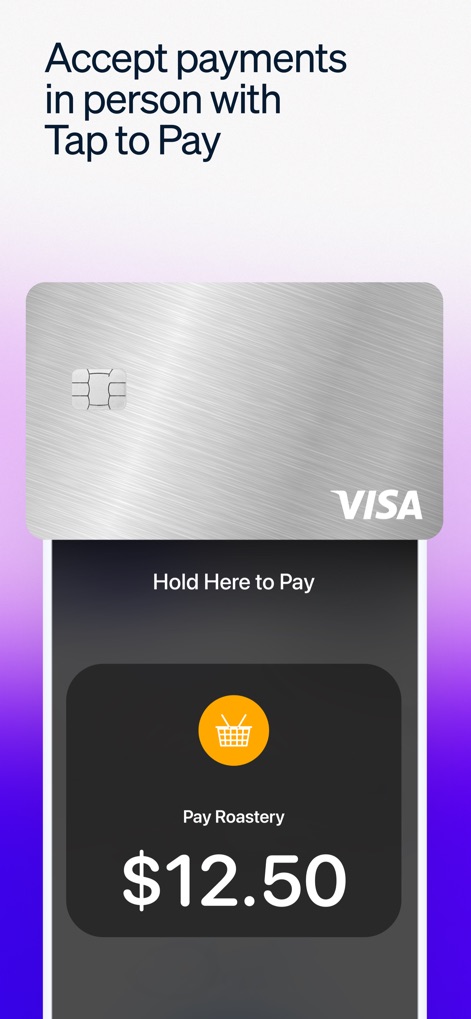
Users can accept in-person payments seamlessly using Tap to Pay, featuring a clear display of the transaction amount and card details.
Accept Tap-to-Pay
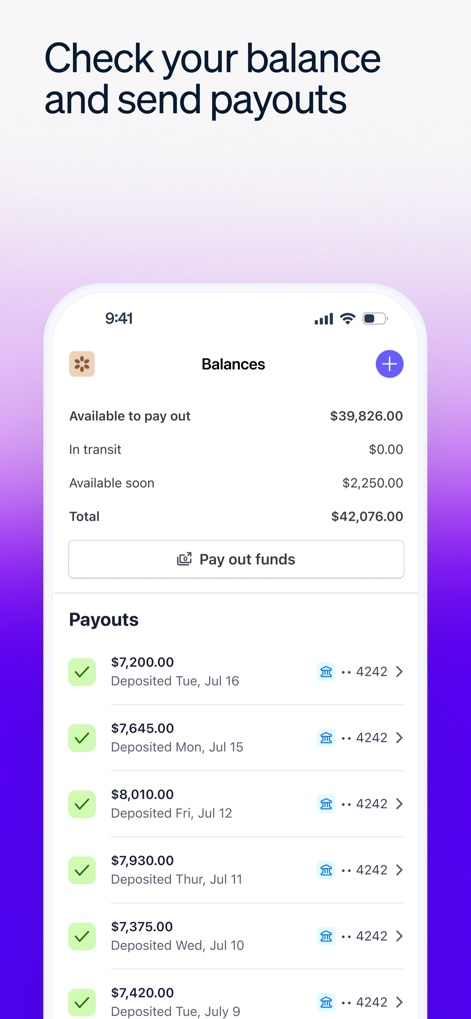
The app allows users to check their available balance and manage payouts, with a detailed list of past deposited funds.
Manage Payouts & Balances
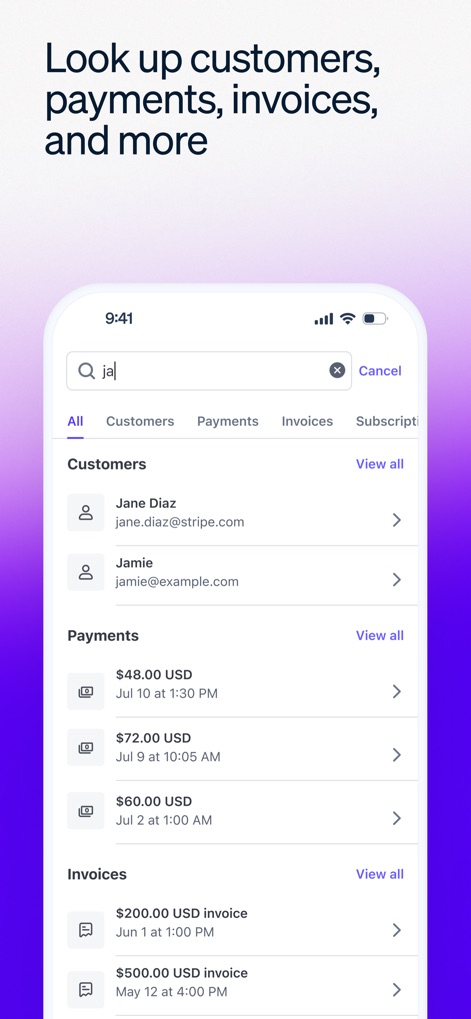
This tool offers robust search capabilities to quickly locate customers, payments, and invoices, categorized for easy navigation.
Comprehensive Data Search
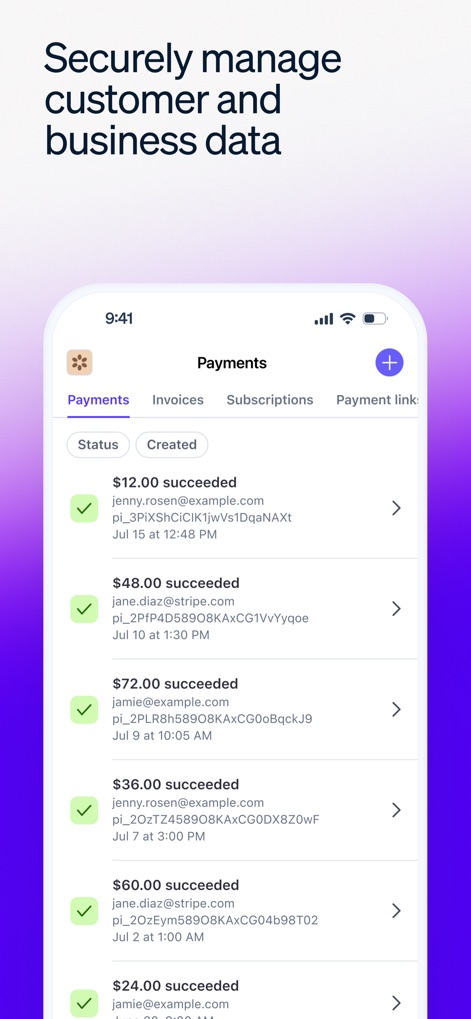
Users can review a detailed history of succeeded payments, securely displaying customer emails and individual transaction amounts.
Secure Transaction History
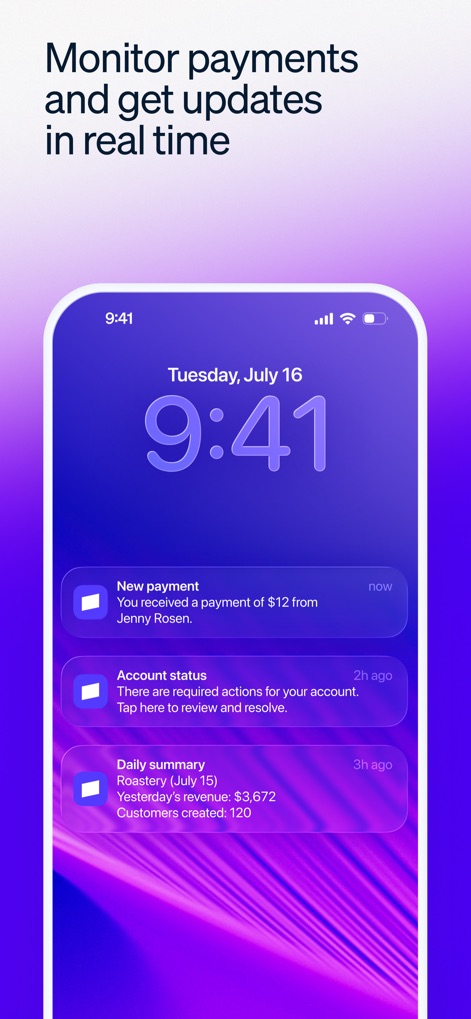
The app keeps users informed with instant push notifications for new payments and daily business summaries, visible directly on the lock screen.
Real-time Notifications
Description
Download
More Like This
Apps with similar features and user experience

Square Point of Sale (POS)
Block, Inc.

Banco PagBank
PagSeguro Internet S.A

Ton
PAGAR.ME INSTITUICAO DE PAGAMENTO S.A.

Inter Empresas: Conta PJ
BANCO INTERMEDIUM S/A

Uber Pro Card
Branch Messenger Inc.

Revolut Business
Revolut Ltd

Qonto - Business Finance App
Olinda

Pennylane
Pennylane

Ziina: Send. Spend. Get Paid.
Ziina Inc
This page is not an official page of the app or its developer, but an independent editorial publication created for informational and commentary purposes. Unless expressly stated otherwise, neither the app nor its developer is affiliated with, endorsed by, sponsored by, authorized by, or otherwise officially connected with MWM, Apple, Google Play, the app publisher, or the app's developer, and nothing on this page implies that the app was developed using MWM's services. Any trademarks, logos, screenshots, and other content remain the property of their respective owners.