SunTable-Spreadsheet view&edit
Download on App Store

This page is not an official page of the app or its developer, but an independent editorial publication created for informational and commentary purposes. Unless expressly stated otherwise, neither the app nor its developer is affiliated with, endorsed by, sponsored by, authorized by, or otherwise officially connected with MWM, Apple, Google Play, the app publisher, or the app's developer, and nothing on this page implies that the app was developed using MWM's services. Any trademarks, logos, screenshots, and other content remain the property of their respective owners.


Logo of SunTable-Spreadsheet view&edit
Download on App Store

SunTable-Spreadsheet view&edit

Stop struggling with complex software. Effortlessly create, scan, and edit spreadsheets with powerful templates and one-click tools designed for your mobile life.

Key Figures

Downloads

100K+

User Rating

4.9/5

Total Ratings

7K+

Publisher

Guangzhou Yeion Network Technology Co., Ltd

Category

Productivity

Locales

11

Latest Version

2.2.3

Size

94.8 MB

First Released

Jun 10, 2022
Features

Spreadsheets Simplified for Your Mobile Life

Stop struggling with complex desktop software. SunTable is the minimalist tool designed for students, freelancers, and organizers who need to get things done on the go.

Pro Templates in One Tap

Skip the design phase. Use our library of pre-built class schedules, expense trackers, and billing forms to start organizing your life in seconds.

Magic Scan-to-Table

Snap a photo of any paper list or screenshot. Our AI instantly recognizes rows and columns, turning physical documents into editable digital tables.

The following screenshots and description are sourced directly from the app's official store listing and are the property of the app developer.

App Store

Screenshots
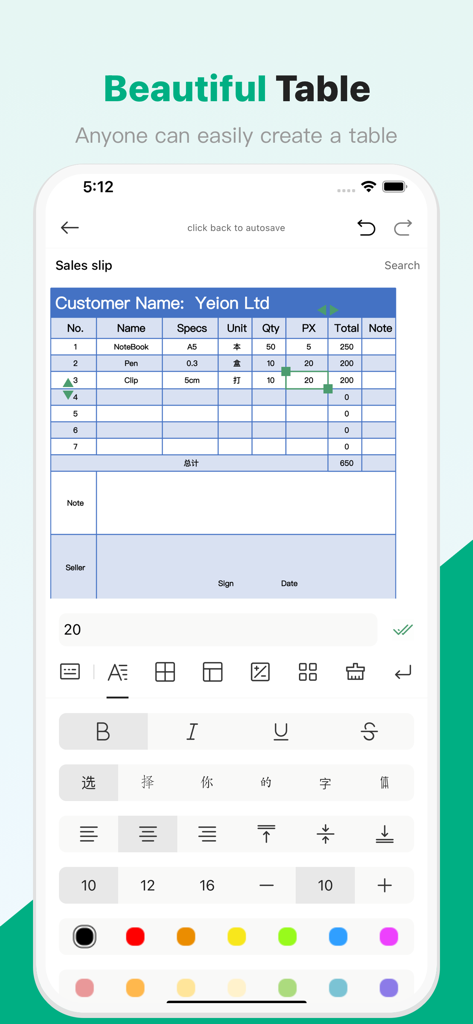
SunTable-Spreadsheet view&edit - Mobile app interface for SunTable showing a sales slip table and text formatting tools
Mobile app interface for SunTable showing a sales slip table and text formatting tools

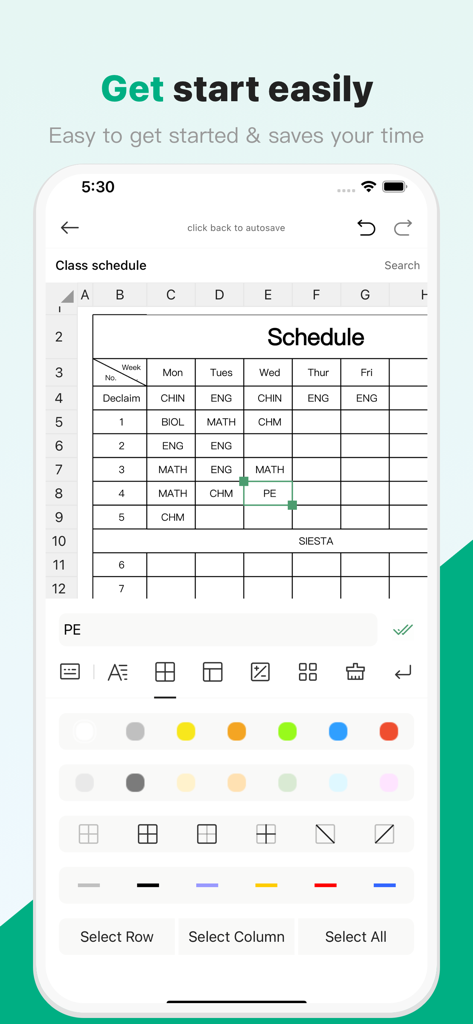
SunTable-Spreadsheet view&edit - Mobile spreadsheet app interface displaying a class schedule table with editing options
Mobile spreadsheet app interface displaying a class schedule table with editing options

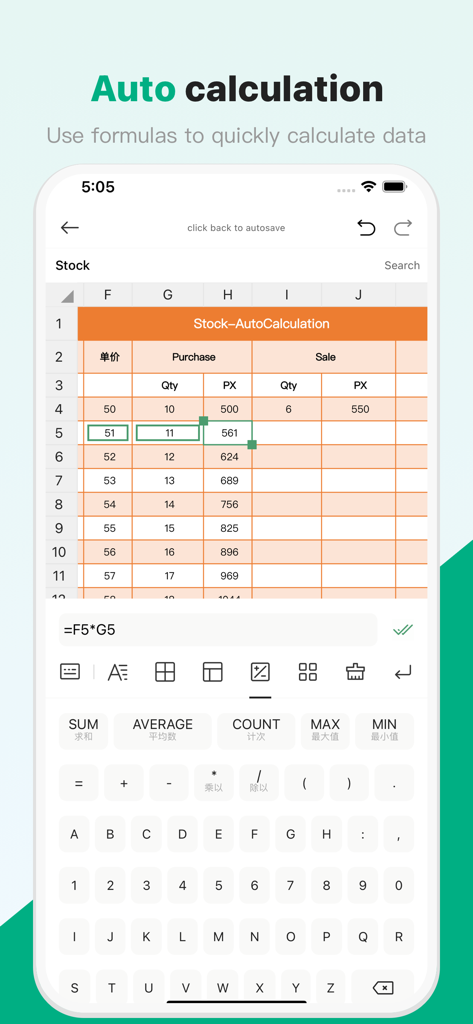
SunTable-Spreadsheet view&edit - SunTable mobile app interface showing a spreadsheet with automatic formula calculation and a custom numeric keyboard
SunTable mobile app interface showing a spreadsheet with automatic formula calculation and a custom numeric keyboard

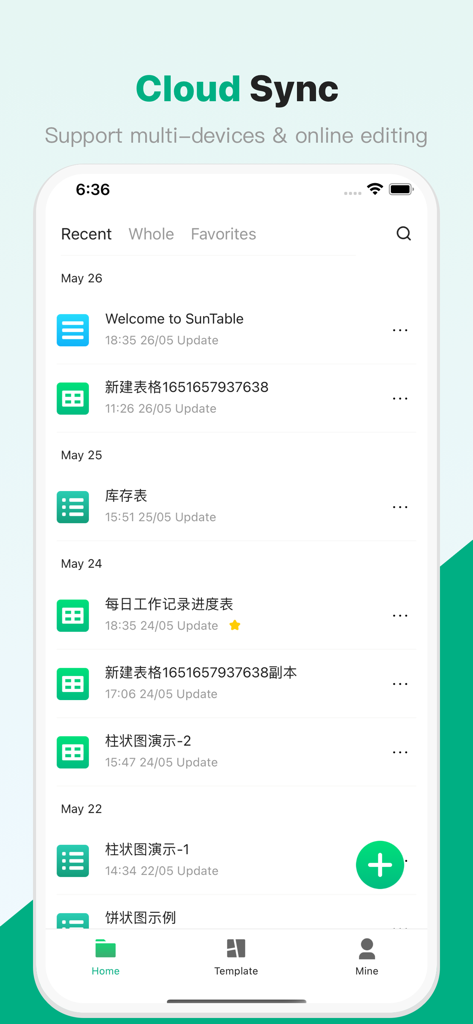
SunTable-Spreadsheet view&edit - SunTable mobile app interface showing recent spreadsheet files with cloud sync and multi-device support
SunTable mobile app interface showing recent spreadsheet files with cloud sync and multi-device support

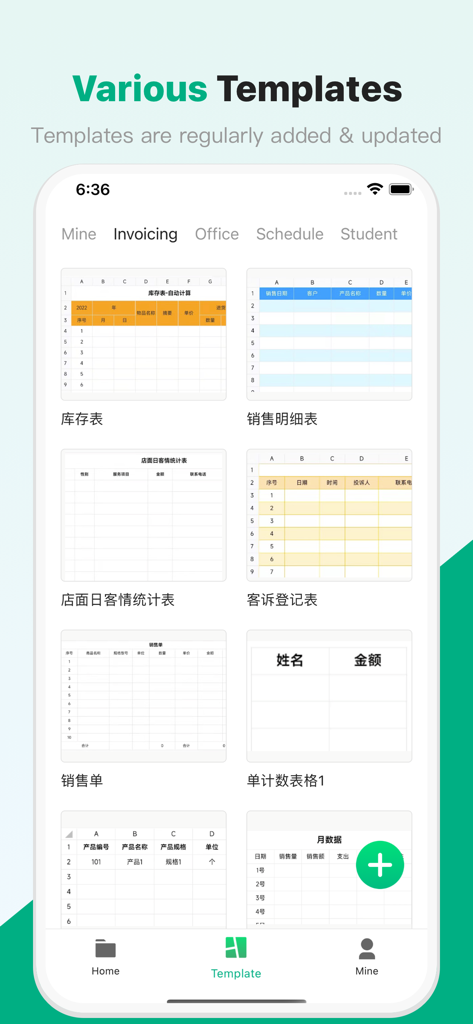
SunTable-Spreadsheet view&edit - Suntable app interface displaying various spreadsheet templates for invoicing and schedules

Suntable app interface displaying various spreadsheet templates for invoicing and schedules

Description

Table Maker is a unique mobile table making software, Our design concept is minimalist, and the goal is to solve the complex and difficult problem of making forms for ordinary people The software is mainly divided into four modules Homepage supports quick creation of blank forms and selection of templates designed by us to create forms The file page can quickly view the table, which can be sorted in descending or ascending order according to creation time and update time, for faster selection The video tutorial page provides video tutorials that we have carefully recorded for you, and Xiaobai can also get started quickly mine? Recycle bin, draft box to escort your data security, and online customer service to contact and communicate at any time, ask questions if you don't understand, and solve all your doubts~ Our advantage: - Simple! ! ! Get started in one minute with video tutorials. - Various styles, support schedules and data tables, and facilitate the creation of billing type tables and class schedules and other scheduling tables - Various templates, create forms through form templates, can quickly complete the work - Powerful functions, support all common table functions such as modifying table fonts, backgrounds, borders, merging, formulas, etc. - Support importing and exporting xlsx and xls files, restore the original appearance of the table one-to-one, and support cross-platform work requirements - Drafts box, the phone is out of power and shut down? Phone freezes? The form is not lost, go back to the software and continue to edit and use it in the draft box - Deleted the wrong one? Go to the recycle bin, there will be surprises - Wrong? Support one-click withdrawal, at least the last 50 operation records can be withdrawn - Withdrawing too far? Why not try to go back to the next step~ - 12345 Little Tiger Up the Mountain, this kind of regular content, why not try the one-click filling function? - Calculations are too complicated? Why not try to select and then click SUM/AVERAGE/MAX/MIN/COUNT?, the original calculation can be so simple? - A screenshot of a form sent by a good friend? Why not try to paste it directly after scanning? It turns out that the rows and columns can be automatically recognized, and the pictures can be changed directly into tables~ - What, Caton? Caton is impossible to Caton? If you don't believe me, try it~ - quick! ! ! Open forms fast, edit fast, make fast! - Stable, safe and reliable. Perfect mechanism and algorithm to ensure data security and reliability Some services within the software require the purchase of membership, including a one-time purchase of a permanent membership and a year-to-month continuous subscription membership. Instructions for continuous subscription members: - Subscription period: 1 year or one month - Payment: Pay via iTunes Store account - Cancel subscription: If you need to cancel the subscription, please manually turn off the automatic subscription in Apple ID settings management 24 hours before the current subscription expires - Renewal: Debit the payment through the iTunes Store within 24 hours before the expiration date, and the subscription cycle will be extended for one year or one month after the deduction is successful - Privacy Policy: http://www.onlybiaoge.cn/policy-ios/ - Terms of use: http://www.onlybiaoge.cn/terms-ios/

Download

Download on App Store
Recommendations

More Like This

Apps with similar features and user experience

This page is not an official page of the app or its developer, but an independent editorial publication created for informational and commentary purposes. Unless expressly stated otherwise, neither the app nor its developer is affiliated with, endorsed by, sponsored by, authorized by, or otherwise officially connected with MWM, Apple, Google Play, the app publisher, or the app's developer, and nothing on this page implies that the app was developed using MWM's services. Any trademarks, logos, screenshots, and other content remain the property of their respective owners.