
This page is not an official page of the app or its developer, but an independent editorial publication created for informational and commentary purposes. Unless expressly stated otherwise, neither the app nor its developer is affiliated with, endorsed by, sponsored by, authorized by, or otherwise officially connected with MWM, Apple, Google Play, the app publisher, or the app's developer, and nothing on this page implies that the app was developed using MWM's services. Any trademarks, logos, screenshots, and other content remain the property of their respective owners.

Surface Builder
Take total command of your iOS music workflow. Design custom AUv3 interfaces with professional knobs, faders, and pads to control your favorite DAWs and hardware with precision.
Downloads
4K+User Rating
Total Ratings
0Publisher
Category
MusicLocales
1Latest Version
1.22Size
31.7 MBFirst Released
Jun 19, 2023Master Your Sound with Custom Control Surfaces
Transform your iPad into a professional, personalized MIDI command center. Surface Builder empowers you to design the exact interface you need to control your studio and live performances.
Bespoke Interface Design
Stop settling for generic layouts. Build your own MIDI controller using customizable knobs, faders, and XY pads that match your unique hand size and workflow.
Pro AUv3 Integration
Seamlessly integrate into your iOS ecosystem. Run as a plugin in AUM or Logic Pro, or use standalone with Bluetooth MIDI to control external hardware synths.
The following screenshots and description are sourced directly from the app's official store listing and are the property of the app developer.
App Store
Screenshots
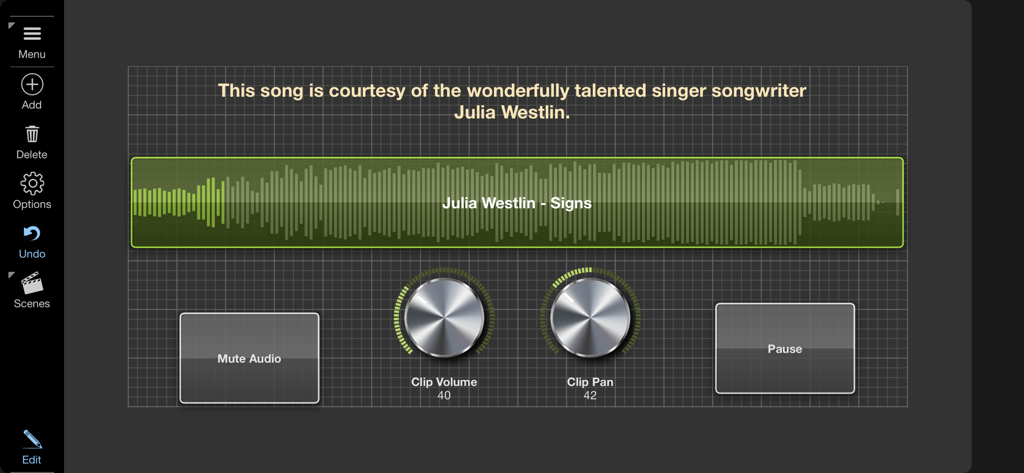
A custom MIDI control surface interface in Surface Builder featuring an audio waveform display, metallic volume and pan knobs, and playback buttons.
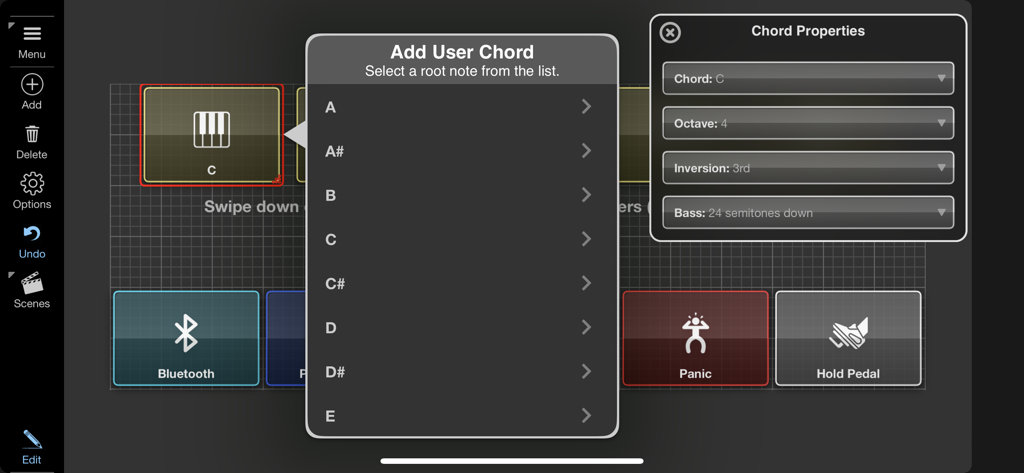
Configuration menu for adding user chords and setting MIDI properties in the Surface Builder app
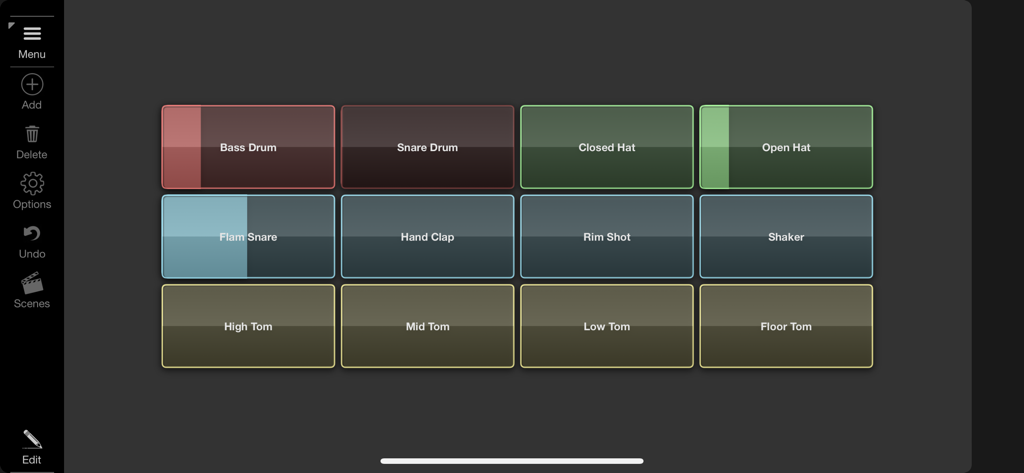
A custom MIDI control surface in Surface Builder featuring a grid of colorful drum pads for music production.
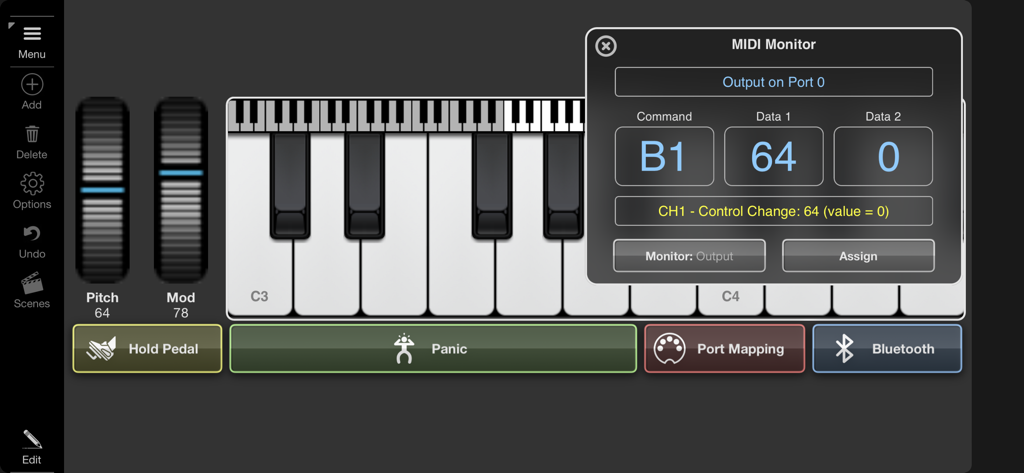
Surface Builder app interface featuring a virtual piano keyboard and a MIDI monitor window with technical data.
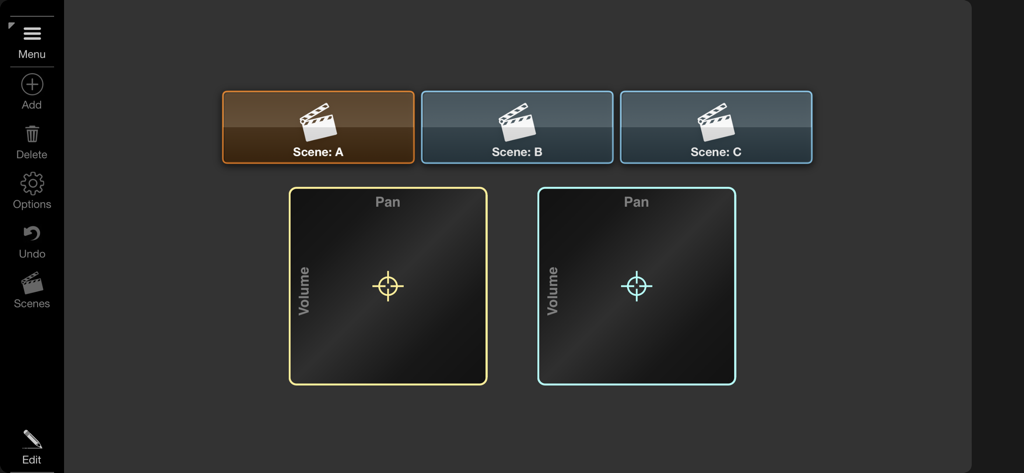
Custom MIDI controller interface with scene selection buttons and XY-pad controls for volume and pan
Description
Download
More Like This
Top-ranked apps in the same category

Spotify: Music and Podcasts
Spotify

YouTube Music
Google LLC

Shazam: Find Music & Concerts
Apple Inc.

SoundCloud: The Music You Love
SoundCloud Global Limited & Co KG

Suno - AI Songs & Music
Suno Inc.

QQ音乐 - 听我想听
Tencent Technology (Shenzhen) Company Limited

Audiomack - Play Music Offline
Audiomack, Inc.

GuitarTuna: Tune & Play Guitar
Yousician Ltd

BandLab – Music Maker & Beats
BandLab Singapore Pte Ltd
This page is not an official page of the app or its developer, but an independent editorial publication created for informational and commentary purposes. Unless expressly stated otherwise, neither the app nor its developer is affiliated with, endorsed by, sponsored by, authorized by, or otherwise officially connected with MWM, Apple, Google Play, the app publisher, or the app's developer, and nothing on this page implies that the app was developed using MWM's services. Any trademarks, logos, screenshots, and other content remain the property of their respective owners.