
This page is not an official page of the app or its developer, but an independent editorial publication created for informational and commentary purposes. Unless expressly stated otherwise, neither the app nor its developer is affiliated with, endorsed by, sponsored by, authorized by, or otherwise officially connected with MWM, Apple, Google Play, the app publisher, or the app's developer, and nothing on this page implies that the app was developed using MWM's services. Any trademarks, logos, screenshots, and other content remain the property of their respective owners.


Swiipr
Skip the queues and receive refunds, compensation, or corporate payments directly through a secure link. Add your funds to Apple Wallet in seconds for immediate, contactless spending.
Downloads
37K+User Rating
Total Ratings
100Publisher
Category
FinanceLocales
1Latest Version
4.5Size
27.1 MBFirst Released
Jul 30, 2021Your Funds, Delivered Instantly
Skip the queues and outdated paperwork. Swiipr puts your compensation, refunds, or corporate payments directly into your digital wallet in seconds.
Instant Fund Access
Receive an SMS, click the link, and add funds to your wallet immediately. No more waiting for checks or 5-day bank processing times.
Seamless Apple Pay Integration
Convert your disbursements into contactless payments instantly. Use your money for travel, dining, or shopping everywhere Apple Pay is accepted.
Frequently Asked Questions
Everything you need to know about Swiipr
What is Swiipr?
Swiipr is an app that allows users to access funds instantly, anywhere and anytime, for various purposes like refunds or welfare payments. It digitizes fund disbursements.
How do I access funds using the Swiipr app?
Users access funds by clicking a link in a text message, downloading the Swiipr app, and following instructions to add the funds into their Apple Wallet.
Can I add Swiipr funds to Apple Wallet?
Yes, you can add Swiipr funds directly to your Apple Wallet. The app provides clear instructions for this integration, enabling secure mobile payments.
What types of payments can Swiipr facilitate?
Swiipr facilitates various payments including refunds, compensation, welfare payments, corporate load payments, and gifts.
Does Swiipr support contactless payments?
Yes, Swiipr supports contactless payments. Funds added to your Apple Wallet can be easily and securely used for contactless transactions.
Can I track my spending with Swiipr?
Yes, the Swiipr app allows you to track your spending. It displays a detailed transaction history with dates and amounts for each transaction.
What are the benefits of Swiipr for businesses?
Swiipr helps businesses automate operations, deliver queue-less, self-service, and contactless fund disbursements, and reduce paper and plastic consumption.
The following screenshots and description are sourced directly from the app's official store listing and are the property of the app developer.
App Store
Screenshots
Swiipr app splash screen displaying the company logo and the tagline Instantly Pay and Spend
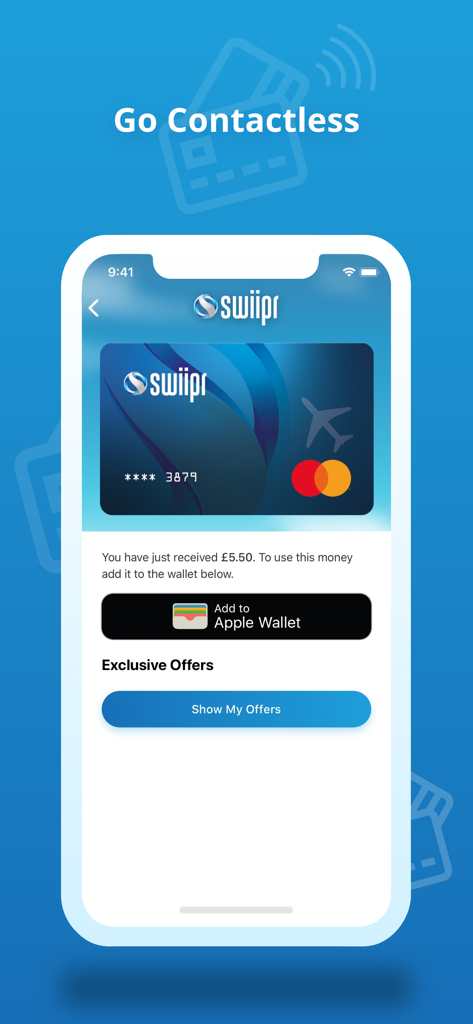
Swiipr app screen showing a digital card and the option to add funds to Apple Wallet
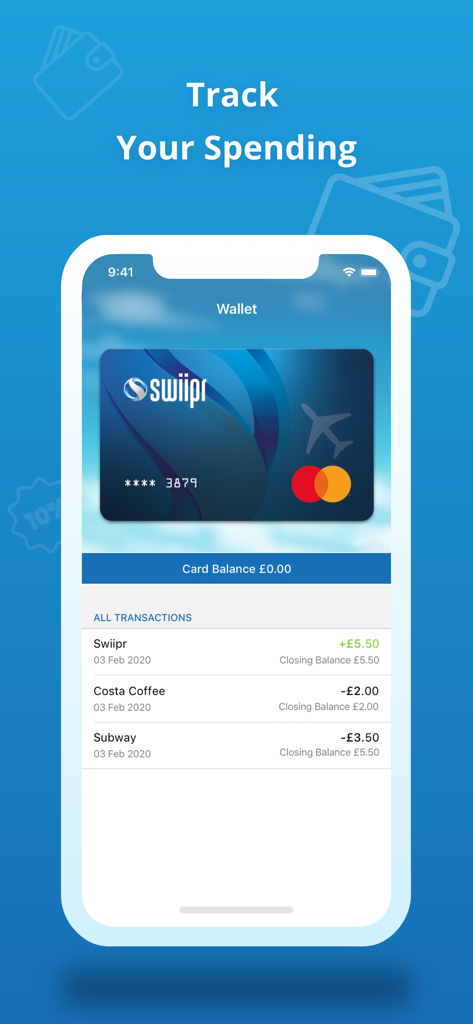
A screenshot of the Swiipr app interface showing a virtual Mastercard and a transaction history for tracking expenses
Description
Download
More Like This
Apps with similar features and user experience

This page is not an official page of the app or its developer, but an independent editorial publication created for informational and commentary purposes. Unless expressly stated otherwise, neither the app nor its developer is affiliated with, endorsed by, sponsored by, authorized by, or otherwise officially connected with MWM, Apple, Google Play, the app publisher, or the app's developer, and nothing on this page implies that the app was developed using MWM's services. Any trademarks, logos, screenshots, and other content remain the property of their respective owners.