Swipe Cleaner: Clean Up Photos
Download on App Store

This page is not an official page of the app or its developer, but an independent editorial publication created for informational and commentary purposes. Unless expressly stated otherwise, neither the app nor its developer is affiliated with, endorsed by, sponsored by, authorized by, or otherwise officially connected with MWM, Apple, Google Play, the app publisher, or the app's developer, and nothing on this page implies that the app was developed using MWM's services. Any trademarks, logos, screenshots, and other content remain the property of their respective owners.


Logo of Swipe Cleaner: Clean Up Photos
Download on App Store

Swipe Cleaner: Clean Up Photos

Turn your cluttered camera roll into a curated masterpiece. Swipe right to keep your best memories and left to delete the rest. Fast, private, and fun.

Key Figures

Downloads

0

User Rating

4.9/5

Total Ratings

0

Publisher

ARK Studio LLC

Category

Utilities

Locales

13

Latest Version

2.8.1

Size

67.8 MB

First Released

Jan 2, 2024
Features

Reclaim Your Storage with a Swipe

Stop stress-scrolling through thousands of photos. Swipe Cleaner turns your digital decluttering into a fast, fun, and highly satisfying experience.

Gamified Gallery Cleanup

Turn a boring chore into a game. Use the intuitive 'swipe-to-delete' gesture to fly through your camera roll and keep only the best shots.

Target Screenshots & Videos

Stop hunting for clutter manually. Instantly filter for bulky videos and forgotten screenshots to reclaim gigabytes of storage in seconds.

The following screenshots and description are sourced directly from the app's official store listing and are the property of the app developer.

App Store

Screenshots
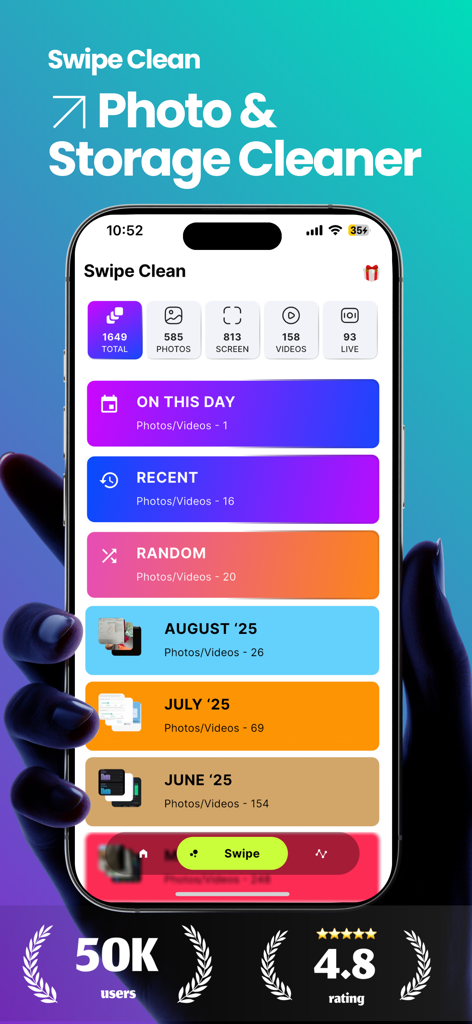
Swipe Cleaner: Clean Up Photos - Swipe Cleaner app dashboard showing photo organization categories and storage cleaning options on an iPhone screen.
Swipe Cleaner app dashboard showing photo organization categories and storage cleaning options on an iPhone screen.

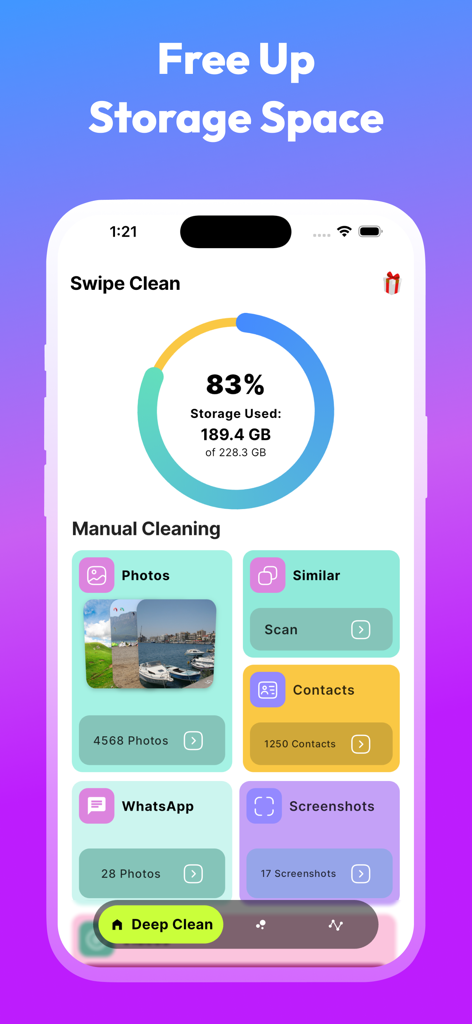
Swipe Cleaner: Clean Up Photos - Swipe Cleaner app interface showing a storage usage meter and manual cleaning categories for photos screenshots and contacts
Swipe Cleaner app interface showing a storage usage meter and manual cleaning categories for photos screenshots and contacts

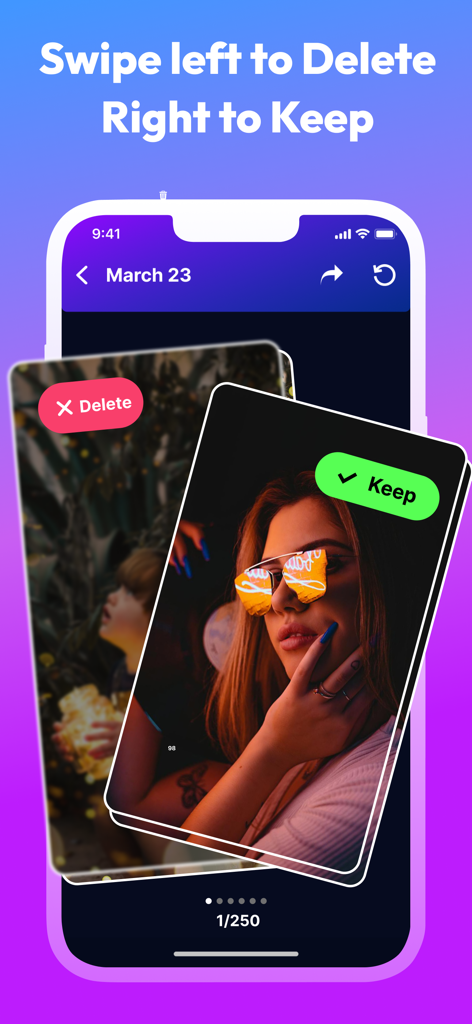
Swipe Cleaner: Clean Up Photos - Swipe Cleaner app interface showing the swipe left to delete and swipe right to keep photo management feature
Swipe Cleaner app interface showing the swipe left to delete and swipe right to keep photo management feature

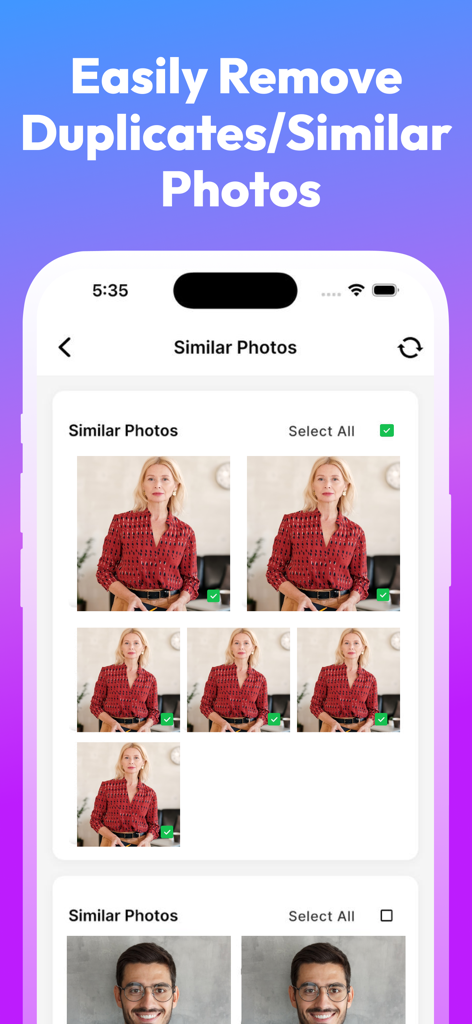
Swipe Cleaner: Clean Up Photos - Interface of Swipe Cleaner showing the duplicate and similar photo removal feature with a grid of selectable images
Interface of Swipe Cleaner showing the duplicate and similar photo removal feature with a grid of selectable images

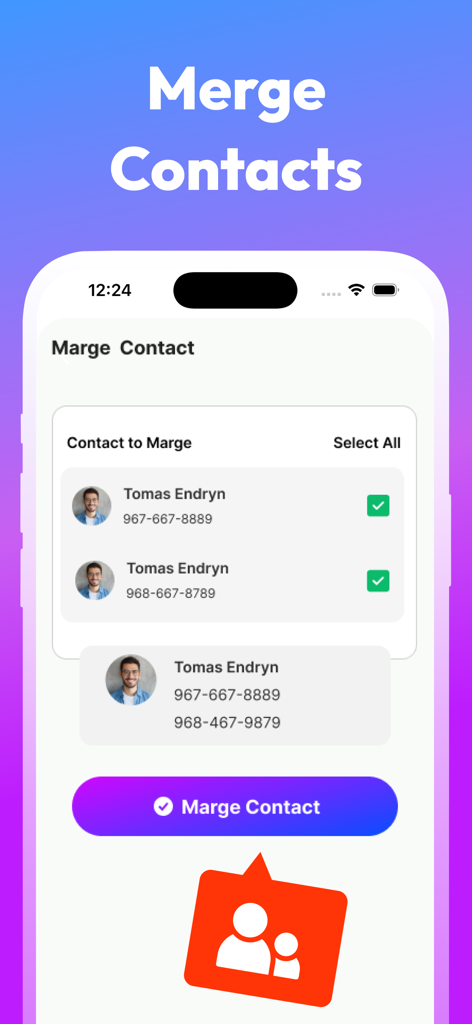
Swipe Cleaner: Clean Up Photos - Interface of the Swipe Cleaner app showing the process of merging duplicate contact entries into a single profile.
Interface of the Swipe Cleaner app showing the process of merging duplicate contact entries into a single profile.

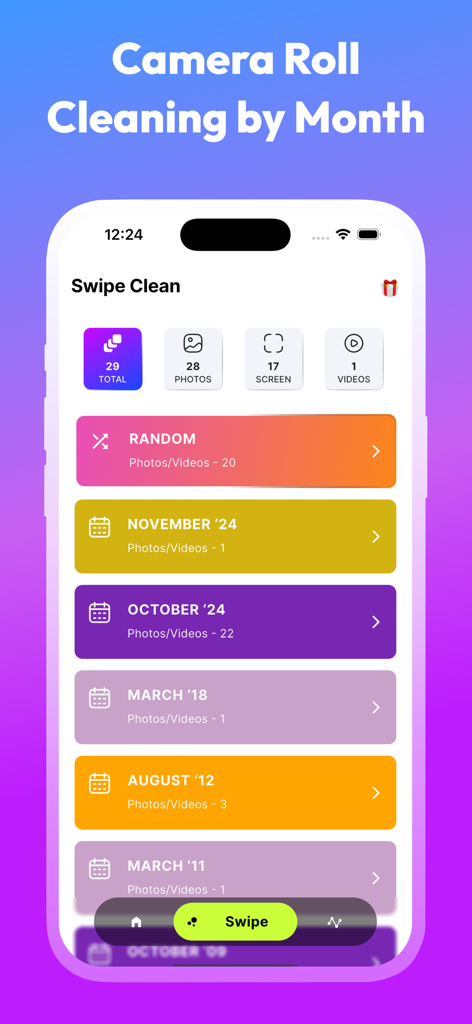
Swipe Cleaner: Clean Up Photos - Swipe Cleaner app interface displaying photo and video organization by month for easy cleaning
Swipe Cleaner app interface displaying photo and video organization by month for easy cleaning

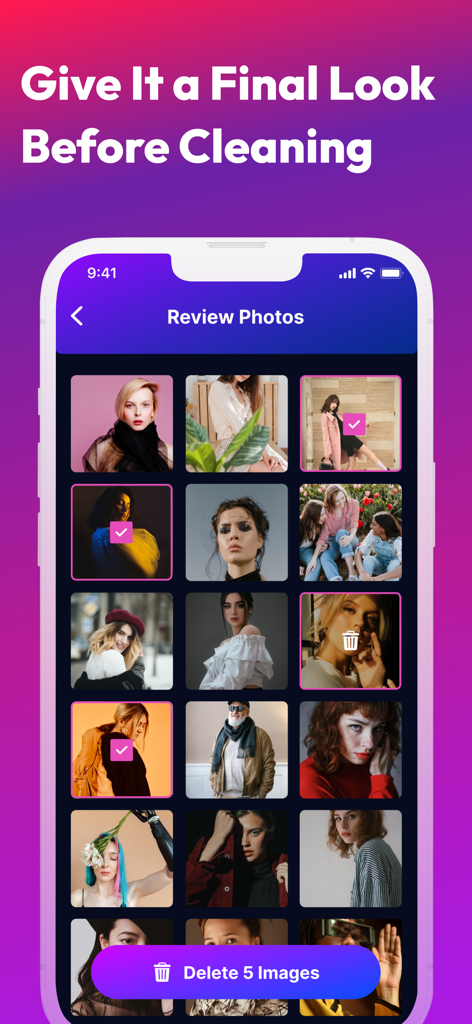
Swipe Cleaner: Clean Up Photos - A screen in the Swipe Cleaner app allowing users to review a grid of selected photos before confirming deletion.

A screen in the Swipe Cleaner app allowing users to review a grid of selected photos before confirming deletion.

Description

The revolutionary photo and gallery cleaner designed to bring a fresh and creative approach to clean up your camera roll. While other photo cleaner apps exist, none compare to the simplicity, enjoyment, and style that Swipe Clean brings to photo, video, screenshot, camera roll cleaning on a month-by-month basis. Save your time – we've got the answer! While other apps claim to swiftly delete photos, none delivered the magic we craved! How does Swipe Clean operate? It's as easy as a swipe! Swipe right to preserve a photo or video, left to delete photo or video. Correct any mistakes with a simple tap, or explore a picture's metadata on top right corner. Once you've reviewed all the photos for the month(even without reviewing full month you can quick delete already reviewed files), take a final look to decide which ones to keep and which to delete. When you're done, the month gets crossed out, but you can revisit any month whenever you want. But that's not all: • Similar/Duplicate photo remover: Swipe Clean leverages advanced algorithms to analyze your similar/duplicate photos to keep your gallery cleaner. • Filtering: Swipe Clean offers extensive filtering options, allowing you to tailor your cleaning experience. Choose between cleaning Videos, Photos, Screenshots. • Date range: There's a date range feature, enabling you to select photos, videos, screenshots within a specific date range for efficient organization. • Quick Clean already swiped files: There is also a cool feature if your camera roll for a specific month is too big, then you can quick delete already reviewed files without swiping all the photos! And you can always come back later to clean the rest of the photos. • Privacy matters: Clean your photos offline, keeping memories on your device. • Share: Instantly share your favorite photo with ease! • Contact manage: Merge duplicate contacts, Delete incomplete contacts and contacts multi delete. .. and we continually introduce exciting new features! Swipe Clean transforms the task of cleaning into a fun and engaging experience! If you prefer a different approach, or even if you love going month by month, you'll appreciate our new On This Day feature. This feature stays at the top of your Swipe Clean home screen, updating with photos from the same date in previous years, allowing you to relive and decide. Keep your memory, phone, device, and storage clutter-free with Swipe Clean photo manager your all in all storage cleaner. Swipe Clean breathes life into your memories while providing the camera roll cleaning and saving storage solution you've been searching for. It's the app that turns photo cleaning into a genuinely enjoyable experience! Transform your photo gallery with Swipe Clean. Download our phone cleaner now for more organized experience! $19.99 per year 3 days trial then $4.99 per week - You can subscribe for unlimited access to all features and content offered for purchases without ads in the Swipe Clean App - Subscriptions are billed monthly and yearly on the subscription plan - Payment will be charged to iTunes Account at confirmation of purchase - Subscription automatically renews unless auto-renew is turned off at least 24 hours before the end of the current period - Account will be charged for renewal within 24 hours prior to the end of the current period, and identify the cost of the renewal - Subscriptions may be managed by the user and auto-renewal may be turned off by going to the user's Account Settings after purchase - No cancellation of the current subscription is allowed during the active subscription period. ------------ For any feedback, suggestion, email us at: techtiq.app@gmail.com Swipe Clean Privacy Policy: Privacy_URL https://techtiq.xyz/swipeme/privacy-policy/ Terms_URL https://techtiq.xyz/swipeme/tnc/

Download

Download on App Store

This page is not an official page of the app or its developer, but an independent editorial publication created for informational and commentary purposes. Unless expressly stated otherwise, neither the app nor its developer is affiliated with, endorsed by, sponsored by, authorized by, or otherwise officially connected with MWM, Apple, Google Play, the app publisher, or the app's developer, and nothing on this page implies that the app was developed using MWM's services. Any trademarks, logos, screenshots, and other content remain the property of their respective owners.