
This page is not an official page of the app or its developer, but an independent editorial publication created for informational and commentary purposes. Unless expressly stated otherwise, neither the app nor its developer is affiliated with, endorsed by, sponsored by, authorized by, or otherwise officially connected with MWM, Apple, Google Play, the app publisher, or the app's developer, and nothing on this page implies that the app was developed using MWM's services. Any trademarks, logos, screenshots, and other content remain the property of their respective owners.


swipejobs
Take control of your schedule with AI-powered matching. Discover flexible work that fits your skills and get paid fast, all through the app you'll love to use.
Downloads
926K+User Rating
Total Ratings
4K+Publisher
Category
BusinessLocales
2Latest Version
12.2.1Size
122.7 MBFirst Released
Feb 24, 2021Take Control of Your Work Life
Stop searching and start working. Connect with local businesses, choose your own hours, and get paid quickly—all with a simple swipe.
Instant Swipe-to-Hire
Say goodbye to long forms and resumes. Find a shift that fits your schedule, swipe right, and you are ready to work.
AI-Powered Matching
Our smart technology learns your skills and preferences to bring the most relevant local opportunities directly to your feed.
Frequently Asked Questions
Everything you need to know about swipejobs
What is the swipejobs Talent App?
The swipejobs Talent App connects users with temporary, contract, or permanent job opportunities. It utilizes AI-powered matching to align jobs with a user's schedule, skills, and preferences.
How does the swipejobs app help users find jobs?
The swipejobs app facilitates job finding by using AI-powered matching. Users download the app, provide their skills, and then swipe to discover opportunities that match their specific preferences quickly and easily.
What types of jobs can I find on the swipejobs app?
Yes, the swipejobs app offers temporary, contract, and permanent job opportunities. Users choose jobs based on their schedule, skills, and industry preferences, ensuring flexibility and control over their work terms.
Can I set my preferred job categories in the swipejobs app?
Yes, users can specify their preferred job categories within the swipejobs app. This feature allows selection of job titles and categories, such as "Call Center" or "Accounting," to refine job search results effectively.
Does swipejobs show job rates and distance?
Yes, the swipejobs app clearly displays both the hourly rate and the distance for available job listings. Job opportunities show specific details like "$13.20/hr" and "1.8 miles" from the user's location.
Can I control my travel distance for jobs in swipejobs?
Yes, the swipejobs app allows users to control their preferred travel distance for jobs. A slider permits selection of a radius, from 5 to over 30 miles, to find opportunities within a desired proximity.
How do I check in and out of jobs with the swipejobs app?
The swipejobs app enables check-in and check-out for jobs via a QR code scanning feature. Users simply click to scan a job site QR code to manage their shift timings accurately.
Does swipejobs offer real-time updates on job applications?
Yes, the swipejobs app provides real-time updates regarding the status of each job application. This feature ensures users are always informed about their applications without needing to guess the progress.
Can I upload my resume or skills to my swipejobs profile?
Yes, users can build their profile from their resume and upload various skills to the swipejobs app. This helps create a comprehensive and "ready to go" profile for optimal job matching.
The following screenshots and description are sourced directly from the app's official store listing and are the property of the app developer.
App Store
Screenshots

swipejobs app screenshot displaying the slogan let them come to you with a pink arrow
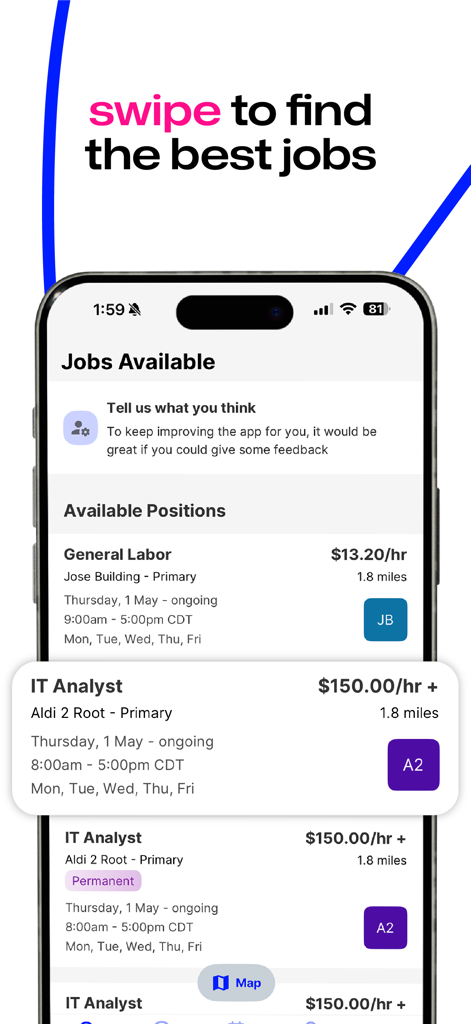
A mobile phone screen displaying available job listings including General Labor and IT Analyst positions with hourly rates and locations
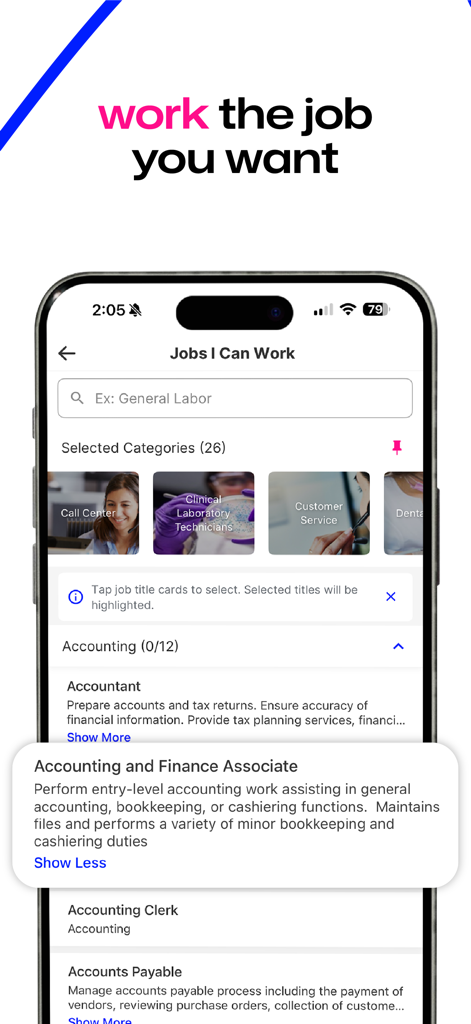
Smartphone screen showing the swipejobs app with job categories and an accounting job description
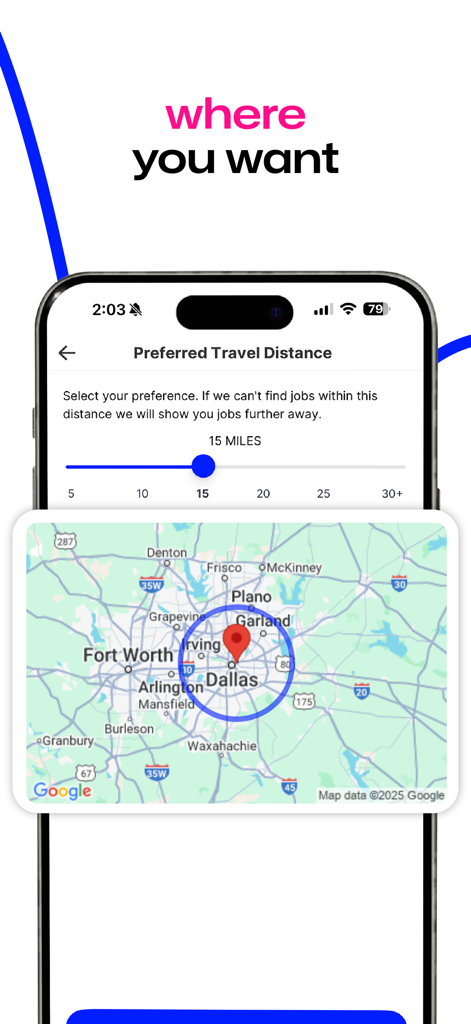
Map view in the swipejobs app showing preferred travel distance for job matching
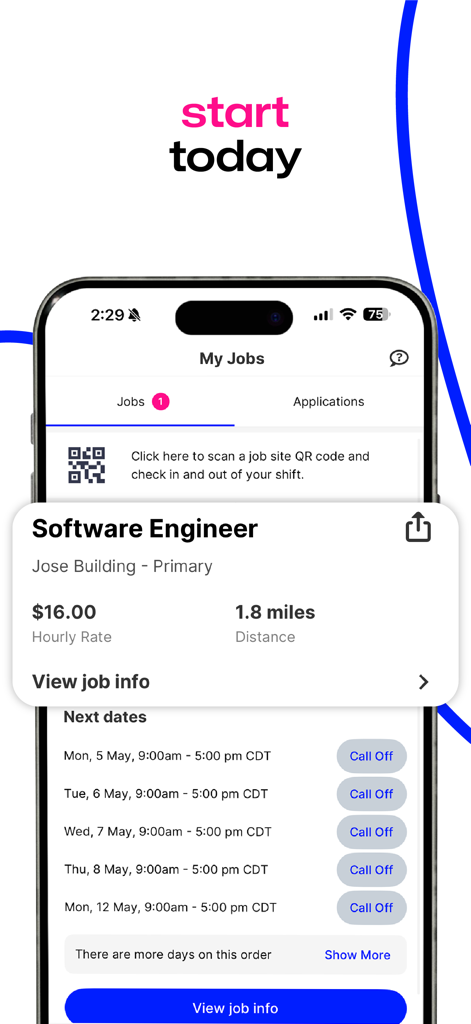
Swipejobs app screen showing a software engineer job listing with hourly pay rate and shift schedule.
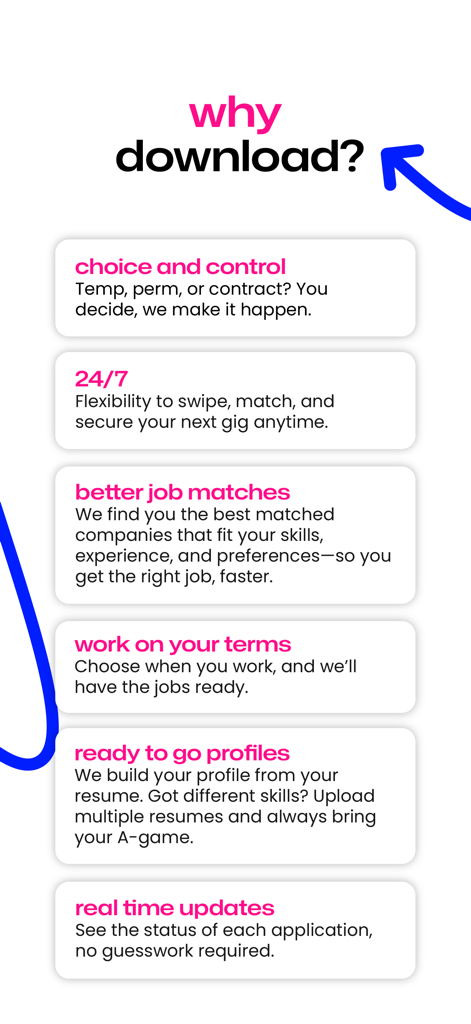
Key features of the swipejobs app including flexible scheduling and job matching
Description
Download
More Like This
Apps with similar features and user experience

Jobright - AI Job Search
Jobright Inc.

Cake: Job, Resume & Networking
Trantor Tech, Inc.

1111 找工作
Global Chinese International Co., Ltd.

Sorce - AI Job Search
RedantAI, Inc.

Sprout - AI Job Search
Magnifex AI Inc.

JobSwipe - Get a Better Job
Adswipe

원티드 - 취업·이직, 프리랜서, 커리어 성장
WantedLab Inc.

JobHunt - Job Search AI Agent
MohammedAlhadi Osman

사람인 - 취업 이직 커뮤니티 커리어의 모든 것
Saramin Co., Ltd.
This page is not an official page of the app or its developer, but an independent editorial publication created for informational and commentary purposes. Unless expressly stated otherwise, neither the app nor its developer is affiliated with, endorsed by, sponsored by, authorized by, or otherwise officially connected with MWM, Apple, Google Play, the app publisher, or the app's developer, and nothing on this page implies that the app was developed using MWM's services. Any trademarks, logos, screenshots, and other content remain the property of their respective owners.