
This page is not an official page of the app or its developer, but an independent editorial publication created for informational and commentary purposes. Unless expressly stated otherwise, neither the app nor its developer is affiliated with, endorsed by, sponsored by, authorized by, or otherwise officially connected with MWM, Apple, Google Play, the app publisher, or the app's developer, and nothing on this page implies that the app was developed using MWM's services. Any trademarks, logos, screenshots, and other content remain the property of their respective owners.


SwipeNow - Photo Cleaner
Say goodbye to 'Storage Full' anxiety. Effortlessly delete duplicates, organize memories with emojis, and reclaim your iPhone space with simple, intuitive swipes.
Downloads
41K+User Rating
Total Ratings
100Publisher
Category
ProductivityLocales
8Latest Version
2.0.2Size
83.9 MBFirst Released
Dec 9, 2024Declutter Your Memories with a Simple Swipe
Stop ignoring those "Storage Full" warnings. SwipeNow turns the chore of gallery cleaning into a fast, satisfying habit, freeing up space for the moments that truly matter.
Effortless One-Tap Cleaning
Clear thousands of photos in minutes. Swipe left to delete blurry shots and duplicates, and right to keep the gems—it's productive, fast, and surprisingly fun.
Aesthetic Emoji Albums
Organize your life instantly. Pin your favorite categories and use emojis to sort travel, family, and work shots into beautifully curated folders as you swipe.
The following screenshots and description are sourced directly from the app's official store listing and are the property of the app developer.
App Store
Screenshots
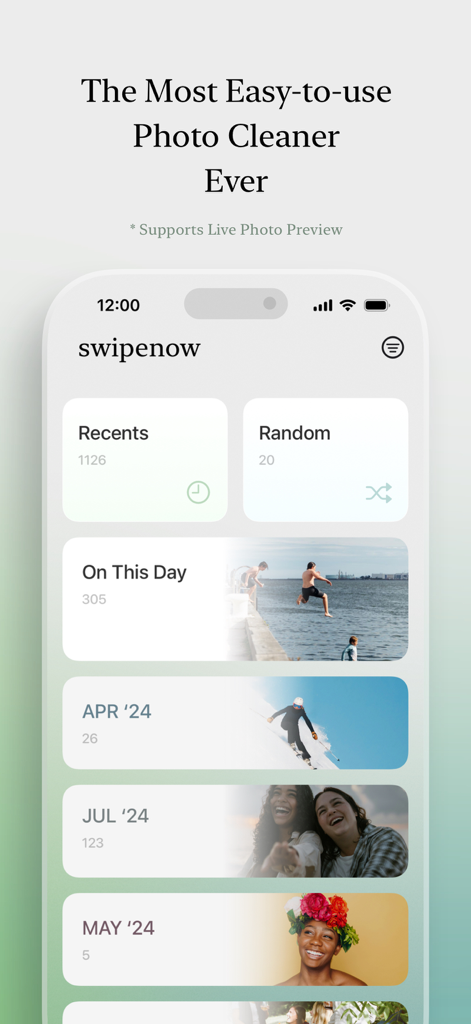
Interface of the SwipeNow photo cleaner app showing organized photo categories and memory albums
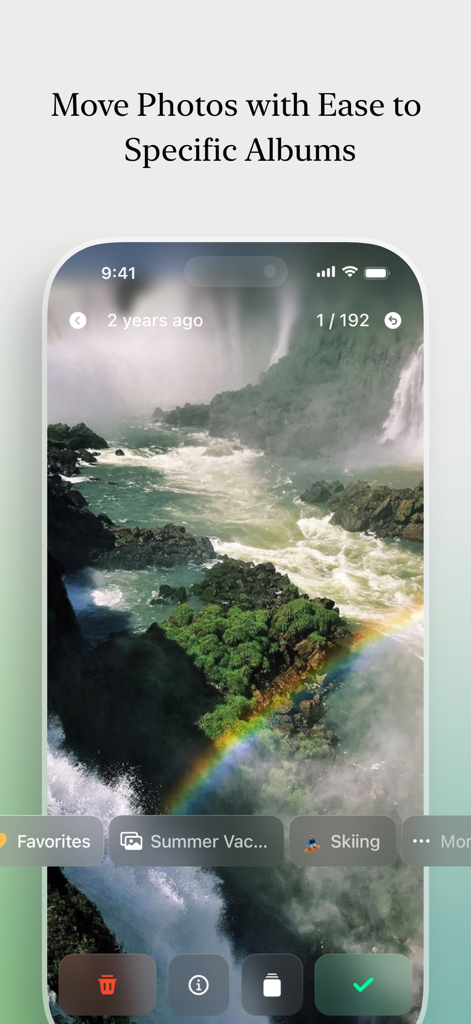
SwipeNow app interface showing how to move photos into custom albums like Summer Vacation and Skiing

User swiping left on a blurry photo to delete it in the SwipeNow app interface.

SwipeNow app interface showing a photo of a couple being swiped right to keep it in the gallery
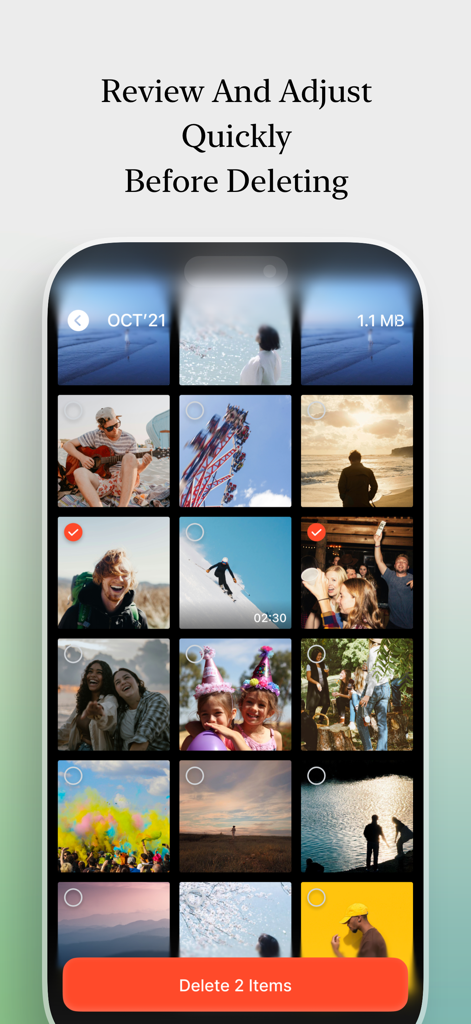
Interface of SwipeNow app showing a photo grid where users can review and adjust selections before deleting items to free up storage
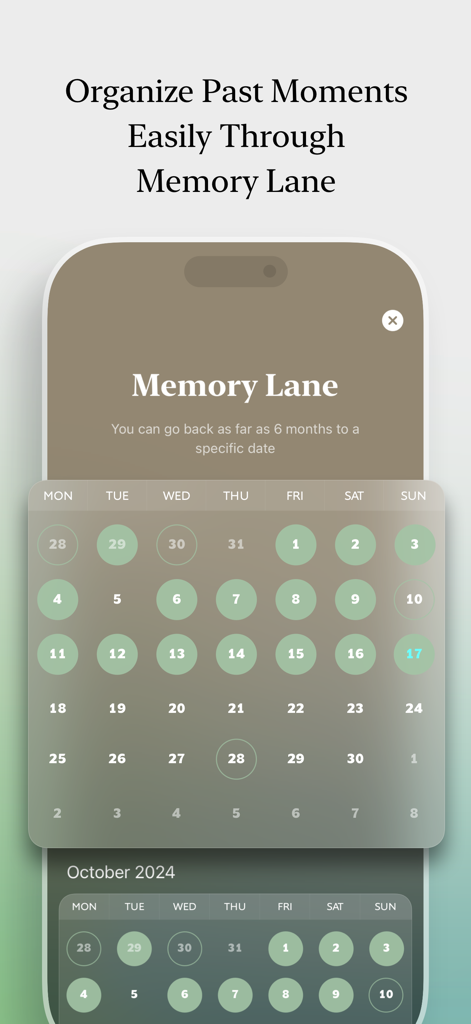
Calendar interface of the SwipeNow app showing the Memory Lane feature to organize past photos.
Description
Download
More Like This
Apps with similar features and user experience

Photo Cleaner ®
Luca Companjen

Slider - Photo Cleaner
June Ninth LLC

linger - Photo Cleaner
立波 王

相册助手 - 丝滑有趣,无痛整理
Beijing Yunli Network Technology Co., Ltd

Photo Deleter: Photo Cleaner
AtEase Technology Co., Ltd

Easy Clean: Photo Cleaner
VVDev LLC

Amor Cleaner:AI Clean Up
FUTURISTIX DIGITAL MARKETING PTE. LTD

Tidyfoto: Clean Up Storage
Unbing Ltd

清理大师-相册空间整理,照片视频清理
丽梅 崔
This page is not an official page of the app or its developer, but an independent editorial publication created for informational and commentary purposes. Unless expressly stated otherwise, neither the app nor its developer is affiliated with, endorsed by, sponsored by, authorized by, or otherwise officially connected with MWM, Apple, Google Play, the app publisher, or the app's developer, and nothing on this page implies that the app was developed using MWM's services. Any trademarks, logos, screenshots, and other content remain the property of their respective owners.