
This page is not an official page of the app or its developer, but an independent editorial publication created for informational and commentary purposes. Unless expressly stated otherwise, neither the app nor its developer is affiliated with, endorsed by, sponsored by, authorized by, or otherwise officially connected with MWM, Apple, Google Play, the app publisher, or the app's developer, and nothing on this page implies that the app was developed using MWM's services. Any trademarks, logos, screenshots, and other content remain the property of their respective owners.

Sysco Shop
Take full control of your restaurant’s inventory with 24/7 ordering, real-time catalog access, and offline sync—all from the palm of your hand.
Downloads
869K+User Rating
Total Ratings
17K+Publisher
Category
BusinessLocales
3Latest Version
2025.11.11Size
381.3 MBFirst Released
Jan 2, 2019Elevate Your Kitchen Efficiency
Powerful tools designed for the hospitality professional. Manage inventory, track costs, and place orders directly from the palm of your hand.
Order Anywhere, Even Offline
Don't let poor reception slow you down. Build your order in the walk-in or storage basement and sync automatically when you're back in range.
Intelligent Order History
Save time with 14 months of data at your fingertips. Quickly replicate past orders and monitor seasonal food costs to protect your margins.
Frequently Asked Questions
Everything you need to know about Sysco Shop
Can I search for products using the Sysco Shop app?
Yes, the Sysco Shop app allows you to search Sysco’s complete product catalog for food and other products. It also organizes items by categories like Fruits & Vegetables and Meat & Seafood.
What is the Sysco Shop app?
The Sysco Shop app allows users to shop Sysco products, search the complete product catalog, locate key items, and place orders. It also features order history access and offline sync capabilities.
Does Sysco Shop provide access to past order history?
Yes, the Sysco Shop app provides access to up to 14 months of your previous order history. You can view details of delivered and canceled orders directly within the application.
Can I modify an order after placing it in Sysco Shop?
Yes, you can modify existing orders within the Sysco Shop app. Modifications are possible up to the delivery cut-off time for your specific order.
Does the Sysco Shop app work offline?
Yes, the Sysco Shop app features offline sync. This functionality allows users to continue building their order even without an active internet connection, ensuring a seamless shopping experience.
Can I create product lists in the Sysco Shop app?
Yes, the Sysco Shop app enables you to add, create, and manage custom product lists. This feature helps organize frequently purchased items and streamlines the reordering process.
Are bulk discounts available through Sysco Shop?
Yes, the Sysco Shop app indicates that bulk discounts are available for various products. Users can view these details on product pages and request more information if needed.
How can I manage my orders in the Sysco Shop app?
The Sysco Shop app provides comprehensive order management. You can view active, delivered, and canceled orders, track delivery schedules, and access detailed order information directly from the app's 'Orders' section.
The following screenshots and description are sourced directly from the app's official store listing and are the property of the app developer.
App Store
Screenshots
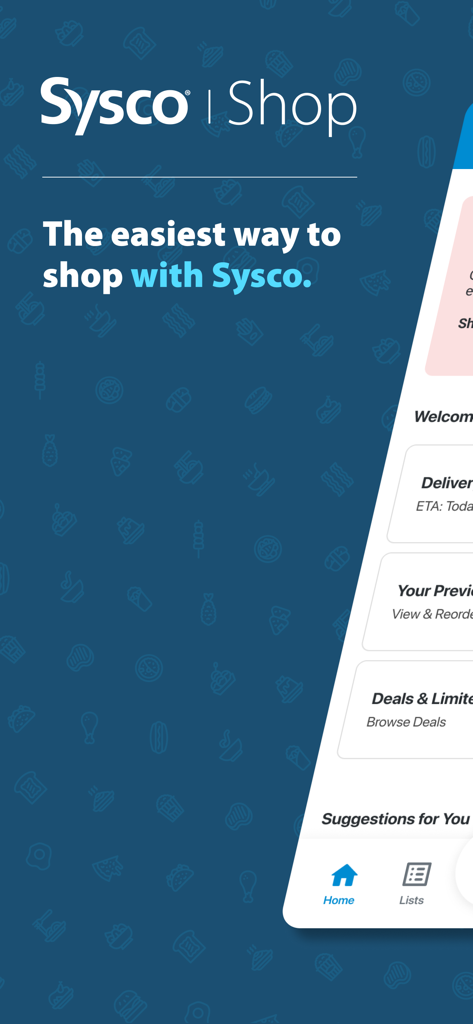
Sysco Shop mobile app home screen showing delivery tracking and order options
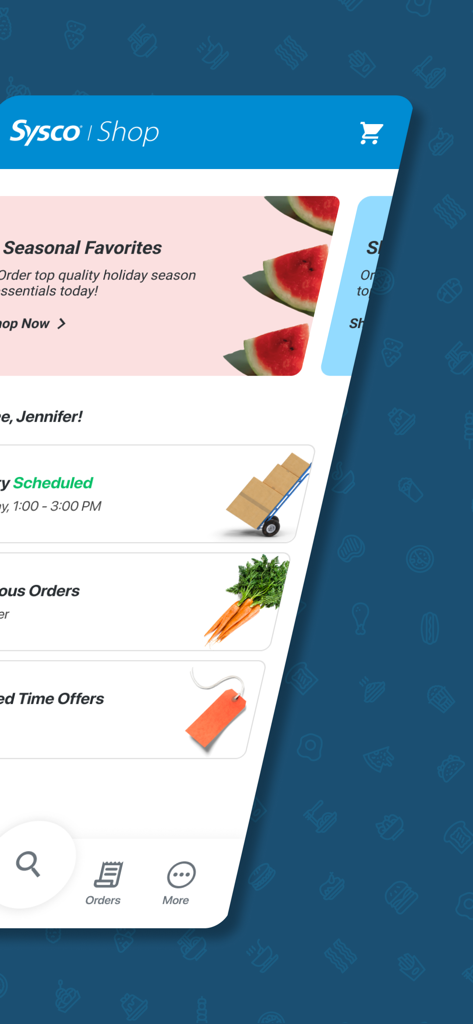
Interface of the Sysco Shop mobile app showing the home screen with seasonal favorites and delivery schedules
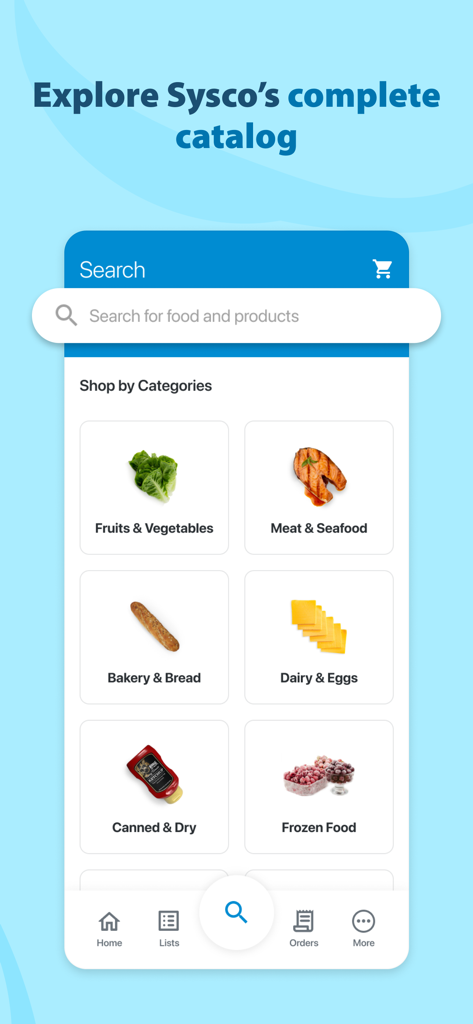
Sysco Shop app search screen displaying various food categories like fruits and vegetables meat and seafood and bakery and bread
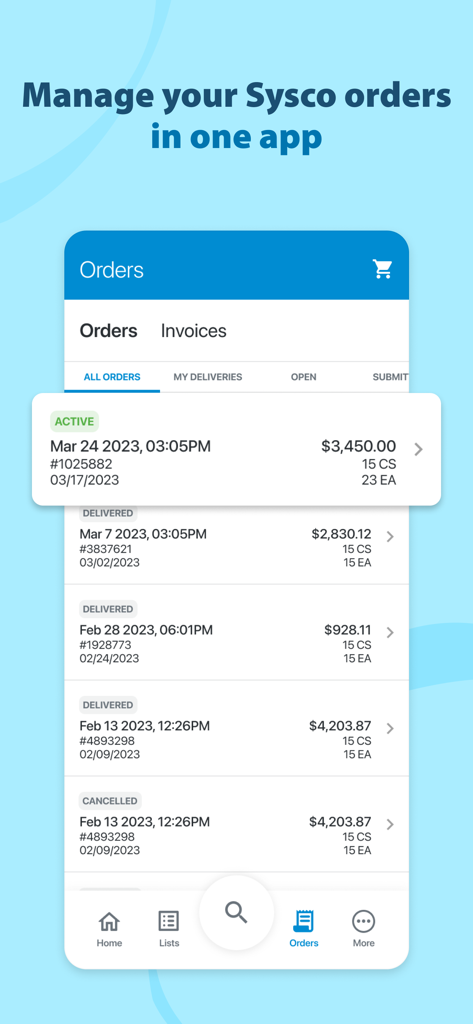
A mobile screen from the Sysco Shop app displaying a list of active and delivered food service orders with their total costs and delivery dates.
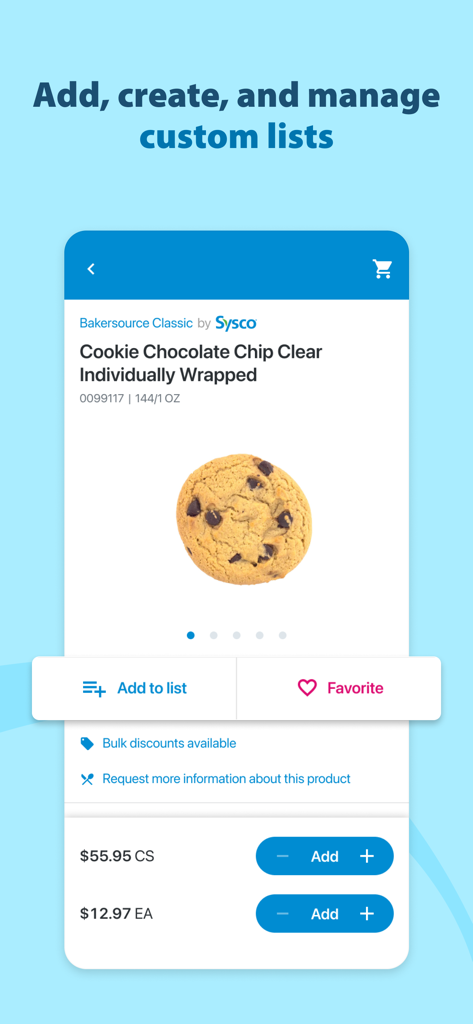
Sysco Shop app interface for managing custom product lists and ordering chocolate chip cookies
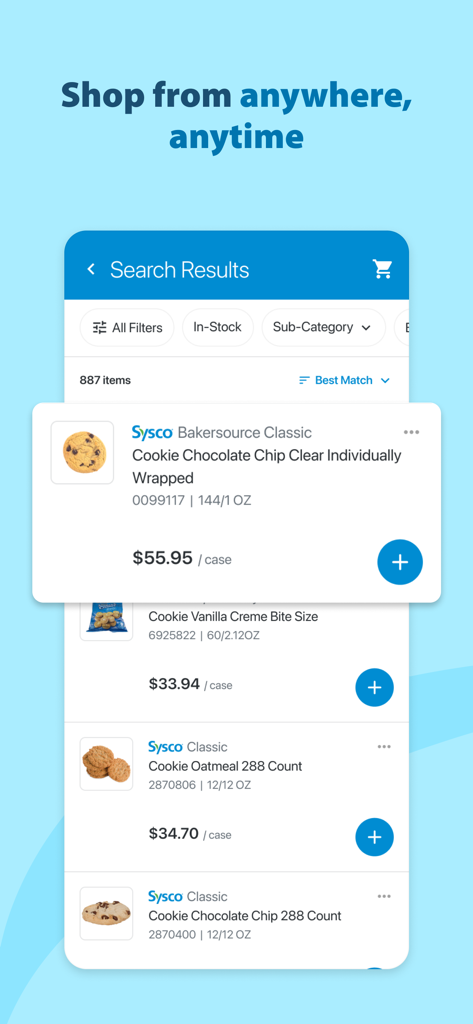
Sysco Shop mobile app interface displaying a product search for wholesale cookies with case prices.
Description
Download
More Like This
Apps with similar features and user experience

Amazon Business: B2B Shopping
AMZN Mobile LLC

Makro PRO
CP Axtra Public Company Limited

SalonCentric
SalonCentric, Inc.

ezCater - Business Catering
ezCater, Inc.

WebstaurantStore
The WEBstaurant Store

صفقات - Sfaqat
SHOP SEFKAT RAHMA

Würth Deutschland
Adolf Wuerth GmbH & Co. KG

Snap-on
Snap-on Inc.

SHINE-BUY
Yehwang International Trade Co.,Ltd.
This page is not an official page of the app or its developer, but an independent editorial publication created for informational and commentary purposes. Unless expressly stated otherwise, neither the app nor its developer is affiliated with, endorsed by, sponsored by, authorized by, or otherwise officially connected with MWM, Apple, Google Play, the app publisher, or the app's developer, and nothing on this page implies that the app was developed using MWM's services. Any trademarks, logos, screenshots, and other content remain the property of their respective owners.