
This page is not an official page of the app or its developer, but an independent editorial publication created for informational and commentary purposes. Unless expressly stated otherwise, neither the app nor its developer is affiliated with, endorsed by, sponsored by, authorized by, or otherwise officially connected with MWM, Apple, Google Play, the app publisher, or the app's developer, and nothing on this page implies that the app was developed using MWM's services. Any trademarks, logos, screenshots, and other content remain the property of their respective owners.


Talk & Translate AI Translator
Language barriers collapse. It delivers instant understanding, wherever you are.
Downloads
5M+User Rating
Total Ratings
22.1KPublisher
Category
ReferenceLocales
14Latest Version
6.4Size
167.6 MBFirst Released
May 25, 2016An Analytical Overview for Global Communicators
Key Features: Talk & Translate AI Translator
Real-time Voice Translation
The app provides instant voice translation, allowing users to speak naturally and receive immediate translations for live conversations, perfect for travel, meetings, and daily interactions.
Comprehensive Text Translation
This tool features robust text translation capabilities, enabling users to paste or type any content for fast, AI-powered translations of messages, emails, and study materials.
Camera & AR Object Translation
It allows users to instantly translate text from images, menus, and signs using their camera. The AR Camera Translator provides an immersive experience to understand objects in selected languages.
Wide Language Compatibility
The app provides support for over 100 languages across voice, text, and photo translation, making it ideal for global communication and diverse linguistic needs.
Offline Translation Capability
This tool features an offline mode, enabling users to download preferred languages and translate without an internet connection or mobile data, crucial for international travel and remote areas.
AI-Powered Accuracy and Speed
The app utilizes advanced AI to deliver fast, accurate, and natural-sounding translations across all modalities, enhancing the reliability and efficiency of cross-language communication.
Frequently Asked Questions
Everything you need to know about Talk & Translate AI Translator
What is Talk & Translate AI Translator?
Talk & Translate AI Translator is an app providing real-time AI translation for over 100 languages, supporting voice, text, and photo input. It effortlessly breaks language barriers.
How many languages does Talk & Translate AI Translator support?
Talk & Translate AI Translator supports 103 languages and over 10,000 language combinations. This enables extensive communication capabilities for users worldwide.
Can Talk & Translate AI Translator translate spoken words?
Yes, Talk & Translate AI Translator offers voice-to-voice and voice-to-text translation. This enables real-time spoken conversations and instant text conversion.
Does Talk & Translate AI Translator translate text input?
Yes, Talk & Translate AI Translator translates text using advanced AI technology. It supports text-to-text translation and can read typed or pasted text aloud with text-to-voice.
Does Talk & Translate AI Translator offer camera translation?
Yes, Talk & Translate AI Translator includes camera-to-text translation. Users can capture images of menus, signs, or documents to receive instant translations directly from the photo.
Can I use Talk & Translate AI Translator without internet?
Yes, Talk & Translate AI Translator supports offline translation. This feature is part of the Premium experience, ensuring functionality even without an internet connection, ideal for travel.
What features are included in Talk & Translate AI Translator Premium?
Talk & Translate AI Translator Premium offers unlimited voice-to-voice and camera-to-text translations, selection of advanced AI models, offline mode, and an ad-free user experience.
Does Talk & Translate AI Translator have AI writing assistance?
Yes, Talk & Translate AI Translator features AI-powered writing tools. They instantly rephrase text and improve grammar, style, clarity, and length, with customizable AI models.
How can users customize voice settings in Talk & Translate AI Translator?
Talk & Translate AI Translator allows users to pick a male or female voice and adjust the voice speed. These customization options are found within the app's settings menu.
Is a free trial available for Talk & Translate AI Translator Premium?
Yes, Talk & Translate AI Translator offers a free trial for its Premium experience. This allows users to explore and test the advanced features before committing to a subscription.
Does Talk & Translate AI Translator support Dark Mode?
Yes, Talk & Translate AI Translator provides a Dark Mode interface. This visual option is directly shown in the app's screenshots, indicating its availability for users.
Where can I find the privacy policy for Talk & Translate AI Translator?
The privacy policy for Talk & Translate AI Translator is accessible at mobilingo.ai/privacy-policy. This link is explicitly provided within the app's store description for user transparency.
The following screenshots and description are sourced directly from the app's official store listing and are the property of the app developer.
App Store
Screenshots
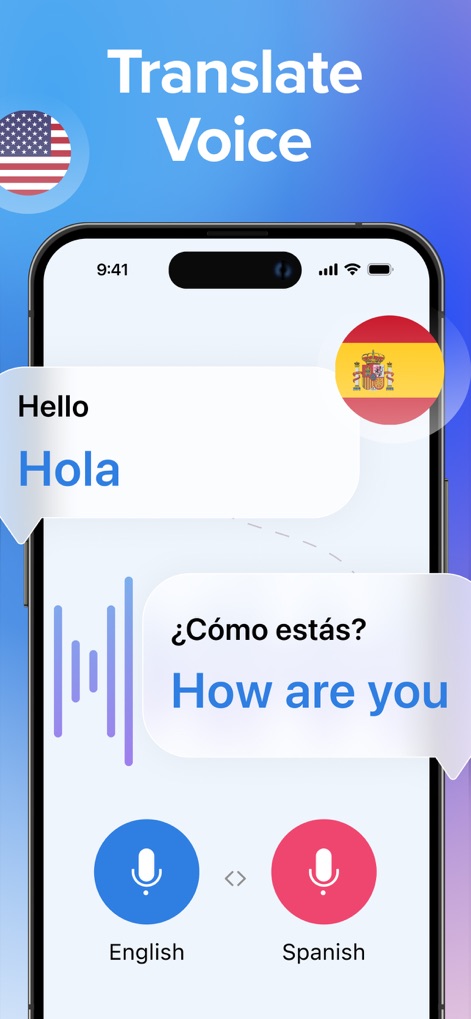
Users can engage in real-time bilingual conversations, visually represented by dynamic conversation bubbles and an intuitive dual-microphone interface.
Voice Translation Power
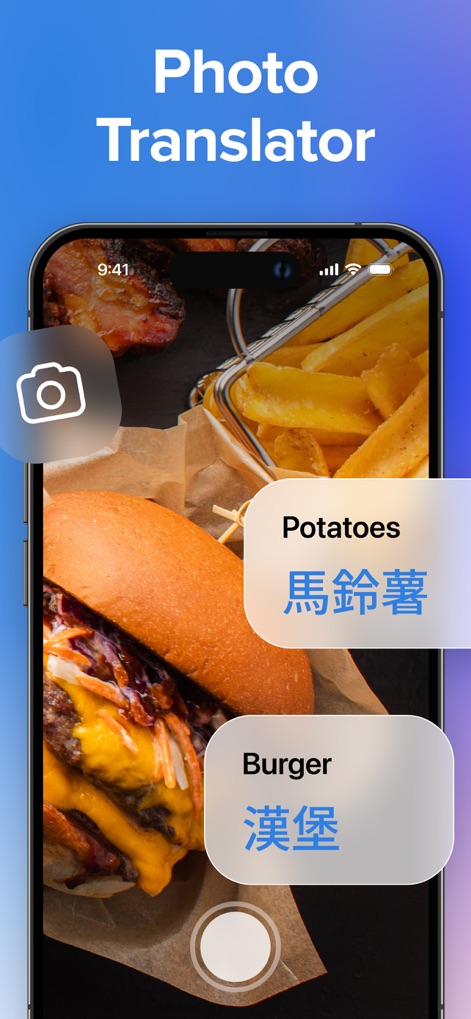
This tool instantly translates text from images, displaying overlaid translated text directly onto the visual content, such as a meal menu.
Instant Photo Translation
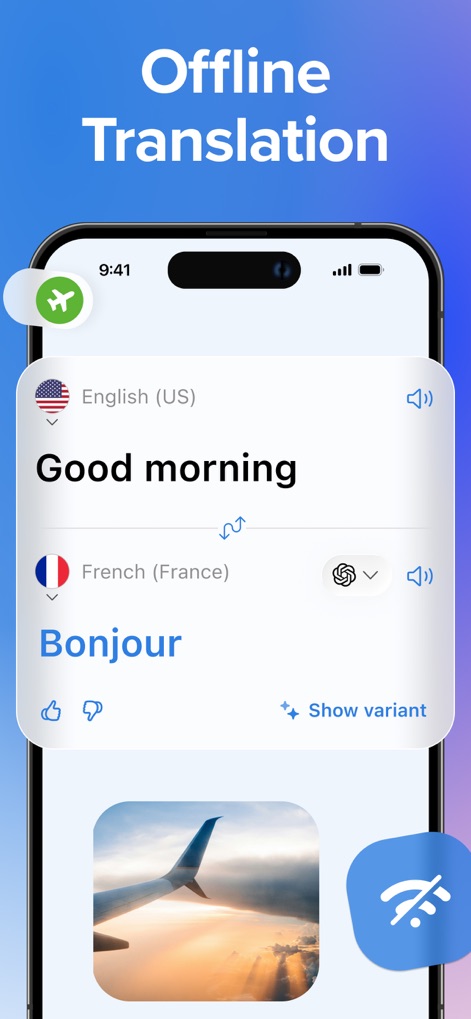
The app provides seamless offline translation capabilities, evidenced by the airplane mode and Wi-Fi disabled symbols for uninterrupted use abroad.
Offline Travel Mode
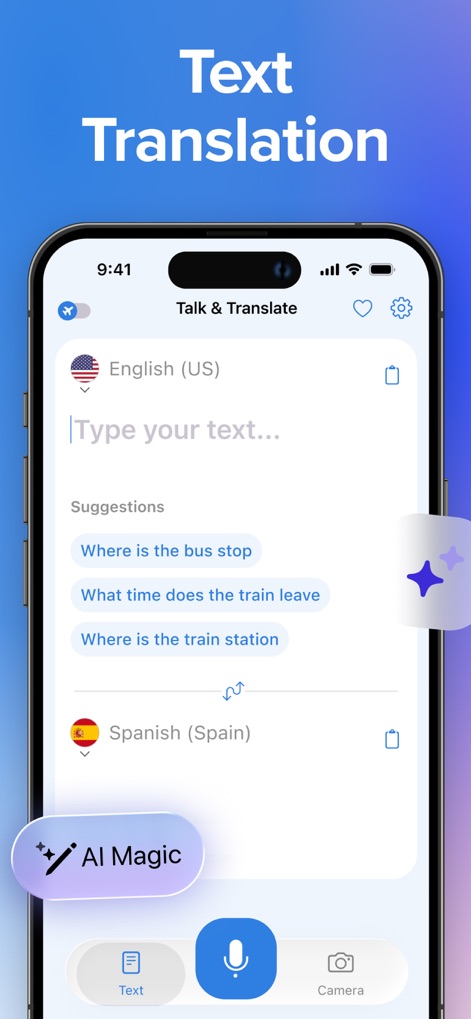
Users can effortlessly translate written content using the prominent text input field and leverage smart AI suggestions for faster communication.
Smart Text Input
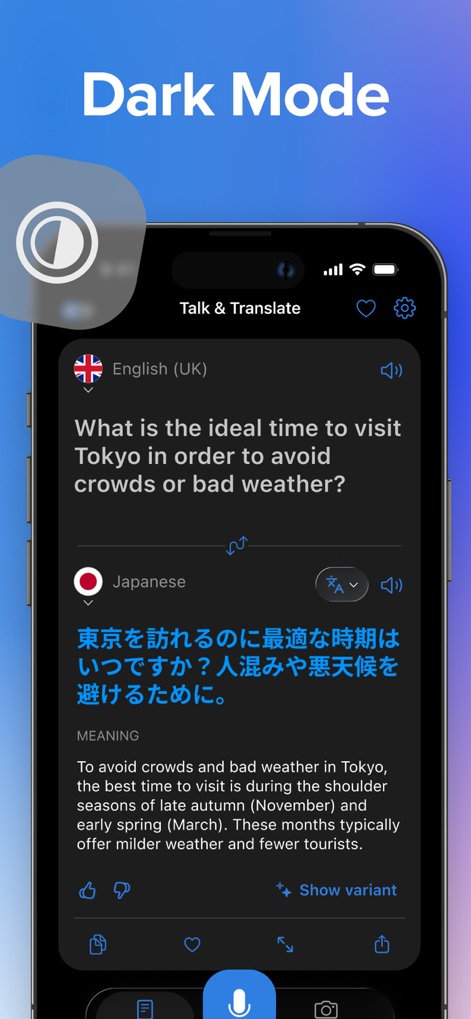
The elegant dark mode interface enhances readability, providing a comfortable viewing experience for detailed translations of longer passages.
Sophisticated Dark Mode
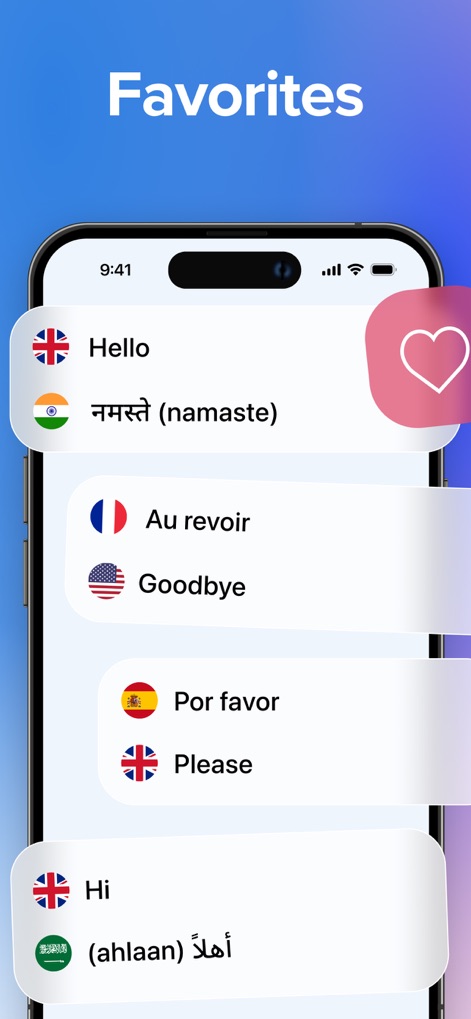
The app allows users to easily save and access frequently used multilingual phrases, organized in a clear list under the Favorites section.
Quick Phrasebook Access
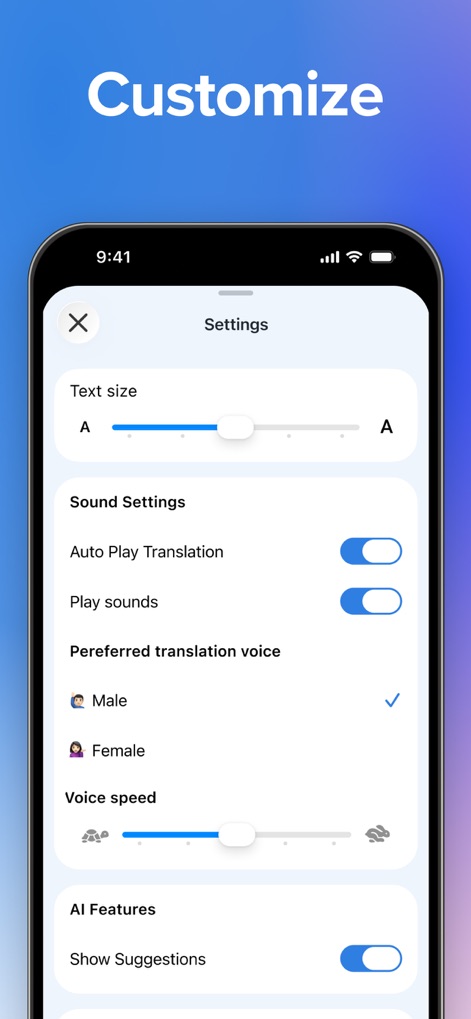
This tool offers extensive customization options, including granular controls for text size adjustment and comprehensive sound settings for playback preferences.
Personalized Settings
Description
Download
More Like This
Apps with similar features and user experience

DeepL Translate
DeepL SE

腾讯翻译君-多语言翻译
Tencent Technology (Shenzhen) Company Limited

出国翻译官- 多语言语音翻译聊天交友
Beijing Qicai Muzhi Technology Co.,Ltd.

Translate Voice:Ai Chat
TINY BOLT (HK) CO., LIMITED

GO Translate・AI Translator App
INNOVAPP LLC

翻译全能王-中文日文图片扫描翻译器
Shanghai Baowu Network Technology Co., Ltd.

translation-Global translation
Hebei jiudao network technology co., ltd

Photo Translator: Camera OCR
Son Hoang

Voice Translator : Language +
AmazinPro Technology Solutions And Training Company Limited
This page is not an official page of the app or its developer, but an independent editorial publication created for informational and commentary purposes. Unless expressly stated otherwise, neither the app nor its developer is affiliated with, endorsed by, sponsored by, authorized by, or otherwise officially connected with MWM, Apple, Google Play, the app publisher, or the app's developer, and nothing on this page implies that the app was developed using MWM's services. Any trademarks, logos, screenshots, and other content remain the property of their respective owners.