
This page is not an official page of the app or its developer, but an independent editorial publication created for informational and commentary purposes. Unless expressly stated otherwise, neither the app nor its developer is affiliated with, endorsed by, sponsored by, authorized by, or otherwise officially connected with MWM, Apple, Google Play, the app publisher, or the app's developer, and nothing on this page implies that the app was developed using MWM's services. Any trademarks, logos, screenshots, and other content remain the property of their respective owners.

TaxFreeway 24
Take total control of your Canadian taxes with the world's first fully-functional tax app for iPad. Whether you're managing rental income, self-employment, or complex investments, our unique Form and Interview modes offer the professional power you need with the 100% local privacy you deserve.
Downloads
500User Rating
Total Ratings
0Publisher
Category
FinanceLocales
1Latest Version
2.6Size
16.8 MBFirst Released
Dec 25, 2024Pro-Grade Tax Filing. Total iPad Mobility.
TaxFreeway 24 bridges the gap between professional desktop software and mobile convenience, offering the precision needed for complex returns with the privacy of local storage.
Your Data Stays With You
Avoid cloud-based vulnerabilities. All your sensitive financial data and SIN are stored exclusively on your iPad for maximum privacy and peace of mind.
Interview or Form Mode? Both.
Switch between guided step-by-step interviews and professional CRA form views. Gain the clarity you need to verify every line of your return.
The following screenshots and description are sourced directly from the app's official store listing and are the property of the app developer.
App Store
Screenshots
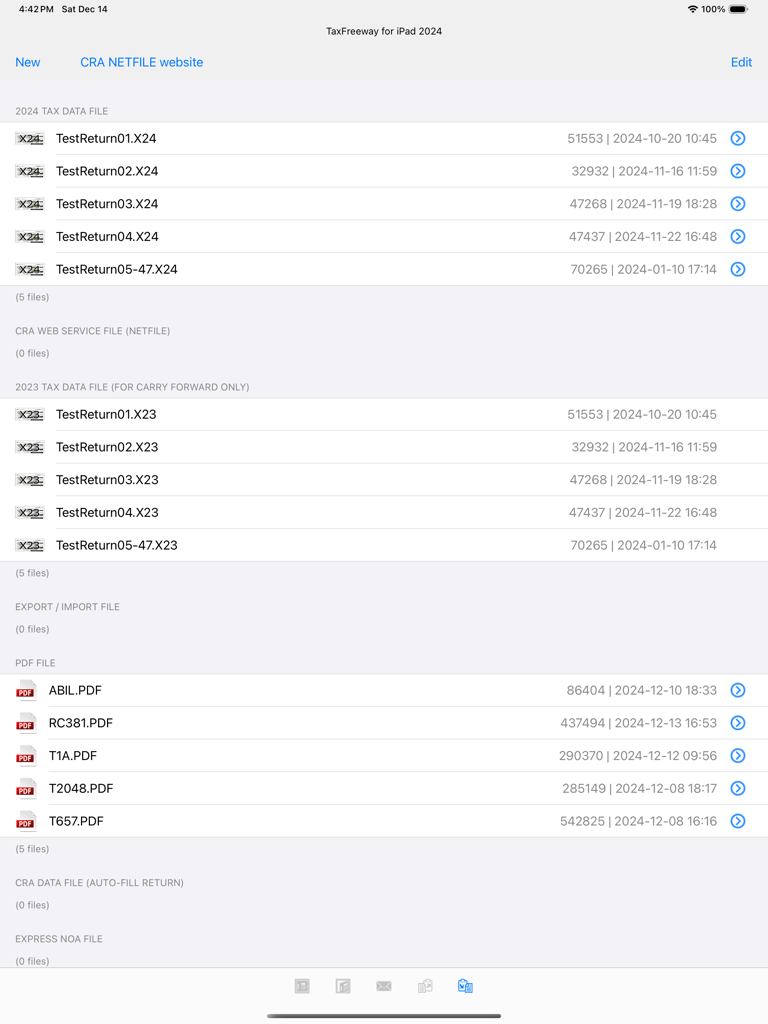
TaxFreeway 24 file manager displaying various tax data files and PDF documents on an iPad screen
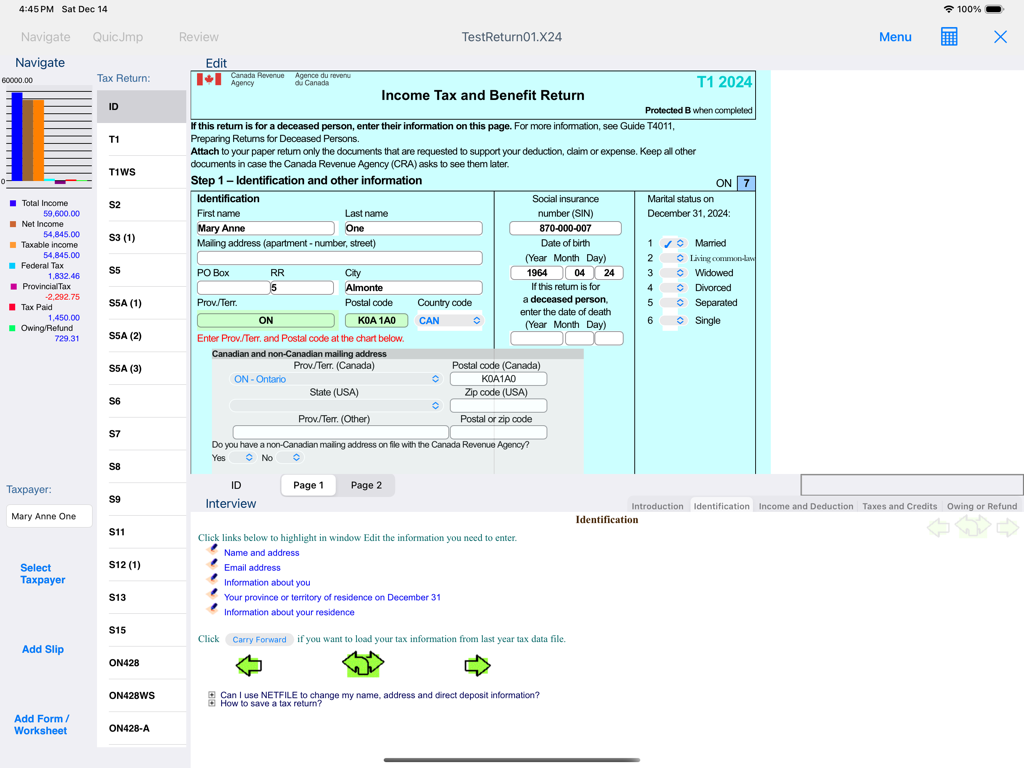
TaxFreeway 24 iPad app interface showing a Canadian T1 tax form with personal identification and financial summary
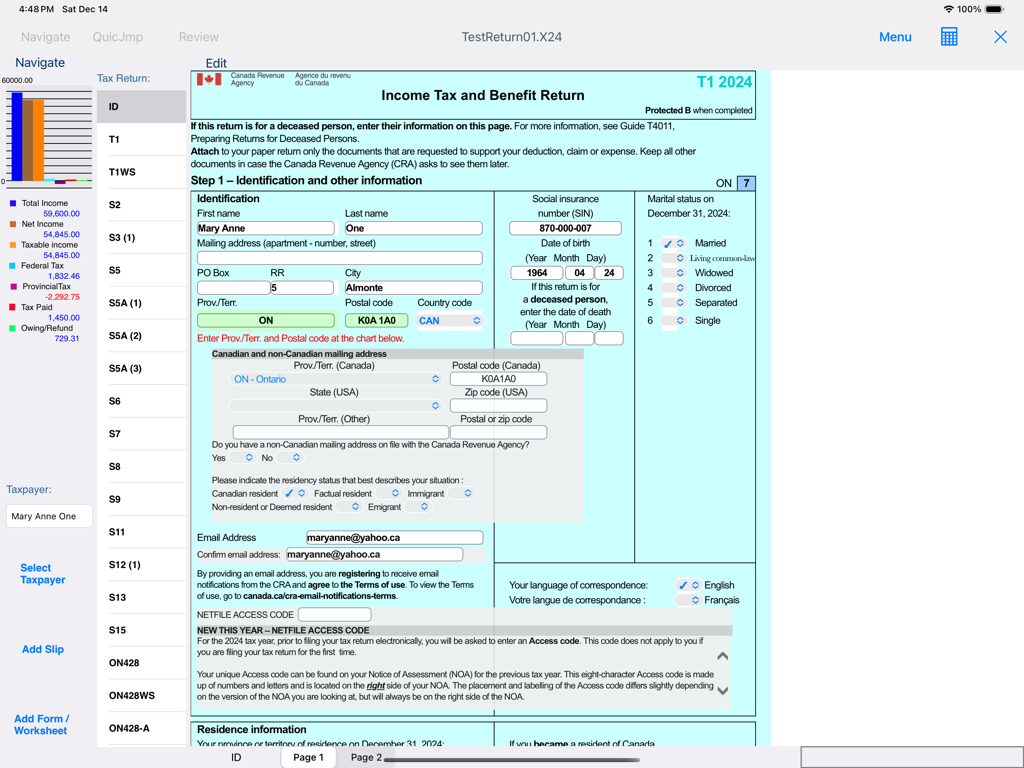
TaxFreeway 24 app interface displaying a Canadian T1 2024 income tax and benefit return form on iPad
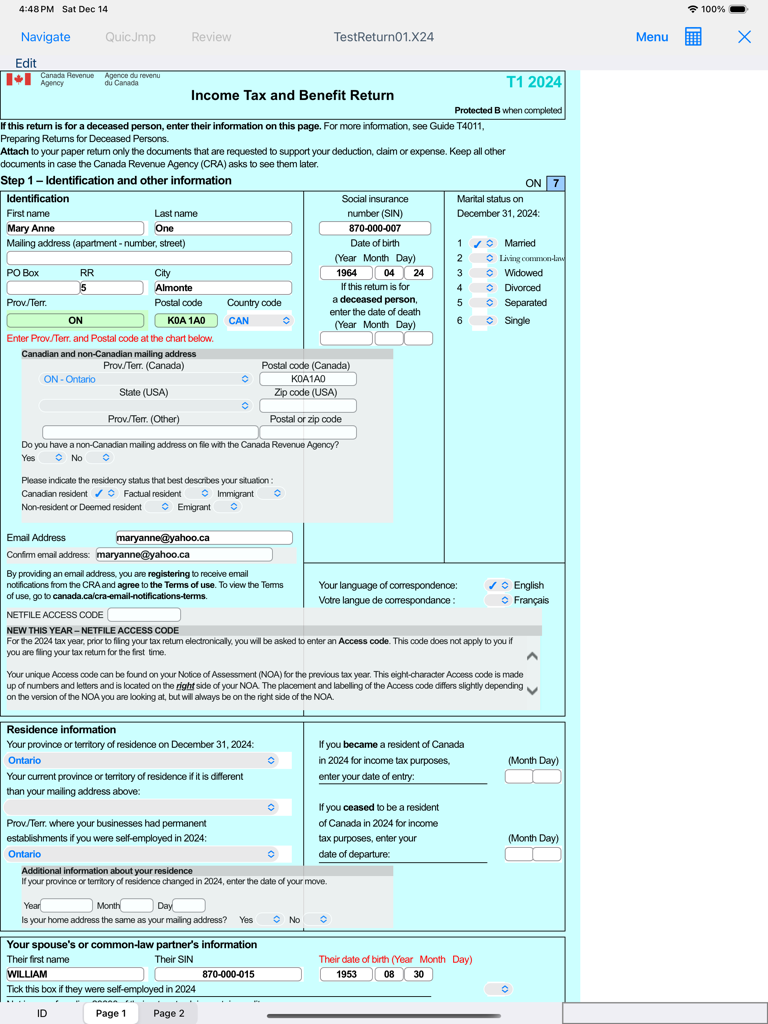
A screenshot of the TaxFreeway 24 app on iPad showing the Canadian T1 Income Tax and Benefit Return form.
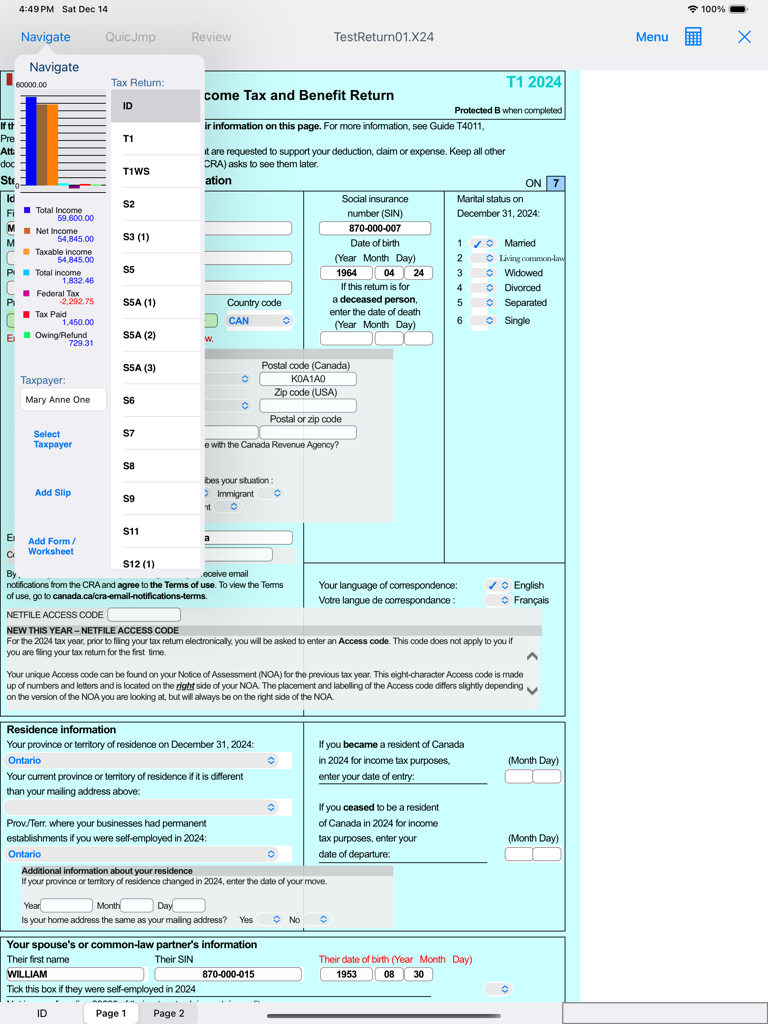
iPad screen of TaxFreeway 24 showing a Canadian T1 tax form and a sidebar with an income summary chart
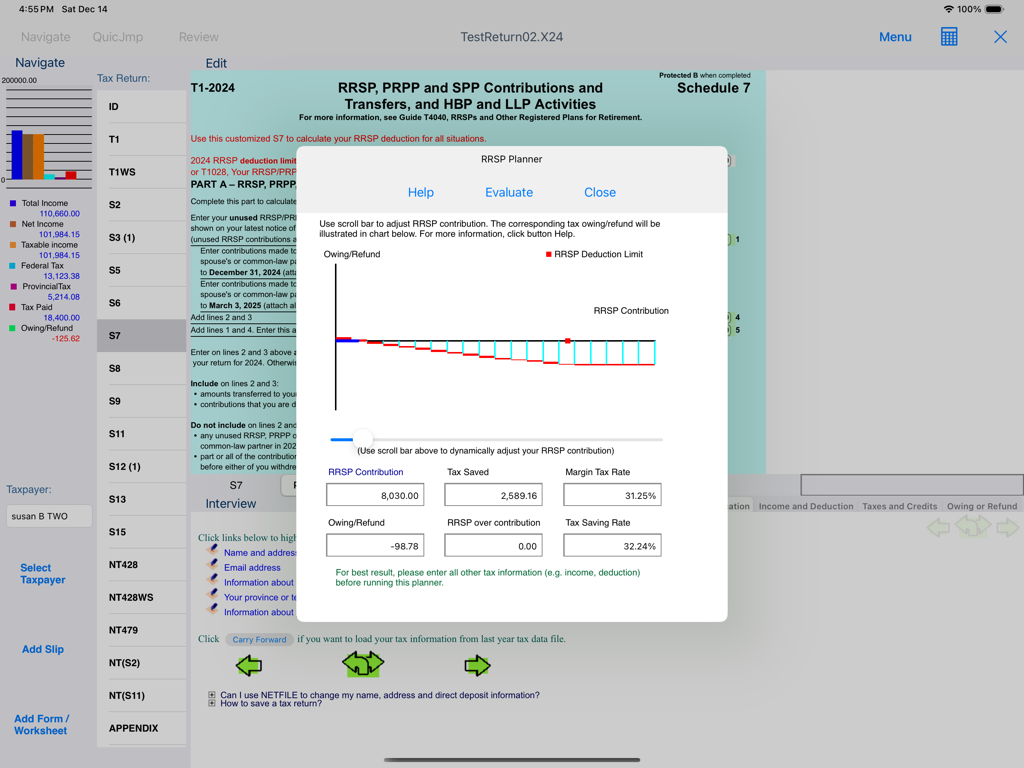
The RRSP Planner interface in TaxFreeway 24 for iPad illustrating tax savings based on contributions
Description
Download
More Like This
Top-ranked apps in the same category

电子税务局
State Administration of Taxation

UnionPay APP
China Unionpay Co.,Ltd.

养基宝 - 年轻人的养基神器
Shenzhen Xiaoduotou Information Technology Co.,Ltd.

PayPal - Pay, Send, Save
PayPal, Inc.

中国农业银行
AGRICULTURAL BANK OF CHINA LIMITED

Mercado Pago: cuenta digital
MercadoLibre S.A.

Kalshi: Trade on the Big Game
KALSHI INC.

中国工商银行
Industrial and Commercial Bank of China

个人所得税
State Administration of Taxation
This page is not an official page of the app or its developer, but an independent editorial publication created for informational and commentary purposes. Unless expressly stated otherwise, neither the app nor its developer is affiliated with, endorsed by, sponsored by, authorized by, or otherwise officially connected with MWM, Apple, Google Play, the app publisher, or the app's developer, and nothing on this page implies that the app was developed using MWM's services. Any trademarks, logos, screenshots, and other content remain the property of their respective owners.