
TCL Home

Seamlessly manage your TVs, air conditioners, and smart appliances from anywhere. Take full control with a built-in remote, effortless media casting, and personalized support all in one app.
Publisher
Category
LifestyleDownloads
3M+User Rating
Total Ratings
2K+Locales
33Discover the interface used by 3M+ users.
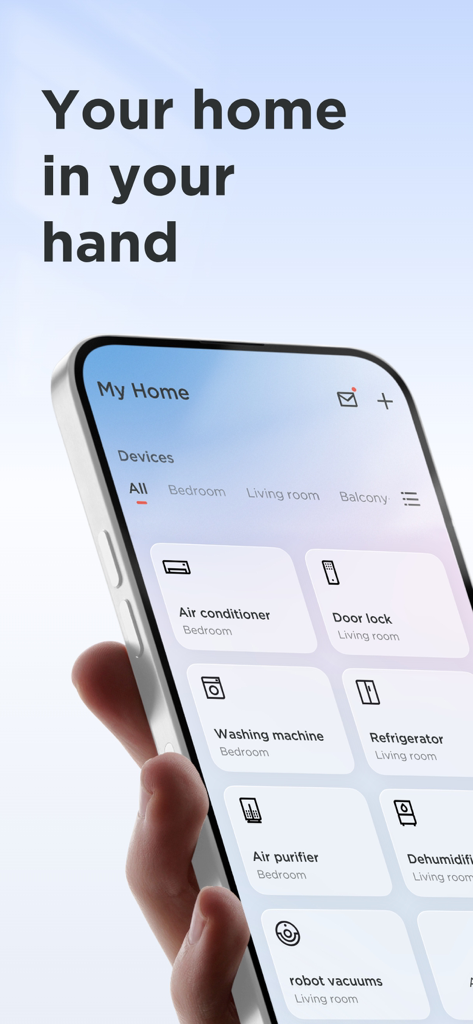
The tools that make this app stand out, trusted by 3M+ users.
Lose the remote, not the control. Navigate menus and type search queries instantly from your phone to find your favorite shows faster.
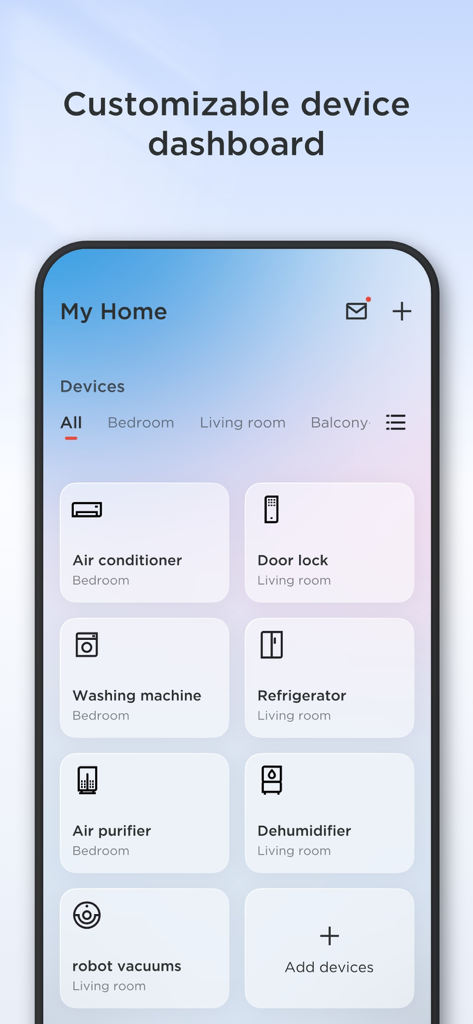
From cooling your home to scheduling your robot vacuum, manage all your TCL smart devices from a single hub, anytime and anywhere.
Upgrade your viewing experience. Effortlessly cast high-quality videos, music, and photos directly from your mobile device to your TCL big screen.
Everything you need to know about TCL Home.
Description
Latest Version
6.0.1
Size
373.5 MB
First Released
Sep 21, 2019
Join over 3 million users and transform your smartphone into the ultimate control hub. Download TCL Home now to manage your devices, simplify your routine, and unlock the full potential of your smart ecosystem.
Everything you need to know about TCL Home
The TCL Home app functions as a smart hub, enabling users to manage their TCL smart devices, including smart TVs and various smart home appliances, conveniently from any location.
The TCL Home app offers a TV Remote feature that supports control, keyboard input, and voice control. It also includes Media Cast functionality for streaming media to your TCL TV.
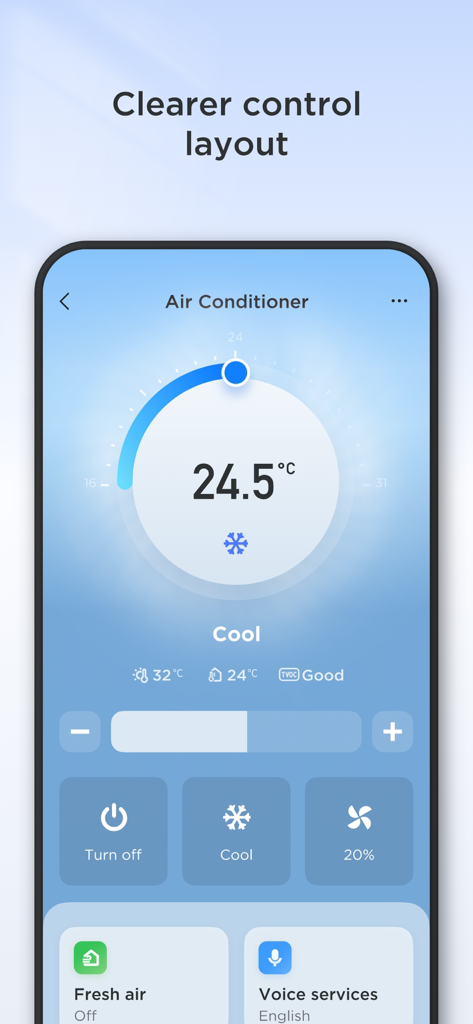
Yes, the TCL Home app provides integrated control for your TCL air conditioner. Users can manage settings such as temperature and mode directly through the app interface.
Yes, the TCL Home app includes Media Cast, allowing users to cast movies, pictures, videos, and music from their mobile device directly to their TCL TV for an enhanced viewing experience.
The Media Cast feature within the TCL Home app is available in India, Australia, Brazil, France, the UK, Germany, and Italy.
The TCL Home app controls various smart home devices such as TVs, air conditioners, soundbars, robot vacuums, air purifiers, washing machines, refrigerators, door locks, and dehumidifiers.
Yes, the TCL Home app offers instant access to customer support through its "Service & Care" section, providing solutions and assistance for device usage.
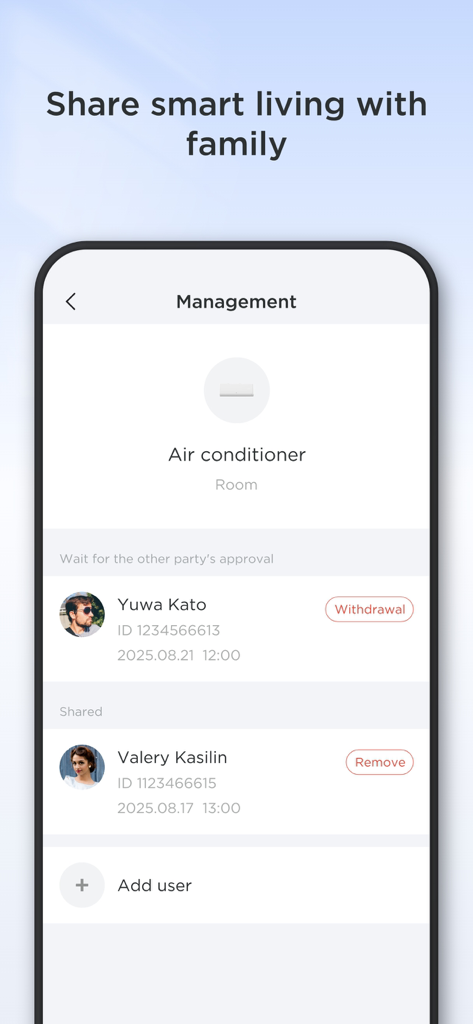
Yes, the TCL Home app allows users to share control of smart devices with family members. This feature is managed through a dedicated sharing interface, as seen with air conditioner control.
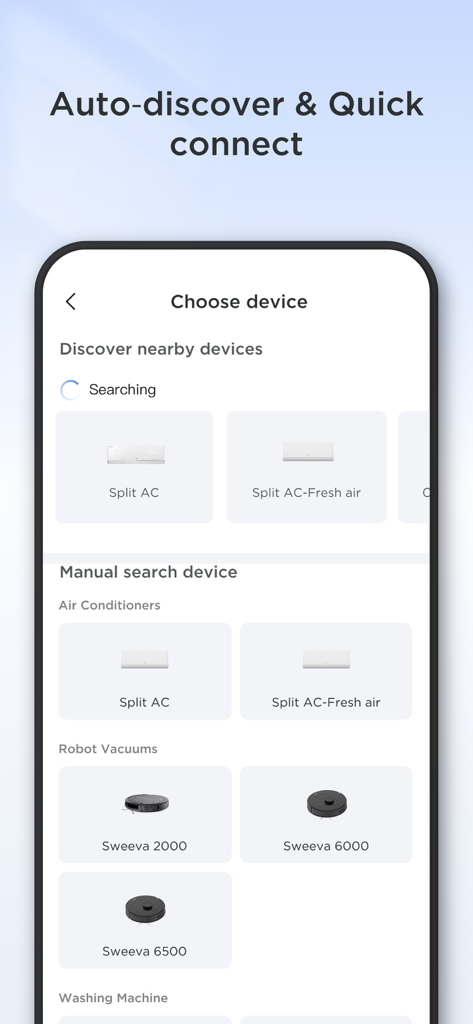
The TCL Home app enables device connection through auto-discovery of nearby devices and also provides options for manual device search to add new appliances like robot vacuums and washing machines.
Yes, the "Explore & Have Fun" section of the TCL Home app provides exclusive content for TCL users, including tips, rewarded quizzes, and the latest offers.
Apps with similar features and user experience

TP-Link Systems Inc.

DIRECT CURSUS COMPUTER SYSTEMS TRADING LLC

Vesync Technology Corporation

TP-Link Systems Inc.

ecobee Ltd.

Afero, Inc.

ADT LLC

Resideo Technologies, Inc.

Intelbras S.A. Ind. de Telecom. Elet. Brasileira
App information, icons, screenshots, and descriptions displayed on this page are sourced from the Apple App Store and are the property of their respective developers. Download estimates and rankings are based on MWM's proprietary models and may not reflect actual figures. This page is provided for informational and analytical purposes only.
Believe this page infringes your intellectual property? File a dispute