Team Shake
Team Shake
Download on App Store

This page is not an official page of the app or its developer, but an independent editorial publication created for informational and commentary purposes. Unless expressly stated otherwise, neither the app nor its developer is affiliated with, endorsed by, sponsored by, authorized by, or otherwise officially connected with MWM, Apple, Google Play, the app publisher, or the app's developer, and nothing on this page implies that the app was developed using MWM's services. Any trademarks, logos, screenshots, and other content remain the property of their respective owners.


Logo of Team Shake
Download on App Store

Team Shake

Say goodbye to 'picked last' drama and paper scraps. Whether in the classroom, on the field, or at home, give your device a shake to instantly generate fair, balanced, and inclusive groups for any activity.

Key Figures

Downloads

214K+

User Rating

4.7/5

Total Ratings

4K+

Publisher

Rhine-o Enterprises LLC

Category

Education

Locales

1

Latest Version

3.0.3

Size

7.6 MB

First Released

Oct 9, 2010
Features

Fairer Teams, Fewer Arguments

From the classroom to the court, Team Shake provides a sophisticated yet simple way to organize groups while ensuring every participant feels valued and included.

Pro-Level Skill Balancing

Eliminate the 'last-picked' anxiety. Use five different skill levels to automatically create perfectly balanced, competitive teams that keep everyone engaged.

Effortless Roster Management

Ditch the manual entry. Import your entire class or league rosters directly from CSV, Excel, or contacts, and save them for instant access during every session.

The following screenshots and description are sourced directly from the app's official store listing and are the property of the app developer.

App Store

Screenshots
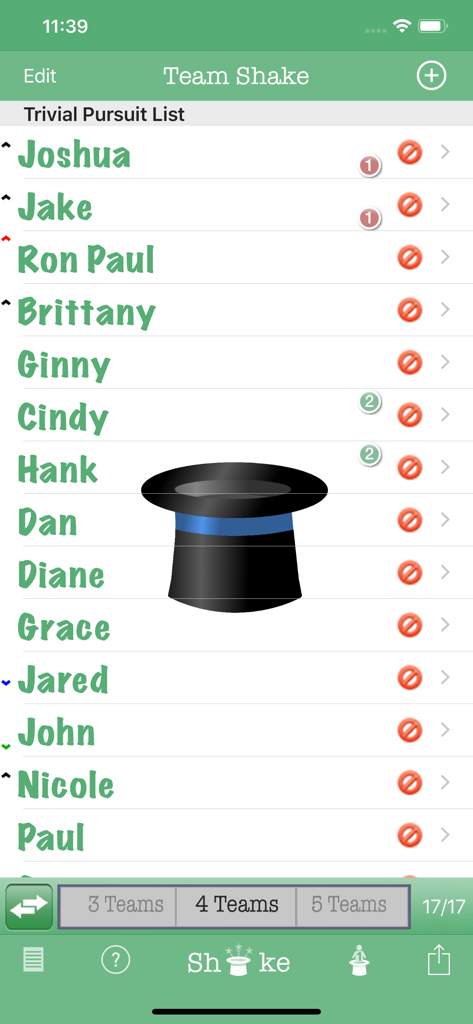
Team Shake - Main screen of Team Shake app showing a list of names and a virtual hat icon for random team generation.
Main screen of Team Shake app showing a list of names and a virtual hat icon for random team generation.

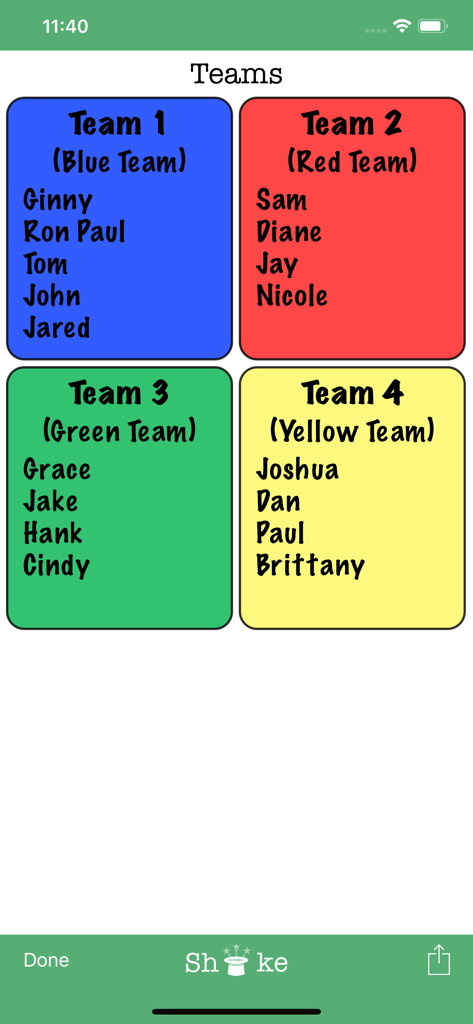
Team Shake - A results screen in the Team Shake app displaying four color-coded teams with assigned member names.
A results screen in the Team Shake app displaying four color-coded teams with assigned member names.

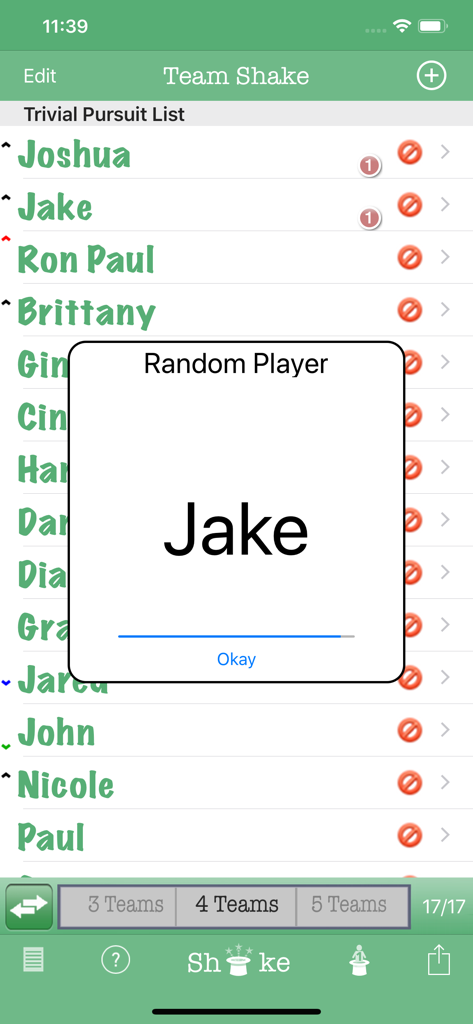
Team Shake - The Team Shake app interface displaying a random player selection pop-up with the name Jake
The Team Shake app interface displaying a random player selection pop-up with the name Jake

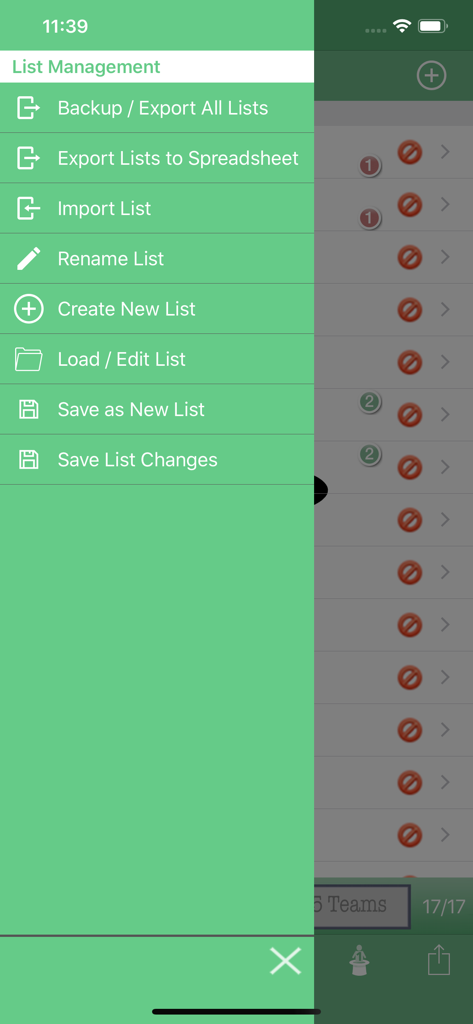
Team Shake - Team Shake app side menu showing list management options like backup, export to spreadsheet, and import list
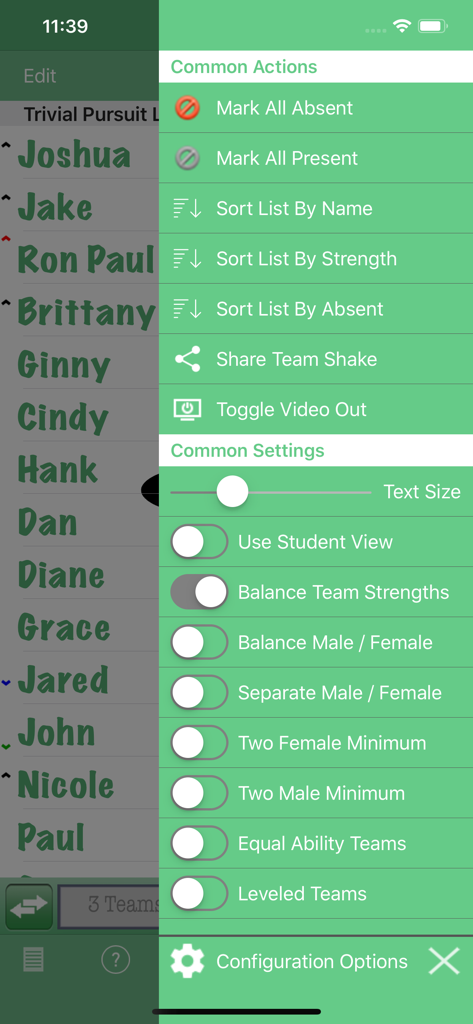
Team Shake app side menu showing list management options like backup, export to spreadsheet, and import list

Team Shake - Configuration options menu in the Team Shake app showing team balancing and management settings
Configuration options menu in the Team Shake app showing team balancing and management settings

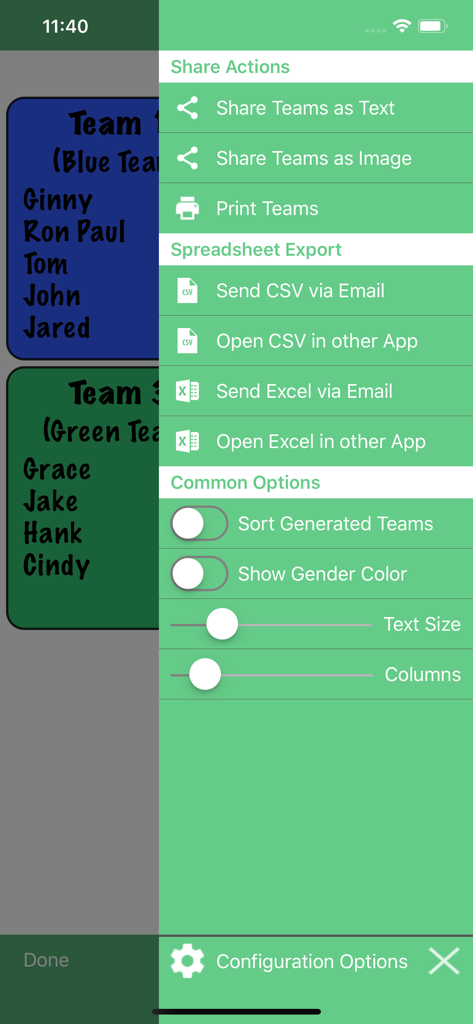
Team Shake - Team Shake side menu showing share actions and spreadsheet export options for CSV and Excel files.

Team Shake side menu showing share actions and spreadsheet export options for CSV and Excel files.
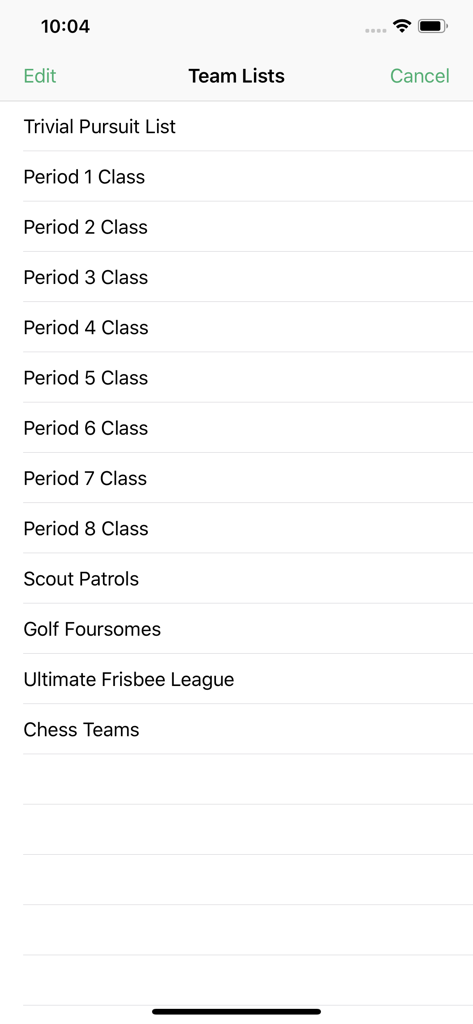
Team Shake - Team Shake app screen showing a list of saved team rosters for school classes and recreational sports
Team Shake app screen showing a list of saved team rosters for school classes and recreational sports

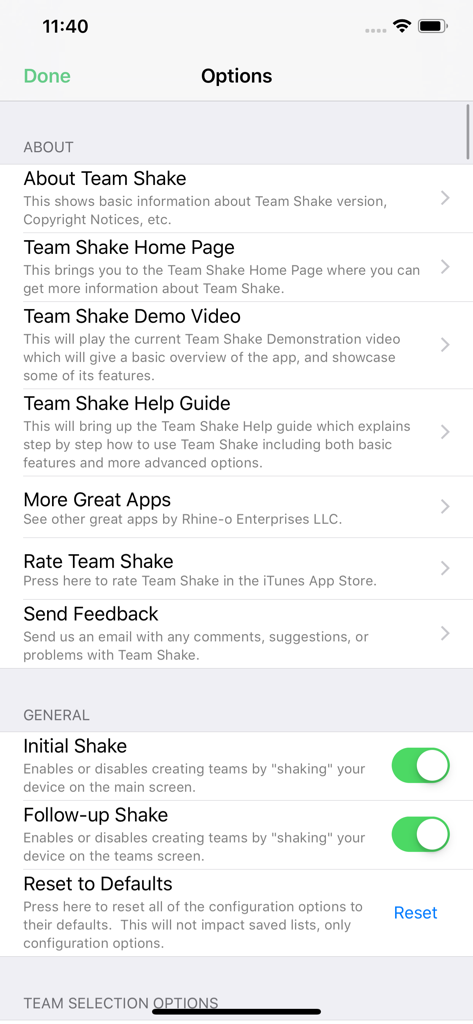
Team Shake - Options menu in the Team Shake app showing About and General settings with toggle switches for shaking features
Options menu in the Team Shake app showing About and General settings with toggle switches for shaking features

Team Shake - The team selection options menu in the Team Shake app showing various toggle settings for balancing teams by strength and gender.
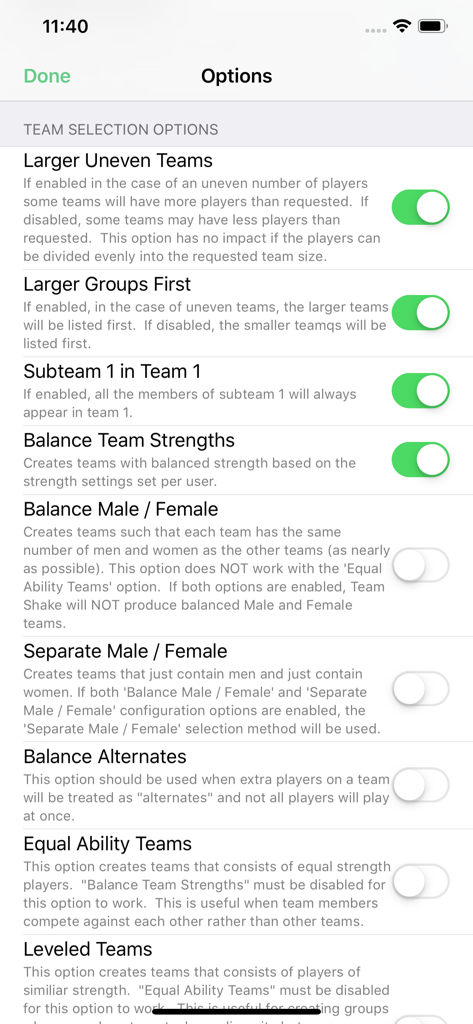
The team selection options menu in the Team Shake app showing various toggle settings for balancing teams by strength and gender.

Team Shake - Team Shake app display options and settings menu on iPhone

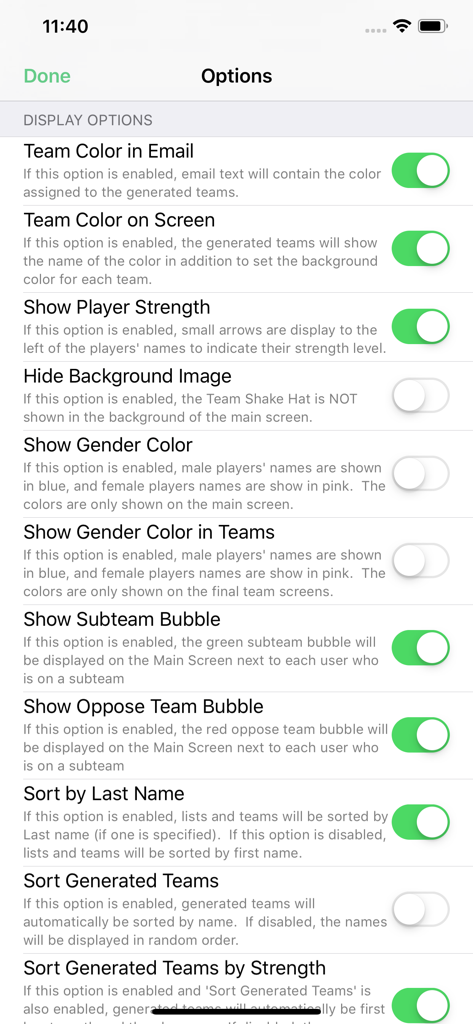
Team Shake app display options and settings menu on iPhone

Description

Team Shake provides a technological and environmentally friendly way to choose teams for board games, sporting events, tournaments, school projects or anytime groups are required. The newest release brings many new features including full iPad support, balancing teams based on skill or gender, importing users from a file, enabling video output, and sharing teams via facebook or email. Team Shake is the premier iOS App for creating teams. Instead of a hat and scraps of paper, the user enters his friends' names in his iPhone and gives it a shake. The screen will then display a random set of color-coded teams. These teams can immediately be used for game play or shared via facebook or email. The quick and easy selection of random (or balanced) teams eliminates fighting over who will be on which team. Innovative use of the iPhone shake gesture gives users the satisfying feeling of shaking a virtual hat without the trouble of carrying around an actual hat. Conventional buttons can also be used for those who would rather not shake their expensive hardware about.

 The app is designed with ease of use and simplicity in mind. Names can easily be entered with the onscreen keyboard, chosen from the user's contacts, or imported from a file. The email and facebook functions document the members of each individual team as well as preserving the team number and color assigned by the app. For repeated use of Team Shake, lists of friends can be easily saved and loaded later. The current list is also automatically saved so that if you exit the app, or even reboot the device, changes will not be lost. For teachers and others with large lists of people, Team Shake supports the ability to import teams from text or csv files. If you have any problems, feature requests, or comments please send an email to support@rhine-o.com. Features: * Create 1 to 64 random teams * Create completely random or balanced teams * Full iPad support * Eliminates fighting over choosing teams * Share / Save teams via email or Facebook * Teams can be chosen by the number of teams or by the size of teams. * Save lists of friends for later games * Import lists from email or spreadsheet * Export lists and options for use on another device * Satisfying feeling of shaking a “virtual” hat to create teams * Animated shaking hat * Entry of names via onscreen keyboard * Entry of names via iPhone contacts * Temporarily disable people who are absent * Set groups of people to always be on the same team * Set groups of people to always be on different teams * Set user strength to make more even teams (now supports fully balanced teams) * 5 users strengths level * Pick a single random person from the list of players * User strength indicator on the main screen (can be disabled in options) * Number of active players and total players is now displayed on the main screen * Video Out Support * Option to Sort Teams by Name * Option to balance male / female team members * "Equal Ability" option to create teams where all players have the same strength * Option to create separate male and female teams * Configurable Team Colors * Configurable Team Names * Print Support * Export Teams in CSV or XLS Format * Team Shake now supports simultaneously assigning players to multiple subteams and / or oppose teams at the same time. * Subteams / Oppose teams can now have customized names to make selection easier * Subteams / Oppose teams can now be enabled or disabled globally so that teams can be made quickly without subteams / oppose teams. In particular, Balance Teams Strengths will work when separate Male / Female teams are created. Yappler-Tags: Teams, Groups, Random, Hat, Entertainment, Games, Utilities

Download

Download on App Store

This page is not an official page of the app or its developer, but an independent editorial publication created for informational and commentary purposes. Unless expressly stated otherwise, neither the app nor its developer is affiliated with, endorsed by, sponsored by, authorized by, or otherwise officially connected with MWM, Apple, Google Play, the app publisher, or the app's developer, and nothing on this page implies that the app was developed using MWM's services. Any trademarks, logos, screenshots, and other content remain the property of their respective owners.








