
This page is not an official page of the app or its developer, but an independent editorial publication created for informational and commentary purposes. Unless expressly stated otherwise, neither the app nor its developer is affiliated with, endorsed by, sponsored by, authorized by, or otherwise officially connected with MWM, Apple, Google Play, the app publisher, or the app's developer, and nothing on this page implies that the app was developed using MWM's services. Any trademarks, logos, screenshots, and other content remain the property of their respective owners.


Tencent Video
Unleash Asian entertainment, transcending borders with a tap.
Downloads
500k+User Rating
Total Ratings
1.1KPublisher
Category
EntertainmentLocales
11Latest Version
5.33.5Size
246.5 MBFirst Released
Apr 22, 2020An evaluation of core functionalities enhancing the East Asian entertainment streaming experience.
Key Feature Analysis: Tencent Video
Extensive East Asian Content Library
The app provides an extensive library of original and popular shows, dramas, and variety shows, focusing on East Asian entertainment.
Multi-language Subtitles & Translation
It allows users to access content with multi-language subtitles and translation services, catering to diverse linguistic preferences, including Vietnamese.
Adaptive Video Quality & Blu-ray Support
This tool features adaptive video quality adjustment, allowing users to choose resolutions from data-saving options to Blu-ray quality (Full HD) for an enhanced viewing experience.
Enhanced Media Player with Interactive Features
The app offers an advanced media player with features like bullet comments for interactive viewing, precise episode selection, and customizable playback speeds.
Continue Watching Functionality
It allows users to seamlessly resume watching content from where they last left off, enhancing viewing continuity.
Intuitive Content Categorization
The app provides well-organized category selections, making it easier for users to find specific genres like movies, dramas, and variety shows.
Gesture-Based Screen Controls
This tool features intuitive gesture controls, enabling users to adjust volume, brightness, and video scrubbing directly by swiping on the screen.
Picture-in-Picture (PiP) Mode
The app includes a Picture-in-Picture function, enabling users to continue watching content in a minimized window while navigating other applications.
Frequently Asked Questions
Everything you need to know about Tencent Video
What is Tencent Video?
Tencent Video is an app for streaming original and popular shows, dramas, and variety shows. It provides selected, top-hit content with a premium watching experience.
Does Tencent Video support high-definition video streaming?
Yes, Tencent Video supports high-definition video streaming. Users can select Blu-ray picture quality (Full HD) for an upgraded watching experience. It also offers 360P to save cellular data.
Can I watch Tencent Video content offline?
Yes, Tencent Video allows users to download videos. This feature enables watching shows and dramas offline, ensuring content is always available without an internet connection.
What new features are available in the updated Tencent Video app?
The updated Tencent Video app includes a redesigned media player with bullet comments, episode selection, and playback speed options. It also supports picture-in-picture, 'Coming Soon' optimization, and Vietnamese translation services.
Does Tencent Video offer multi-language subtitles?
Yes, Tencent Video provides multi-language subtitles for its content. Users can choose from various languages and switch them based on their preference, enhancing accessibility.
How can users control video playback in Tencent Video?
Users control video playback in Tencent Video by swiping the screen up and down to adjust volume and brightness. Swiping left and right allows users to skip back or forward within the video.
Can I categorize content in Tencent Video?
Yes, Tencent Video categorizes content like movies, dramas, and variety shows into different pages. This makes it easier for users to find and explore specific categories they are interested in.
How does Tencent Video help me continue watching shows?
Tencent Video remembers your last watched position. It helps you pick up directly from where you left off, ensuring a seamless and convenient viewing experience across sessions.
Does Tencent Video support different playback speeds?
Yes, Tencent Video supports multiple playback speed options, including 3x, 2x, and 0.75x. These settings allow users to customize their viewing experience.
Can I send feedback about the Tencent Video app?
Yes, users can send feedback to Tencent Video. If you encounter errors or problems, email your feedback or comments to service@wetv.vip to help improve the service.
Does Tencent Video have a picture-in-picture function?
Yes, Tencent Video includes a picture-in-picture function. This feature allows users to continue watching videos while using other applications on their device.
What is the 'Send Love' feature in Tencent Video?
The 'Send Love' feature in Tencent Video allows users to show appreciation for their favorite characters. It displays character rankings based on the love received.
The following screenshots and description are sourced directly from the app's official store listing and are the property of the app developer.
App Store
Screenshots
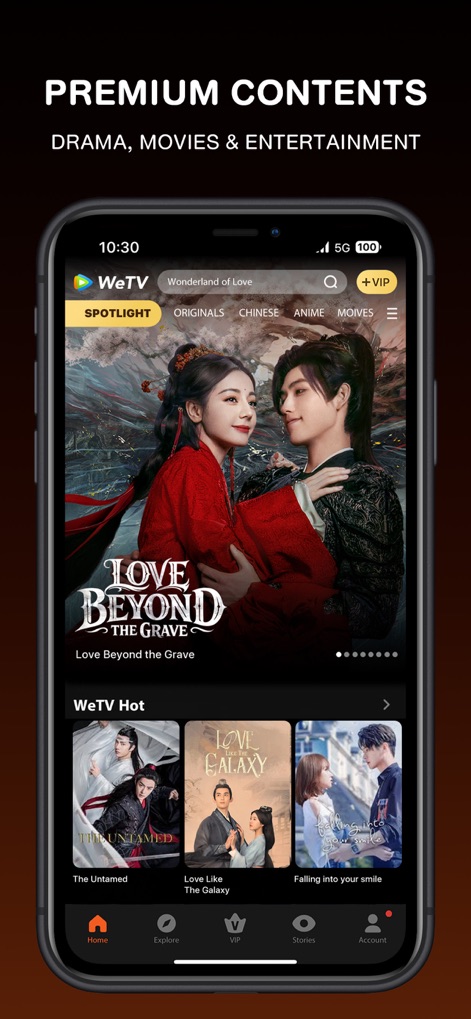
The app showcases premium content with a 'WeTV Hot' section and organized categories like 'Chinese' and 'Anime' for easy browsing.
Premium Content Hub
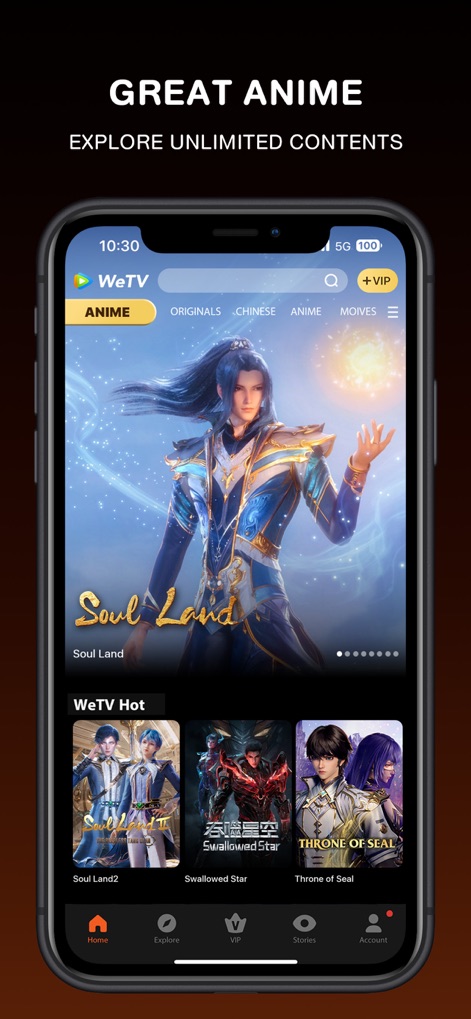
Users can dive into a vast collection of popular anime, easily found through the dedicated 'Anime' category and curated selections.
Explore Anime Worlds
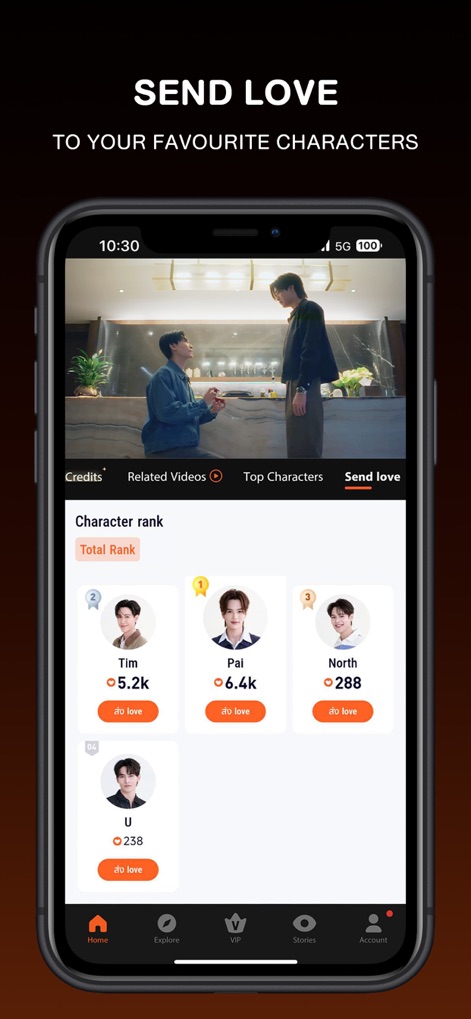
This tool allows users to engage with their favorite characters by sending 'love' and viewing their popularity in the real-time 'Character rank'.
Engage with Characters
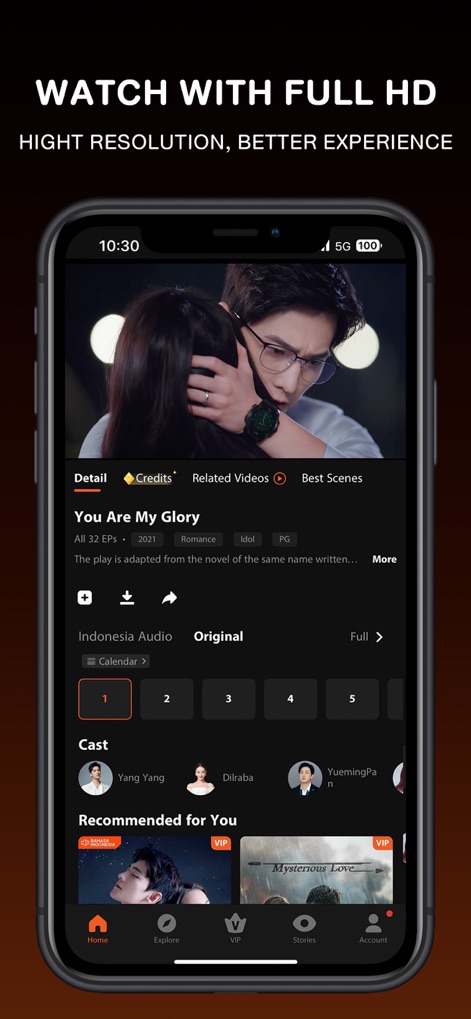
The app offers seamless Full HD video playback, complete with easy episode selection and detailed cast information for an enriched viewing experience.
Full HD Playback
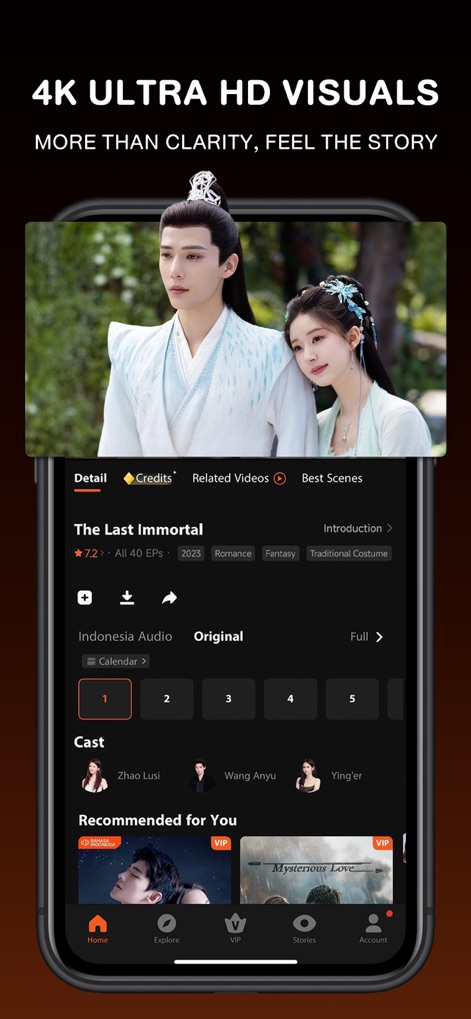
Users can immerse themselves in stories with stunning 4K Ultra HD visuals, alongside comprehensive episode details and cast recommendations.
Immersive 4K Visuals

This tool provides a global viewing experience with multi-language subtitles and real-time translation of bullet comments, bridging cultural gaps.
Global Subtitle Support
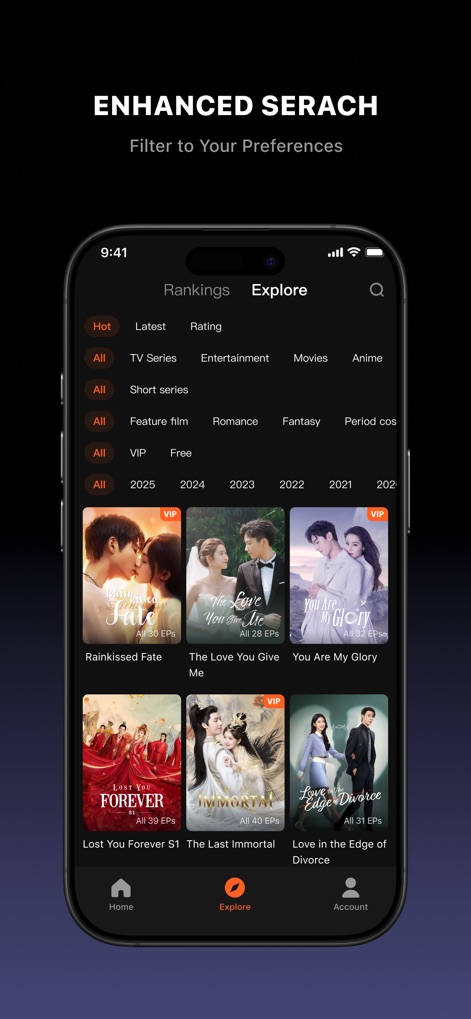
The app facilitates smart content discovery with enhanced search capabilities, allowing users to filter by 'Hot' trends and specific genres like 'Movies' or 'Anime'.
Smart Content Discovery
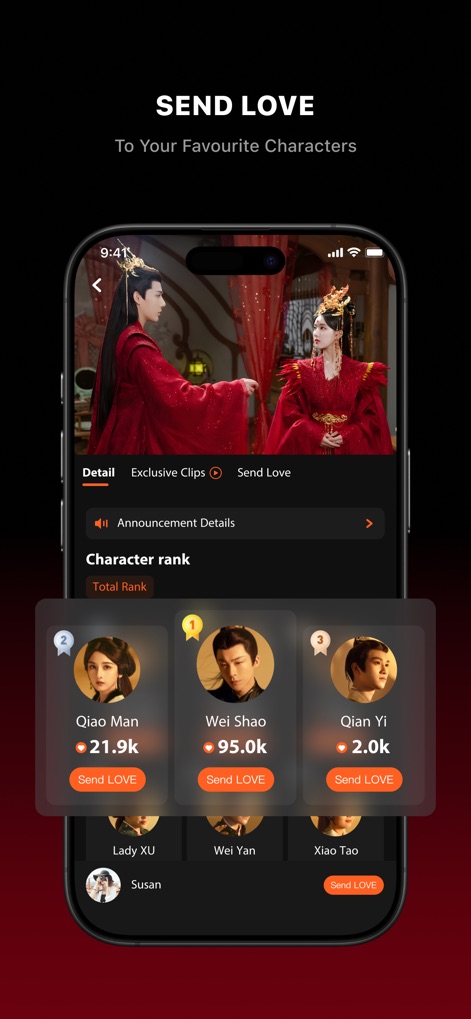
Users can actively support their beloved characters through the 'Send LOVE' function, influencing their position in the dynamic 'Character rank'.
Support Your Favorites
Description
Download
More Like This
Apps with similar features and user experience

咪咕视频-看亚洲杯足球直播
MIGU Video Co. Ltd

iQIYI - Dramas, Anime, Shows
IQIYI INTERNATIONAL SINGAPORE PTE. LTD.

优酷视频HD-《唐宫奇案》全网独播
Youku.com Inc.

电视直播TV - 央视卫视大全
Zhuhai Yitu Jiaxun Information Technology Co., Ltd

MGM+
EPIX Entertainment LLC

Canela.TV - Series y Películas
Canela Media, Inc.

Radio Javan
RADIO JAVAN INC.

TelecomTV: uz TV online
Uzbektelecom AK OJSC

ViX: TV, Sports and News
Univision Communications Inc.
This page is not an official page of the app or its developer, but an independent editorial publication created for informational and commentary purposes. Unless expressly stated otherwise, neither the app nor its developer is affiliated with, endorsed by, sponsored by, authorized by, or otherwise officially connected with MWM, Apple, Google Play, the app publisher, or the app's developer, and nothing on this page implies that the app was developed using MWM's services. Any trademarks, logos, screenshots, and other content remain the property of their respective owners.