Tennis Serve Speed Tracker
Download on App Store

This page is not an official page of the app or its developer, but an independent editorial publication created for informational and commentary purposes. Unless expressly stated otherwise, neither the app nor its developer is affiliated with, endorsed by, sponsored by, authorized by, or otherwise officially connected with MWM, Apple, Google Play, the app publisher, or the app's developer, and nothing on this page implies that the app was developed using MWM's services. Any trademarks, logos, screenshots, and other content remain the property of their respective owners.


Logo of Tennis Serve Speed Tracker
Download on App Store

Tennis Serve Speed Tracker

Measure speed, 3D flight paths, and net clearance instantly with your iPhone. Get real-time AI voice feedback to master your serve and dominate your next match.

Key Figures

Downloads

0

User Rating

5.0/5

Total Ratings

0

Publisher

Andre Dr. Zenner

Category

Sports

Locales

1

Latest Version

11.5

Size

167.1 MB

First Released

Jun 10, 2025
Features

Master Your Serve with Pro-Level Analytics

Transform your iPhone into a high-precision tennis radar. Track speed, 3D flight paths, and consistency—no expensive hardware required.

Instant Speed Tracking

Get tour-level MPH readings calibrated for pro-grade accuracy on every flat, slice, or kick serve.

AI Voice Feedback

Perfect for solo practice. Hear your serve stats instantly through your headphones without leaving the baseline.

The following screenshots and description are sourced directly from the app's official store listing and are the property of the app developer.

App Store

Screenshots
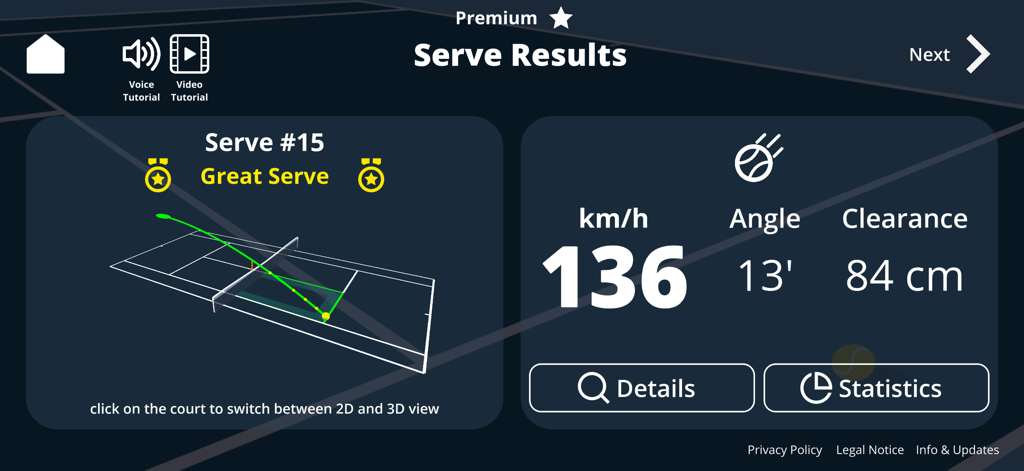
Tennis Serve Speed Tracker - Tennis serve analysis screen showing 136 km/h speed 3D flight path and net clearance metrics
Tennis serve analysis screen showing 136 km/h speed 3D flight path and net clearance metrics

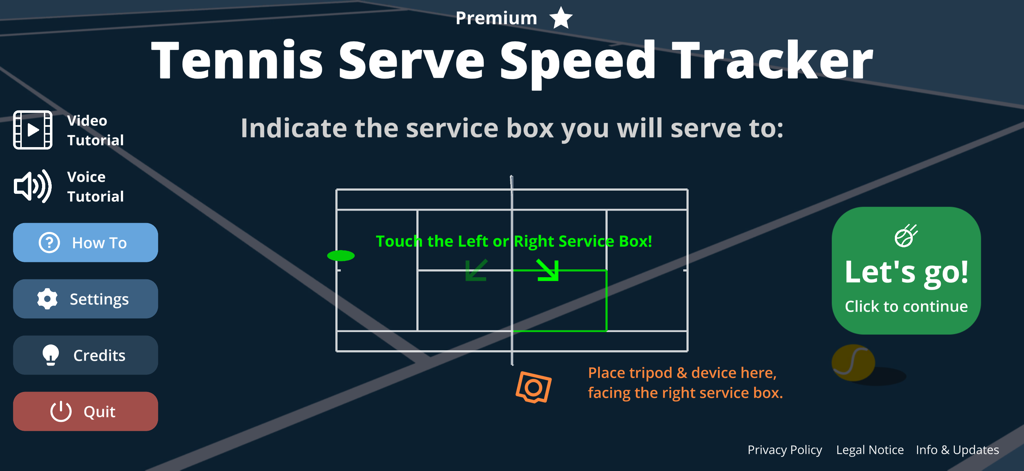
Tennis Serve Speed Tracker - Tennis Serve Speed Tracker app interface for selecting the target service box and device setup instructions
Tennis Serve Speed Tracker app interface for selecting the target service box and device setup instructions

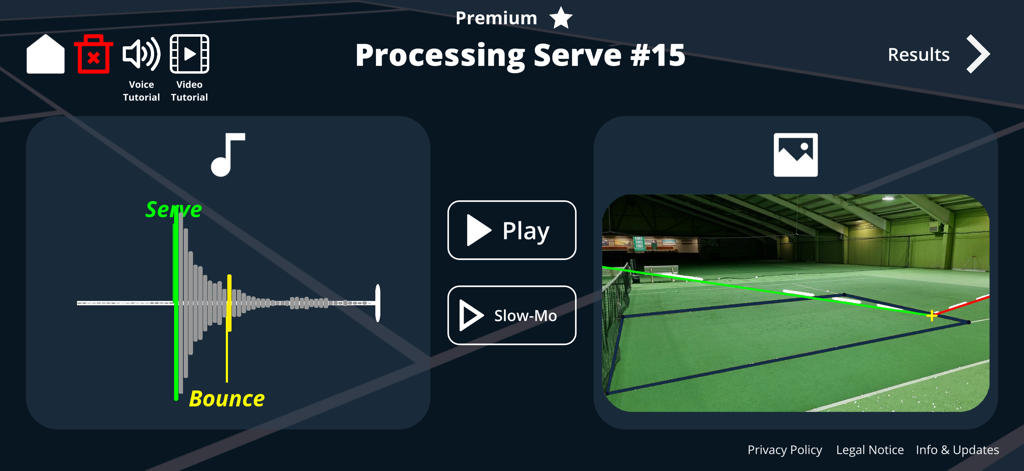
Tennis Serve Speed Tracker - Tennis Serve Speed Tracker app screen showing the analysis of a serve with audio waveform and 3D flight path visualization
Tennis Serve Speed Tracker app screen showing the analysis of a serve with audio waveform and 3D flight path visualization

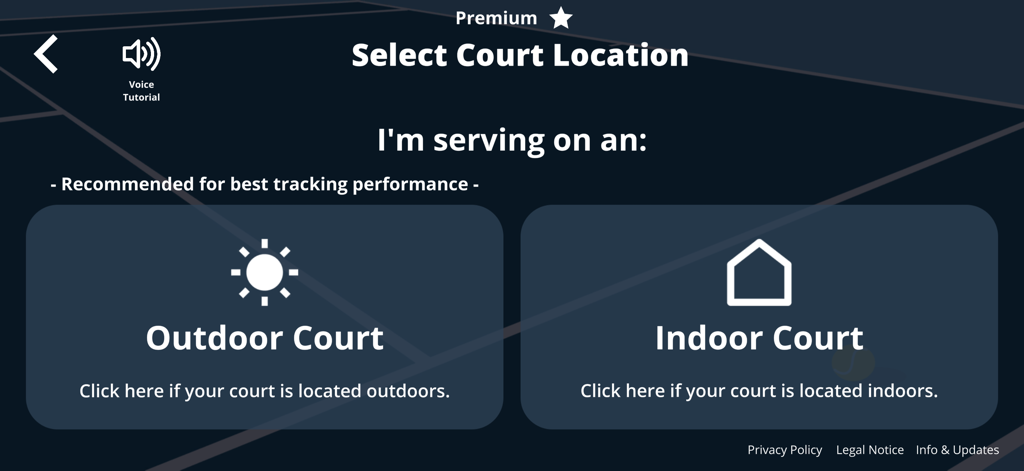
Tennis Serve Speed Tracker - Screen in the Tennis Serve Speed Tracker app to select between an indoor or outdoor court location.
Screen in the Tennis Serve Speed Tracker app to select between an indoor or outdoor court location.

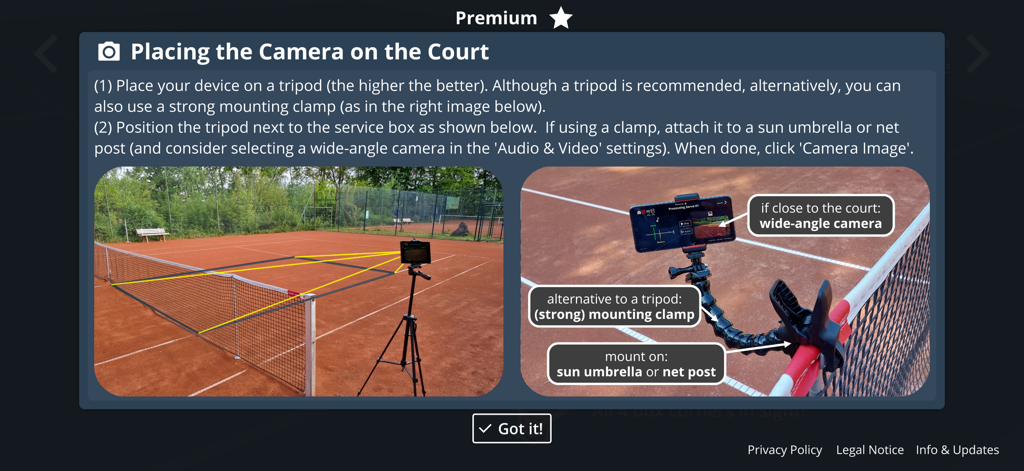
Tennis Serve Speed Tracker - Instructional screen showing how to position a tripod or mounting clamp on a tennis court for serve tracking
Instructional screen showing how to position a tripod or mounting clamp on a tennis court for serve tracking

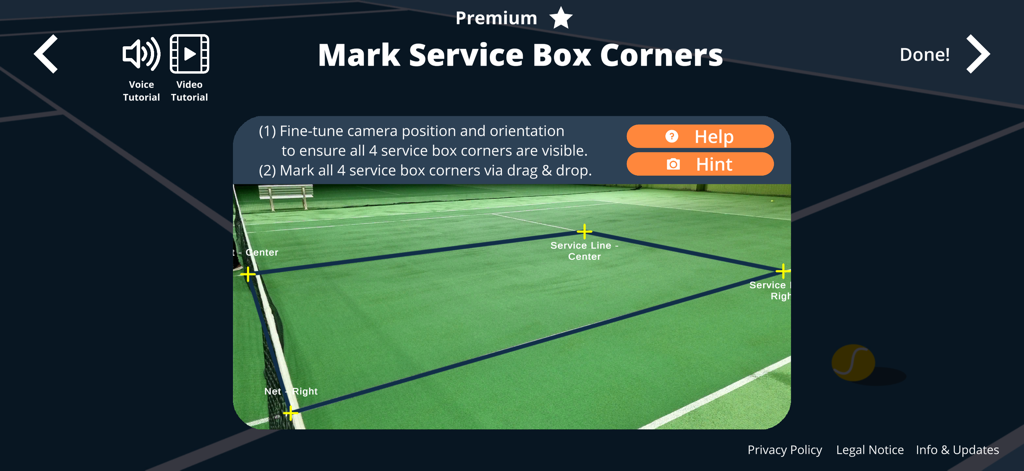
Tennis Serve Speed Tracker - Calibration screen for marking service box corners on a tennis court in the app
Calibration screen for marking service box corners on a tennis court in the app

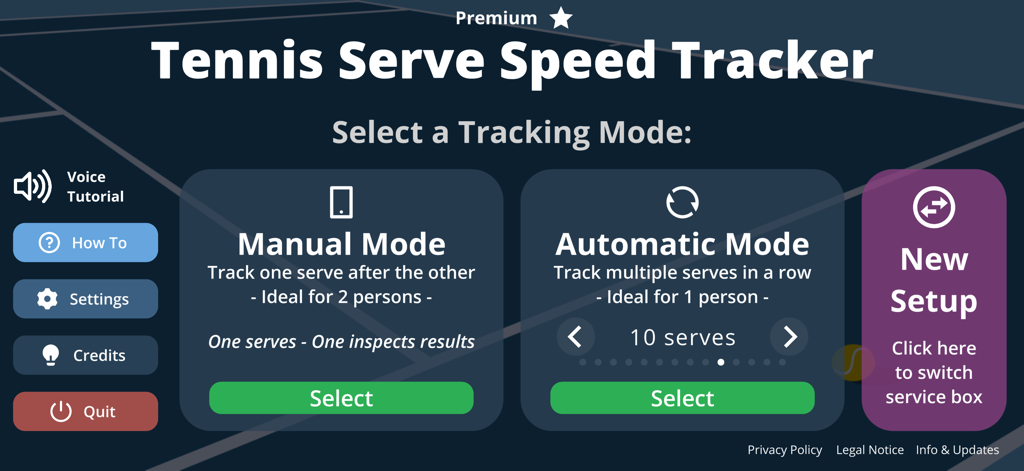
Tennis Serve Speed Tracker - Mode selection screen in the Tennis Serve Speed Tracker app showing Manual and Automatic tracking options
Mode selection screen in the Tennis Serve Speed Tracker app showing Manual and Automatic tracking options

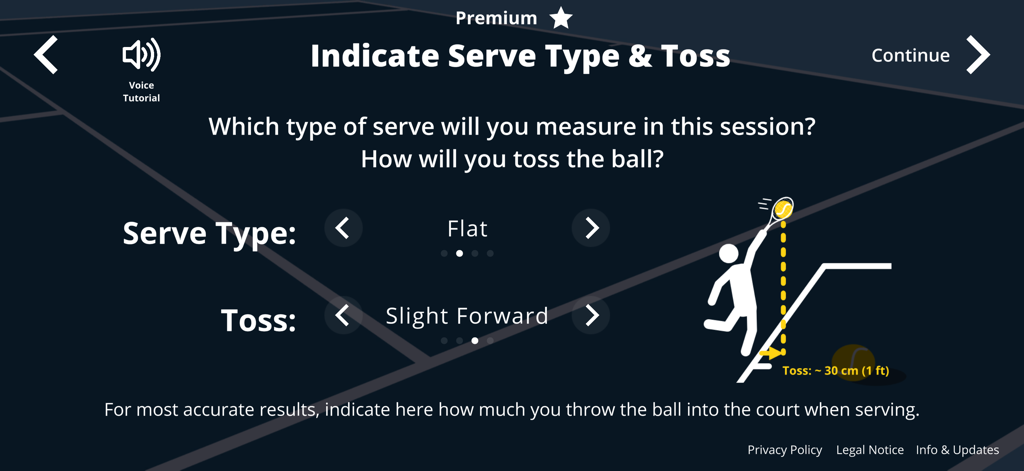
Tennis Serve Speed Tracker - Tennis Serve Speed Tracker app screen for setting serve type and ball toss distance
Tennis Serve Speed Tracker app screen for setting serve type and ball toss distance

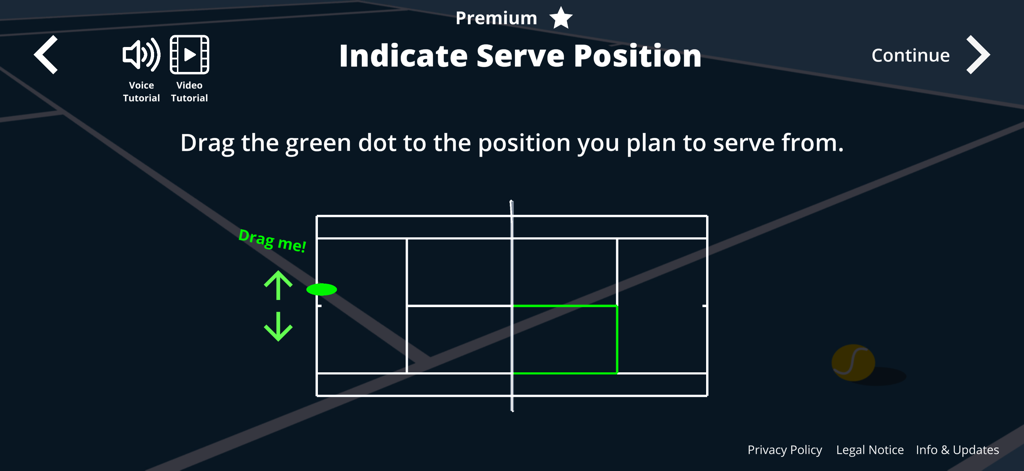
Tennis Serve Speed Tracker - Interface showing a tennis court diagram to indicate the serve position
Interface showing a tennis court diagram to indicate the serve position

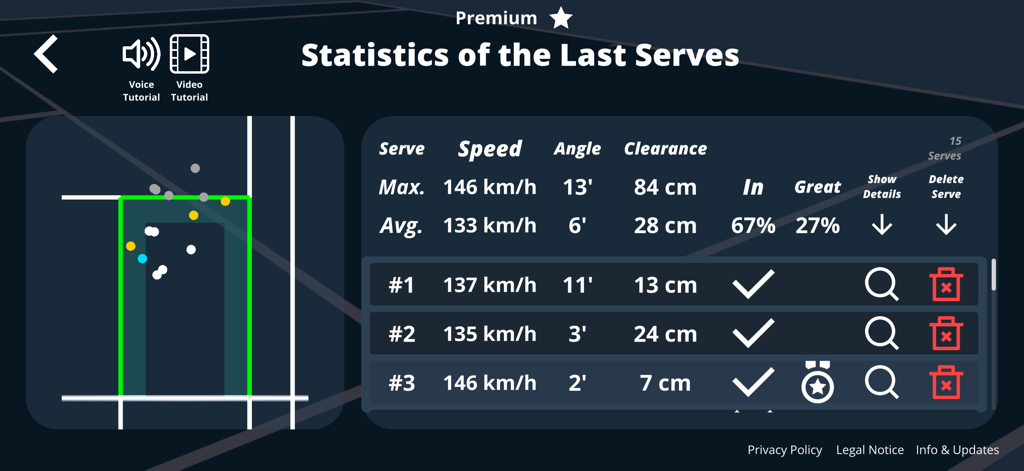
Tennis Serve Speed Tracker - Tennis serve statistics screen showing session data for serve speed, angle, net clearance, and ball placement on a court map.

Tennis serve statistics screen showing session data for serve speed, angle, net clearance, and ball placement on a court map.

Description

--- Pro-level serve tracking - no radar needed! --- With the Tennis Serve Speed Tracker, your iPhone or iPad measures serve speed, 3D flight path, angle, net clearance, and session stats so you can track your serves like a pro - whether for fun, serious training, or coaching - and no radar is needed. --- How It Works --- ... it’s super simple! (1) Set up (30–60 seconds): Mount your iPhone or iPad on a tripod (or alternative mounting option like a strong clamp). Place it near the net, facing the service box you’re targeting. Follow the easy and quick in-app calibration. (2) Serve naturally: Go to the baseline, toss the ball, and hit your serve as usual. When the ball contacts the racket and bounces in the service box, the app’s sensors capture both sound and video. (3) Smart analysis on your phone: Using advanced algorithms, the app automatically reconstructs the ball’s 3D flight path, measures net clearance, calculates the serve angle, and (with Premium) computes the ball speed. All processing happens directly on your iPhone or iPad - no internet or extra sensors needed. (4) Instant feedback: Results appear immediately on your screen. Want to keep practicing without walking back to the device? The AI voice will read out your serve speed and outcome after each serve. Pair it with Bluetooth headphones for private, on-court coaching! (5) Track your stats: After multiple serves, view your session stats: maximum and average speeds and angles, consistency, and serve placement on a court map. --- Free vs. Premium --- Start with the Free Version to make sure the app works on your device and court, and get a taste of what’s possible. If you are happy with the accuracy of the tracking in the Free Version, consider upgrading to Premium - for less than the price of a can of tennis balls - and unlock the full pro experience: • Serve Speed: Just like the numbers you see at Grand Slam tournaments. • Automatic Mode: Train continuously with instant voice feedback after every serve. Perfect for solo sessions. • Serve Statistics: Get instant stats for your current session. --- Features --- Free Version: • 3D Serve Reconstruction: Visualize your serve trajectory on a 3D court. • Serve Angle: See how much you can drag your opponent off-court. • Net Clearance: Measure how safely your ball clears the net. • Manual Mode: Track one serve at a time. • Built-in Tutorials: Step-by-step voice and video instructions guide you through setup, calibration, and practice. Premium Version: • Serve Speed: See the serve velocity (km/h or mph). The app's algorithms take into account effects like air resistance and gravity, and are calibrated against a real radar gun. • Automatic Mode: Track multiple serves in a row hands-free, with instant AI voice feedback. Perfect for solo practice. • Serve Statistics: Check averages, max values, consistency, and placement on a court map. Spot patterns. Train smarter. Practice like the pros. --- Requirements --- • Stable Device Mounting: Use a tripod, clamp, or other solid mount. Hand-held setups are not supported. Your iPhone or iPad must remain completely still during calibration and recording. • Quiet Environment: The app relies on audio cues (racket hit, ball bounce). Avoid nearby courts with ongoing ball exchanges, wind, sudden noises, and strong echoes. • Lighting & Shadows: Moderate, even lighting works best. Avoid rapid changes in light or strong shadows across the court. • Session Focus: Focus each tracking session on one serve type (e.g., flat, slice, or kick) for meaningful stats. --- Who is it for? --- • Casual players: Compete with friends and have fun. • Ambitious players: Train with the app and improve. • Coaches & clubs: Give players instant feedback without expensive equipment or include serve tracking in your next club event. --- Learn More --- Check out tutorials & demos on YouTube: http://www.youtube.com/@TennisServeSpeedTracker More info: https://www.tennis-serve.com/ Happy serving!

Download

Download on App Store

This page is not an official page of the app or its developer, but an independent editorial publication created for informational and commentary purposes. Unless expressly stated otherwise, neither the app nor its developer is affiliated with, endorsed by, sponsored by, authorized by, or otherwise officially connected with MWM, Apple, Google Play, the app publisher, or the app's developer, and nothing on this page implies that the app was developed using MWM's services. Any trademarks, logos, screenshots, and other content remain the property of their respective owners.