
This page is not an official page of the app or its developer, but an independent editorial publication created for informational and commentary purposes. Unless expressly stated otherwise, neither the app nor its developer is affiliated with, endorsed by, sponsored by, authorized by, or otherwise officially connected with MWM, Apple, Google Play, the app publisher, or the app's developer, and nothing on this page implies that the app was developed using MWM's services. Any trademarks, logos, screenshots, and other content remain the property of their respective owners.


Tenuto
The professional standard for ear training and theory drills. Practice with 24 customizable exercises and a suite of musical calculators designed for serious students and educators.
Downloads
592K+User Rating
Total Ratings
1K+Publisher
Category
MusicLocales
1Latest Version
5.0.1Size
10.3 MBFirst Released
Aug 30, 2011Master Your Music Theory
The trusted toolkit for serious musicians and students. 24 high-intensity, customizable exercises designed to build academic rigor and musical fluency without the fluff.
Hyper-Focused Practice
Target your specific weaknesses by fully customizing every drill. Toggle specific intervals, scales, or keys to match your current syllabus or practice goals.
Elite Aural Training
Develop a professional ear through rigorous identification drills. Master intervals, chords, and scales by ear with a no-nonsense, ad-free interface.
Frequently Asked Questions
Everything you need to know about Tenuto
What is Tenuto?
Tenuto is an app offering 24 customizable exercises and six musical calculators to enhance musicality. It includes identification, construction, and ear training for notes, intervals, scales, and chords.
What types of musical exercises does Tenuto offer?
Tenuto offers exercises for note, key signature, interval, scale, and chord identification and construction. It also includes keyboard, fretboard, and ear training exercises.
Can Tenuto help with ear training?
Yes, Tenuto includes various ear training exercises, such as Keyboard Ear Training, Note Ear Training, Interval Ear Training, Scale Ear Training, and Chord Ear Training.
Does Tenuto include musical calculators?
Yes, Tenuto features six musical calculators. These include tools for accidentals, intervals, scales, chords, analysis symbols, and twelve-tone matrices.
How does Tenuto's Fretboard Identification work?
Tenuto's Fretboard Identification exercises require users to tap the button corresponding to marked fretboard positions to identify notes, intervals, scales, or chords.
Can I customize the exercises in Tenuto?
Yes, Tenuto allows customization of exercises. Users can adjust settings such as clefs, range, positions, key signatures, note names, helpers, accidentals, and note filters.
What is the Analysis Calculator in Tenuto?
The Analysis Calculator in Tenuto displays the chord for a given analysis symbol and key. It assists users in understanding harmonic progressions.
Does Tenuto support learning on a piano keyboard?
Yes, Tenuto supports learning with a piano keyboard. It offers Keyboard Reverse Identification, Keyboard Note Identification, and Keyboard Ear Training exercises.
How many exercises does Tenuto offer?
Tenuto offers a collection of 24 distinct exercises designed to enhance musicality across various aspects like identification, construction, and ear training.
What is the purpose of the Matrix Calculator in Tenuto?
The Matrix Calculator in Tenuto displays the twelve-tone matrix for a specified tone row. This tool is used for advanced serial music analysis.
The following screenshots and description are sourced directly from the app's official store listing and are the property of the app developer.
App Store
Screenshots
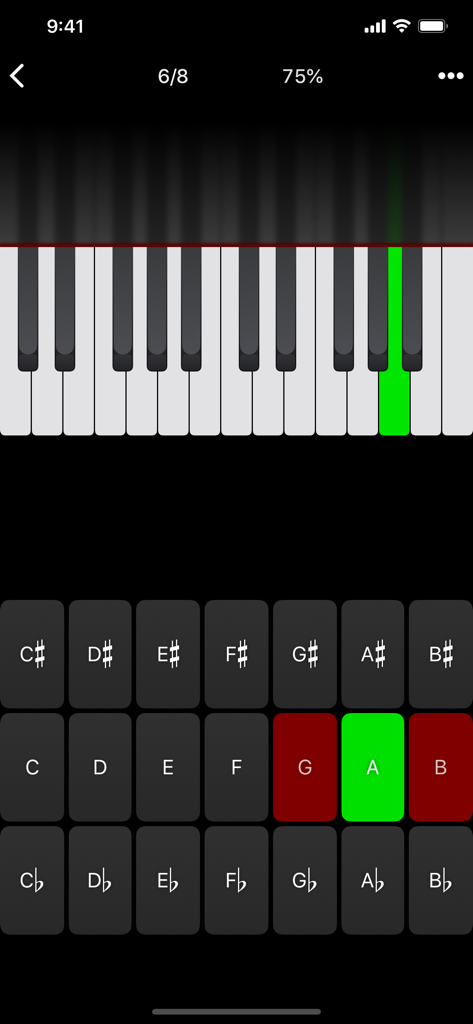
Tenuto music theory app interface showing a piano keyboard note identification exercise with a highlighted green key and letter buttons
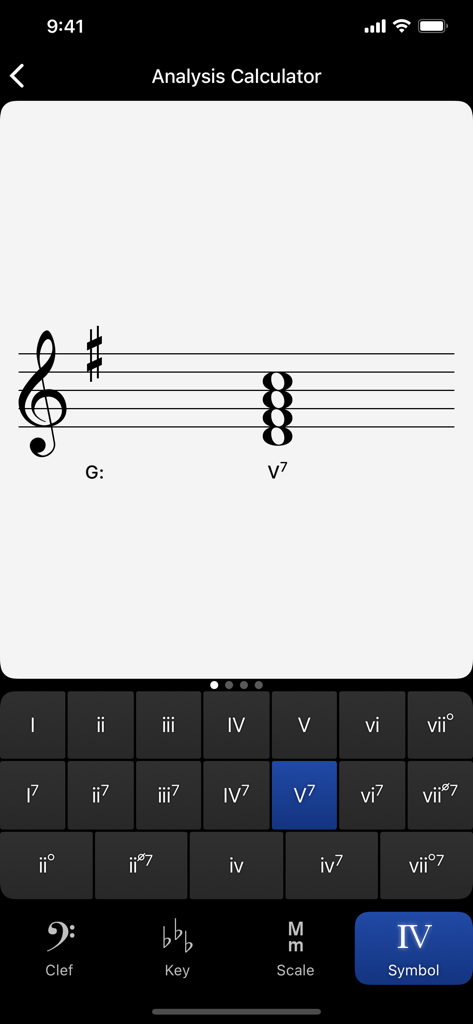
A screenshot of the Tenuto app showing the Analysis Calculator for Roman numeral identification in G major
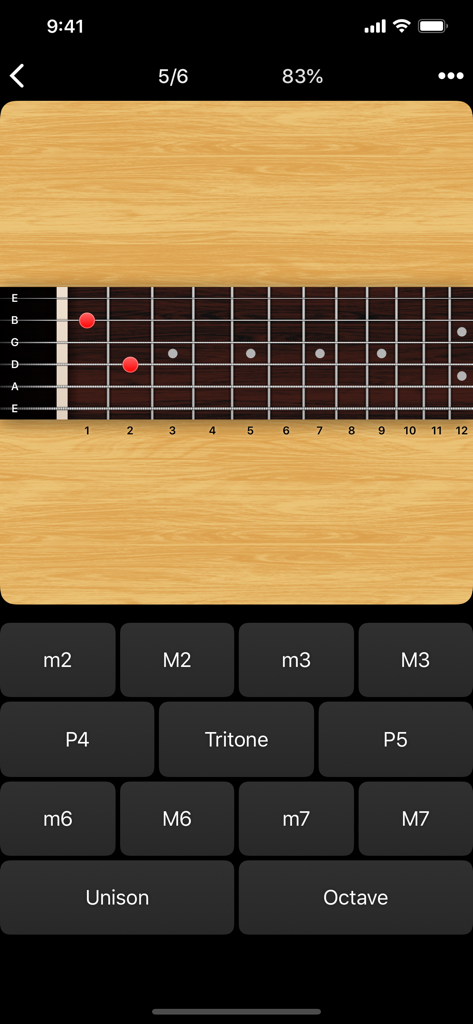
Guitar fretboard interval identification drill in the Tenuto music theory app.
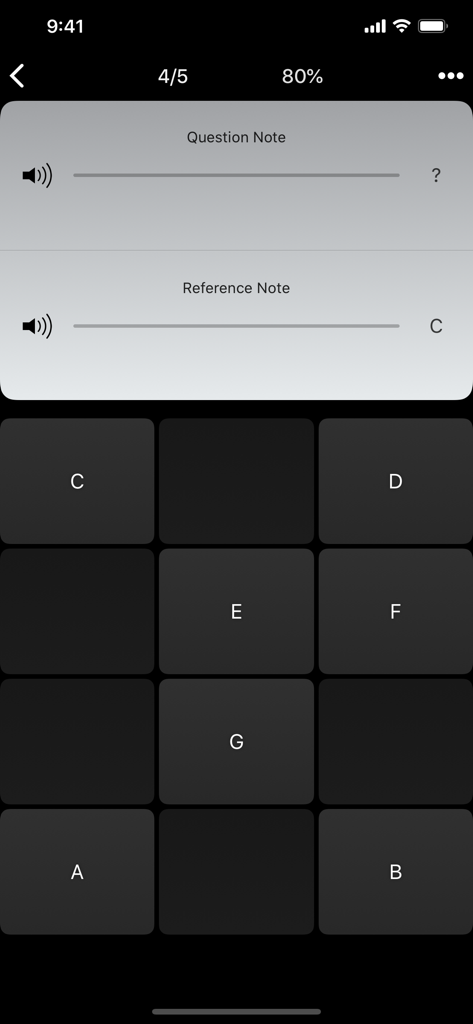
Tenuto app interface showing a note ear training exercise with note buttons and reference note C
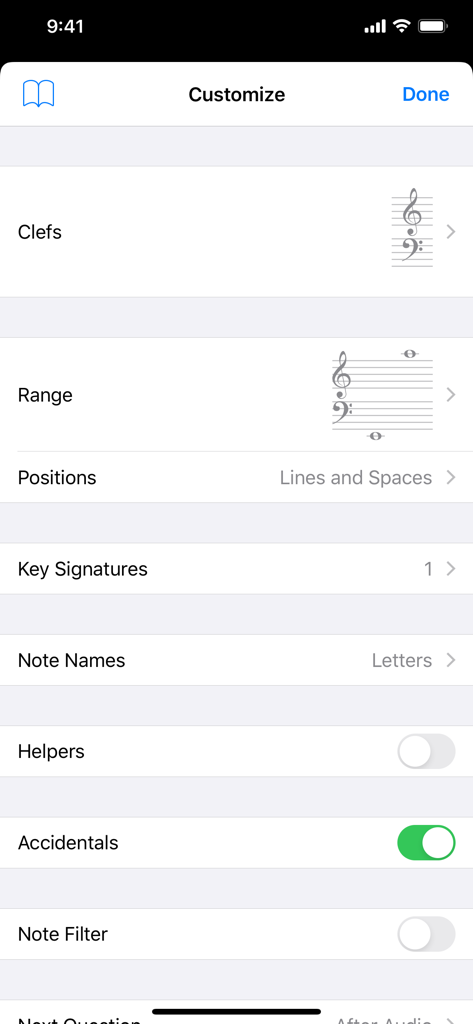
Tenuto app customization screen for music theory exercises showing settings for clefs and range
Description
Download
More Like This
Apps with similar features and user experience

Earpeggio
Blazing Apps Ltd
Piano Chords and Scales
Sincere Apps SIA

Solo - Fretboard Visualization
Trio Software LTD

Functional Ear Trainer
Serhii Korchan

Tone - Learn Perfect Pitch!
Coda Labs Incorporated

Solfa: learn musical notes.
Alexey Ovod

Perfect Ear - Ear Trainer
Crazy Ootka Software AB

Theory Lessons
musictheory.net, LLC

Music Rhythm Trainer
Guitar Tabs LLC
This page is not an official page of the app or its developer, but an independent editorial publication created for informational and commentary purposes. Unless expressly stated otherwise, neither the app nor its developer is affiliated with, endorsed by, sponsored by, authorized by, or otherwise officially connected with MWM, Apple, Google Play, the app publisher, or the app's developer, and nothing on this page implies that the app was developed using MWM's services. Any trademarks, logos, screenshots, and other content remain the property of their respective owners.